HealthSweep Site Monitor – Advanced Site Health & Performance Tools
| 开发者 | ravikhadka |
|---|---|
| 更新时间 | 2026年3月28日 18:07 |
| 捐献地址: | 去捐款 |
| PHP版本: | 7.4 及以上 |
| WordPress版本: | 6.9 |
| 版权: | GPLv2 or later |
| 版权网址: | 版权信息 |
详情介绍:
- A dedicated HealthSweep Site Monitor tab in
Tools > Site Health - Performance, Security, and Reliability tests using the Site Health API
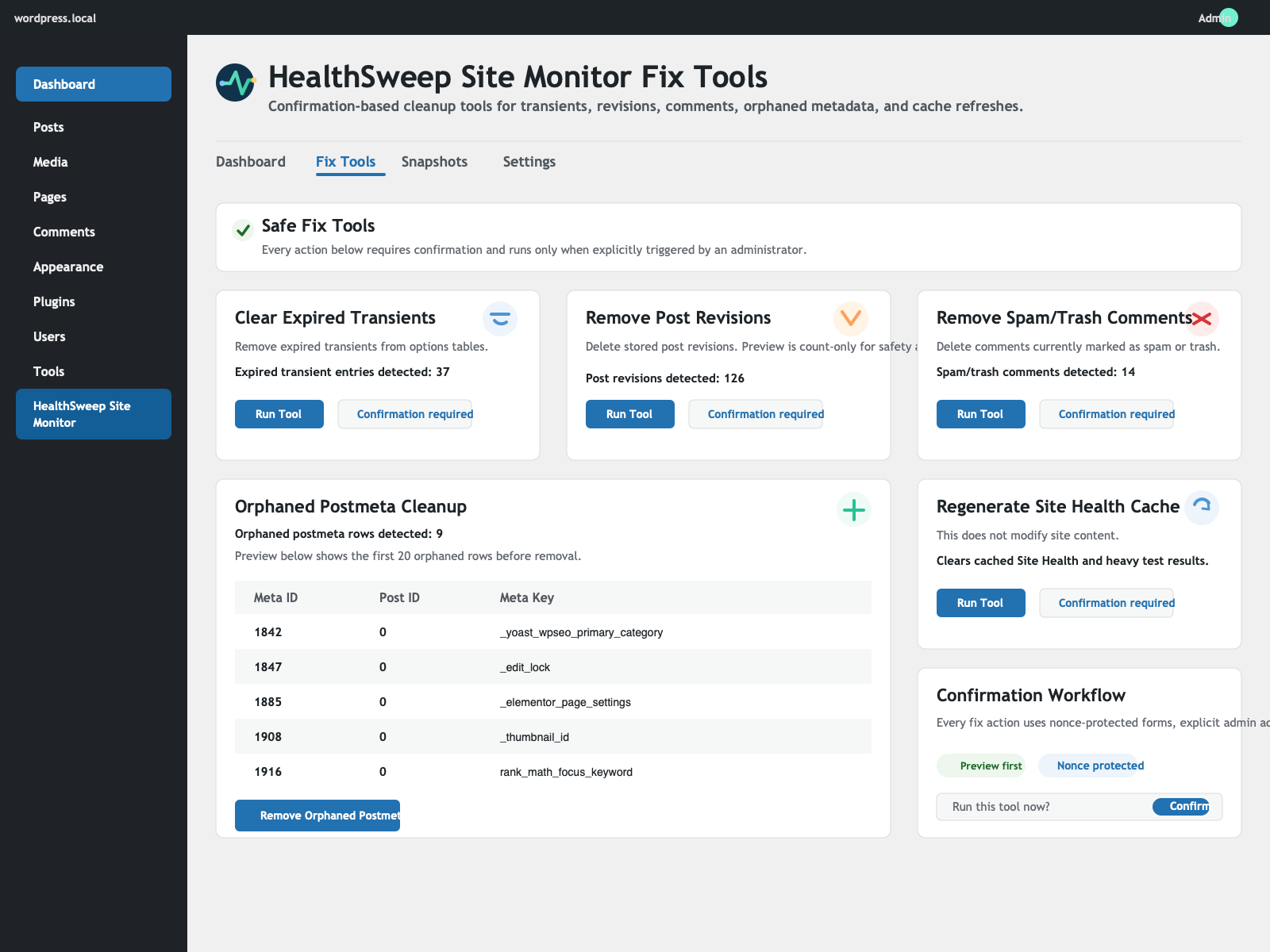
- Safe, admin-initiated cleanup tools in
Tools > HealthSweep Site Monitor > Fix Tools - Snapshot system with manual and optional scheduled snapshots (daily/weekly)
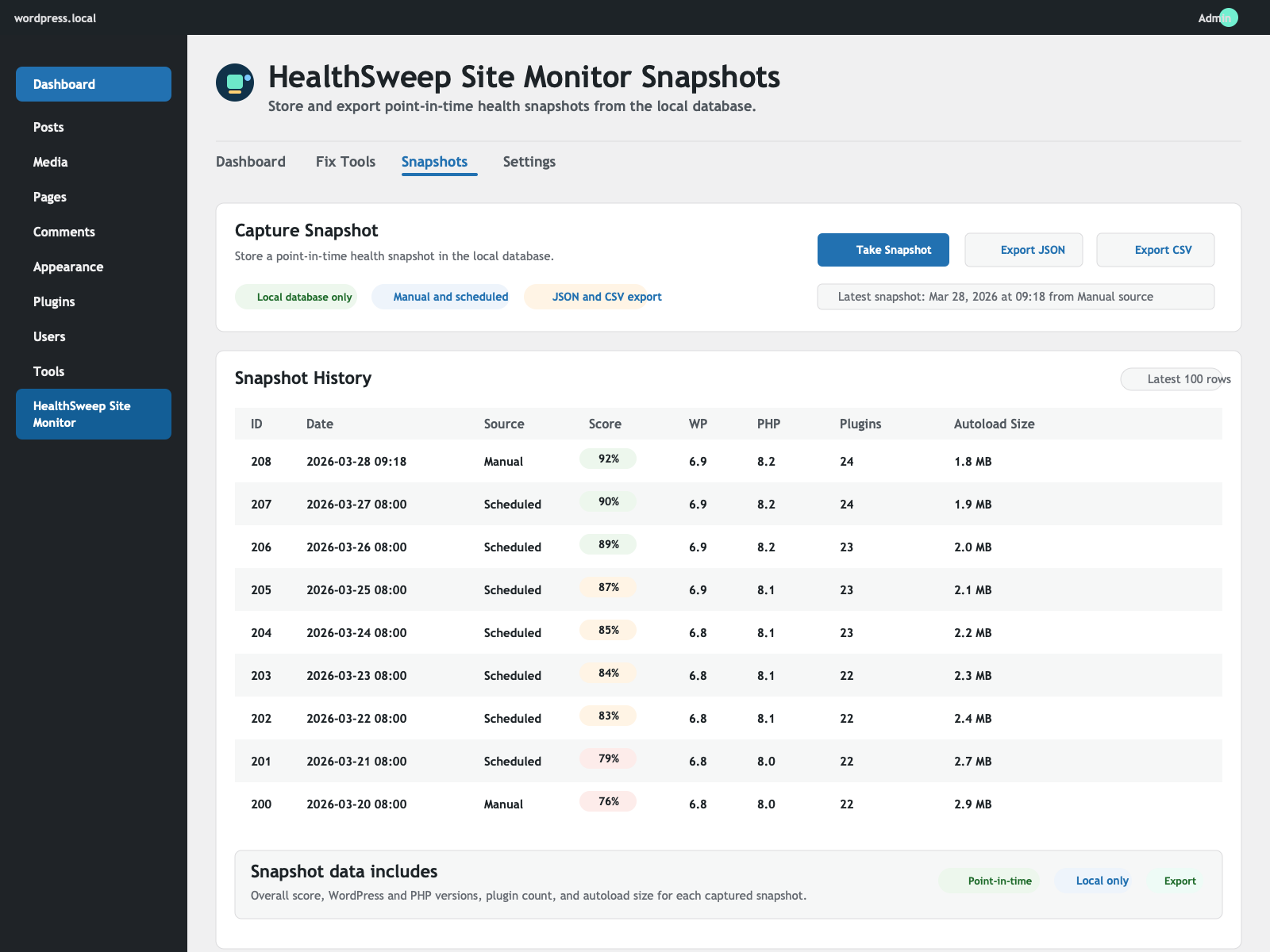
- Trends dashboard (30-day snapshot trends for score, autoload size, cron queue, and plugin count)
- JSON and CSV snapshot export
- Dashboard scoring engine (overall + category breakdown)
- Local PageSpeed 3-run benchmark (median/fastest/slowest, no external API)
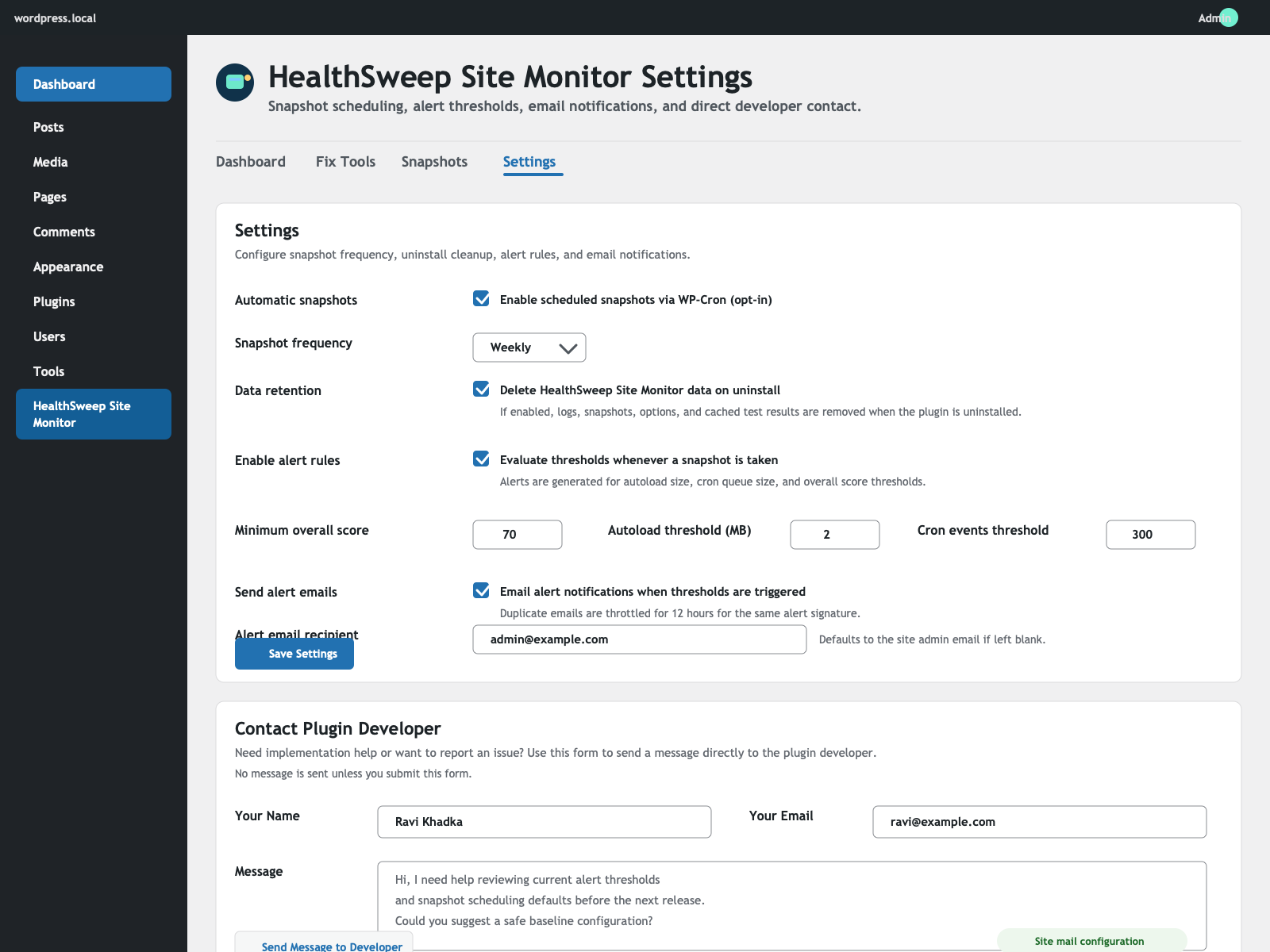
- Threshold-based alert rules with optional email notifications
- Action logs with clear history and one-click log clearing
- Settings contact form to message plugin developer via
wp_mail - Strong security: capability checks, nonces, sanitization, and escaped output
- No external API calls
- No tracking or analytics
- No automatic data-modifying actions without explicit admin confirmation
- Clear explanations for each tool and recommendation
- No upsell patterns in admin
安装:
- Upload the
healthsweep-site-monitorfolder to/wp-content/plugins/. - Activate the plugin through the
Pluginsscreen in WordPress. - Open
Tools > HealthSweep Site Monitorfor dashboard, fix tools, snapshots, and settings. - Open
Tools > Site Healthand select theHealthSweep Site Monitortab for diagnostics summary.
屏幕截图:
常见问题:
Does HealthSweep Site Monitor replace WordPress Site Health?
No. It enhances Site Health diagnostics and adds optional maintenance workflows while keeping core Site Health intact.
Does this plugin send data to external services?
No. HealthSweep Site Monitor does not call external APIs and does not include analytics or tracking.
Are cleanup tools automatic?
No. Cleanup tools only run when an administrator explicitly confirms each action.
How do scheduled snapshots work?
Scheduled snapshots are opt-in and use WP-Cron. You can choose daily or weekly frequency in Settings.
What is the Local PageSpeed sample?
It is a local benchmark that measures homepage fetch time, HTTP status, and HTML size from your own WordPress server. It does not use external services or APIs.
How do alert rules work?
When enabled, HealthSweep Site Monitor evaluates thresholds each time a snapshot is created. You can set thresholds for overall score, autoload size, and cron event count, and optionally send alert emails.
How can I improve my Site Health score with HealthSweep Site Monitor?
Start with the HealthSweep Site Monitor dashboard breakdown, run safe cleanup tools you need, retake snapshots, and use trend + alert data to monitor progress.
Does HealthSweep Site Monitor use external performance APIs?
No. The local PageSpeed benchmark runs on your own site and server only.
What does the Trends dashboard show?
It summarizes the last 30 days of snapshot metrics with compact trend visualizations for overall score, autoload size, cron events, and plugin count.
Can I contact the plugin developer from the plugin UI?
Yes. Tools > HealthSweep Site Monitor > Settings includes a contact form that sends your message through your site's configured WordPress mail system.
Can plugin data be deleted on uninstall?
Yes. Enable "Delete HealthSweep Site Monitor data on uninstall" in Settings.
更新日志:
- Updated the plugin branding to HealthSweep Site Monitor.
- Made the REST test route capability check explicit.
- Prepared the release for the updated plugin slug and packaging.
- Initial release.
- Added HealthSweep Site Monitor Site Health tab integration.
- Added custom Site Health tests across Performance, Security, and Reliability.
- Added 3-run local PageSpeed benchmark with median/fastest/slowest reporting.
- Added safe Fix Tools with preview + confirmation workflow.
- Added snapshot storage table, manual capture, scheduled capture, and export.
- Added trend dashboard based on snapshot history.
- Added configurable alert rules with optional email notifications.
- Added scoring engine and admin dashboard.
- Added plugin action logging and log clearing.