
HideAway Admin
| 开发者 | davidshum98 |
|---|---|
| 更新时间 | 2026年9月19日 07:47 |
| PHP版本: | 7.2 及以上 |
| WordPress版本: | 7.1 |
| 版权: | GPLv2 or later |
| 版权网址: | 版权信息 |
详情介绍:
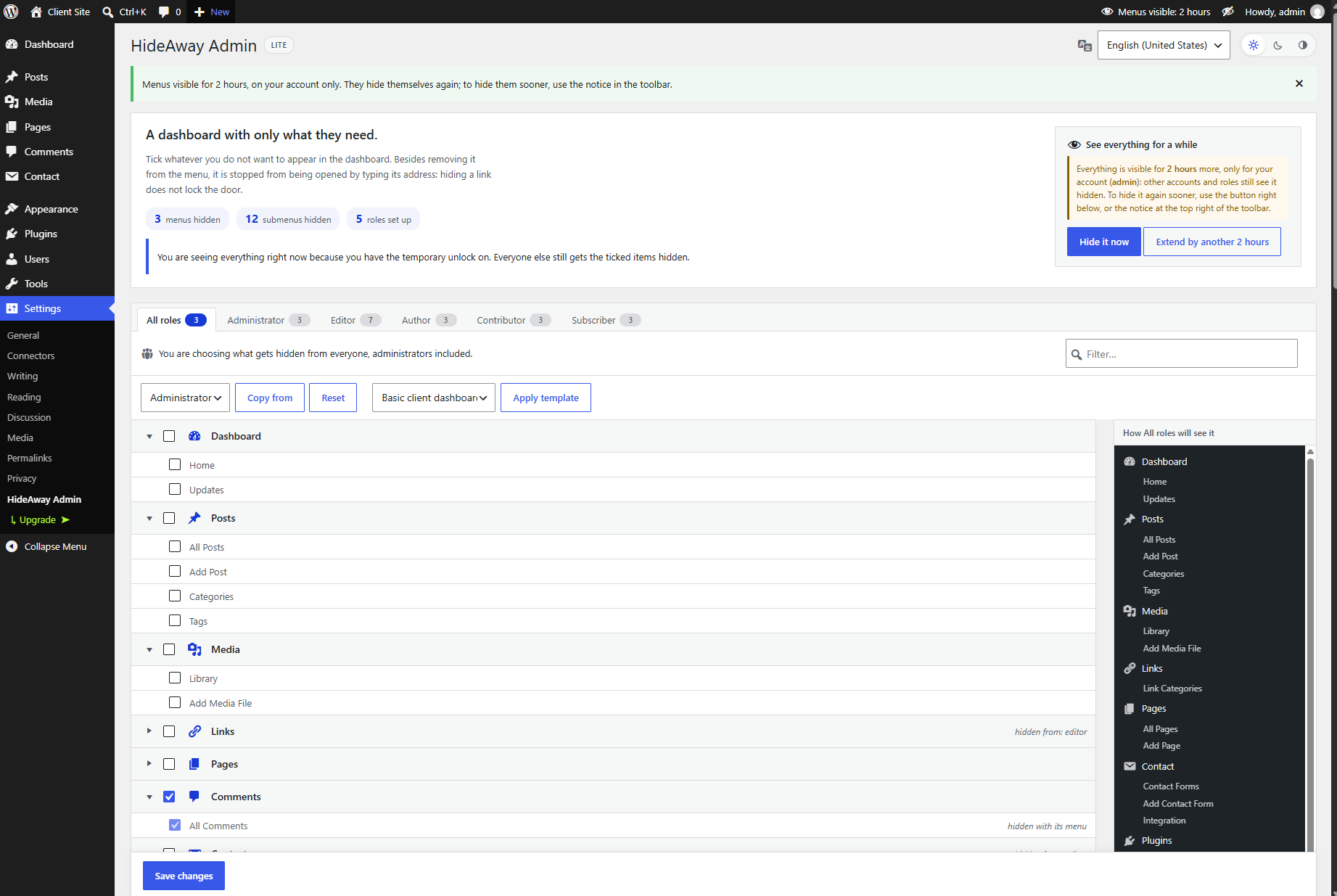
- Hide menus and submenus by role. The list is your real dashboard menu, in its real order, including everything your theme and plugins add.
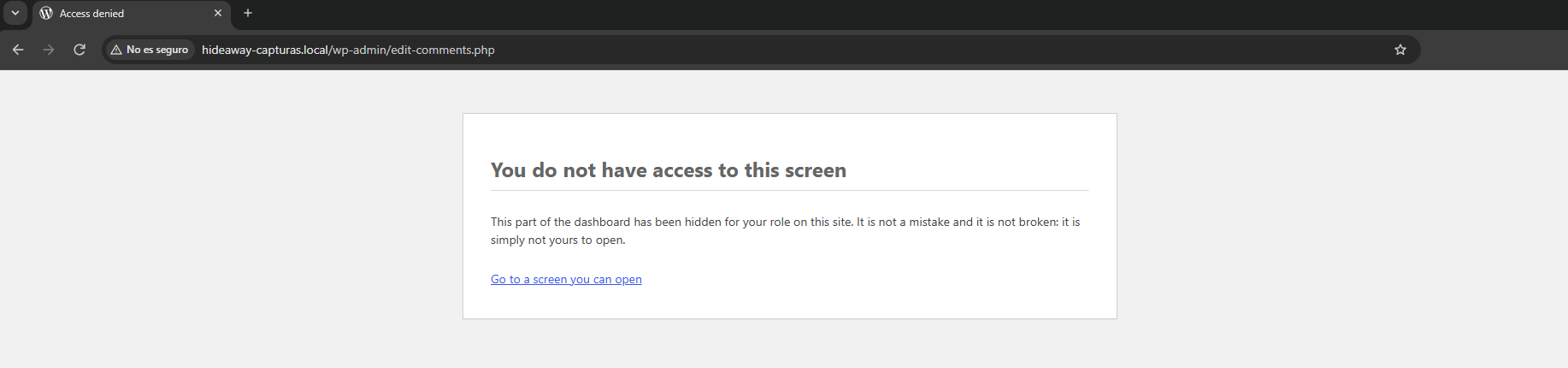
- Hidden really means closed. Hidden screens can't be opened by typing their address, and neither can the loose screens of a hidden plugin.
- Live preview. See exactly how the menu will look for each role before you save, taking each role's permissions into account.
- Temporary unlock, just for you. Bring everything back into view for a while on your own account. Nobody else notices, and it hides itself again.
- A tidy toolbar. Shortcuts to hidden screens disappear from the admin bar too.
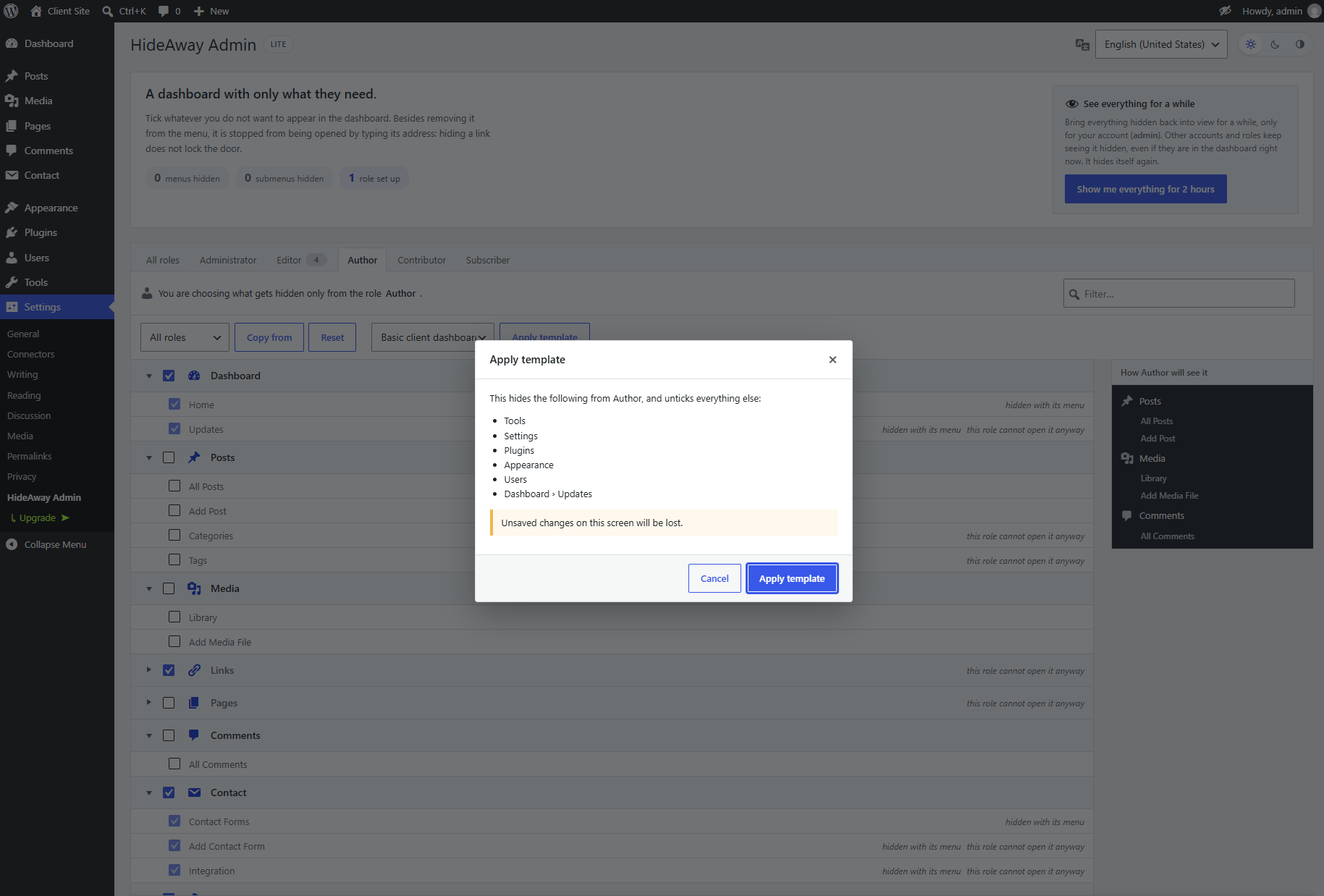
- A starter template. Hide the usual suspects (Tools, Settings, Plugins, Appearance, Users, Updates) in one click, and see what it will tick before applying it.
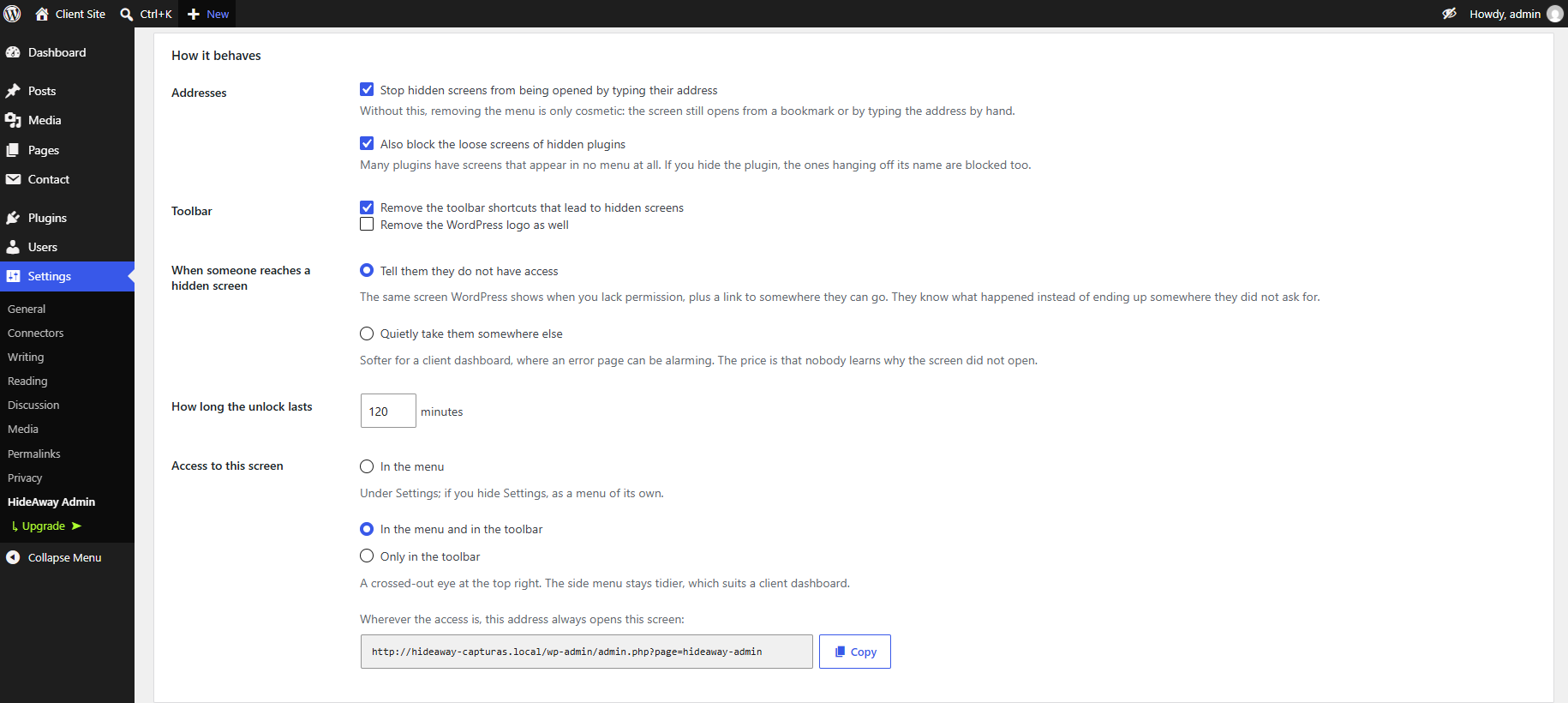
- You choose where the plugin lives. In the Settings menu, in the toolbar, or both.
- A dark theme, and ready for translation at translate.wordpress.org.
- Drag menus and submenus into the order you want.
- Hide things from one specific person, not just a whole role.
- Hide dashboard boxes and the Help and Screen Options tabs.
- Send each role to its own screen when they log in.
- More templates, and save your own.
- Export your setup and import it on another site, reviewing what it brings before applying it.
- An activity log that shows exactly what changed, and lets you undo it.
- White label, and a lock so only your account can change the plugin.
- WP-CLI commands and multisite support.
- 12 ready-made translations, with a language switcher just for this plugin.
安装:
- In your dashboard, go to Plugins > Add New and search for "HideAway Admin", or upload the zip file.
- Activate the plugin. Nothing is hidden until you tick something.
- Go to Settings > HideAway Admin, pick a role and tick what that role shouldn't see.
屏幕截图:
常见问题:
Is this a security plugin?
No. Hiding a screen doesn't take capabilities away: someone who can do something by another route (the REST API, WP-CLI, another plugin) still can. HideAway Admin keeps the dashboard tidy and closes hidden screens to everyday access. To change what a role is allowed to do, use a role editor.
I hid too much and I can't find my way back
The plugin's own screen can never be hidden. You can also use the temporary unlock, or add this line to wp-config.php to show everything to everyone while it is there:
define( 'HIDEAWAY_VISIBLES', true );
Does it work with WooCommerce and other plugins?
Yes. The list is read from your real dashboard, so it includes every menu your plugins add, in the order you actually see it.
What happens if I deactivate it?
The dashboard goes back to normal straight away. Your settings are kept until you delete the plugin, and deleting it removes everything it saved.
Does it work on multisite?
Yes, site by site. Copying one site's setup to the whole network is part of Pro.
What language is the plugin screen in?
English by default. To see it in your dashboard's language, pick "Same as the dashboard" in the language menu at the top of the plugin's screen: it then uses the translations the community adds at translate.wordpress.org. It only changes this plugin, and only for that person. HideAway Admin Pro also comes with 12 ready-made translations.
What happens when a Pro license expires?
Nothing breaks. Everything you set up with Pro keeps working (menu order, rules for specific people, white label, the lock…), but the Pro options become read-only, and updates and support stop, until you renew. The free features stay fully editable.
更新日志:
- The footer of the plugin's screen now links to the WordPress.org review form. It never shows with the Pro white label.
- The "Try Pro free for 14 days" button works on every site. Before, it could show a "Sorry, you are not allowed to access this page" error.
- No more "You are just one step away" notice on the Plugins screen: the plugin no longer asks to share data when you activate it.
- First public release.