
Hostvn Admin Optimize
| 开发者 | hostvn |
|---|---|
| 更新时间 | 2021年2月8日 19:12 |
| PHP版本: | 5.6 及以上 |
| WordPress版本: | 5.5.6 |
| 版权: | GPLv2 or later |
| 版权网址: | 版权信息 |
详情介绍:
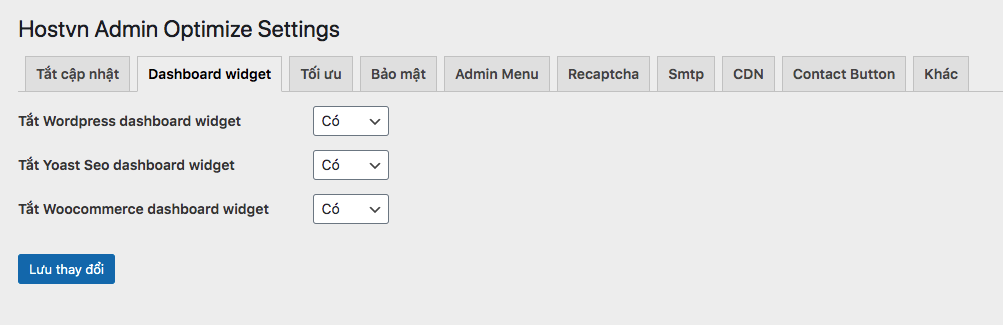
- Disable Wp-admin Dashboard widget
- Disable Plugins update, Theme update, Wordpress Update
- Add Google Recaptcha to login form, register form, forgot password form
- Disable Generator meta tag
- Change login errors message
- Enable/Disable redirect to homepage after login
- Woocommerce optimize
- SMTP settings
- CDN config
- Security settings
- Contact Button
- Show/Hide menu in wp-admin
- Change login link
- And more ...
安装:
- Go to Plugins › Add New.
- Search for Hostvn Admin Optimize.
- Look for this plugin, download and activate it.
- The page will redirect you to the settings. Change your login url there.
- You can change this option any time you want, just go back to Settings -> Hostvn AO Setting.
屏幕截图:
更新日志:
1.0.7
- Added: Disable Automatic Update Email Notification
- Added: Disable all the Nags & Notifications
- Fixed: Disable Update plugín, theme don't work
- Remove Rank Math Seo Dashboard Widget
- Remove Yet Another Stars Rating Dashboard Widget
- Tested on WordPress 5.6
- Remove CDN
- Change reCaptcha Label
- Added: Enable/Disable SMTP
- Added: woocommerce optimize
- Added: SMTP settings
- Added: CDN config
- Added: security settings
- Added: Contact Button
- Added: Show/Hide menu in wp-admin
- And more ...
- Added Enable/Disable redirect to home page after login.
- Updated the readme text.
- Updated the icon.
- Updated Screenshots.
- Initial version.