
HourGate – Store Hours for WooCommerce
| 开发者 | nsgawli |
|---|---|
| 更新时间 | 2026年11月5日 23:01 |
| PHP版本: | 7.4 及以上 |
| WordPress版本: | 7.1 |
| 版权: | GPLv3 or later |
| 版权网址: | 版权信息 |
详情介绍:
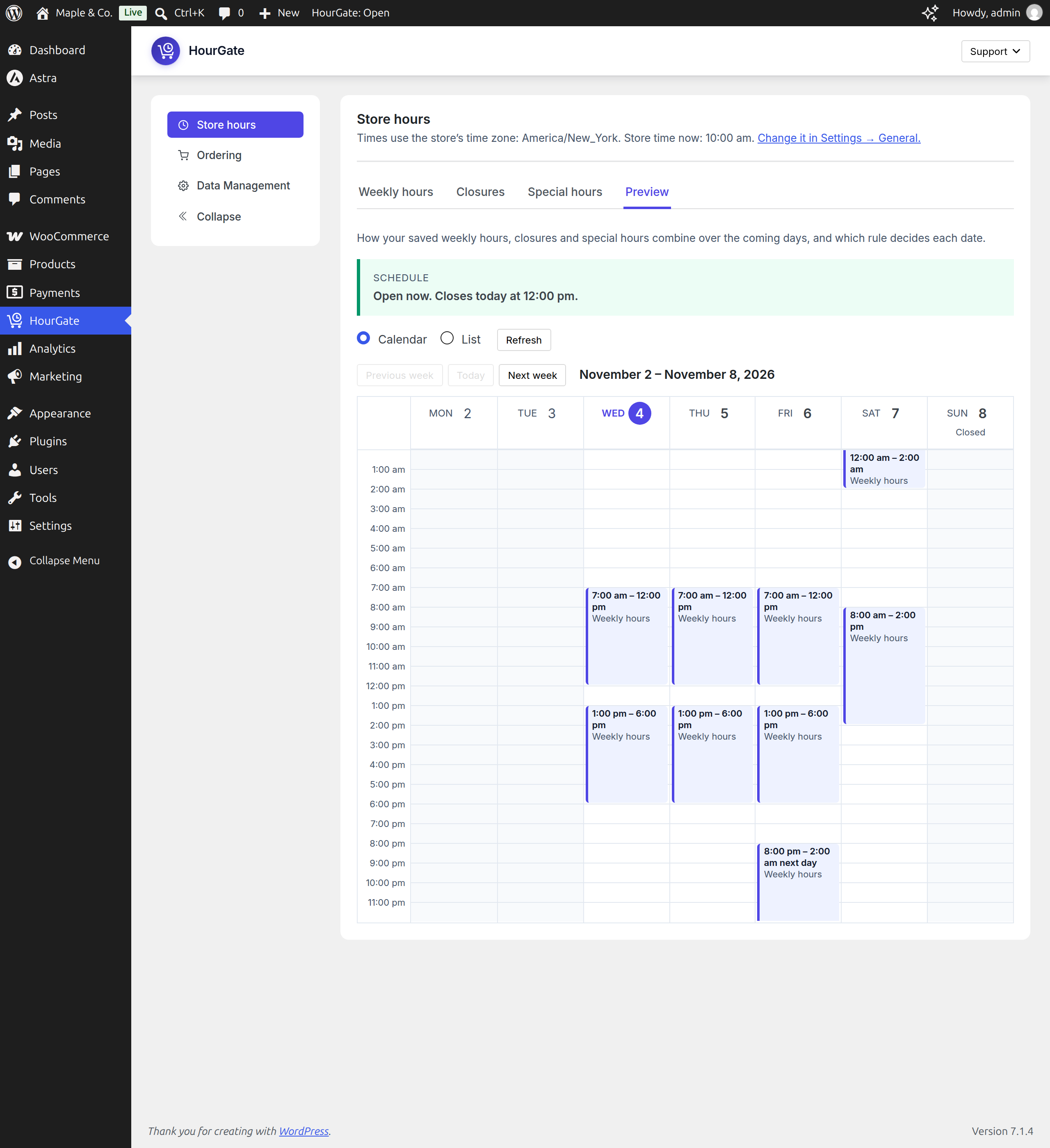
- Weekly hours: as many time ranges per day as you need, ranges past midnight (6 pm – 2 am), days closed all day, or open 24 hours.
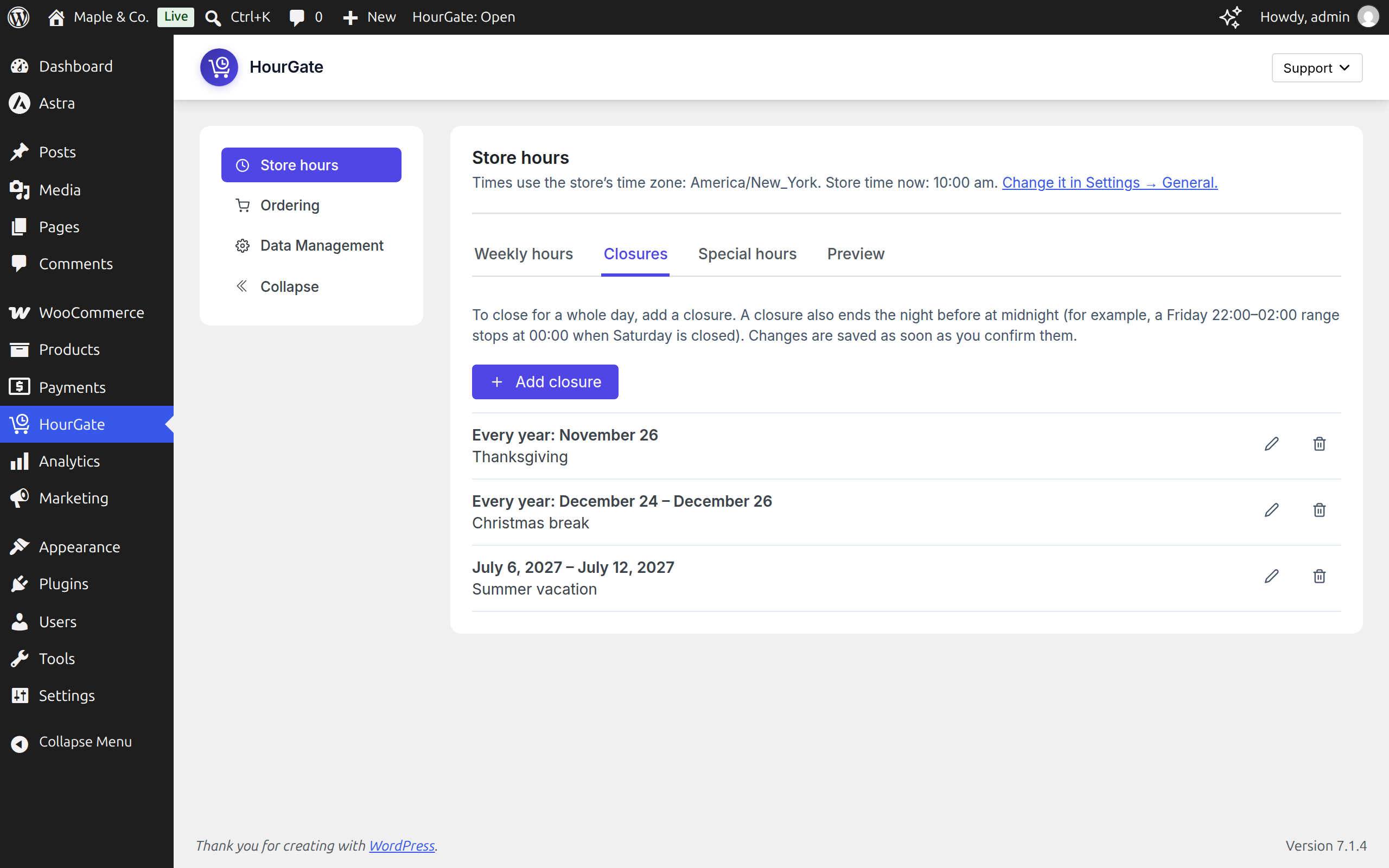
- Holiday closures: close your store for a date or a range of dates (vacation mode), with a label such as "Christmas" and an optional yearly repeat.
- Special hours: different hours on one date, such as a short day before a holiday.
- Preview: the next 14 days exactly as shoppers will see them, and whether you're open now and why not.
- Time zone: uses the time zone from Settings → General, and warns you when a fixed UTC offset means your hours won't follow daylight saving changes.
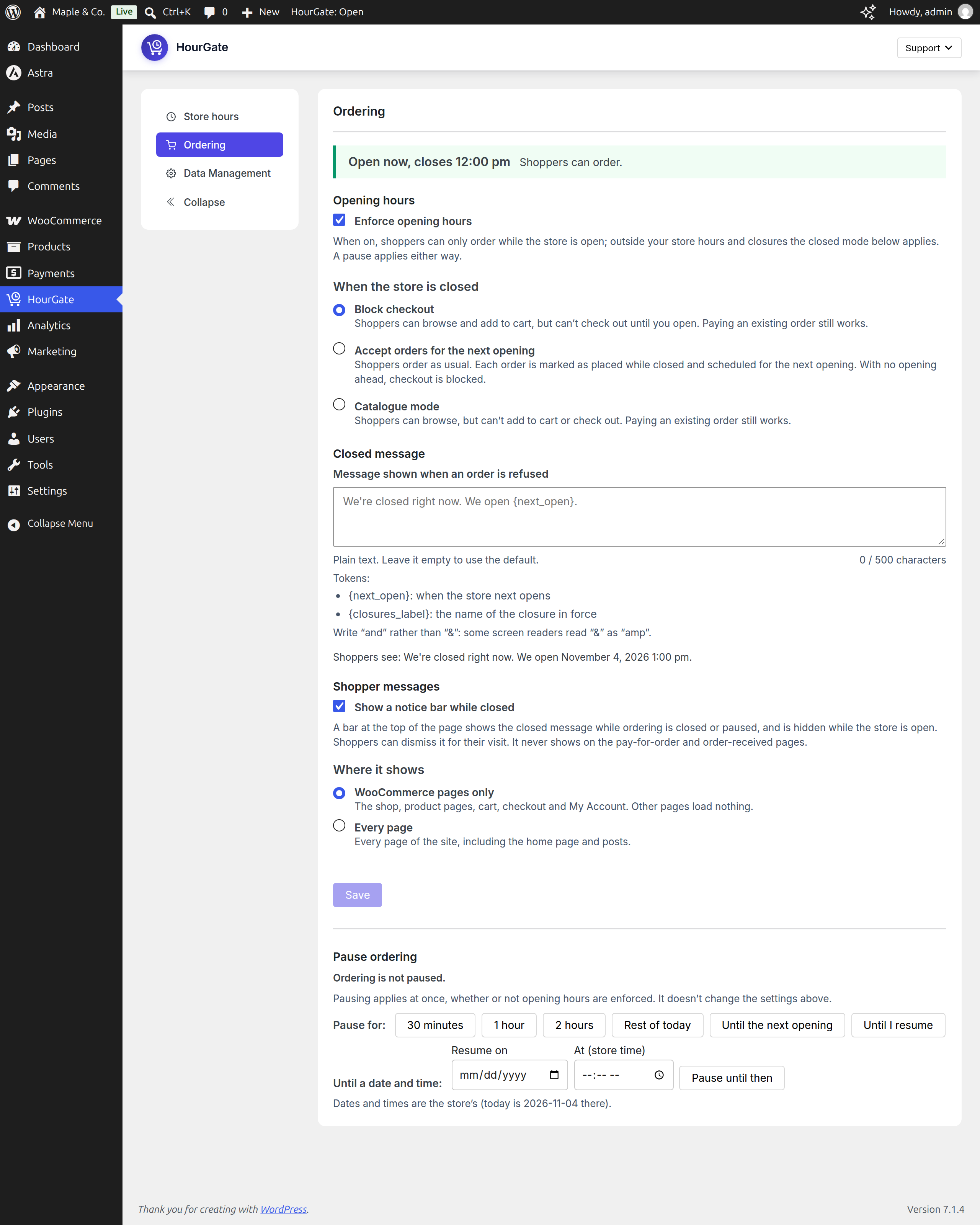
- Block checkout: shoppers can browse and fill their cart, but can't place an order until you open.
- Accept orders for the next opening: orders still come in, marked with the time they're scheduled for. The scheduled time shows on the order screen, in the order e-mails, on the thank-you page and in My Account.
- Catalogue mode: add-to-cart buttons show "Closed" and are disabled while you're closed.
- A closed message with tokens:
{next_open}(when you open next) and{closures_label}(the holiday's label). - A notice bar at the top of WooCommerce pages or every page, which shoppers can dismiss.
- Cart and checkout notices explaining why they can't order now, or when their order is scheduled for.
- "Store status" and "Opening hours" blocks, and the shortcodes
[hourgate_status]and[hourgate_hours].
- Pastmark - Activity Log, User Activity & Audit Trail: Activity log & audit trail for WordPress. Track user activity, logins, content changes, WooCommerce orders and site settings in real time.
- BugTrace - Debug Log Tool: A minimalist debugging companion for WordPress. View and download your debug log, toggle
WP_DEBUG,WP_DEBUG_LOG,WP_DEBUG_DISPLAY, andSCRIPT_DEBUGwithout editingwp-config.php, and inspect server info,wp-config.php,.htaccess, and PHP info — all from your dashboard.
安装:
- Make sure WooCommerce is installed and active.
- In Plugins → Add New, search for "HourGate", then install and activate it. Or upload the zip in Plugins → Add New → Upload Plugin.
- Open HourGate in the admin menu. On the Store hours tab, set your weekly hours, closures and special hours.
- Check the Preview under Store hours.
- On the Ordering tab, choose what happens while you're closed, edit the closed message if you like, and turn on "Enforce opening hours".
屏幕截图:


常见问题:
Why does my store still take orders after I activated the plugin?
Enforcement is off after install, so you can set your hours first. Turn on "Enforce opening hours" on the Ordering tab. Pausing works even while enforcement is off.
Will it block orders my staff create?
No. HourGate only checks orders shoppers place on your site. Orders created in the admin, through the WooCommerce REST API (for example a POS or phone-order app), by other plugins, and subscription renewals are never blocked.
Can a customer pay for an order while the store is closed?
Yes. Paying an order that already exists (the "Pay for order" page) is allowed at any time. Developers can change this with the hourgate_allow_order_pay_while_closed filter.
Does it work with the Checkout block and the classic checkout?
Yes, both, and with direct Store API requests. The rules are checked on the server when the order is placed.
Does it work with page caching?
Yes. Cart and checkout pages are never cached, and every order is checked on the server. On cached pages, the notice bar, status block and catalogue buttons ask the store for the current status after the page loads, from a REST route that is never cached. We tested with WP Super Cache, W3 Total Cache, WP Fastest Cache and LiteSpeed Cache.
Do express payment buttons (Apple Pay, Google Pay) get around the opening hours?
No. The buttons stay visible, but the store refuses the order when it reaches checkout, with your closed message, and no order is created. We checked the requests the express buttons of WooCommerce Stripe Gateway and WooPayments send, on a test store. A live wallet payment hasn't been tested yet, so please verify it on your own store.
Which time zone does it use?
The one in Settings → General. Choose a city (for example "Europe/London") rather than a fixed UTC offset: with an offset, your hours stay on the same UTC time all year and won't follow daylight saving changes. HourGate shows a warning when your site uses an offset.
Can shop managers use it?
Yes. Anyone who can manage WooCommerce can change the hours, the ordering settings and pause ordering. Only administrators can turn on "Remove Data on Uninstall". Developers can change the capability with the hourgate_manage_capability filter.
What happens to my settings when I uninstall?
They are kept, unless an administrator turned on "Remove Data on Uninstall" on HourGate's General Settings tab. On a multisite network, each site keeps or removes its own data according to its own setting.
Do I need HourGate Pro?
No. HourGate works fully on its own. Pro is an optional add-on for delivery and pickup slots.
更新日志:
- First release.