
HrefWise: Link Record Scanner
| 开发者 | chillopedia |
|---|---|
| 更新时间 | 2026年11月22日 02:16 |
| PHP版本: | 7.4 及以上 |
| WordPress版本: | 7.1 |
| 版权: | GPL-2.0-or-later |
| 版权网址: | 版权信息 |
详情介绍:
- Save each HTTP(S) link occurrence as an External Link or Internal Link record.
- Choose Posts, Pages and registered custom content types that support the editor. Posts and Pages are selected by default.
- Run a complete scan or quickly refresh content created or updated since the last complete scan.
- View the saved completion date of the last complete scan.
- Follow scan progress with a progress bar and an estimated time remaining.
- Review each URL, anchor text, follow type, source post title, and source content type.
- Filter either listing by Anchor Text, Follow Type, Source Post, and Content Type.
- Export all matching link records as CSV, across all listing pages.
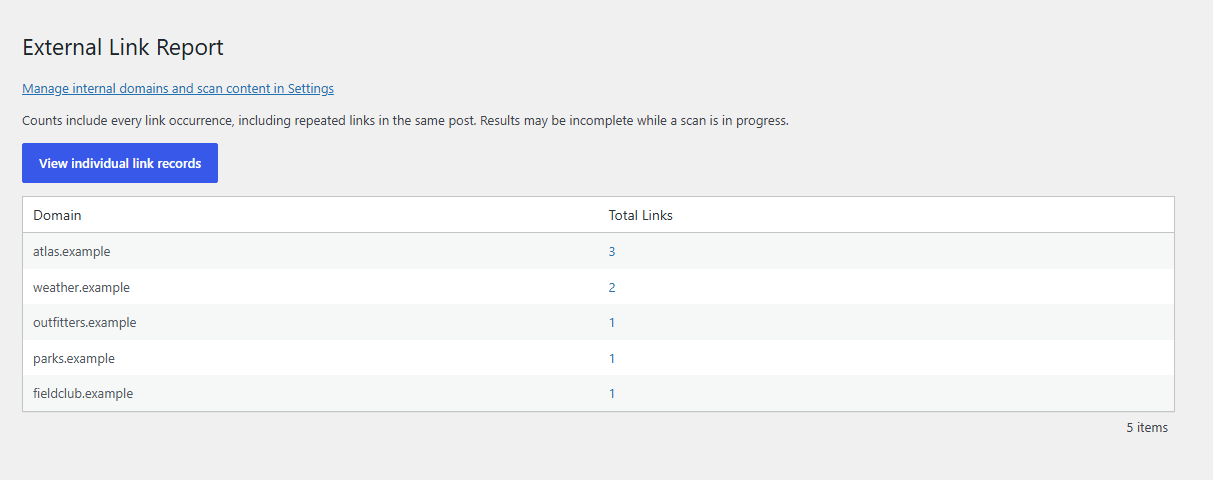
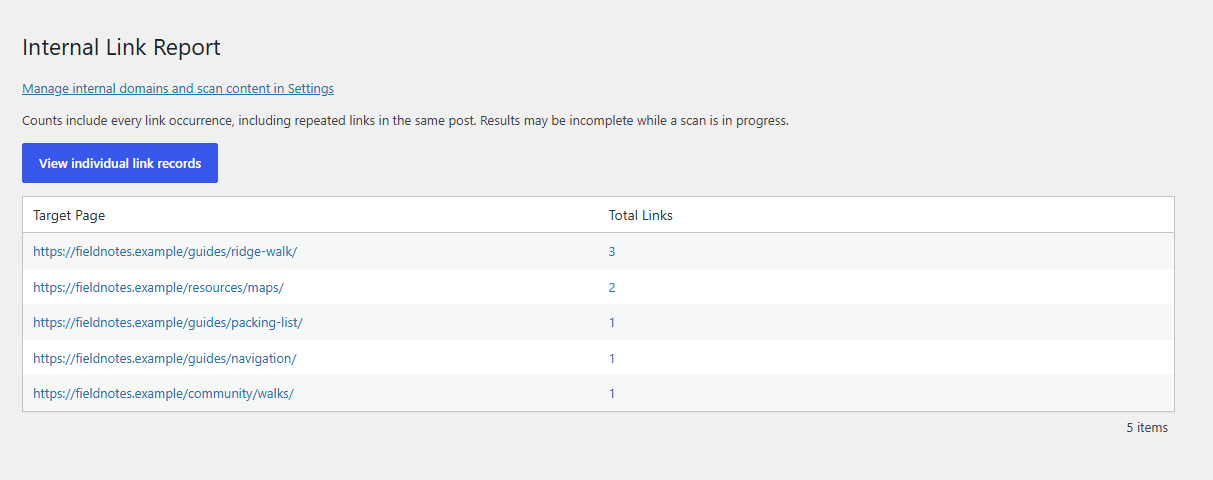
- View external link counts by domain and internal link counts by target page.
- Configure up to three additional internal domains in Settings.
安装:
- Upload the hrefwise-link-record-scanner folder to wp-content/plugins, or install the ZIP through Plugins > Add New Plugin > Upload Plugin.
- Activate HrefWise.
- Open HrefWise > Settings, choose content types, enter any additional internal domains, and save changes.
- Click Start Complete Scan and leave the page open until completion. Use Start Quick Scan for subsequent updates.
- Open either report or individual link listing under HrefWise.
屏幕截图:
常见问题:
Which content is scanned?
Stored content in the types selected under Settings. Posts and Pages are selected by default; existing saved selections are preserved. Settings lists only Posts, Pages and registered custom types with editor support, excluding WordPress core internal types (such as attachments, revisions, navigation and templates) and the plugin's generated link-record types. Published, private, draft, pending, scheduled and inherited items are included; trash and auto-drafts are excluded. Select at least one source type before starting a scan. Only HTML anchor links with an href attribute in saved post content are scanned. Excerpts, custom fields, shortcode output, dynamically rendered blocks and links generated by theme navigation, widgets or templates are not scanned.
How does Start Quick Scan work?
A complete scan saves and displays its completion date after all records have been refreshed and cleanup finishes. Start Quick Scan checks selected content created or updated at or after that date, refreshes its links and removes obsolete occurrences, while preserving unchanged records. A quick scan does not advance the complete-scan cutoff, so repeated quick scans keep checking changes since the same complete scan. Finish a complete scan first to enable quick scanning. Run a new complete scan after changing internal domains or selected content types. Content created or edited during a complete scan can be missed by later quick scans because the cutoff is the completion time. Avoid editing during a complete scan, or run another complete scan after edits finish.
What does No Follow mean?
The link's rel attribute contains the nofollow token, case-insensitively. Other links are labeled Do Follow. Sponsored and ugc alone do not set nofollow.
How are relative links handled?
Paths, query-only links and fragment-only links are internal and resolved against the source post permalink. Protocol-relative links are classified by their hostname. Empty href values, malformed URLs and non-HTTP(S) schemes such as mailto and tel are ignored.
Will scanning change my posts or create duplicate records?
Source content is unchanged. Repeated scans refresh link records without duplicating occurrences. Reports may be partially updated during an interrupted scan; resume it to complete the refresh and remove stale records.
Can I search by part of an anchor or source title?
Yes. Anchor Text and Source Post filters use partial text matches. Follow Type and Content Type use exact selections. Enter any combination and click Filter; clear the controls to show all records. Existing records resolve their content type from the source without requiring a rescan.
Can I view the links behind a report count?
Yes. Click a count in either report to open all matching link records for that domain or target page. The target filter stays active when applying other filters or exporting. Use Clear target filter to remove it.
What does Export All export?
Each link listing has an Export All button at the top right. It downloads every record matching the applied filters and search, across all pages. Click Filter first to apply changed controls. The CSV contains Link, Anchor Text, Follow Type, Source Post, and Content Type; content types use their registered slugs. Text that could be interpreted as a spreadsheet formula is prefixed with an apostrophe. Exports during a scan may reflect partially updated records. A database read failure can also produce an incomplete CSV without an error message. Export after scanning finishes, compare its record count with the filtered listing, and retry after resolving database errors.
Can I remove all stored reports and settings?
Deactivation and plugin deletion retain them. There is no built-in purge control or integration with WordPress's personal-data exporter/eraser. To remove everything, have a site administrator perform reviewed database maintenance after a backup. A complete scan refreshes reports from selected content; it does not delete the plugin's settings or all stored data.
How does multisite work?
Settings, scan state and reports belong to each site. Configure and scan each site separately; network activation does not create a network-wide scan or report.
更新日志:
- Align the Export All icon and clarify the open-source description.
- First public release with complete and quick scans of selected saved content.
- Add grouped internal/external reports, filtered occurrence listings and CSV exports with spreadsheet-formula protection.
- Support resumable scans, progress estimates and up to three additional internal domains.
- Restrict reports, settings, scans and exports to users with manage_options.
- Retain records and settings on deactivation and deletion; leave source content unchanged.
- Include GPL notices, development instructions, automated checks and reproducible plugin ZIP packaging.
- Use consistent plugin identifiers; private development upgrades require resaving additional internal domains.