HRTSoftX - Conditional Elements
| 开发者 | hrtsoftx |
|---|---|
| 更新时间 | 2026年10月8日 12:39 |
| PHP版本: | 7.4 及以上 |
| WordPress版本: | 7.1 |
| 版权: | GPLv2 or later |
| 版权网址: | 版权信息 |
详情介绍:
- Gutenberg Content - Create and manage content using the WordPress block editor.
- Flexible Placement - Add Gutenberg content before or after supported locations.
- Theme-Aware Placement - Automatically provides available placement options based on the active theme.
- Block Theme Support - Provides placement options for WordPress block themes.
- Custom Hooks - Add content to your own WordPress action hooks.
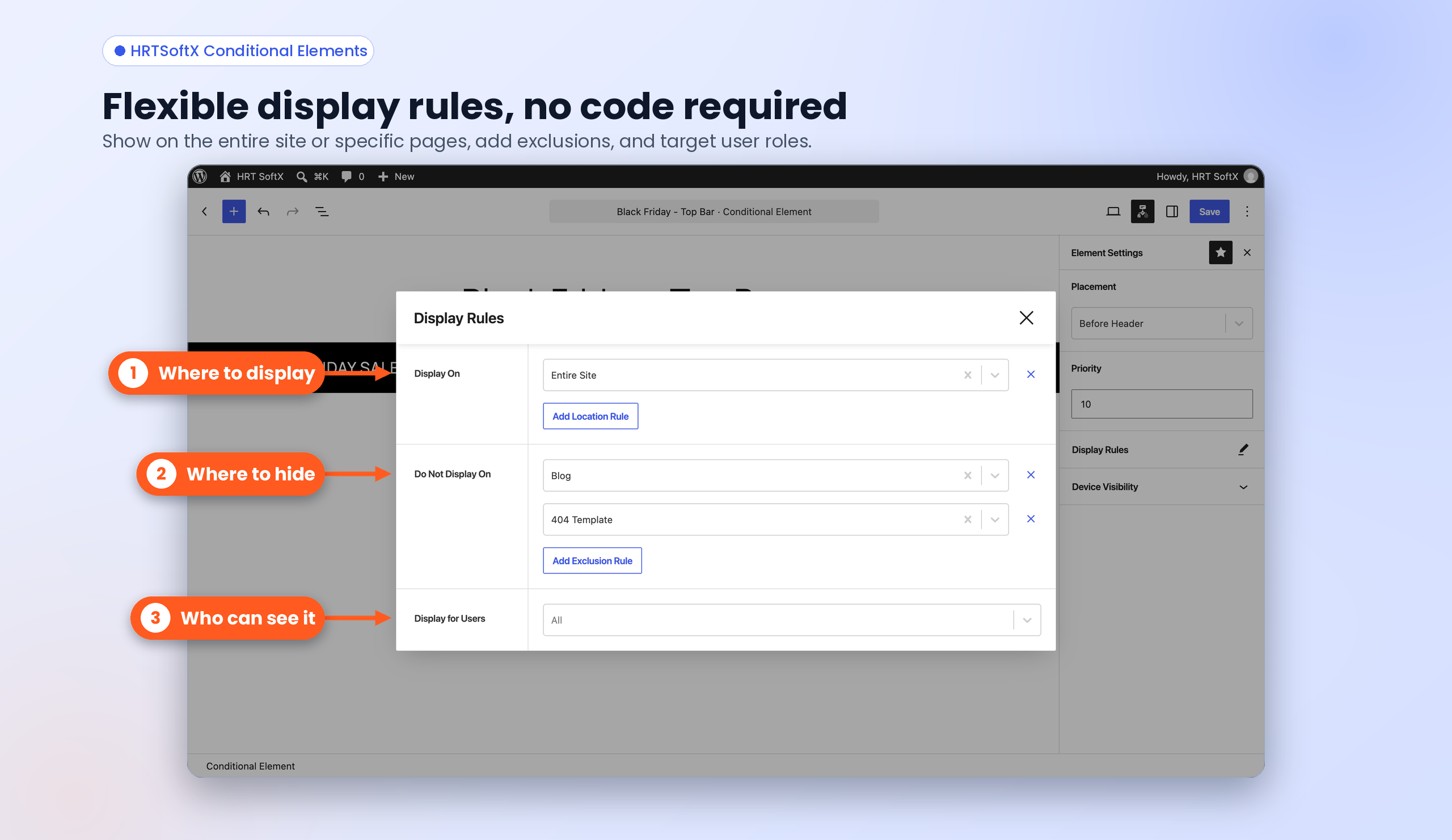
- Include Conditions - Display content when selected conditions are met.
- Exclude Conditions - Prevent content from being displayed when selected conditions are met.
- User Role Conditions - Control content visibility based on the current user's role.
- Device Visibility - Show or hide content for desktop, tablet, or mobile devices.
- Shortcodes - Render Conditional Elements content directly inside posts, pages, templates, widgets, or other shortcode-compatible areas.
- Before Site Wrapper
- After Site Wrapper
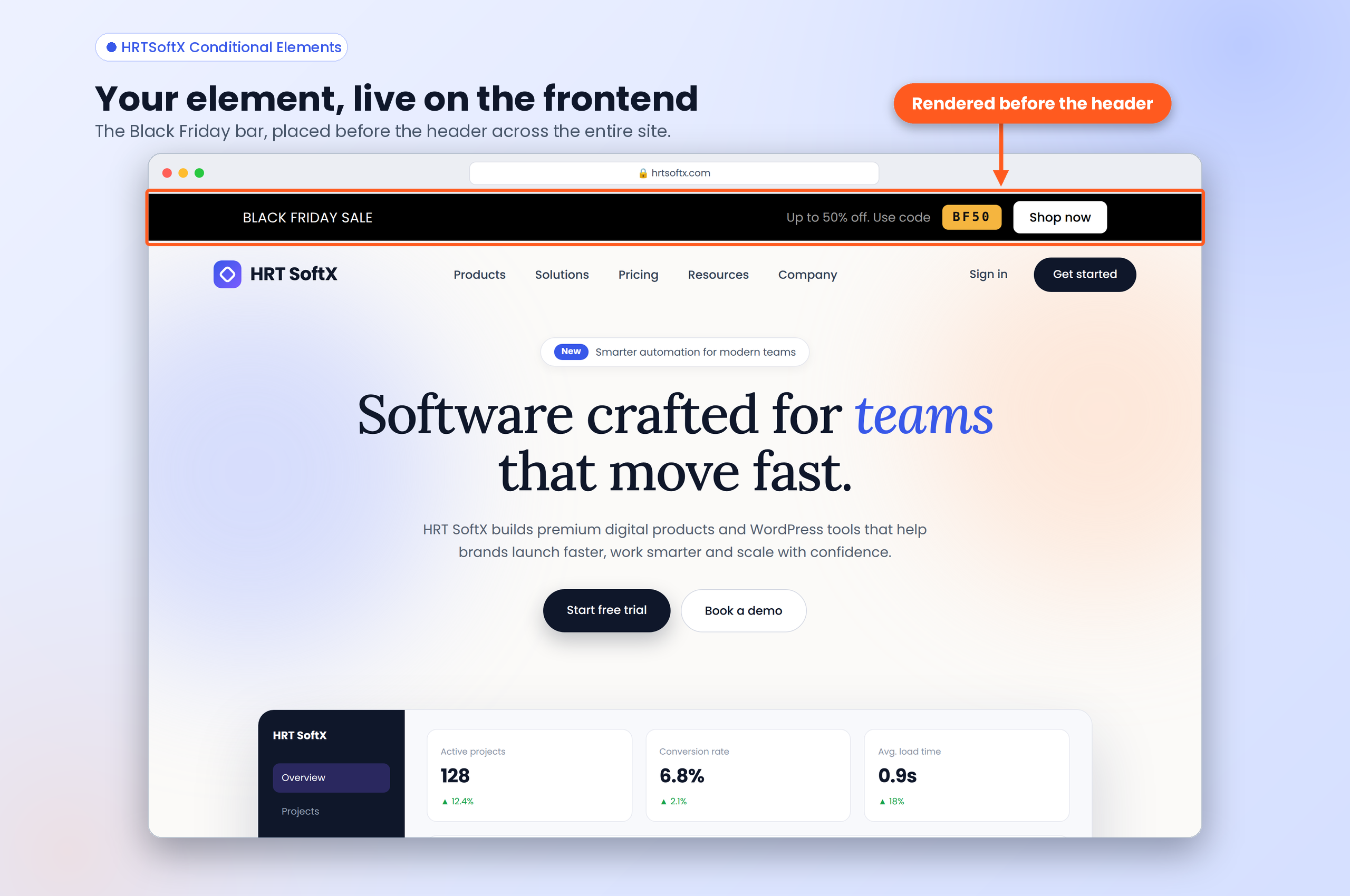
- Before Header
- Before Inner Content
- After Inner Content
- Before Footer
- After Footer
- Before Site Wrapper
- After Site Wrapper
- Before Header
- After Header
- Before Title
- After Title
- Before Content
- After Content
- Before Inner Content
- After Inner Content
- Before Footer
- After Footer
- Desktop
- Tablet
- Mobile
安装:
- Install Conditional Elements through the WordPress plugin directory or upload the plugin files to the /wp-content/plugins/hrtsoftx-conditional-elements/ directory.
- Activate the plugin through the Plugins screen in WordPress.
- Go to Conditional Elements in the WordPress admin area.
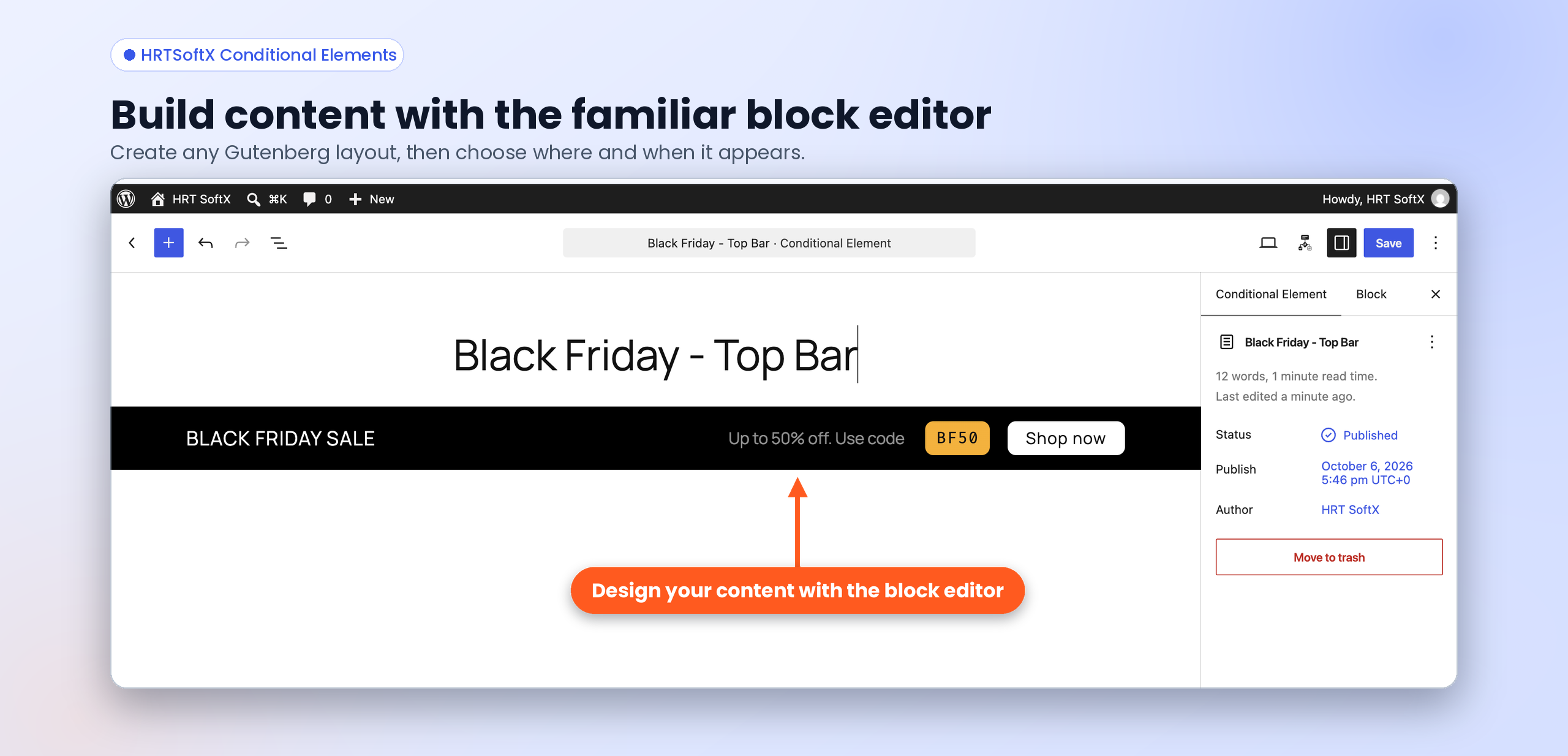
- Create your content using the WordPress block editor.
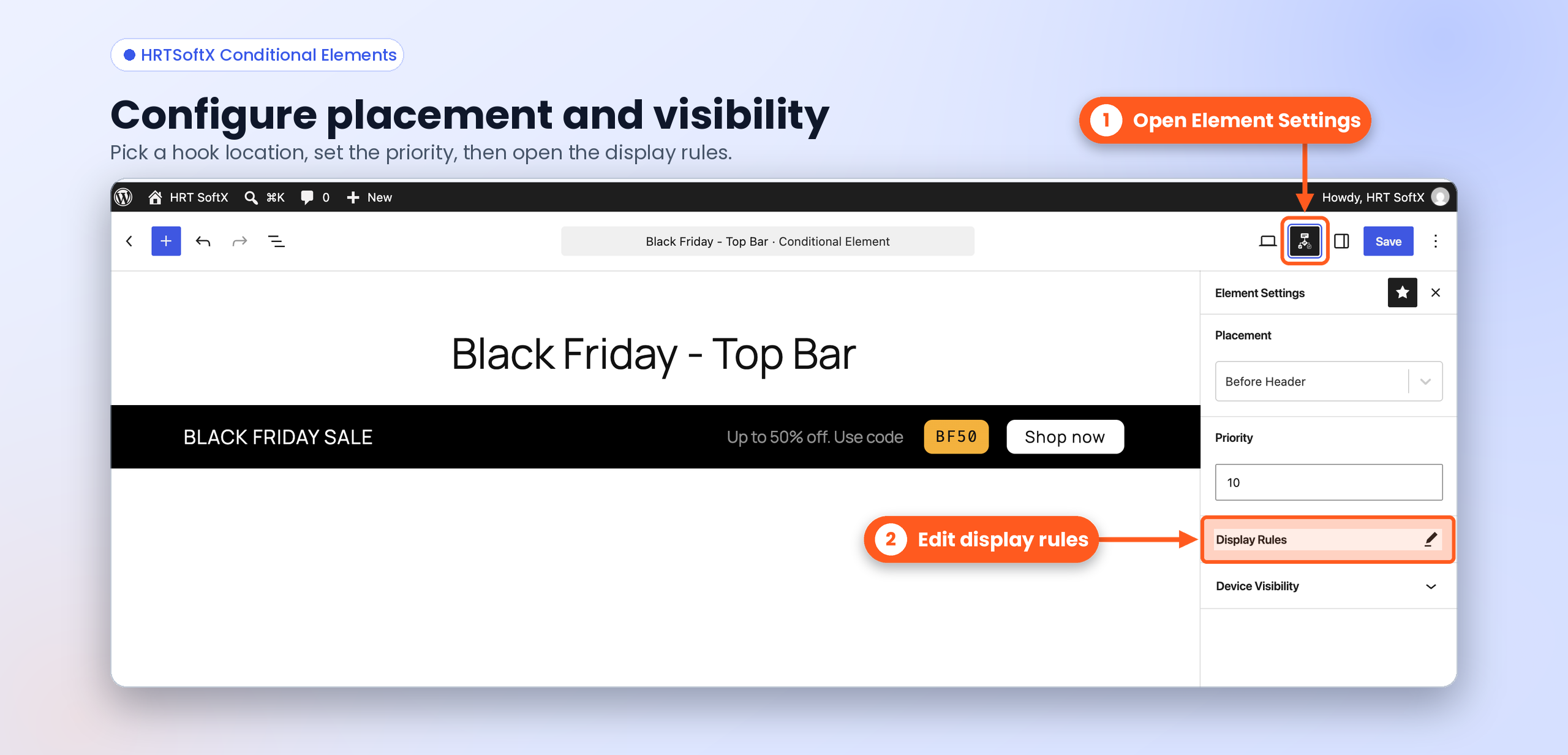
- Select a placement and configure your conditions.
- Publish your Conditional Element.
- Copy the shortcode from the Shortcode column when you want to render the element directly.
屏幕截图:
常见问题:
Which themes are supported?
Conditional Elements supports WordPress block themes and includes integrations for popular classic themes such as Astra, Kadence, GeneratePress, Neve, and OceanWP. For other classic themes, common WordPress hook locations are available where supported by the theme. You can also use Custom Hook to add content to any WordPress action hook.
Can I use my own WordPress hook?
Yes. Use the Custom Hook placement and enter one or more WordPress action hooks separated by commas.
Does Conditional Elements work with Gutenberg?
Yes. Conditional Elements uses the WordPress block editor to create and manage content.
Can I control content visibility based on conditions?
Yes. You can configure include and exclude conditions to control when your content is displayed.
Can I control content visibility based on user roles?
Yes. You can configure user role conditions to control who can see your content.
Can I control content visibility by device?
Yes. Device visibility conditions let you show or hide content for desktop, tablet, or mobile devices.
Can I use Conditional Elements with a shortcode?
Yes. Every Conditional Element has a shortcode available from the Shortcode column in the Conditional Elements list table. For example: [hrtcel_element id=32]
Can I bypass conditions when using a shortcode?
Yes. Add bypass_conditions="true" to the shortcode. For example: [hrtcel_element id=32 bypass_conditions="true"] This renders the element without applying its configured conditional rules.
更新日志:
- Initial release.