
Auto OG Images - Open Graph & Social Image Generator by html2img
| 开发者 | html2img |
|---|---|
| 更新时间 | 2026年8月18日 22:20 |
| PHP版本: | 7.4 及以上 |
| WordPress版本: | 7.0 |
| 版权: | GPLv2 or later |
| 版权网址: | 版权信息 |
详情介绍:
- Connect your HTML to Image account. New accounts get 50 free credits and each generated image costs one credit.
- Choose which post types get images and pick one of five bundled designs. Set your accent colour and logo.
- Publish. The image is generated in the background, saved into your media library and served in your og:image and twitter:image tags.
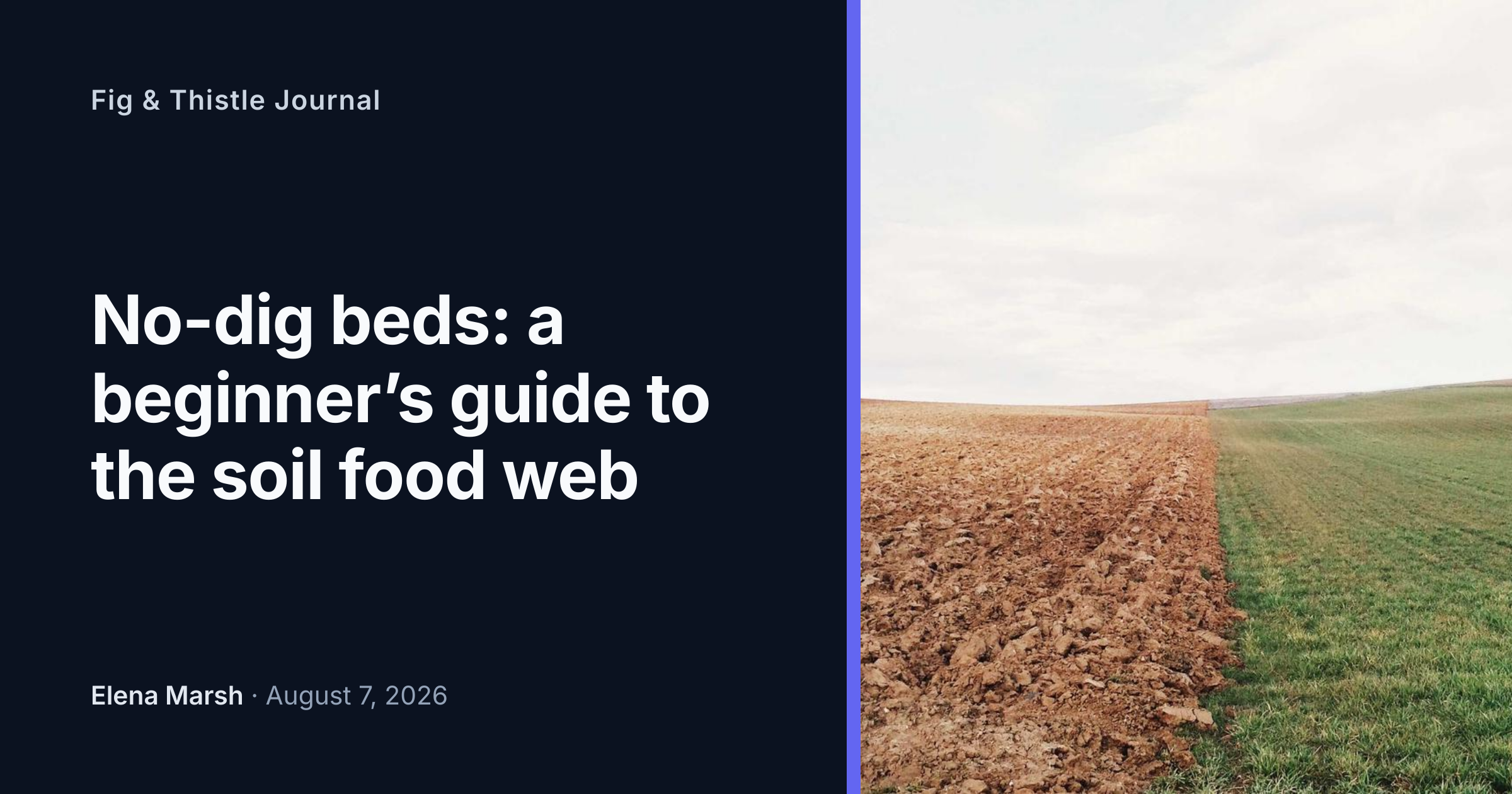
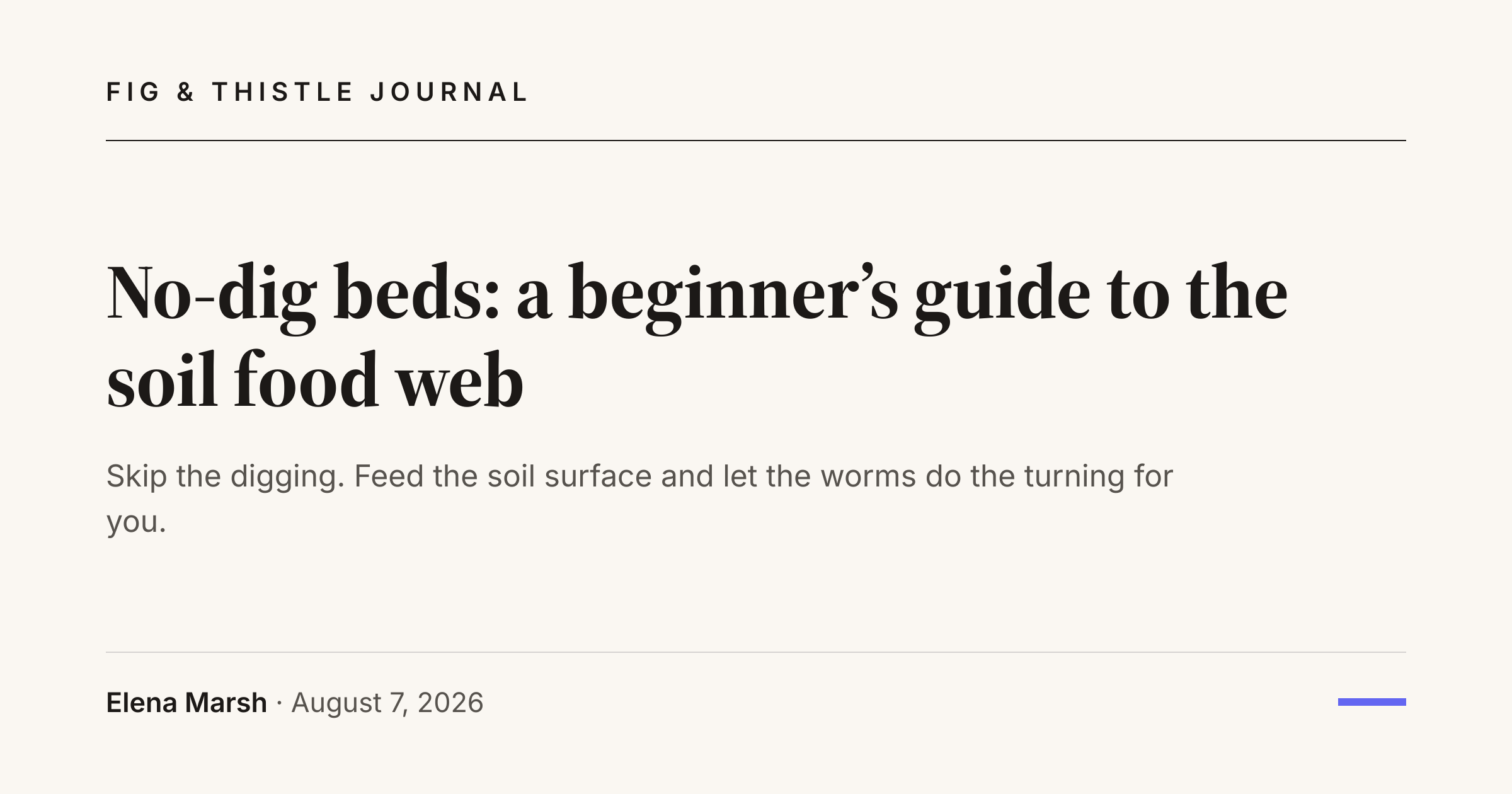
- Five bundled designs: Classic, Split, Photo, Editorial and Minimal. All take an accent colour, an optional logo and show or hide the author and site name.
- Free browser preview on the settings screen, so trying designs costs nothing.
- Works with Yoast SEO, Rank Math, All in One SEO and SEOPress through their own filters, so tags are never output twice. With no SEO plugin, the plugin outputs the tags itself.
- A social image chosen by hand in your SEO plugin is respected by default. The generated image fills the gap on every post that has none.
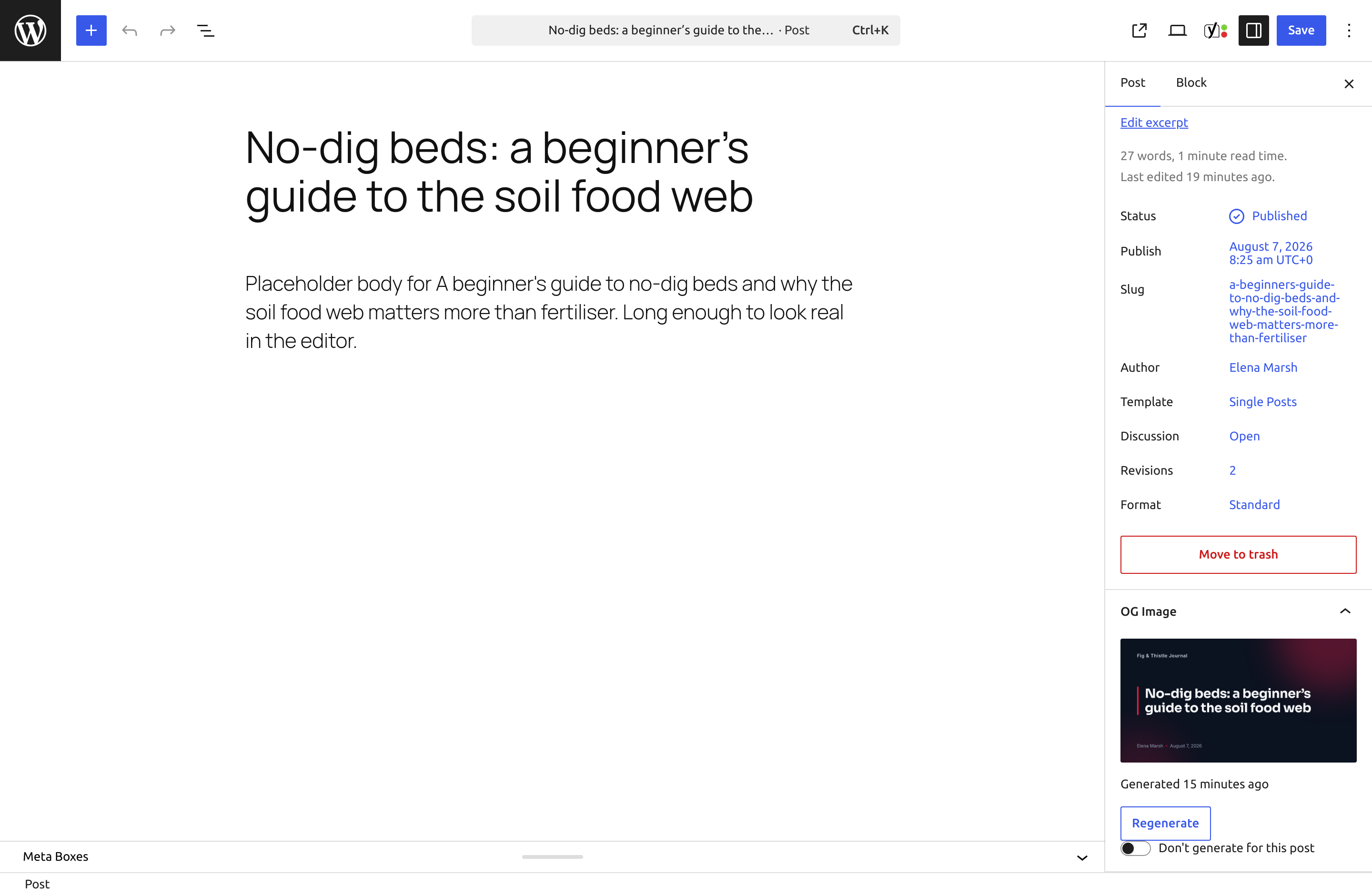
- Gutenberg sidebar panel and classic editor metabox with the current image, a regenerate button and a per post off switch.
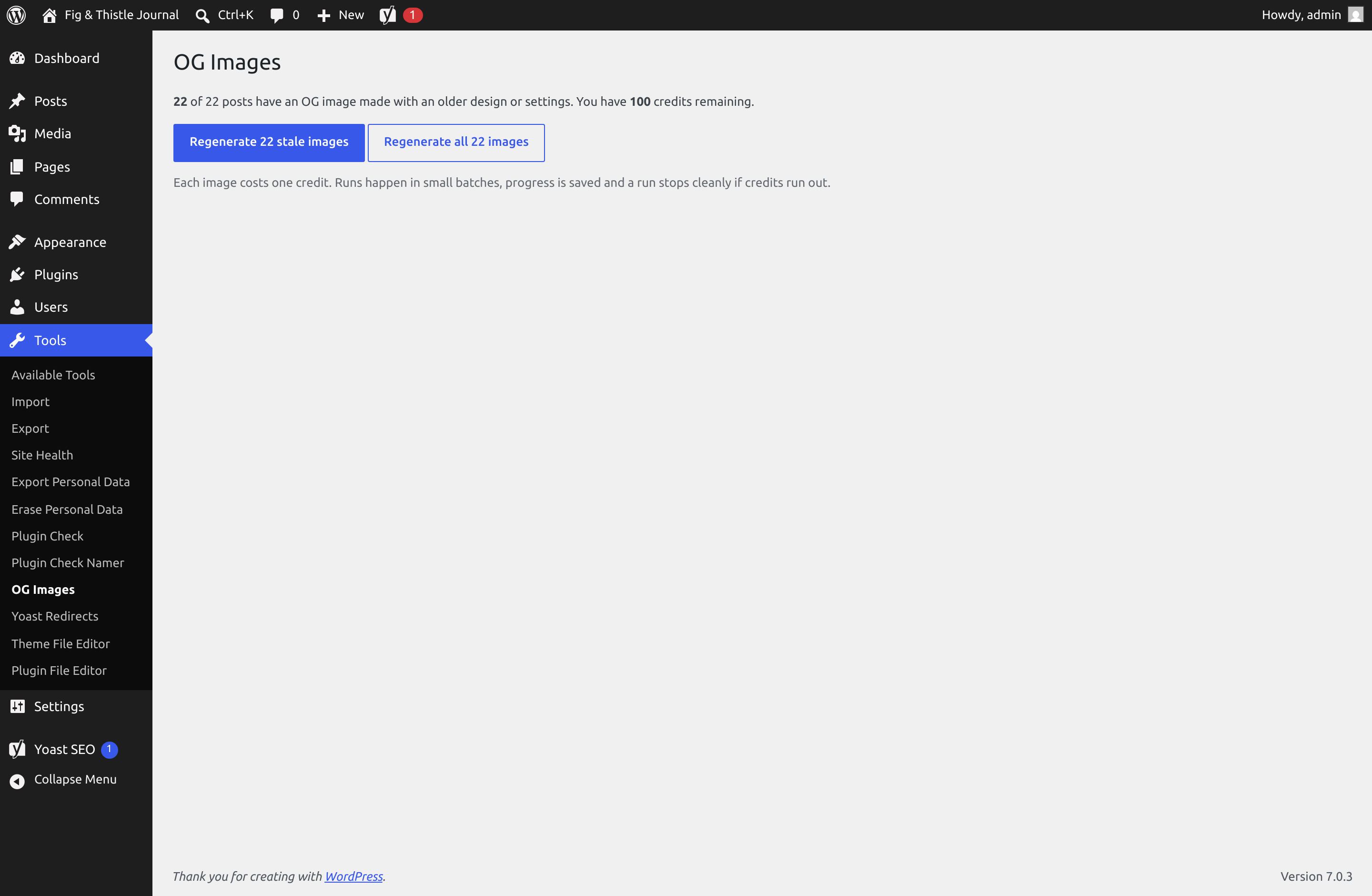
- Regenerate from the posts list, one at a time or as a bulk action, or everything at once from the Tools screen with a cost estimate up front, progress, resume and a clean stop if credits run out.
- Images live in your media library by default, so they keep working whatever happens to your account. They are hidden from the media grid unless you want them shown.
- A custom HTML template option with documented placeholders, for developers who want full control.
- Filters and actions for the variable payload, the generate decision, the render arguments and post generation. See the developer documentation on GitHub.
安装:
- Install and activate the plugin from the Plugins screen.
- Go to Settings, then OG Images.
- Paste your API key from your HTML to Image dashboard. If you do not have an account, creating one takes a minute and includes 50 free credits.
- Pick a design, choose your post types and save.
屏幕截图:

常见问题:
Does it work with Yoast SEO or Rank Math?
Yes. When Yoast SEO, Rank Math, All in One SEO or SEOPress is active, the plugin feeds the generated image to it through its own filters and outputs nothing itself. The settings screen states which plugin currently controls your social tags. Tags are never output twice.
What if I already set a social image on a post by hand?
The plugin leaves it alone. A social image chosen manually in your SEO plugin wins by default, and the generated image only fills the gap on posts without one. If you want the generated image everywhere, there is an "always use the generated image" setting.
What happens when my credits run out?
Generation pauses. Existing images stay exactly as they are, and posts published in the meantime keep working without a generated image, falling back to whatever your SEO plugin or theme would do anyway. A single admin notice tells you how many posts are waiting, and they are generated when credits are available again, either on their next save or from the Tools screen.
Do the images expire?
Not the ones on your site. Images are saved into your media library by default and stay there. The copies on the HTML to Image CDN expire after 7 days on the free plan, which only matters if you switch on the "serve from CDN" option. The plugin warns you about exactly that if you try it on a free account. Paid plan renders never expire.
Can I customise the design?
Each bundled design takes an accent colour, a background colour, a logo and toggles for the author name and site name. Beyond that there is a custom template option that accepts your own HTML with placeholders like {{title}}, {{author}} and {{featured_image}}. The preview on the settings screen is drawn by your browser and costs nothing while you experiment.
What data is sent to the API?
Only what the image shows: the post title, the excerpt, the author display name, the site name and tagline, the date, the featured image and your design settings including the logo. Nothing else leaves your site, and nothing is sent for post types you have not enabled or posts you have switched off. See the external services section below.
Does it work with WooCommerce products?
Yes. Any public post type can be enabled on the settings screen, products included. The bundled designs show the product title and image. Prices and other product fields are not included out of the box, but the html2img_variables filter and a custom template can add them.
I redesigned my site. Can I regenerate everything?
Yes. Change the design or its settings, then go to Tools, OG Images. It shows how many images were made with the old design and how many credits a regeneration will use, and asks before spending anything. The run happens in batches, shows progress, can be resumed if interrupted and stops cleanly if credits run out.
Does it support multisite?
It works per site on a multisite network, each site with its own settings and API key. There is no network level configuration yet.
Does publishing wait for the image?
No. Publishing never waits on the API. The render runs in the background and typically finishes within seconds. The editor panel shows its progress, and if background tasks are disabled on your host the panel offers a manual run button.
更新日志:
- Admin notices now appear only on the plugin's own screens and the plugins list, never on the rest of the dashboard.
- Dismissing the connect notice is permanent.
- Notices link to your account dashboard rather than the pricing page.
- Admin scripts and styles are enqueued rather than printed inline.
- First release.
- Five bundled designs with accent colour, logo and author toggles.
- Automatic generation on publish with change detection, so unchanged saves never spend a credit.
- Yoast SEO, Rank Math, All in One SEO and SEOPress integration.
- Gutenberg panel, classic metabox, row and bulk actions and a resumable bulk regeneration screen.
- Media library storage by default with an optional CDN mode.
- Custom HTML template support with documented placeholders.