
HugeProfit – Inventory Sync, COGS & Profit Calculator for WooCommerce
| 开发者 | hugeprofit |
|---|---|
| 更新时间 | 2026年11月10日 21:20 |
| PHP版本: | 7.4 及以上 |
| WordPress版本: | 7.1 |
| 版权: | GPLv2 or later |
| 版权网址: | 版权信息 |
详情介绍:
- Orders are sent to HugeProfit in the background, so checkout is not slowed down.
- Stock, profit and reports are calculated on HugeProfit servers; the profit column loads separately from the orders list.
- Product import runs batch by batch and does not depend on WP-Cron.
- One problematic product (for example, a duplicate barcode) does not stop the whole import.
- You choose what HugeProfit updates in WooCommerce: stock, prices, descriptions. How it works
- Install the plugin and connect your store to a free HugeProfit account (takes about two minutes).
- Your products and orders are synced automatically.
- Open WooCommerce → Orders to see the profit of every order, and HugeProfit to manage stock, purchases and expenses. 🆓 Free plan: up to 50 sales per month and 200 products, all features, no time limit.
- Stores that sell on their own site, on marketplaces and offline and need one stock
- Owners of several WooCommerce stores that sell the same products
- Shops that buy from suppliers and want the real cost of every batch
- Handmade, gift and custom-packaging shops with their own delivery costs
- Dropshippers and resellers working on thin margins Note: This plugin requires a free or paid HugeProfit account: stock, profit, expenses and reports are calculated and stored in HugeProfit. Shipping labels and fiscal receipts are currently available for Ukraine.
安装:
- Install the plugin via the WordPress Plugin Directory or upload the ZIP archive.
- Activate the plugin through the Plugins menu in WordPress.
- Go to WooCommerce > HugeProfit CRM.
- If you don’t have a HugeProfit account, you’ll be prompted to create one.
- Log in to your HugeProfit account directly from the plugin interface.
- After login, the plugin will automatically connect your store to your CRM account.
- Complete a few quick setup steps — and you’re ready to go!
屏幕截图:


常见问题:
WooCommerce already stores product cost. Why do I need HugeProfit?
If the native WooCommerce Cost of goods field is enabled, HugeProfit uses it and does not add a second cost field. But product cost tells you only part of the story. HugeProfit adds everything else an order costs you – packaging, gifts, shipping you paid, payment and marketplace fees, any extra expense you add to the order – and shows the resulting net profit and margin of every order in the orders list.
Where is the stock kept – in WooCommerce or in HugeProfit?
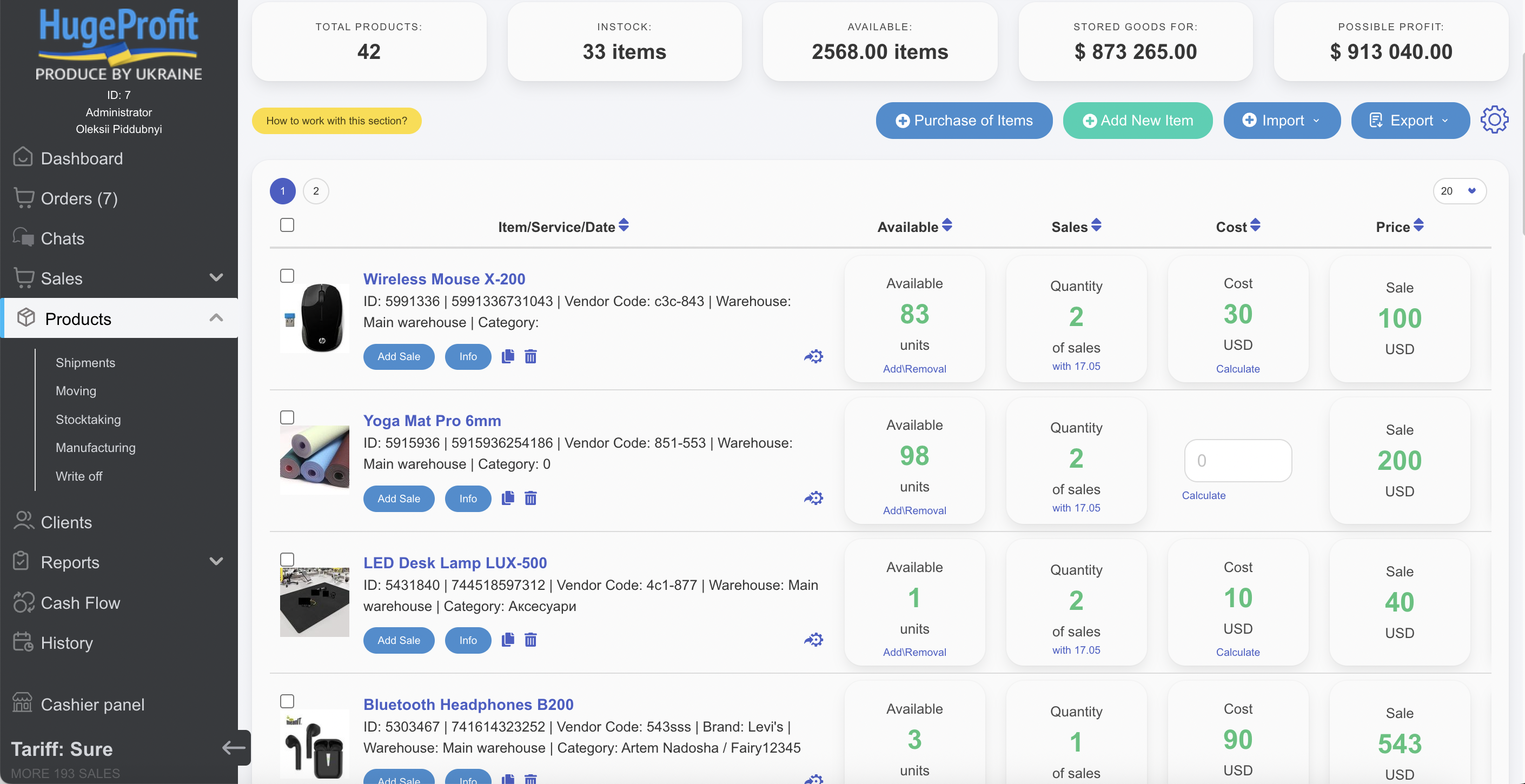
In HugeProfit. Sales from WooCommerce and your other channels reduce the stock there, purchases from suppliers increase it, and HugeProfit sends the updated quantities to WooCommerce. In the plugin's sync settings you choose whether HugeProfit updates stock, prices and descriptions in WooCommerce.
Can several WooCommerce stores share one stock?
Yes. Connect each store to the same HugeProfit account: the same products in different stores are linked to one product in HugeProfit, a sale in any store reduces the shared stock, and the new quantity is sent to every connected store.
What if the stock in WooCommerce looks wrong?
Open the product in HugeProfit and check its stock movement: every sale, return, purchase, transfer, write-off and stock-take is listed there, and you can see the stock on any past date. To correct the quantity, run a stock-take in HugeProfit.
Will HugeProfit slow down my store or checkout?
No. Orders are sent to HugeProfit in the background after checkout, and products are not sent while an order is being placed. Stock, profit and reports are calculated on HugeProfit servers, and the profit column is loaded separately from the orders list. If HugeProfit is temporarily unavailable, customers can still place orders.
Where do I see the profit of an order?
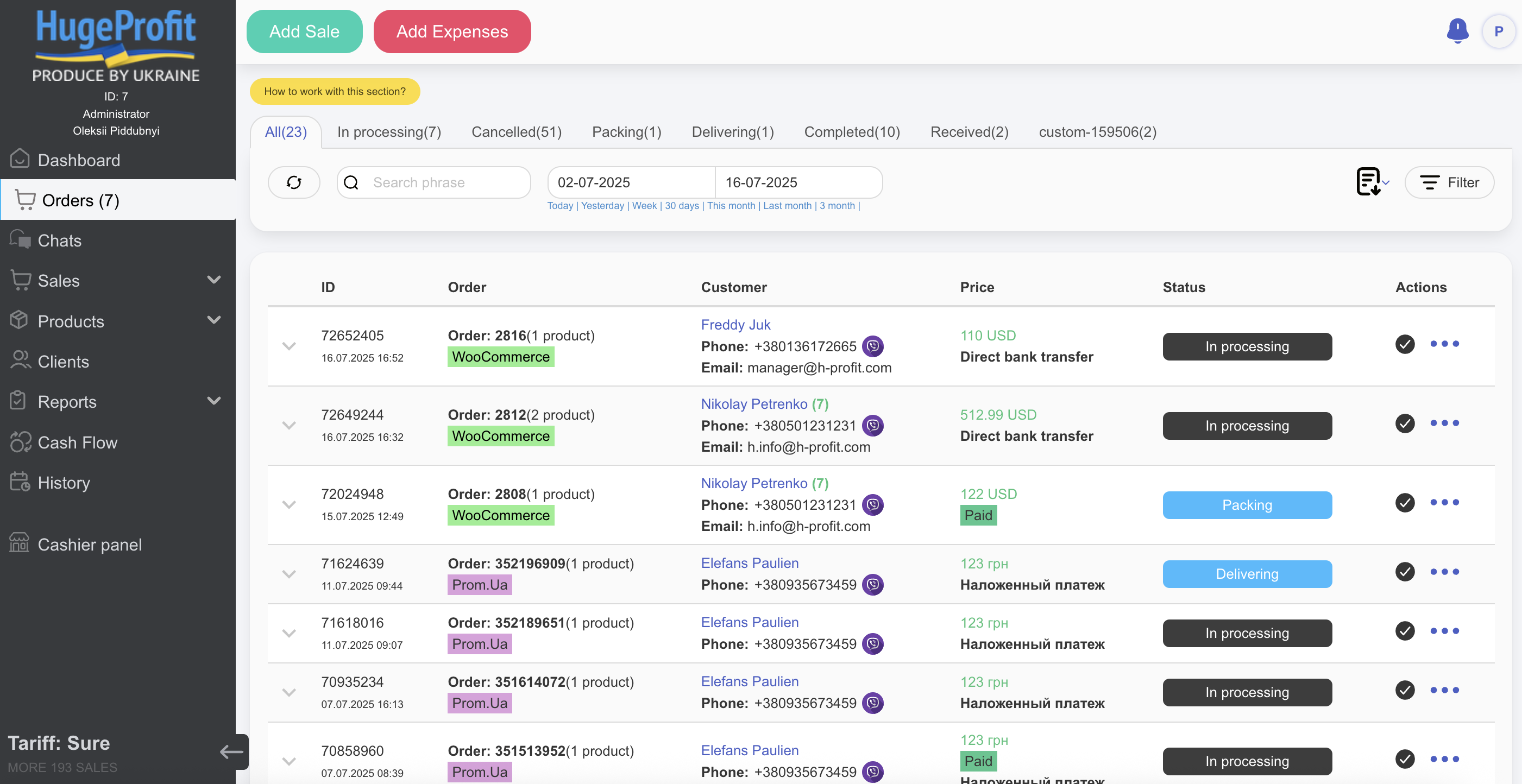
In WooCommerce → Orders, in the Profit column, and in the Profit by HugeProfit box on the order page.
How do I add packaging or shipping costs to an order?
Click + Expense next to the order in the orders list (or the button in the profit box on the order page), choose a preset or type a description, enter the amount and save. The order profit updates immediately.
An order shows "Awaiting in CRM" or "Not in HugeProfit". Why?
New orders reach HugeProfit automatically within a few minutes. If your HugeProfit settings require confirming orders, the profit appears once the order is confirmed as a sale.
Does it work with HPOS (High-Performance Order Storage)?
Yes, both HPOS and the legacy order storage are supported.
Is the integration free?
Yes, it’s available on all plans, including the free one.
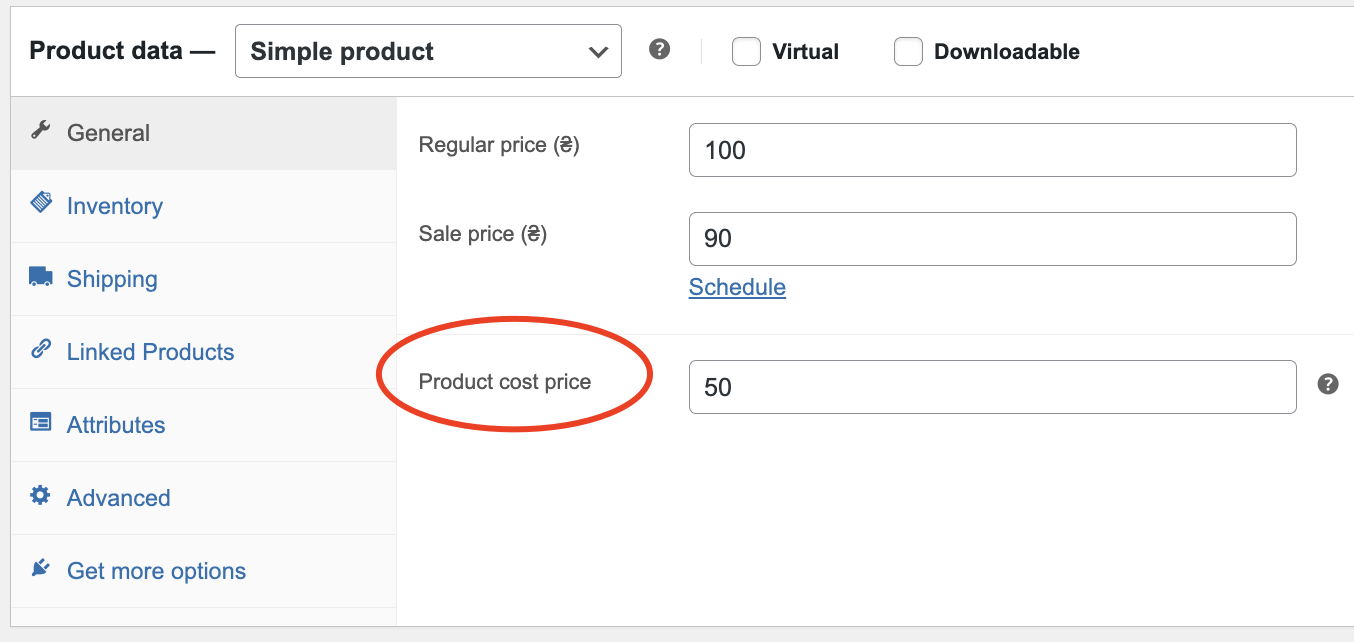
Can I set the product cost directly in the WooCommerce product page?
Yes, you can enter the cost price directly in the product settings.
Can I log expenses like rent, purchasing, or salaries to calculate profit?
Yes, you can record any type of business expenses from all accounts inside HugeProfit.
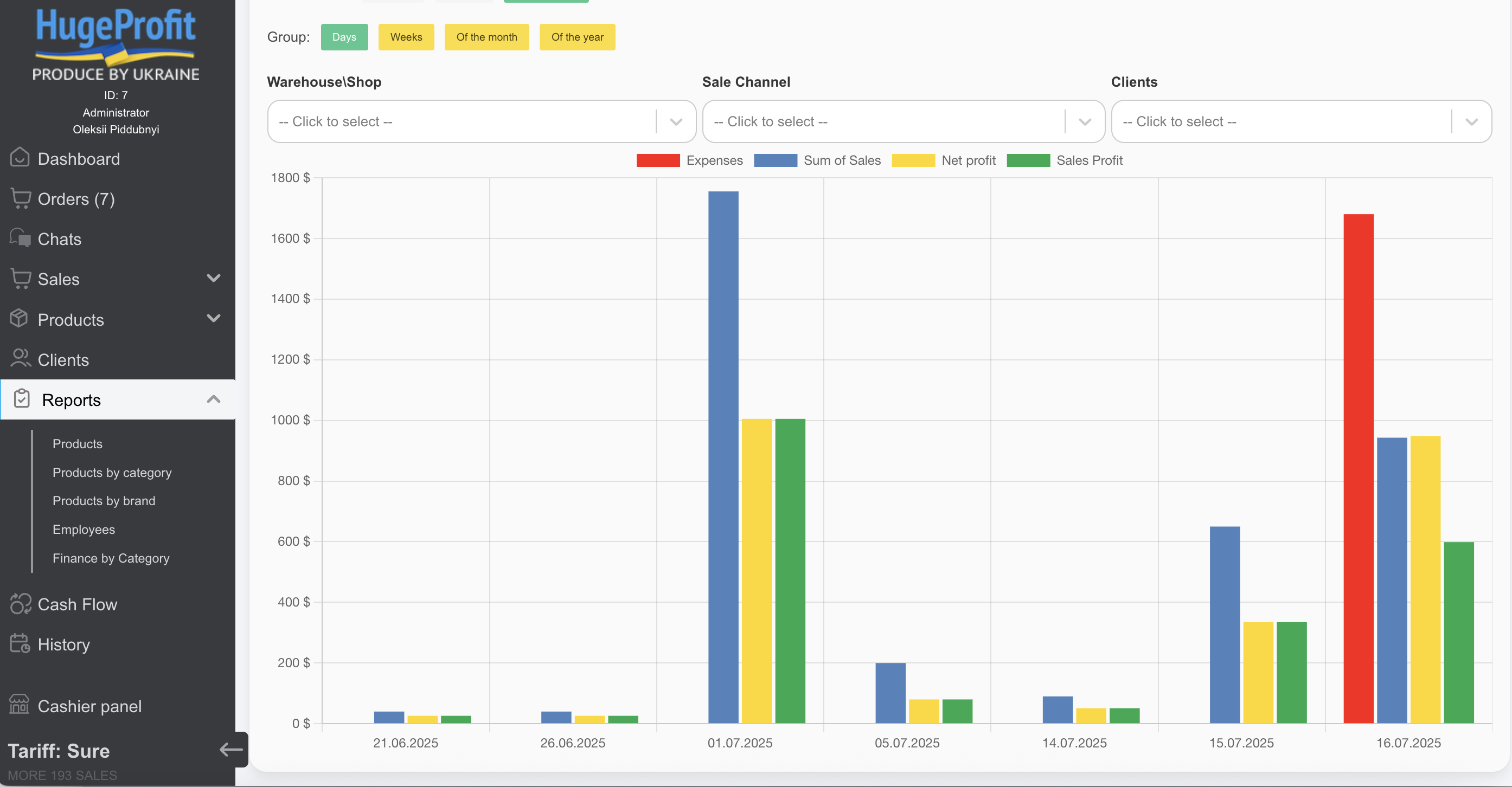
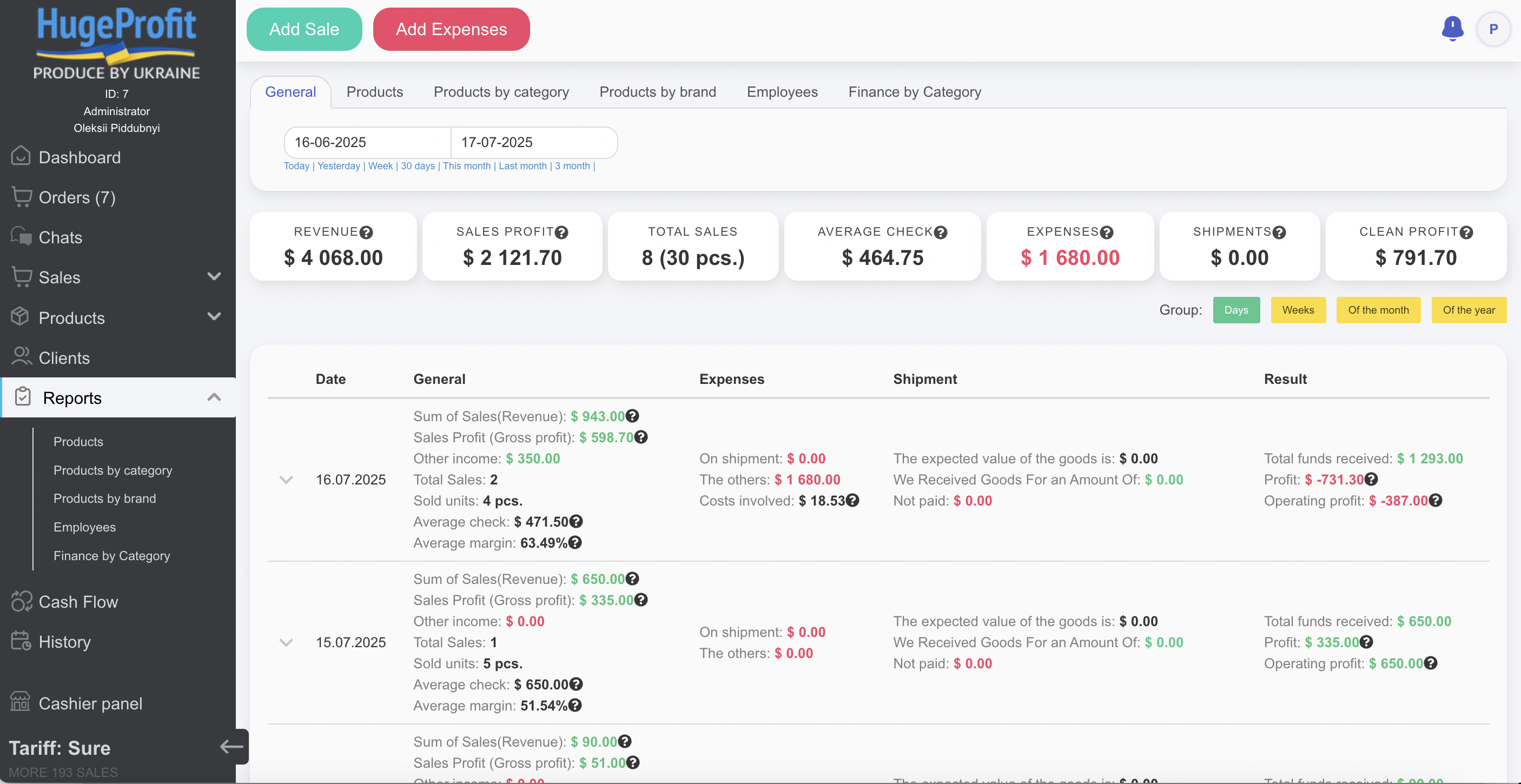
Can I see profit per product, per order, and by month?
Yes, you’ll be able to view profitability per product, per order, or for any selected period — including detailed business-wide reports.
Does HugeProfit support multi-warehouse inventory?
Yes, you can manage multiple warehouses, track stock movements, and perform inventory transfers between locations.
Can I connect other marketplaces besides WooCommerce?
Yes. HugeProfit connects Etsy, Shopify, OpenCart and other WooCommerce stores, as well as Prom.ua, Rozetka, OLX and other Ukrainian marketplaces – all with one stock.
Is there a mobile app for using HugeProfit CRM?
Yes, HugeProfit is available as a web app, iOS and Android mobile app, and even works via Telegram.
Can I create shipping labels and track deliveries?
For Ukraine – yes: Nova Poshta, Ukrposhta and Meest shipments are created and tracked directly from HugeProfit. Carriers in other countries are not supported yet.
Does the plugin support offline retail stores?
Yes, you can use the system for in-person sales with inventory sync, cash tracking, and customer management.
Can I chat with customers from Instagram or Facebook inside HugeProfit?
Yes, HugeProfit allows you to manage customer communication via Instagram, Facebook, Telegram, Viber, and OLX — all in one inbox.
Is there a free plan or trial?
Yes. The free plan includes up to 50 sales per month and up to 200 products, with all features and no time limit. Paid plans raise these limits.
更新日志:
- New: Profit column in WooCommerce → Orders – net profit and margin of every order, with a breakdown on hover
- New: "+ Expense" button – add packaging, shipping, gift or any other expense to an order; profit is recalculated instantly
- New: "Profit by HugeProfit" box on the order page
- New: supports the native WooCommerce "Cost of goods" field – if it is enabled, the plugin uses it and does not add its own cost field
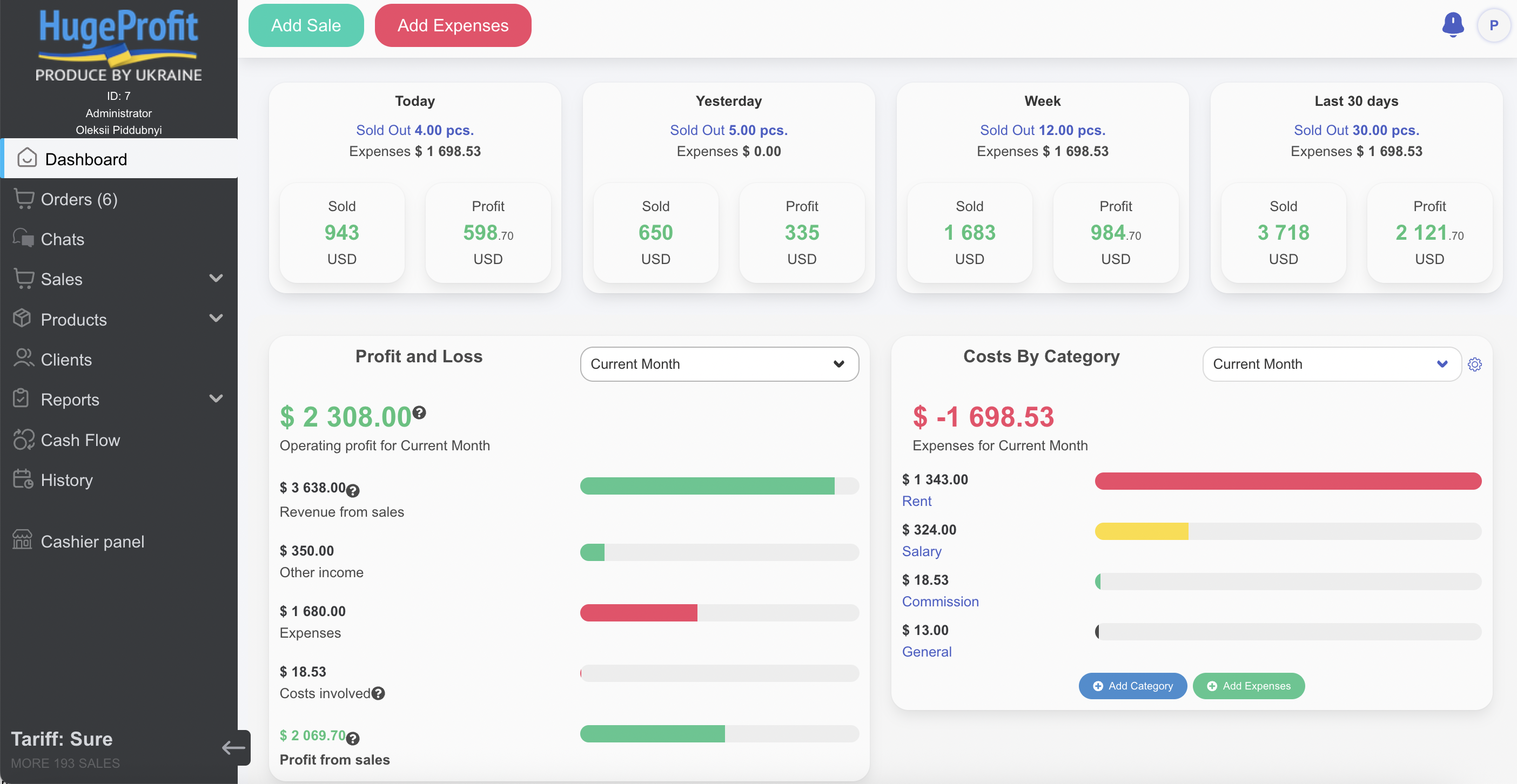
- Dashboard reworked: the numbers are calculated by HugeProfit and match the HugeProfit web app – same periods in your time zone, same rules for unpaid and excluded sales, revenue after discounts
- Dashboard: profit and loss for the current month – net profit = sales profit minus business expenses; purchases and other income are shown separately
- Dashboard: expenses converted to your main currency, account balances shown in their own currencies
- Adding an expense from the dashboard goes through WordPress – the HugeProfit API key is no longer exposed in the page
- Order expense can only be charged to an account in the currency of the sale
- Works with both HPOS and legacy order storage
- Updated Ukrainian and Russian translations
- Product import from HugeProfit no longer depends on WP-Cron: HugeProfit runs it batch by batch (works on hosting with cron disabled)
- Orders are sent to HugeProfit without slowing down checkout
- Fixed variation stock: products without stock management no longer reset stock in HugeProfit
- New variations added in HugeProfit are attached to the existing variable product
- One problematic product (e.g. duplicate barcode/GTIN) no longer stops the whole import
- Products created by WooCommerce CSV import and other importers are sent to HugeProfit
- Failed product sends are retried automatically
- Deleting a variable product sends a single request instead of one per variation
- Clear error messages when WooCommerce REST API is blocked or rejects the keys
- The plugin no longer creates a new WooCommerce API key on every reconnect
- Sync settings reworked: price and description/brand updates from HugeProfit are now controlled by the synchronization options
- Removed the confusing "export parameters" section from settings
- Fixed product sync: new products are now sent to HugeProfit with their price and stock
- Manual import now updates stock and prices for existing products
- Fixed errors in product synchronization
- Improved automatic synchronization for variable products
- Fixed sync status flag handling and timeout issues
- Bug fixes and stability improvements
- Fix sync products and refresh reports
- Fix sync products
- Updated plugin descriptions, metadata, and translations for better clarity and SEO
- Fixed issues with user authorization
- Improved localization support
- Initial stable release of HugeProfit integration with WooCommerce