ifthenpay | Payments for LatePoint
| 开发者 | ifthenpay |
|---|---|
| 更新时间 | 2026年9月9日 23:38 |
| PHP版本: | 7.4 及以上 |
| WordPress版本: | 6.9 |
| 版权: | GPLv3 |
| 版权网址: | 版权信息 |
详情介绍:
- One-time payments for bookings, instant or deferred (Multibanco, Payshop)
- Support for invoices and orders
- Merchant backoffice (basic sales) on web + mobile
- Secure automatic payment confirmations (no card numbers stored)
- An admin Tools page to recover a stuck payment without needing server access All settings are made in LatePoint. The plugin is built so store owners can manage payments without needing deep technical knowledge.
安装:
- In your WordPress admin, go to Plugins → Add New and search for ifthenpay | Payments for LatePoint, then click Install Now.
- Or download
ifthenpay-payments-for-latepoint.zipand upload under Plugins → Add New → Upload Plugin. - Activate LatePoint and ifthenpay for LatePoint.
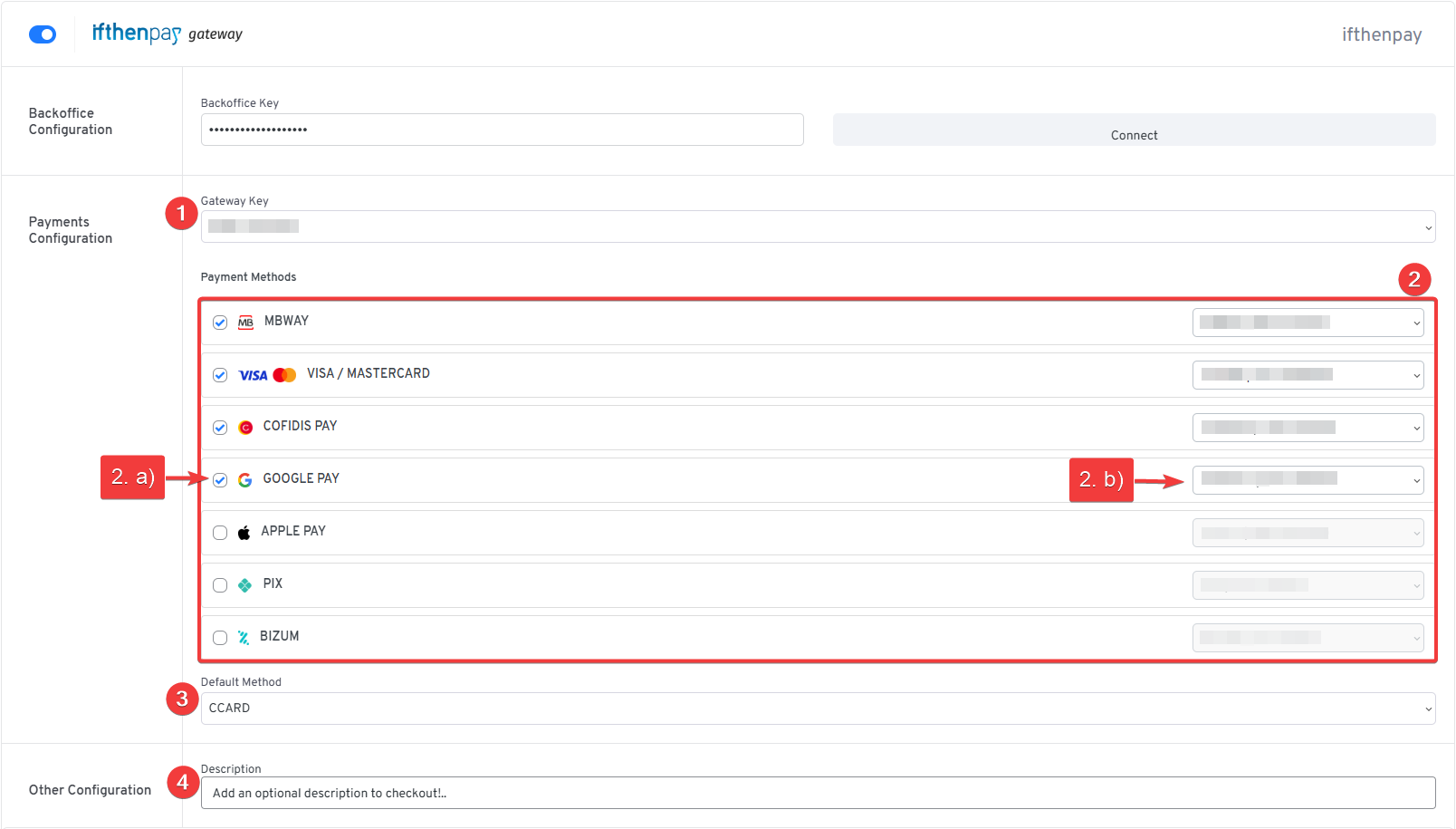
- Navigate to LatePoint → Settings → Payments, enter your ifthenpay Backoffice Key & Gateway Key, and click Connect.
屏幕截图:




常见问题:
What do I need to get started?
- A valid ifthenpay account (register at ifthenpay.com/aderir)
- LatePoint 5.6+ active
- WordPress 6.5+ and PHP 7.4+
How do I get my Backoffice Key?
Your Backoffice Key is assigned by ifthenpay at the time your contract is validated at ifthenpay.com/aderir — it's the same key used by ifthenpay's other website and app integrations. If you don't have it — setting up a new site, or you've lost it — ifthenpay support is who can resend it.
How do I get a Gateway Key for LatePoint?
A Gateway Key must be provisioned specifically for the LatePoint context before this plugin can use it — a Gateway Key created for a different platform (e.g. a generic website or another CMS) will not appear here, even with a valid Backoffice Key. Ask ifthenpay support to provision a Gateway Key for LatePoint on your account, then pick which payment methods (Multibanco, MB WAY, Payshop, cards, …) should be enabled on it — they'll guide you through activation for each. Once that's done, the plugin's settings page picks it up automatically; there is nothing to enter by hand beyond the Backoffice Key itself.
How do I configure it?
- Go to LatePoint → Settings → Payments.
- Enter your Backoffice Key and click Connect — this checks it against ifthenpay and shows your available Gateway Key(s).
- Pick a Gateway Key, select the payment methods (including invoices) you want to offer, then save.
- Save again any time you change the Gateway Key — this also re-registers the payment notification (callback) URL ifthenpay uses to confirm a payment automatically; see below.
Does ifthenpay need access back into my site?
Yes — after a Gateway Key is saved, the plugin registers a payment notification URL with ifthenpay (https://yoursite.com/wp-json/ifthenpay-lp/v1/callback) so a payment can be confirmed automatically once it's completed. This happens automatically; there's nothing to copy or paste. If your server sits behind a firewall, WAF, or security plugin that blocks unfamiliar inbound requests, allow GET requests to that URL path through — otherwise a completed payment may not be confirmed automatically. If registration itself fails (for example, your site isn't reachable from the internet yet), the settings page shows which Gateway Key failed and why, without needing to re-enter anything.
How does the payment process work?
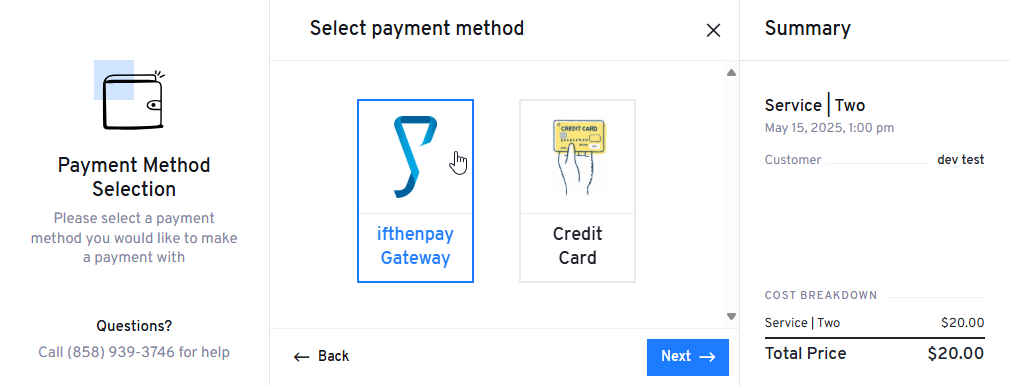
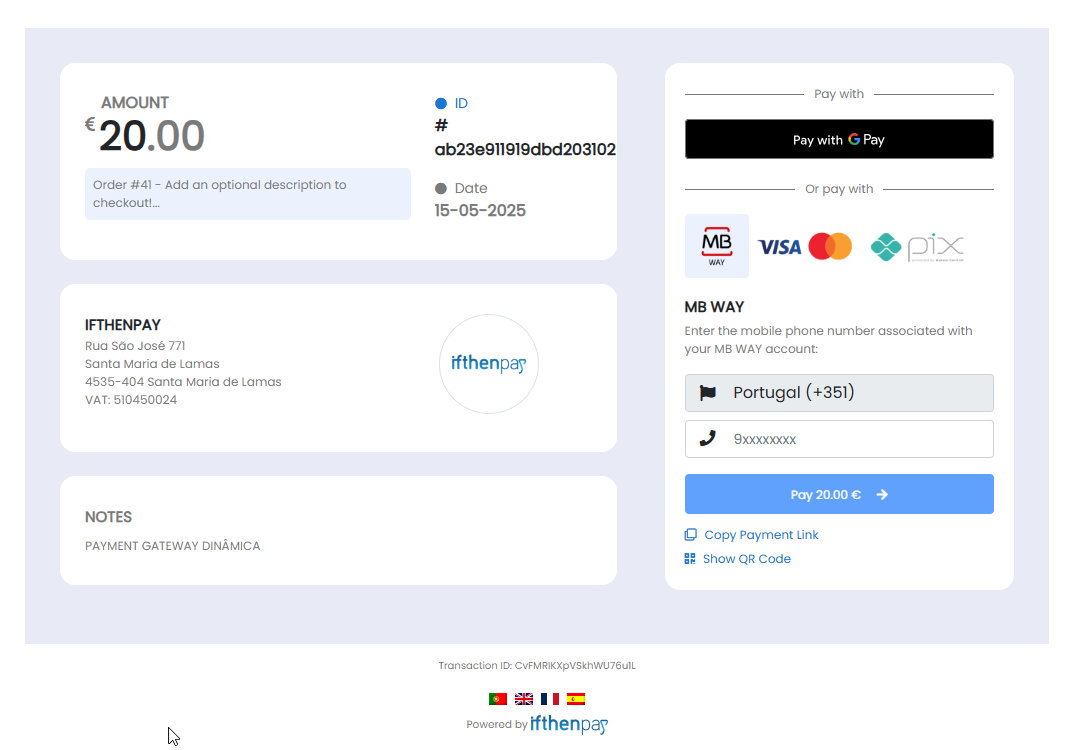
Payments are processed securely through ifthenpay's pay-by-link system. Customers select a payment method during booking, and a secure payment page opens for completion. Once paid, the status is verified and the booking is confirmed automatically.
How does Multibanco payment work?
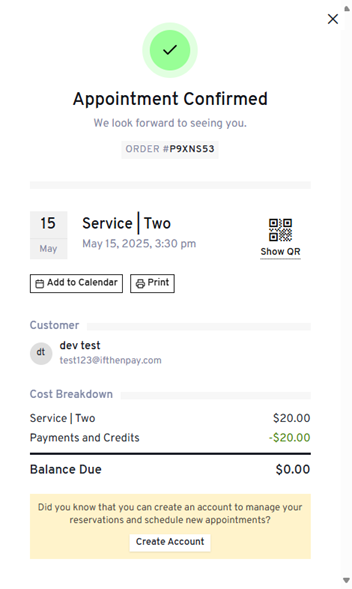
Multibanco is deferred, not instant: at checkout the customer gets an Entity/Reference/Amount to pay at an ATM or via homebanking, instead of a card-style payment page. The booking is created right away — pending, not confirmed — and the reference is shown on the confirmation page, in the confirmation email, and later in the customer's dashboard, so it isn't lost. The booking confirms automatically once ifthenpay notifies the site the reference was paid, typically within minutes of payment.
How does Payshop payment work?
Payshop works the same way as Multibanco: a deferred reference, shown at checkout, in the confirmation email, and on the customer's dashboard, payable in person at any Payshop agent or CTT post office. The booking is created pending and confirms automatically once ifthenpay notifies the site it was paid.
What happens if a Multibanco or Payshop reference is never paid?
The booking still holds the time slot while the reference is pending — nobody else can book it in the meantime, so an unpaid reference blocks that slot until it expires. An hourly job cancels bookings whose reference has passed its validity window, releasing the slot back for others to book. Set how many days a reference stays valid, and the minimum lead time before an appointment a reference can still be issued for, under LatePoint → Settings → Payments → Pay Later Configuration → [Multibanco/Payshop] → Timing. Each agent also gets a daily email listing their own appointments whose reference lapsed unpaid, so nothing falls through unnoticed.
A customer says they paid a Multibanco or Payshop reference but the booking still shows pending — what do I do?
This is rare (a network hiccup between ifthenpay and your site), but recoverable without touching the database or a server. Go to Settings → ifthenpay for LatePoint in wp-admin — the Outstanding Deferred Payments table lets you Recheck a specific payment (confirms it with ifthenpay directly before settling anything, so it's safe to run even if the payment never actually completed) or Cancel it to release the slot.
A customer paid instantly (MB WAY, card, …) but no booking shows up — where did the money go?
This can happen if the customer's connection dropped right after paying, before their booking could be finalised. Go to Settings → ifthenpay for LatePoint in wp-admin and check the Unclaimed Realtime Payments table — it lists any payment that was confirmed paid by ifthenpay but never matched to a completed booking, along with whatever contact and booking details were captured at checkout, so you can follow up with the customer directly. Mark a payment Resolved once you've handled it with them; if you did that by mistake, the Resolved tab lets you undo it.
Are payment details stored?
No. The plugin does not store card numbers or full bank details. Only small references needed for matching payments are kept.
Is there a sandbox?
ifthenpay may provide test entities; if unavailable, use a low-value live test.
Which payment methods are supported?
Any ifthenpay method attached to your Gateway Key (e.g. Multibanco, MB WAY, Payshop, Pix, Credit Card if provisioned).
How secure is the integration?
Requests are encrypted over HTTPS; data is minimized; no card details are stored. Payments are handled off-site by ifthenpay, ensuring PCI compliance.
Why are payment links failing or setup timing out?
Your server firewall or VPN may be blocking outbound requests. The plugin must connect to ifthenpay APIs to function. Ensure your network administrator allows outbound HTTPS traffic to ifthenpay domains.
A booking or payment confirmation email never arrived — is that this plugin?
Usually not a payment problem — check who was actually supposed to get it. LatePoint's own New Booking Notification workflow emails both the agent ("New Appointment Received") and the customer ("Appointment Confirmation") when a booking is made. The Payment Received workflow this plugin adds emails the customer only, once payment settles — an order can span bookings with different agents, so there's no single agent to notify there. Both live under LatePoint → Automation → Workflows and both send through WordPress's own mail function; if your host doesn't relay mail reliably (common on shared hosting), they silently fail to send — install and configure an SMTP plugin (e.g. WP Mail SMTP) with a real mail provider. Either way, the booking status and any Multibanco/Payshop reference are always also shown on-screen at checkout and in the customer's LatePoint dashboard, so a missing email doesn't put the payment itself at risk.
更新日志:
- Added: Multibanco as a deferred payment method — the customer gets an Entity/Reference/Amount at checkout to pay at an ATM or via homebanking, and the booking confirms automatically once ifthenpay reports it paid.
- Added: Payshop as a deferred payment method — works like Multibanco, but is paid in person at any Payshop agent or CTT post office.
- Added: Per-method Pay Later Configuration (Reference Validity in days, minimum lead time before an appointment) for Multibanco and Payshop, each clamped so a reference is never issued longer than the appointment allows.
- Added: An hourly job cancels bookings whose Multibanco or Payshop reference lapsed unpaid and releases the slot; each agent also gets a daily digest email of their own lapsed-unpaid appointments.
- Added: A new Tools page (Settings → ifthenpay for LatePoint) to re-register the callback URL, recheck or cancel a stuck deferred payment, and review realtime payments that settled without a matching booking — all from wp-admin, no server access required.
- Added: A "Payment Received" notification is now seeded automatically under LatePoint → Automation → Workflows on activation, so the customer automatically gets a payment confirmation email without the merchant building one by hand.
- Changed: Backoffice Key and Gateway Key configuration reworked — the Backoffice Key is now validated against ifthenpay directly when you save it, and the Gateway Key list and available payment methods are read live instead of cached from a separate "Connect" step.
- Changed: The callback URL ifthenpay uses to confirm payments is now registered automatically whenever you save a Gateway Key, with the result shown on the settings page if it fails.
- Changed: ifthenpay payment methods are no longer offered at checkout unless the saved Gateway Key is currently valid, even if the processor itself is turned on.
- Fixed: Payment records now use one shared table instead of a single-purpose one; existing history is kept, not deleted, during the update.
- Changed: Payment charge reference is now the payment token instead of the ifthenpay transaction ID, so merchants can reconcile payments more easily.
- Fixed: Increased the payment status verification timeout from 10s to 45s to give slower payment methods enough time to confirm before giving up.
- Fixed: Applied WPCS (PHPCBF), ESLint, and Prettier formatting baseline across the plugin (tabs, single quotes, WPCS spacing).
- Fixed: Updated public access whitelist in controller to use correct method names (get_order_ifthenpay_options, get_transaction_ifthenpay_options) instead of deprecated get_ifthenpay_options.
- Fixed: Removed non-existent get_payment_options from customer access whitelist.
- Updated: Bumped "Tested up to" to WordPress 6.9 in all relevant files.
- Added: Filter out of invisible methods.
- Fixed: Generic class naming and inefficiencies.
- Fixed: Added the prefix 'Ifthenpay' to 'AdminFormRenderer' static class.
- Fixed: Cleaned up settings clearing logic and improved error status handling in the controller.
- Fixed: Removed unused ifthenpay_nonce from localized variables and JavaScript AJAX calls.
- Fixed: Versioning fixes and remove unnecessary 'load_plugin_text_domain'.
- Added: Support for invoice payments (Orders & Invoices).
- Changed: Clarified ifthenpay account requirement and subscription link.
- Initial stable release.