
Image Comparison Block – Before After Image Slider
| 开发者 | binsaifullah |
|---|---|
| 更新时间 | 2026年11月9日 16:28 |
| PHP版本: | 7.4 及以上 |
| WordPress版本: | 7.1 |
| 版权: | GPLv2 or later |
| 版权网址: | 版权信息 |
详情介绍:
- Photographers and retouchers: original vs. edited photos, color grading, RAW vs. final.
- Designers and agencies: old website vs. redesign, mockup vs. final product.
- Real estate and interior design: home staging, renovation and remodeling results.
- Construction, landscaping and cleaning services: project progress and results.
- Beauty, cosmetics, dental and fitness: treatment and transformation results.
- Car detailing and restoration: before and after the job.
- Education and science: maps, satellite images and changes over time.
- Product reviews: compare screenshots, settings or image quality side by side.
- Lightweight and fast: no jQuery or external libraries. Assets load only where the block is used.
- Native Gutenberg block: built with core block editor components, works with any block theme or classic theme, including the Site Editor (FSE).
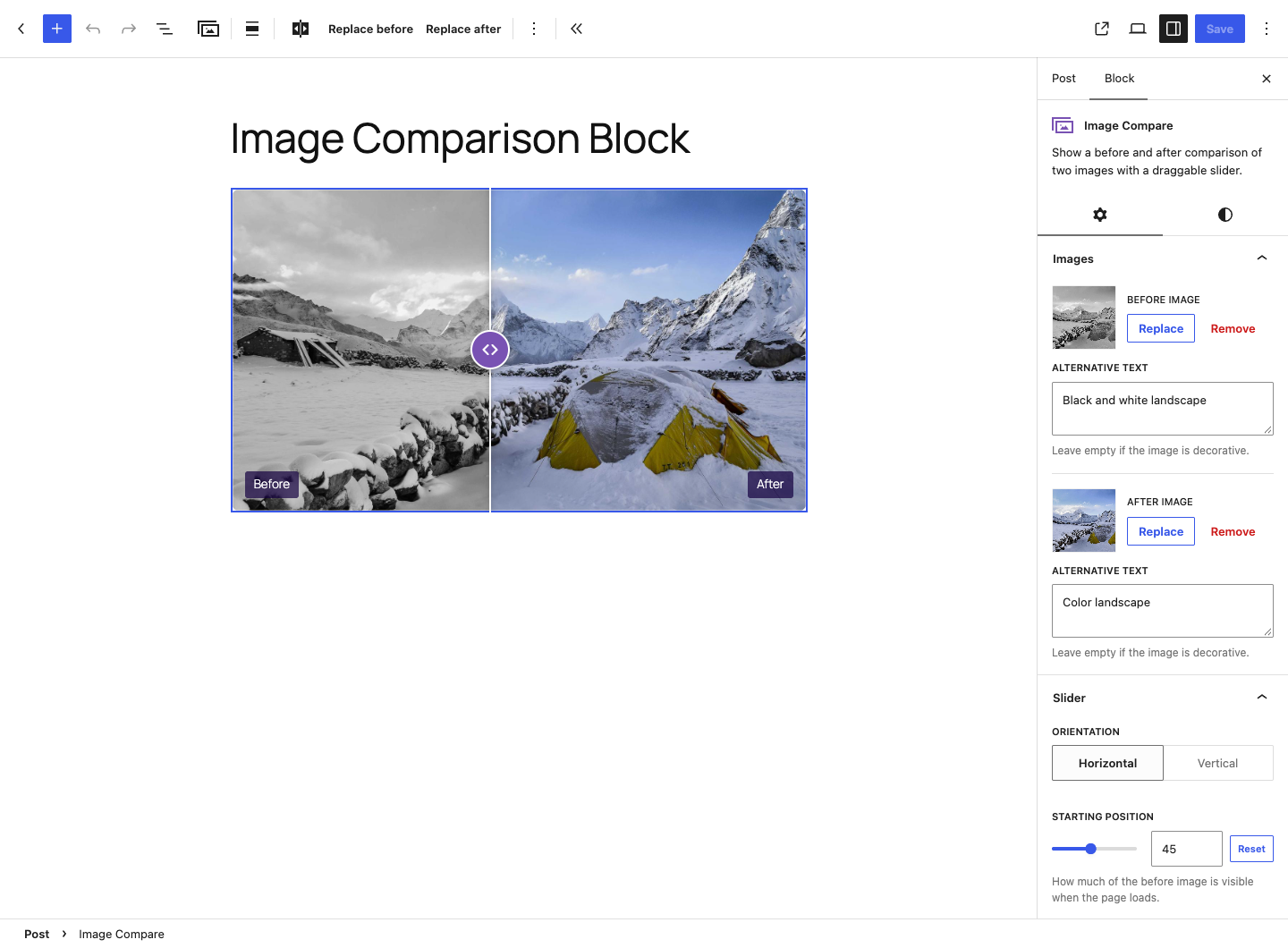
- Horizontal and vertical comparison modes.
- Drag, click or swipe to compare. Touch friendly, without blocking page scrolling on mobile.
- Optional move on hover mode.
- Adjustable starting position of the slider.
- Optional before and after labels, always visible or shown on hover.
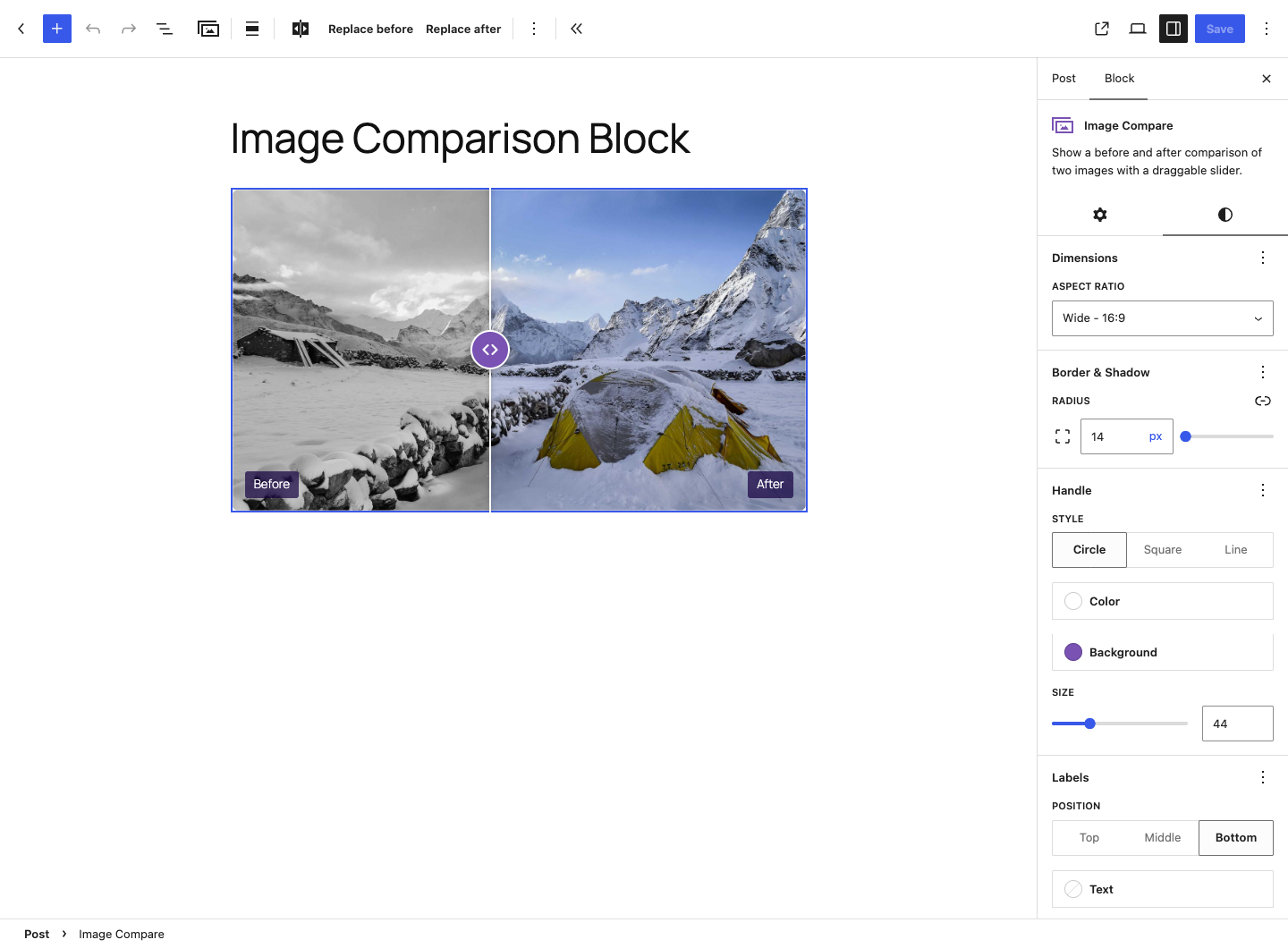
- Handle styles: circle, square or line, with custom color, background, size and line width.
- Label styles: position, text color, background and font size.
- Border, rounded corners, box shadow and aspect ratio (crops both images evenly).
- Wide and full width alignment, margin controls and HTML anchors.
- Responsive images with
srcsetandsizesfor images from the Media Library. - Accessible: keyboard operable handle (arrow keys, Page Up/Down, Home/End), announced as a slider to screen readers, and respects the "reduce motion" setting.
- Live, interactive preview in the editor.
- Swap or replace images from the block toolbar, with alt text controls for SEO.
- Use multiple comparison sliders on the same page.
- Translation ready.
- Add the Image Compare block from the Media category, or type
/image comparein the editor. - Choose a before image and an after image from the Media Library.
- Pick the orientation, starting position, labels and styles from the block sidebar.
- Publish. Your before/after slider is live.
安装:
- Upload the plugin files to the
/wp-content/plugins/image-compare-blockdirectory, or install the plugin through the WordPress plugins screen directly. - Activate the plugin through the "Plugins" screen in WordPress.
- Open the block editor and add the "Image Compare" block from the Media category, or type
/image compare. - Select a before image and an after image.
屏幕截图:
常见问题:
How do I add a before and after image slider in WordPress?
Install and activate the plugin, open a post or page in the block editor, add the "Image Compare" block and choose your before and after images. That's it.
Does it work with my theme?
Yes. It works with block themes and classic themes, and in posts, pages, custom post types, widgets and Site Editor templates wherever the block editor is available.
Do I need a page builder?
No. It is a native Gutenberg block. No page builder is required.
Is it responsive and mobile friendly?
Yes. The slider scales with its container, serves responsive images from the Media Library, and supports swiping on touch devices while vertical page scrolling still works.
Can I make a vertical (top/bottom) comparison?
Yes. Turn on vertical mode in the block settings to compare images from top to bottom.
Can I add "Before" and "After" labels?
Yes. Enable labels, change their text, and style their position, colors and font size. Labels can be always visible or shown only on hover.
Will it slow down my website?
No. The block has no jQuery or external dependencies, and its small script and styles load only on pages that contain the block.
Is it accessible?
Yes. The slider handle can be focused with the keyboard and moved with the arrow keys, Page Up/Down, Home and End. It is exposed to assistive technology as a slider with its current value, and you can set alt text for both images.
Can I use more than one comparison slider on a page?
Yes. Add as many Image Compare blocks as you like.
Should both images be the same size?
For the best result, use two images with the same dimensions and framing. You can also set an aspect ratio on the block to crop both images evenly.
Will my existing blocks keep working after updating?
Yes. Blocks created with older versions are upgraded automatically. On the front end they use the new slider straight away, and the next time you open the post in the editor they are migrated with no validation errors.
Have you used any block builder?
No, it is built with native block editor components only.
更新日志:
- Renamed the plugin to "Image Comparison Block – Before After Image Slider".
- Improved: Plugin description, features and FAQ.
- Rebuilt the block with block.json (API version 3) and @wordpress/scripts.
- New: Server-side rendering with responsive images (
srcset/sizes). - New: Lightweight slider shared by the editor and front end. Removed the bundled third-party libraries.
- New: Organized sidebar with Settings (Images, Slider, Labels) and Styles (Handle, Labels) tabs.
- New: Handle style, color, background, size and line width options.
- New: Label position, colors and font size options.
- New: Border, radius, shadow and aspect ratio support.
- New: Starting position and "show labels on hover" settings.
- New: Swap images and replace images from the block toolbar.
- New: Alt text controls for both images.
- New: Wide/full alignment and margin support. HTML anchors are kept.
- New: Keyboard and screen reader support for the slider handle.
- New: Interactive preview in the editor.
- Improved: Touch support that does not block page scrolling.
- Improved: The front-end script and styles only load on pages that use the block.
- Improved: All output is escaped and all strings are translatable.
- Removed: Redirect to the plugin page on activation.
- Fixed: Removed the deprecated
wp-editordependency. - Fixed: Stray "undefined" CSS class in saved block markup.
- Blocks created with 1.0.0 and 1.5.0 – 1.6.2 are migrated automatically, keeping their HTML anchors and custom CSS classes.
- Compatibility with the latest WordPress version.
- Admin page updated.
- Popup notice issue fixed.
- Labels position issue fixed.
- Admin page updated.
- Compatibility with the latest WordPress version.
- Initial release.