Image Weight Guard
| 开发者 |
mrunalih09
walstartechnologies pratapvashi123 walstarmedia |
|---|---|
| 更新时间 | 2026年10月1日 19:30 |
| PHP版本: | 7.4 及以上 |
| WordPress版本: | 7.1 |
| 版权: | GPL-2.0-or-later |
| 版权网址: | 版权信息 |
详情介绍:
安装:
- Upload the
image-weight-guardfolder to the/wp-content/plugins/directory, or install the plugin from the Plugins screen. - Activate the plugin through the Plugins screen in WordPress.
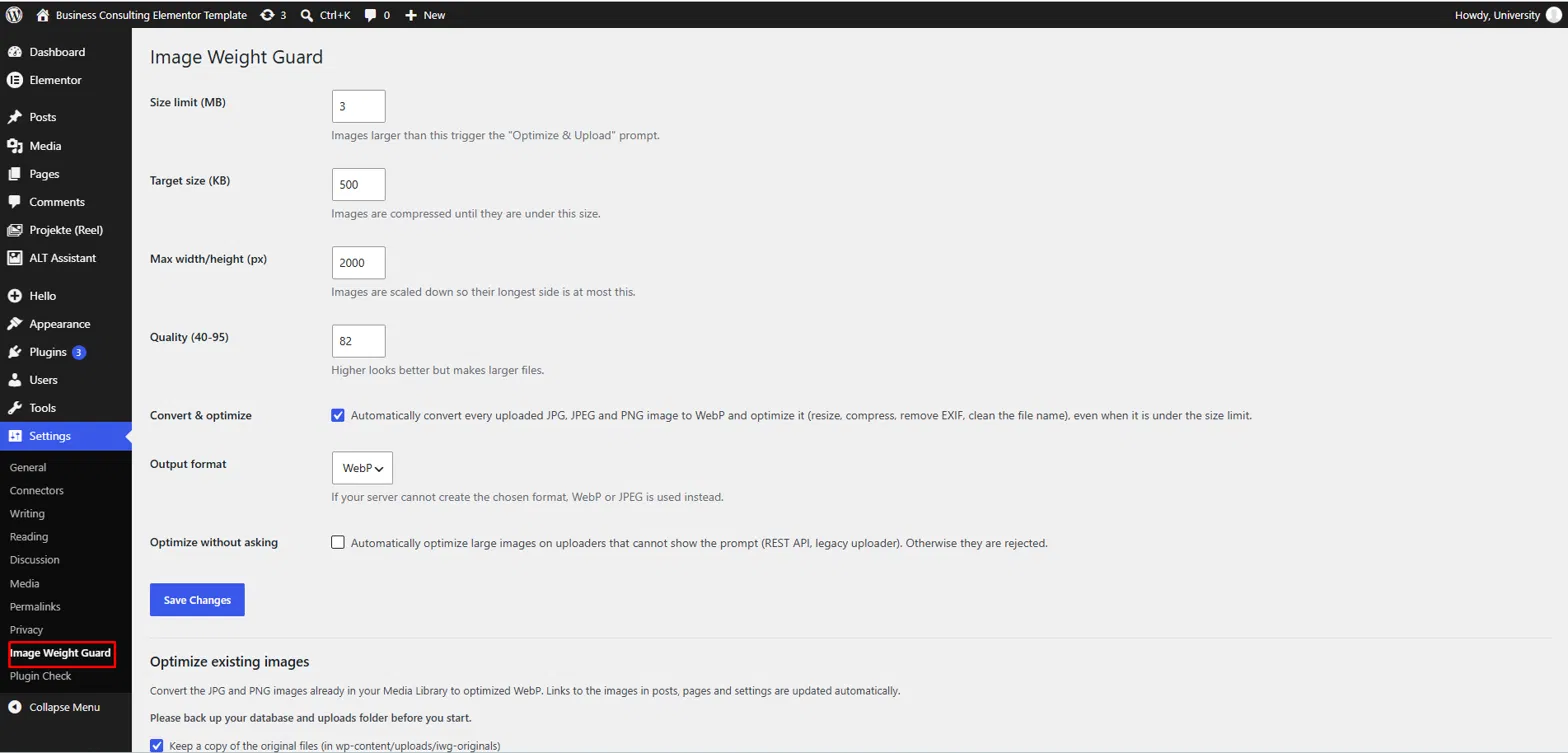
- Open Settings > Image Weight Guard to review the size limit, target size, maximum dimensions, quality and output format.
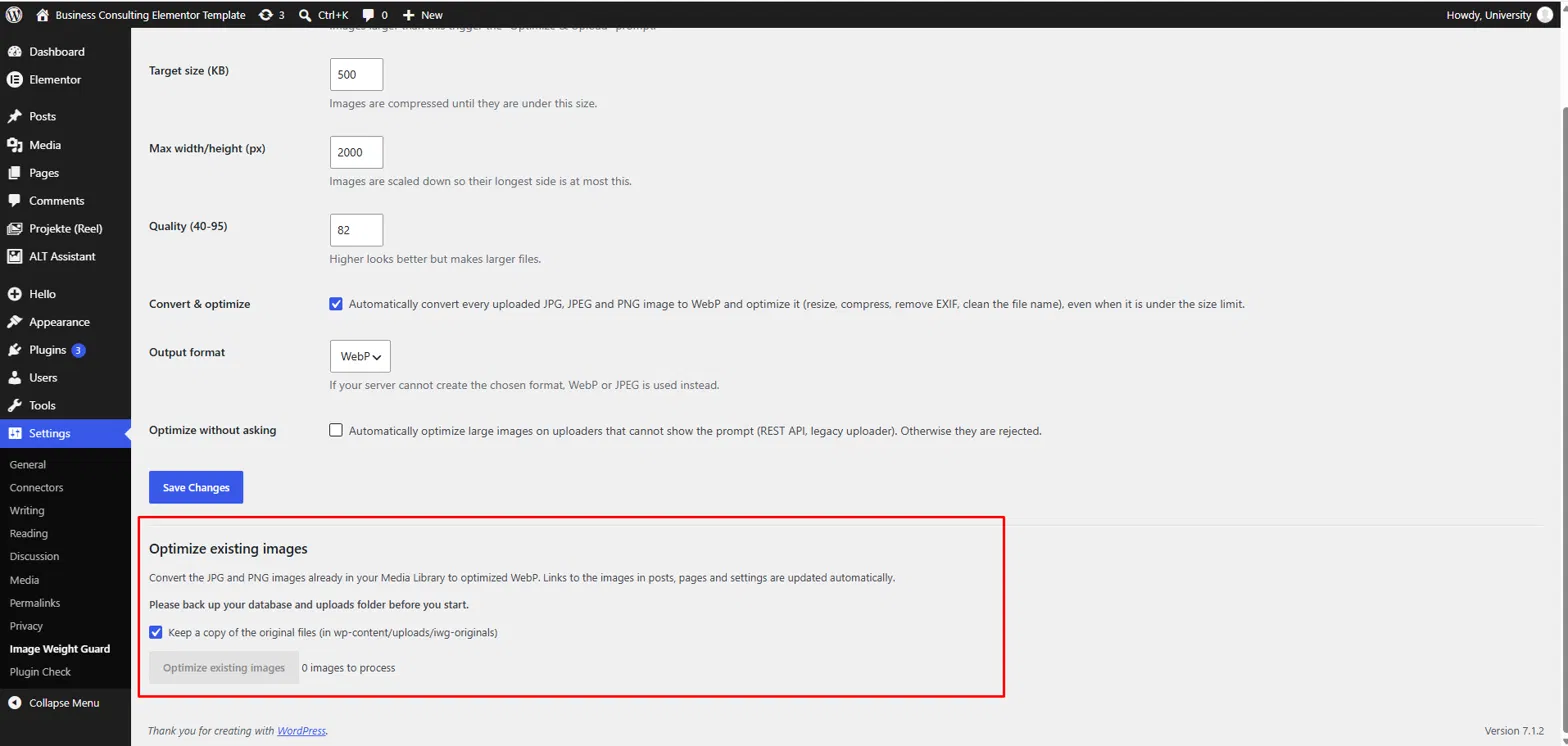
- Upload images as usual. To optimize images that are already in your Media Library, click Optimize existing images on the same settings page.
屏幕截图:
常见问题:
Does this plugin require an external service?
No. Images are converted and optimized on your own server using PHP's GD or Imagick library. No data is sent to any external service.
What does my server need?
WordPress 6.0 or newer, PHP 7.4 or newer, and GD or Imagick built with WebP support. You can check this under Tools > Site Health > Info > Media Handling. If WebP is not supported, small images are simply uploaded unchanged.
Does it change images I already uploaded?
Not automatically. Go to Settings > Image Weight Guard and click Optimize existing images. Please back up your database and uploads folder first. Original files are kept in wp-content/uploads/imagwegu-originals unless you untick the backup option. Images that would not get smaller are left unchanged.
Does this plugin work with Elementor and other page builders?
Yes. The plugin works with standard WordPress image attachments and is not restricted to a specific page builder. When existing images are converted, image links in posts, pages, custom fields and settings are updated as well, including data that many page builders store there. Please back up your site first and check your key pages afterwards.
Why was my upload rejected?
Images over the size limit must be optimized. Use the Media Library or the editor's media modal and click Optimize & Upload. Uploaders that cannot show the popup, such as the REST API and the old Media > Add New page, reject large images unless "Optimize without asking" is enabled in the settings.
Can I change the size limit and quality?
Yes. Open Settings > Image Weight Guard to change the size limit, target size, maximum width/height, quality and output format. Developers can also override any setting with the imagwegu_settings filter.
Does it affect videos, PDFs, GIFs or SVGs?
No. Only JPG, JPEG, PNG, AVIF and BMP images are processed. Other file types are left untouched.
Can I undo the conversion of existing images?
If you kept the backup option ticked, the original files are stored in wp-content/uploads/imagwegu-originals. You can copy them back manually. A database backup is recommended before optimizing existing images.
更新日志:
- Initial release.
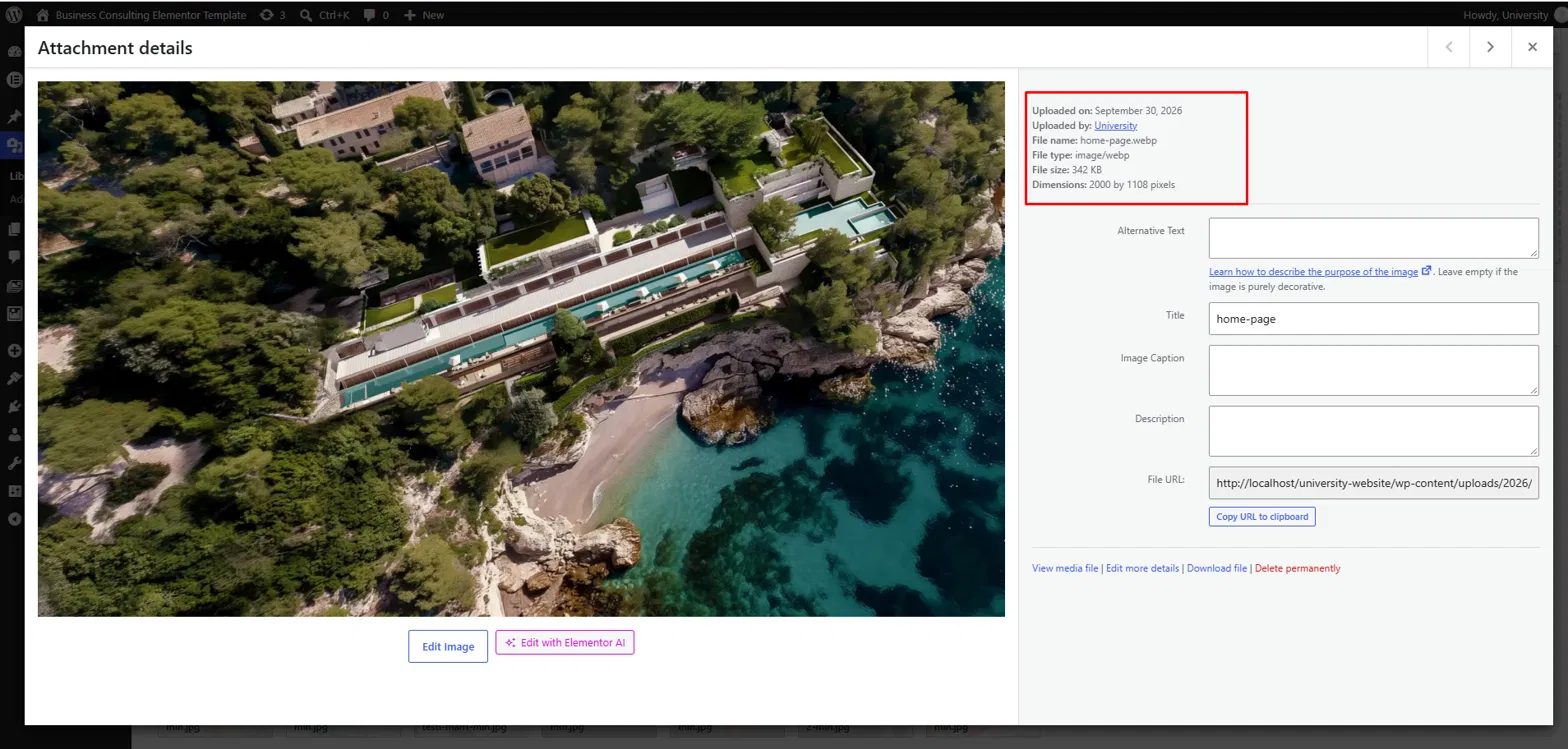
- Added automatic WebP conversion and optimization of uploaded images.
- Added the Optimize & Upload popup for oversized images.
- Added EXIF removal, resizing, compression and file name cleanup.
- Added a bulk tool to optimize existing Media Library images.
- Added a settings page.