IMG Alt Gen Pro - Bulk Alt Text Generator for WordPress & WooCommerce
| 开发者 | arcticfoxdev |
|---|---|
| 更新时间 | 2026年4月29日 10:29 |
| PHP版本: | 7.4 及以上 |
| WordPress版本: | 6.9 |
| 版权: | GPLv2 or later |
| 版权网址: | 版权信息 |
详情介绍:
- Large WordPress media libraries
- WooCommerce stores with many product images
- Agencies cleaning up client sites
- Publishers and bloggers with years of uploaded content
- Accessibility and SEO workflows that need a practical bulk fix
- Bulk alt text generation for WordPress Generate alt text across batches of images instead of updating them one by one.
- WooCommerce product image support Use product context to generate more relevant alt text for product and catalogue images.
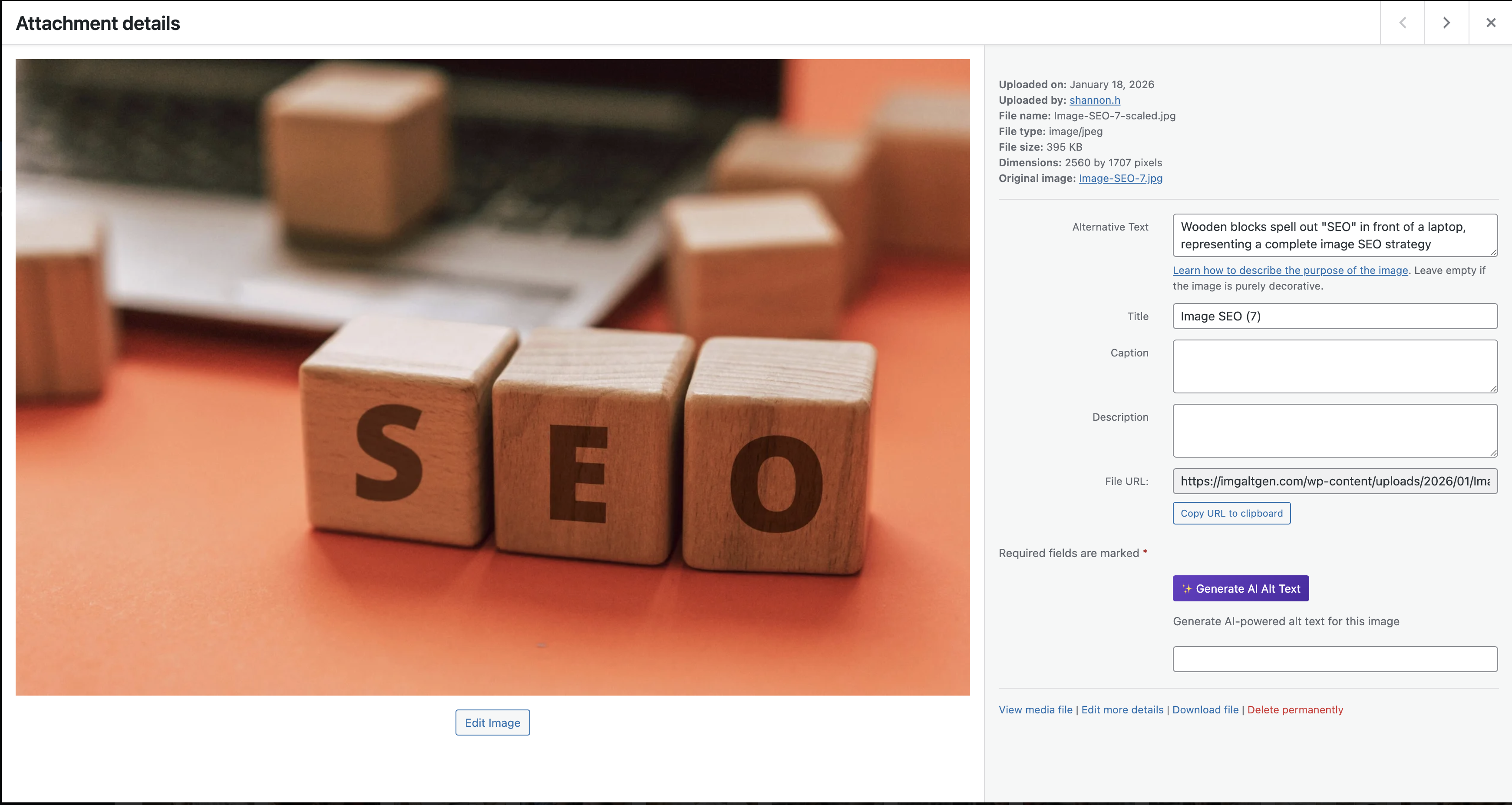
- Single image generation Generate alt text directly from the individual attachment edit screen.
- Media Library workflow Manage generation from a dedicated admin area built for bulk processing.
- Published-content prioritisation Focus first on images actually used in published posts, pages, and products.
- Optional SEO context Use supported SEO plugin data, such as keyphrases and metadata, to improve image descriptions.
- Context-aware generation Pull from titles, post context, taxonomies, and product information where available.
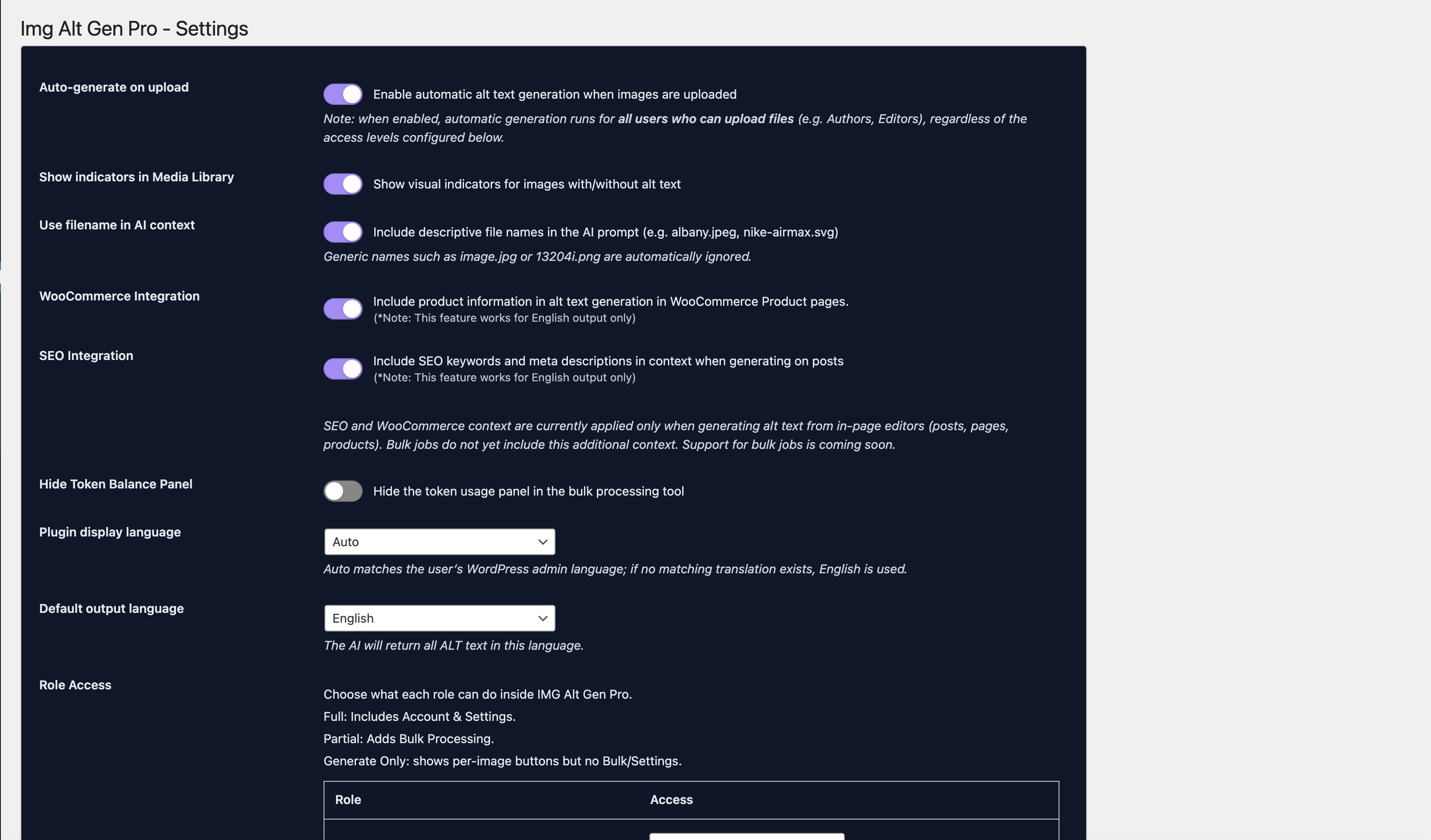
- Role and capability controls Restrict access to generation tools and settings using WordPress roles and capabilities.
- Privacy-conscious admin workflow No front-end widgets, tracking scripts, or public-facing changes are added by the plugin.
- WordPress agencies managing content-heavy client sites
- WooCommerce stores with large catalogues
- SEO teams fixing missing alt text across older image libraries
- Accessibility-focused site owners improving image descriptions at scale
- Content publishers with large archives of uploaded images
- Install and activate the plugin.
- Link your WordPress site to your IMG Alt Gen account using a secure token.
- Choose individual images or batches to process from the Media Library tools.
- The plugin sends the required image and context data to the IMG Alt Gen API.
- Generated alt text is written back to the standard WordPress
_wp_attachment_image_altfield.
- You link your site to an IMG Alt Gen account, and
- You explicitly trigger an action that requires the service, such as generating alt text or checking token/account status
- The image URL and or image bytes
- Attachment title and basic image metadata
- Related post or product context, where available
- Optional SEO context, if enabled in the plugin settings
- Post or product title
- Categories or tags
- Product information from WooCommerce
- Supported SEO plugin fields such as metadata or focus keyphrases
- Terms of Service: https://imgaltgen.com/terms
- Privacy Policy: https://imgaltgen.com/privacy
安装:
- Upload the plugin folder to
/wp-content/plugins/or install it through Plugins > Add New. - Activate the plugin in the WordPress admin.
- Go to Media > AI Alt Text > Account & Tokens.
- Link your IMG Alt Gen account or create one if needed.
- Once connected, you can:
- Generate alt text for a single image from the attachment edit screen
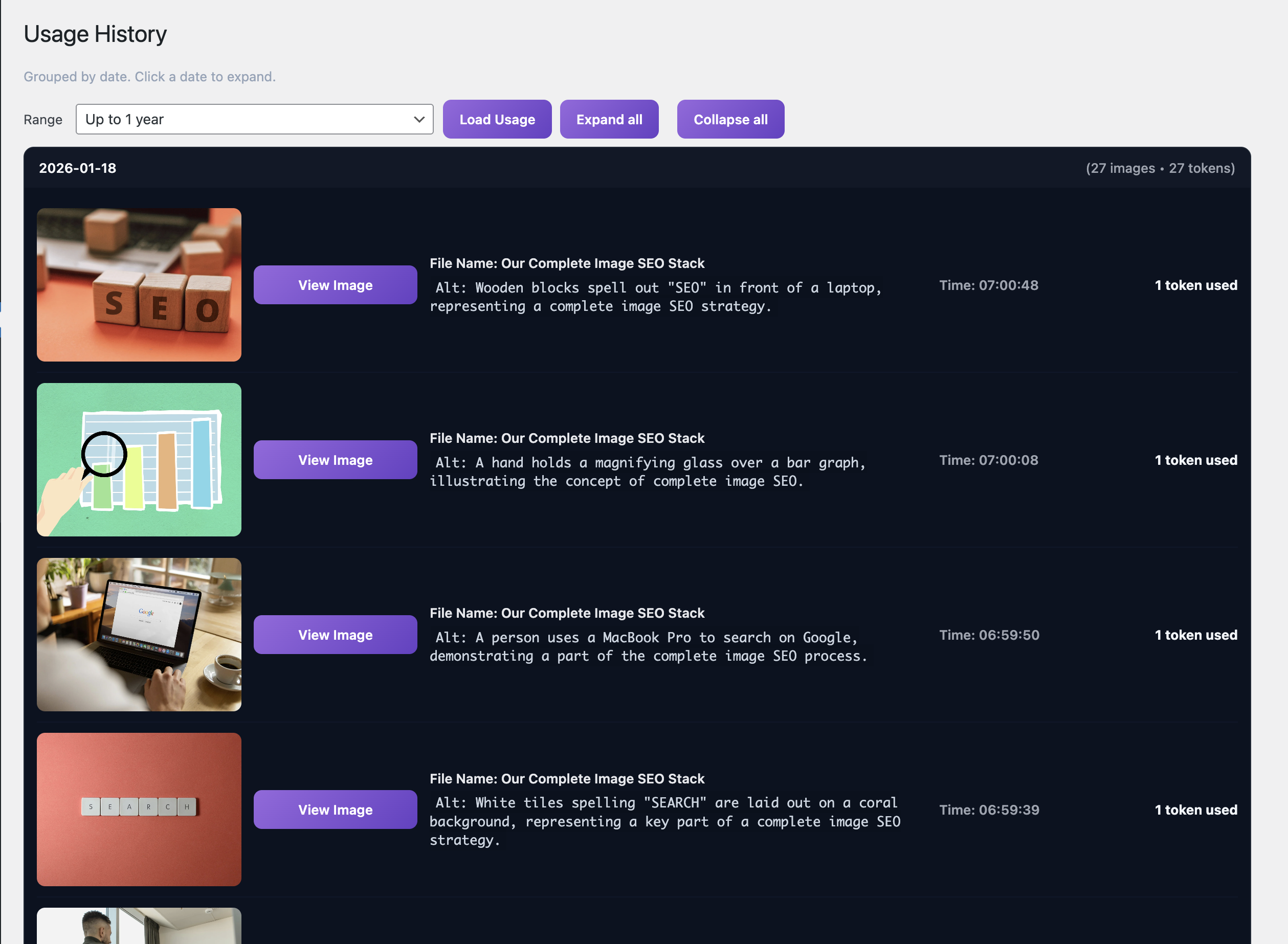
- Run bulk generation across batches of images
- Configure optional context from WooCommerce and supported SEO plugins
屏幕截图:
常见问题:
Does this plugin generate alt text inside WordPress only?
No. IMG Alt Gen Pro is a WordPress interface for the IMG Alt Gen hosted service. The plugin manages the WordPress-side workflow, while the alt text generation itself happens through the external IMG Alt Gen API.
Do I need an IMG Alt Gen account?
Yes. You need an IMG Alt Gen account with available tokens to generate alt text through the plugin.
Can I bulk-generate alt text for my WordPress media library?
Yes. The plugin includes a dedicated admin area for bulk processing images in batches.
Can I generate alt text for WooCommerce product images?
Yes. When WooCommerce support is enabled, product data can be used as context to improve the generated alt text for product and catalogue images.
Can I generate alt text for a single image?
Yes. You can generate alt text directly from the individual attachment edit screen.
Can I choose which images to process?
Yes. You can process individual images or batches, and you can prioritise images that are actually used in published content.
Does this overwrite existing alt text?
By default, the plugin is designed to avoid overwriting useful non-empty alt text unless your settings allow it. Review your configuration before running large batch jobs.
Does this work with SEO plugins?
Yes. The plugin can optionally use context from supported SEO plugins where available, such as metadata or focus keyphrases, to improve relevance.
What data is sent when generating alt text?
When generation is triggered, the plugin may send:
- The image URL and or image bytes
- Attachment title and metadata
- Optional post or product context
- Optional SEO context if you have enabled supported integrations
Does this add front-end scripts or tracking?
No. The plugin runs in the WordPress admin and does not inject tracking scripts or front-end widgets on your site.
What happens if I run out of tokens?
If your IMG Alt Gen account has no available tokens, generation requests will stop until you top up your account. The plugin will show a message in the admin area.
Is this plugin free?
The plugin itself is free to install and use as a WordPress interface. Alt text generation requires the external IMG Alt Gen service, which uses token-based billing.
What happens if I deactivate or delete the plugin?
Deactivating the plugin stops communication with IMG Alt Gen. Deleting the plugin can remove plugin-specific settings and cached data depending on your uninstall behaviour. Alt text already stored in the standard WordPress _wp_attachment_image_alt field will remain unless you remove it manually.
更新日志:
- Improved role permissions for no-access roles.
- Compatibility updates for WordPress.org submission.
- Hardened database queries and improved sanitisation.
- Added clearer messaging around external service usage and privacy.
- Improved bulk processing and published-content scanning options.
- Enhanced image context detection for posts, pages, and products.
- Improved handling of large images and remote media.
- Added optional debug logging for troubleshooting.
- Performance improvements for bulk alt-text generation.
- Better error handling and clearer admin messages.
- Major refactor to use a token-based API client.
- Added new Media Library tools and account management screens.