
Blogger Import Wizard - Blogger to Wordpress Importer
| 开发者 | ajaymalik14 |
|---|---|
| 更新时间 | 2026年9月10日 19:01 |
| PHP版本: | 7.0 及以上 |
| WordPress版本: | 7.0 |
| 版权: | GPLv2 or later |
| 版权网址: | 版权信息 |
详情介绍:
feed.atom or blog-*.xml). Preview what the plugin finds, and import with live progress so you can see exactly what is happening. For setup instructions, please see the Blogger Import Wizard Documentation.
Version 3.7.2 improves the migration experience with flexible import options and a clear flow:
- Import via Blogger URL or XML Backup File (
feed.atom) - Check the blog/file first to confirm the feed content and structure
- Preview the content counts before the import starts
- Import with live progress and retry tools if a few items need attention
- Follow a post-import checklist before enabling redirects
- Flexible import options: import live via your Blogger URL or offline via your Blogger XML export file (
feed.atom) - Preview-first migration so the import never starts blindly
- Posts and pages support with separate counts before the run begins
- Live progress log during the import
- Retry failed items without starting from scratch
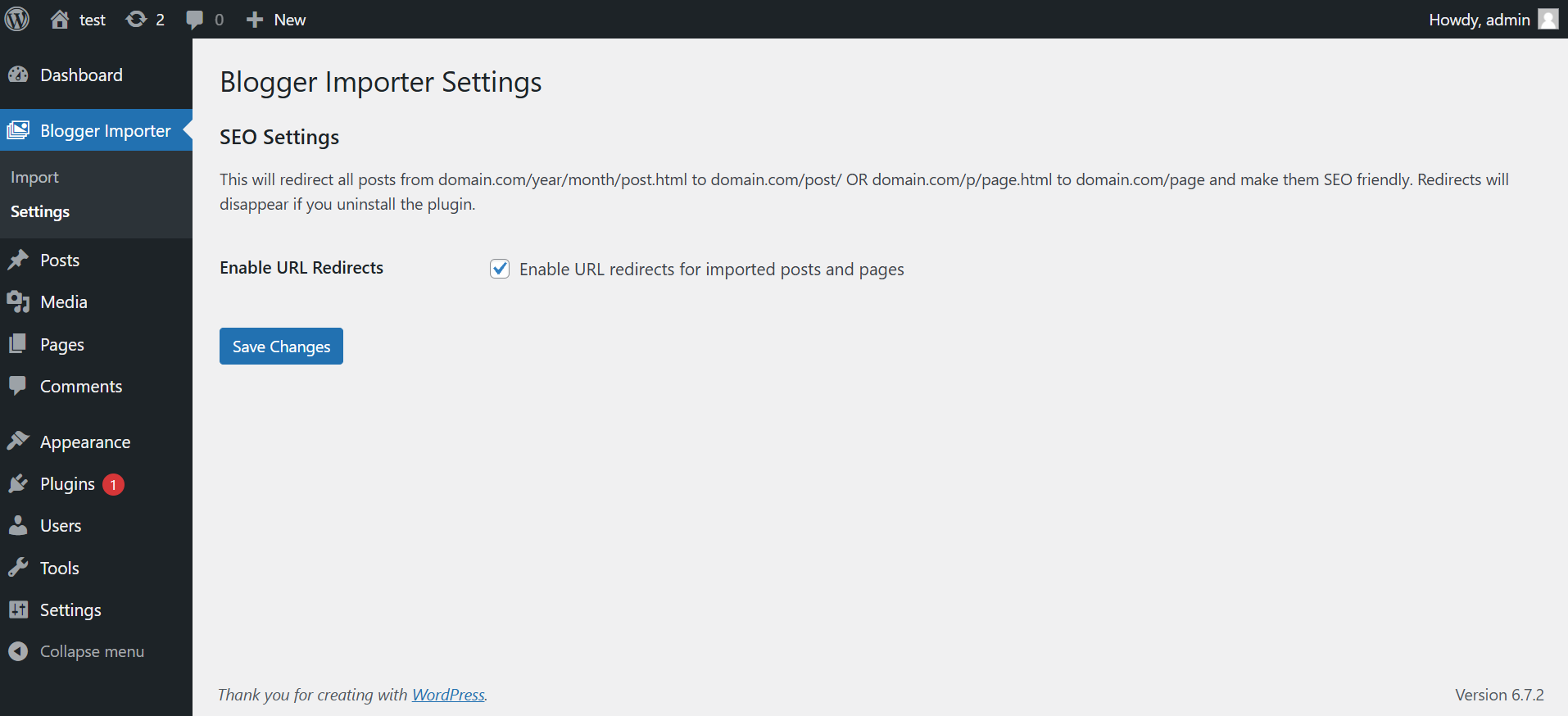
- Redirect settings to preserve old Blogger links after migration
- No Blogger API credentials required
- Blogger labels become WordPress categories
- Featured image support from the first image in the content
- Original publish dates and status preserved (future-dated posts are scheduled, not back-dated)
- Choose who gets credit as author: assign every imported post to a specific WordPress user, or import the Blogger author for each post (a new WordPress user is created when the Blogger author does not already exist on your site)
- Choose where internal links go: keep Blogger URLs, use the new WordPress URL, or point at a different URL of your choice
- Scrape and import SEO meta descriptions to Yoast SEO, Rank Math, or Sky SEO (highly recommended with Sky SEO Manager plugin to preserve 100% SEO value)
- Unlimited posts and pages
- Comment import from Blogger
- Download all post and page content images to the Media Library
- Standalone Media Downloader tab to batch download/retry media
- Advanced migration support
屏幕截图:


常见问题:
Can I import using a Blogger XML backup file (feed.atom)?
Yes. You can select "Blogger XML Backup File" as your import method in Step 1 and upload your feed.atom or blog-*.xml file downloaded directly from Blogger Settings > Back up content.
How does the new import flow work?
Enter your Blogger URL or select your Blogger XML backup file, choose whether to import posts, pages, or both, then run the preview. The plugin checks the feed/file, counts the available content, and shows how many items will be imported before the actual migration begins.
Does my Blogger site need to be public?
If you choose the URL import method, your Blogger site needs to be public. If you use a Blogger XML backup file (feed.atom), your site does not need to be public.
How many items can I import with the free version?
The free version imports up to 50 posts and 20 pages in a run. If the preview finds more than that, it will clearly show the difference before you click Start Import.
What happens if a few items fail during import?
The importer keeps a live log, finishes the rest of the run, and lets you retry failed items directly from the importer screen.
Can I import only posts or only pages?
Yes. You can import posts only, pages only, or both.
Will this help preserve SEO after moving from Blogger to WordPress?
Yes. After you review the imported content, you can enable the redirect setting so old Blogger URLs point to the new WordPress URLs.
Do I need Blogger API credentials?
No. The plugin works with the public Blogger feed and does not require API credentials.
Where should I go if I need help?
If the import finishes with issues, the plugin now nudges users toward support instead of asking for a review. You can read the official documentation or visit the support forum.
更新日志:
- New: Added experimental setting in Advanced Settings to clean Blogger line breaks and convert them into WordPress-compatible paragraphs
- Improvement: Automatically collapses multiple redundant breaks while preserving pre, code, table, and blockquote formatting
- New: Import via Blogger XML Backup File (feed.atom or blog-*.xml) exported directly from Blogger
- New: Import Method selector in Step 1 to choose between live Blogger URL site feed and offline Atom XML backup file upload
- Improvement: Added warning when feed is not set to Full in Blogger settings
- New: Added deactivation feedback form to understand user migration needs
- Improvement: Automated media mapping table cleanup and cron scheduling
- Fix: Added license validation integration to plugin updates feed
- New: Import Meta Description into SEO plugin (Yoast SEO, Rank Math, or Sky SEO Manager)
- New: Preserve original publish dates and original status (posts dated in the future are now scheduled instead of back-dated as published)
- New: "Assign Author to" selector with two clear choices: assign every imported post to a specific WordPress user (with a user dropdown that appears), or import the Blogger author for each post (a new WordPress user is created for any Blogger author that is not already on the site)
- New: "Rewrite Internal Links to" selector with three choices: keep Blogger URLs, use the new WordPress URL, or point at a custom URL (with a text field that appears when you pick the custom option)
- New: Friendly "?" tooltips next to every import field that explain each option in plain language, with click-to-pin and hover support
- New: Pause and resume imports to safely stop the queue at any point and pick up right where you left off
- New : Increased Free Post Limit to 50 and Page Limit to 20
- New: Added a preview-first import flow with a Blogger reachability check before import
- New: Added clear content counts for posts, pages, and free plan limits before import starts
- New: Added live import summary cards for planned, imported, failed, and remaining items
- New: Added retry support for failed items after the main import run
- New: Added a post-import checklist to guide review and redirect setup
- Improvement: Review prompts now appear only after successful imports with no recorded errors
- Improvement: Failed or partial imports now steer users toward support instead of a rating prompt
- Improvement: Updated plugin page copy to better explain the workflow and expectations
- Fix: Version synchronization across plugin files
- Fix: Updated version constants and stable tags
- Feature: Added demo video to readme file
- Feature: Set the first image from the post content as the featured image
- Fix: Resolved CORS issue by importing images via a PHP backend
- Major UI and UX improvements
- Added real-time import progress bar with animated stripes
- Enhanced progress logs with timestamps and message types
- Added strict enforcement of free version limits
- Improved error handling and user feedback during import