
ImportShield – Safe Product Imports for WooCommerce
| 开发者 | codymaverick |
|---|---|
| 更新时间 | 2026年9月8日 18:02 |
| PHP版本: | 8.2 及以上 |
| WordPress版本: | 7.0 |
| 版权: | GPLv2 or later |
| 版权网址: | 版权信息 |
详情介绍:
- Unexpected price changes, including prices being cleared or set to zero.
- Stock quantities becoming zero or products becoming out of stock.
- Duplicate SKUs within the CSV and conflicts between product IDs and SKUs.
- Important product data being cleared or replaced, including names, descriptions, categories, tags, brands, and images.
- Risky changes to supported visibility, tax, shipping, sale, and purchasing settings.
- Suspicious bulk changes affecting many existing products.
- Upload the product CSV and map its columns in Products → Import.
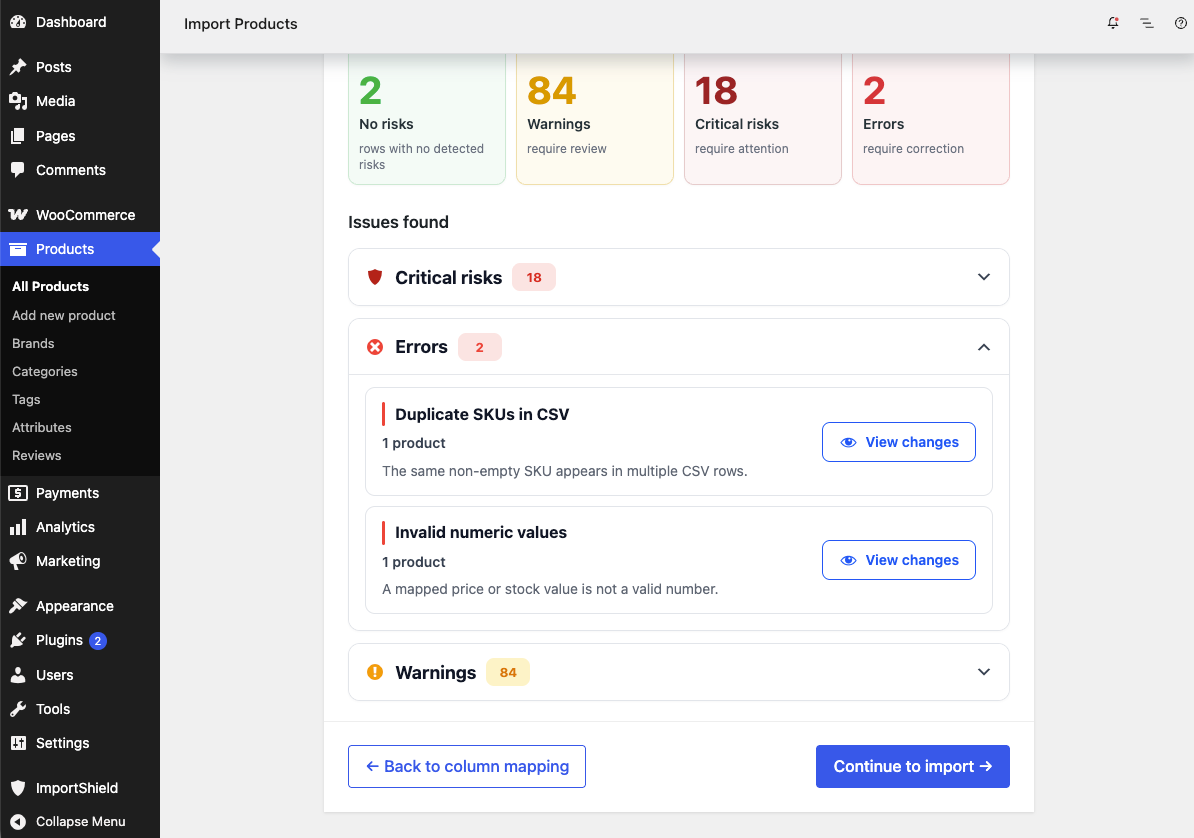
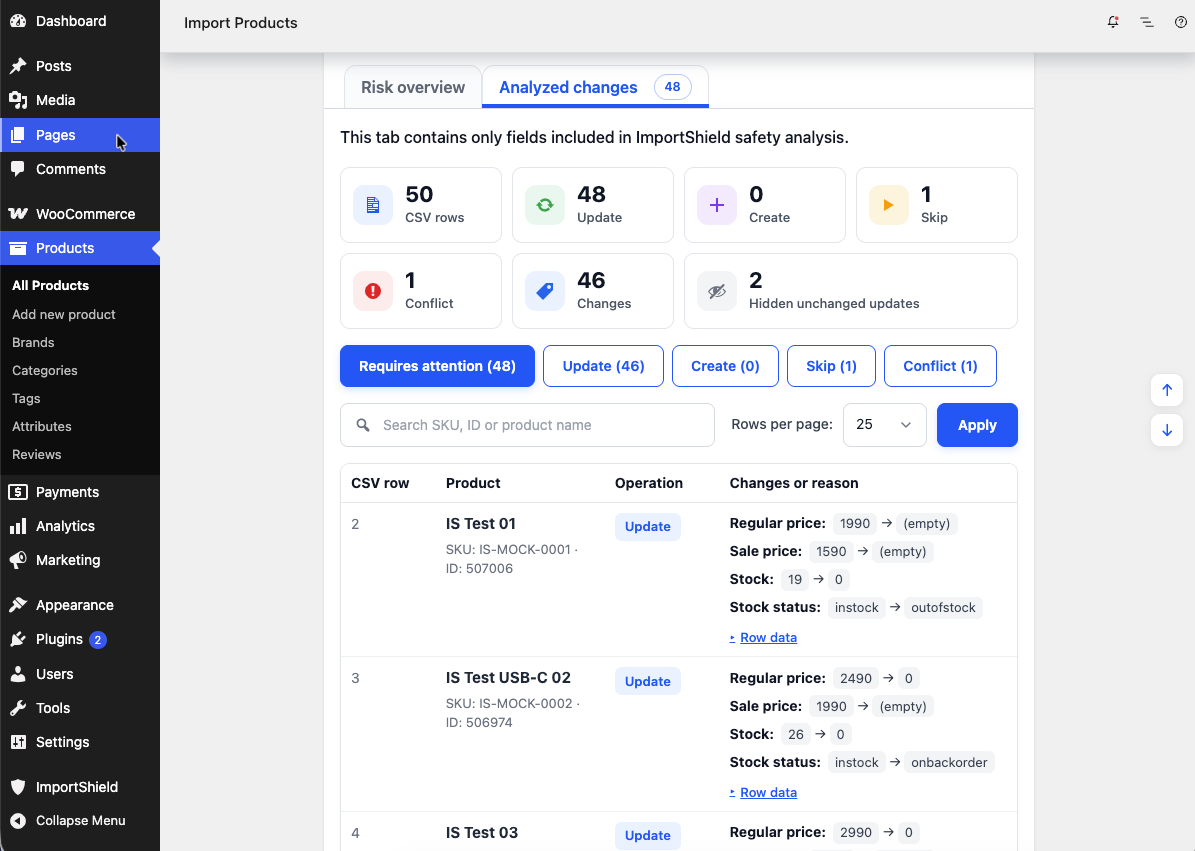
- Review planned changes and grouped risks before the import starts.
- Correct the CSV or mapping if needed, or choose to continue.
- WooCommerce performs the actual product import.
- ImportShield does not perform the actual import or replace the WooCommerce importer.
- The preflight does not modify the CSV or product catalog.
- ImportShield does not provide rollback, automatic repair, or a guarantee that every possible problem will be detected.
- Unsupported fields and product structures may be handled by WooCommerce without field-level ImportShield analysis.
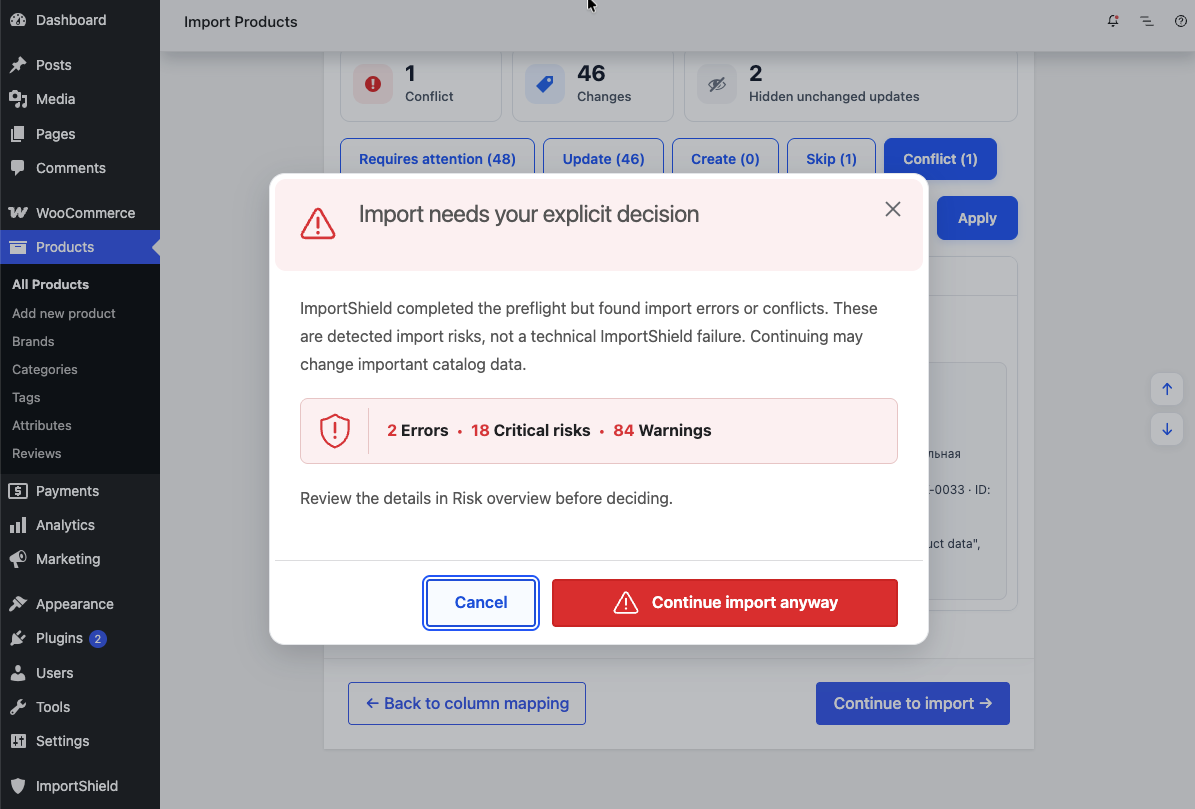
- Detected business risks require explicit confirmation rather than automatically blocking the import. A technical failure that prevents reliable analysis blocks the protected flow before the import starts.
安装:
- Make sure WooCommerce 10.8 or newer is installed and active on a supported single-site WordPress installation.
- Install and activate ImportShield.
- Open Products → Import and upload a product CSV.
- Map the columns as usual. ImportShield adds its Review before the WooCommerce import starts.
屏幕截图:
常见问题:
Does ImportShield modify the CSV file?
No. ImportShield reads the uploaded CSV for the preflight and does not rewrite it.
Does ImportShield import products itself?
No. ImportShield adds a Review before the built-in WooCommerce product CSV importer. WooCommerce performs the actual import. No product or taxonomy records are created or changed during the preflight.
What happens when ImportShield finds a risky change?
The Review shows the detected issues and affected rows. You can go back without importing, or explicitly confirm that you want to continue with the standard WooCommerce import.
How are existing products matched?
ImportShield uses the mapped product ID and/or non-empty SKU. If the ID and SKU do not resolve consistently, the row is reported as a conflict. The WooCommerce Update existing products setting still controls the native import behavior.
Are variable products and variations supported?
ImportShield analyzes supported fields when they apply to variable products and variations. It does not analyze Parent or Attribute relationships, changes between product types, or fields WooCommerce does not persist independently for that product type.
What happens to unsupported fields or product types?
The Review identifies mapped fields that were not analyzed. Unsupported product types are shown as unsupported. WooCommerce remains responsible for those fields and rows if you continue.
Can I undo an import?
No. ImportShield does not provide rollback. Back up the store and review the results before continuing, especially for high-impact imports.
Does ImportShield send analytics by default?
No. Usage analytics require explicit administrator opt-in and can be changed at ImportShield → Settings.
更新日志:
- Added a pre-import Review to the built-in WooCommerce product CSV importer.
- Added planned change previews and risk detection for supported product data.
- Added grouped risk results and explicit confirmation for imports with detected issues.
- Added optional usage analytics and English and Russian localization.
- Added support for PHP 8.2+, WordPress 6.9+, and WooCommerce 10.8+.