Indexedy | Track Google Indexing & Get Your Links Indexed Faster
| 开发者 | indexedy |
|---|---|
| 更新时间 | 2026年3月1日 08:36 |
| PHP版本: | 7.4 及以上 |
| WordPress版本: | 6.9 |
| 版权: | GPLv2 or later |
| 版权网址: | 版权信息 |
详情介绍:
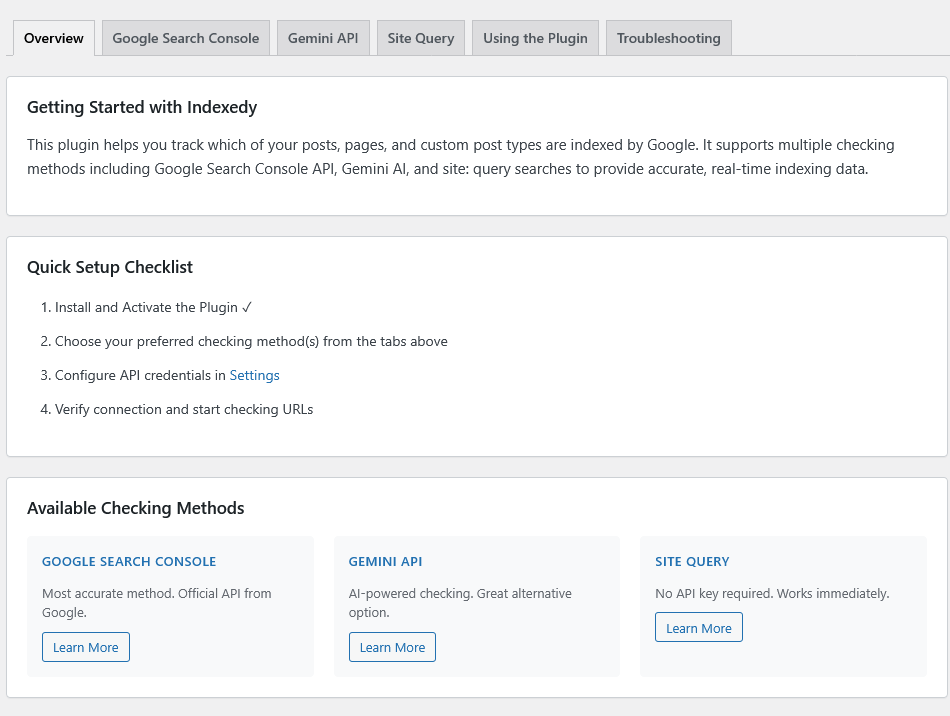
Indexedy is a powerful WordPress plugin that helps you monitor and track which of your posts, pages, and custom post types are indexed by Google. Get real-time insights into your content's indexing status with multiple checking methods and comprehensive statistics.
Key Features
- Multiple Checking Methods: Choose from Google Search Console API, Gemini AI, or Site Query (site:domain) searches
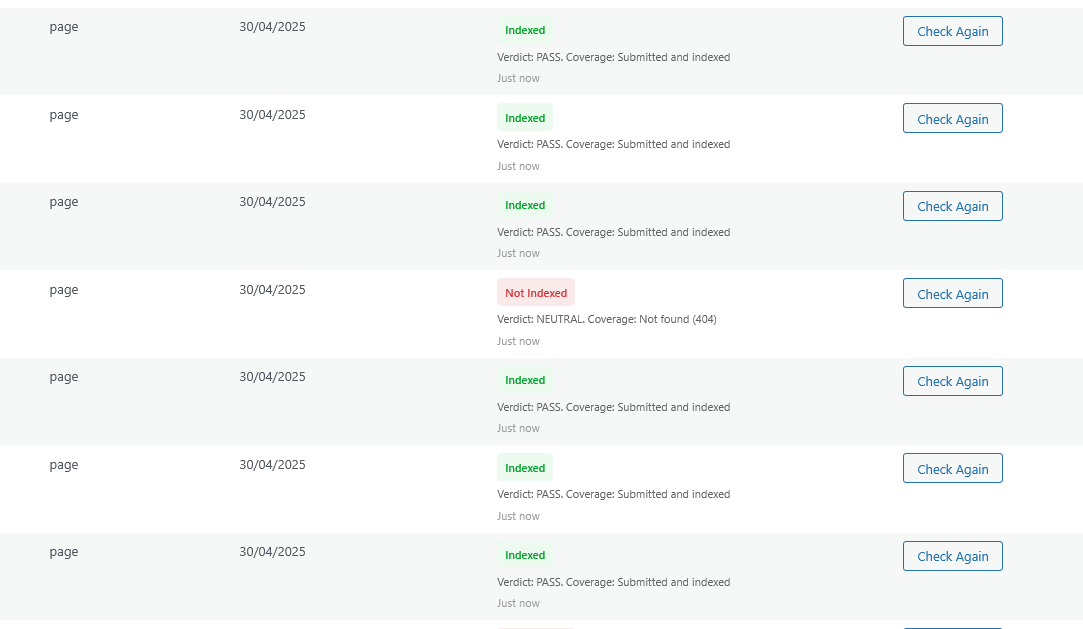
- Bulk Indexing Checks: Check multiple URLs at once from the post list or Index Inspector page
- Comprehensive Dashboard: View detailed statistics, indexing health scores, and 30-day performance trends
- Post List Integration: Check indexing status directly from your posts and custom post types list screens
- Index Inspector: Dedicated page for filtering and checking indexing status by post type and status
- Status Tracking: Persistent status tracking with historical data and trend analysis
- Custom Post Type Support: Works with all public post types including custom post types
- Performance Charts: Visual representation of indexing trends over the last 30 days
- Status Breakdown: Detailed breakdown by post type showing indexed, not indexed, and unknown status counts
- Google Search Console API: The most accurate method using official Google Search Console data
- Gemini AI: Uses Google's Gemini AI to check indexing status
- Site Query: Uses Google Custom Search API with site:domain queries
- Install and activate the plugin
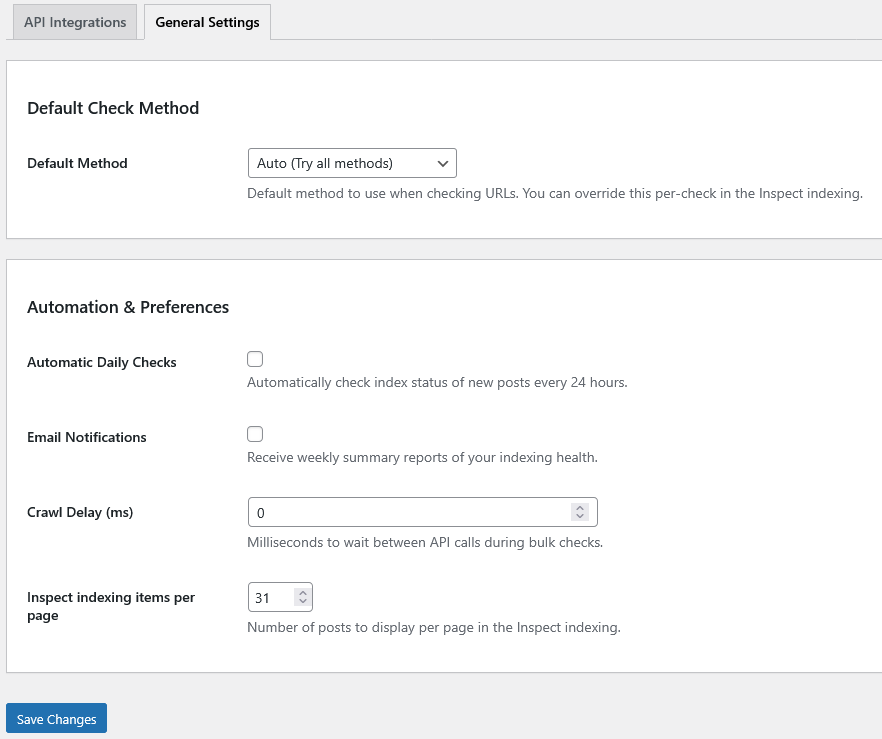
- Go to Indexedy > Settings to configure your preferred checking method(s)
- Add API credentials for Google Search Console, Gemini, or Custom Search Engine
- Start checking URLs from the Index Inspector page or directly from your post list
安装:
Automatic Installation
- Log in to your WordPress admin panel
- Navigate to Plugins > Add New
- Search for "Indexedy"
- Click "Install Now" and then "Activate"
- Download the plugin zip file
- Log in to your WordPress admin panel
- Navigate to Plugins > Add New
- Click "Upload Plugin"
- Choose the zip file and click "Install Now"
- Click "Activate Plugin"
- Go to Indexedy > Settings
- Configure your preferred checking method:
- For Google Search Console: Add your Service Account JSON key
- For Gemini API: Add your Gemini API key
- For Site Query: Add your Custom Search Engine API key and Engine ID
- Save your settings
- Start checking URLs from Indexedy > Inspect indexing
屏幕截图:
常见问题:
Do I need API credentials?
You need at least one API credential to use the plugin:
- Google Search Console API (recommended for accuracy)
- Gemini API
- Custom Search Engine API (for site: queries) You can configure multiple methods and use "Auto" mode to try them in order.
Which checking method is most accurate?
Google Search Console API is the most accurate method as it uses official Google data. However, all methods provide reliable results.
Can I check custom post types?
Yes! Indexedy works with all public post types including custom post types. You can filter by post type in the Index Inspector page.
How often should I check indexing status?
You can check as often as needed. The plugin stores historical data, so you can track changes over time. We recommend checking weekly or after publishing new content.
Does the plugin work with multilingual sites?
Yes, Indexedy works with all WordPress sites regardless of language or multilingual plugins.
更新日志:
1.0.1
- Fixed: Gemini API model compatibility issue ("models/gemini-1.5-flash is not found" error)
- Fixed: Gemini indexing status accuracy - now uses Google Search Grounding for real search results
- Fixed: Incorrect indexing status when using Gemini API (was showing wrong status)
- Added: Post Types selector in Settings - choose which post types to monitor
- Added: Support for gemini-2.0-flash, gemini-1.5-flash, gemini-1.5-pro, and gemini-pro models
- Added: Automatic model fallback when a model is not available for your API key
- Improved: Better error handling when Gemini models are unavailable
- Improved: More accurate URL indexing detection with grounding metadata parsing
- Improved: Indexedy column only shows for selected post types
- Initial release
- Multiple checking methods (Google Search Console, Gemini AI, Site Query)
- Dashboard with statistics and trends
- Bulk indexing checks
- Post list integration
- Index Inspector page
- Custom post type support
- 30-day performance charts
- Status tracking and historical data