Infospica Headless API
| 开发者 | pushpasharmila |
|---|---|
| 更新时间 | 2026年6月18日 17:06 |
| PHP版本: | 7.4 及以上 |
| WordPress版本: | 7.0 |
| 版权: | GPLv2 or later |
| 版权网址: | 版权信息 |
详情介绍:
安装:
- Upload the plugin folder to
/wp-content/plugins/infospica-headless-api/ - Activate the plugin from the Plugins screen in WordPress admin
- Navigate to Infospica Headless API in the admin menu
- Set your API namespace, version, and enable the content types you need
- Save settings
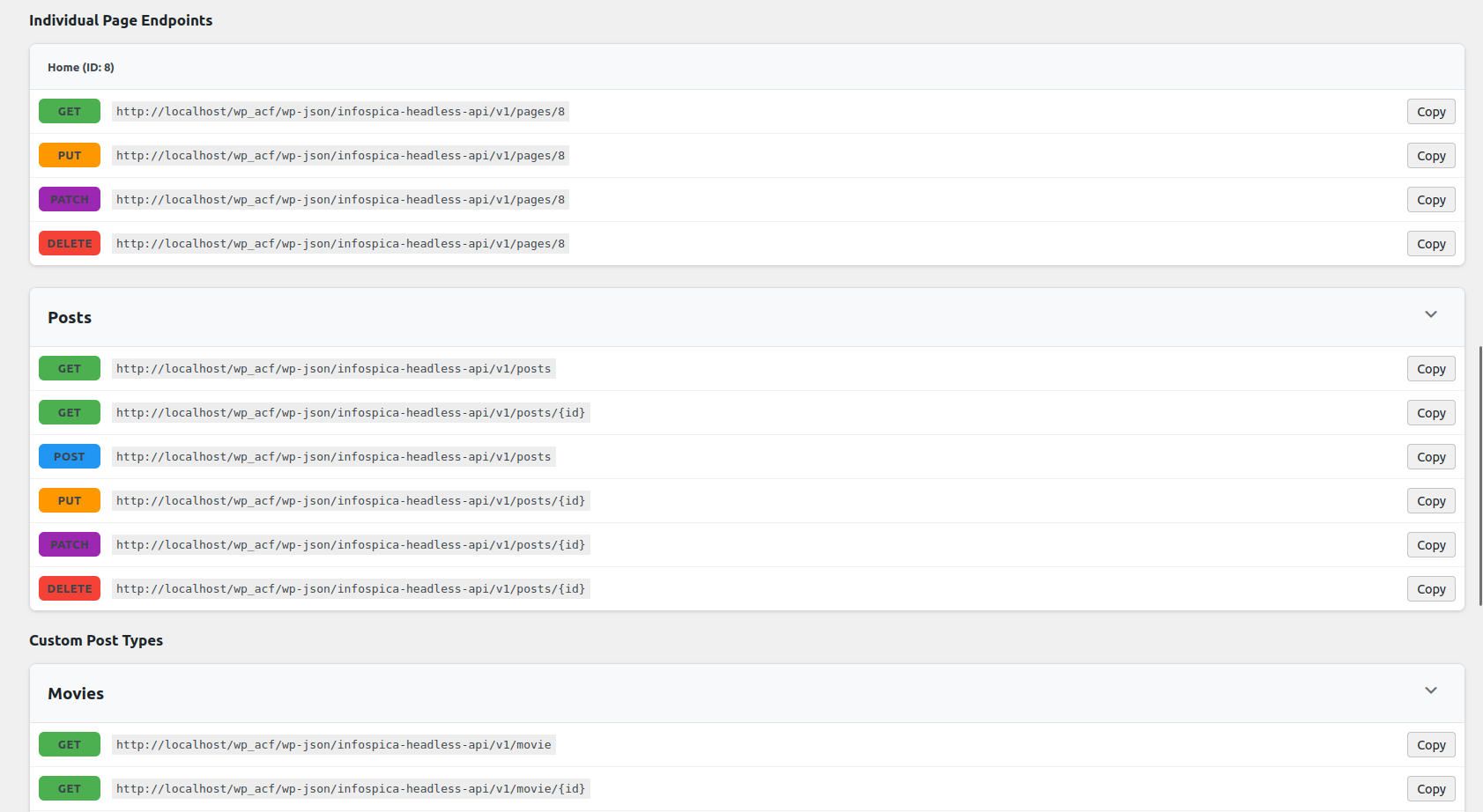
- Use the generated endpoint URLs in your headless frontend or mobile app
屏幕截图:
常见问题:
What is a headless WordPress REST API plugin?
A headless WordPress REST API plugin lets you use WordPress purely as a content backend, serving data to any frontend — Next.js, React, Vue, Angular, or a mobile app — via REST API endpoints. Infospica Headless API creates a secure, isolated custom namespace for this purpose, separate from the default WordPress REST API.
Does this replace the default WordPress REST API?
No. Infospica Headless API creates a completely separate custom REST namespace. The default WordPress REST API at /wp-json/wp/v2/ remains fully unchanged and unaffected.
How is this different from the default WordPress REST API?
The default REST API exposes data publicly without authentication. Infospica Headless API creates an isolated namespace where every endpoint requires authentication, write operations are capability-checked, and you control exactly which content types are exposed.
Is authentication required for all endpoints?
Yes. Every endpoint — including GET (read) requests — requires authentication. Write operations additionally require the appropriate WordPress capability (edit_posts, delete_posts, etc.).
How do I authenticate API requests from a Next.js or React app?
Use WordPress Application Passwords (available since WordPress 5.6). Generate one under Users → Profile, then send it as a Basic Auth header with every API request. This is the recommended method for all headless frontend applications.
Does it support ACF (Advanced Custom Fields)?
Yes. Enable ACF support in the plugin settings to include ACF custom fields in API responses. Advanced Custom Fields must be installed and active.
Does it support Custom Post Types (CPT)?
Yes. Any public CPT with show_in_rest enabled will automatically get REST API endpoints once CPT support is enabled in the plugin settings.
Does it work with WooCommerce?
WooCommerce core pages (Shop, Cart, Checkout, My Account) are automatically excluded from page responses to prevent conflicts. Full WooCommerce product API support may be added in a future release.
Can I use this for a Next.js headless WordPress site?
Yes. This plugin is built specifically for headless WordPress architectures. Use Application Passwords for authentication and call the REST API endpoints from your Next.js getStaticProps, getServerSideProps, or App Router server components.
What is the best WordPress REST API plugin for headless CMS?
If you need a secure, isolated REST API namespace with full CRUD support, CPT integration, ACF compatibility, and authentication control — Infospica Headless API is purpose-built for exactly that use case.
Does it support pagination?
Yes. All list endpoints support ?page=1&per_page=10. The maximum is 50 results per page.
Is there a status endpoint to verify the API is working?
Yes. Send an authenticated GET request to /wp-json/{namespace}/{version}/status to confirm the API is active and check the current plugin version.
更新日志:
- Tested compatibility with WordPress 7.0
- Improved PHP 8.x compatibility for REST API content handling
- Added 772x250 plugin banner asset
- Minor code quality improvements
- Initial stable release
- Custom namespace-based REST API
- Full CRUD support for Pages, Posts, and CPTs
- ACF field integration
- Pagination support
- Admin UI with endpoint reference
- Clean uninstall