
InquiryFlow – Travel Inquiry Manager for WP Travel Engine
| 开发者 | wptravelkit |
|---|---|
| 更新时间 | 2026年9月15日 19:03 |
| 捐献地址: | 去捐款 |
| PHP版本: | 7.4 及以上 |
| WordPress版本: | 7.1 |
| 版权: | GPLv2 or later |
| 版权网址: | 版权信息 |
详情介绍:
- Floating "Plan My Trip" button on every trip page — always visible, never missed.
- Quick inquiry popup so visitors can send their name, email, and message in seconds.
- One-tap WhatsApp chat with a pre-filled message that already includes the trip name, so conversations start with context.
- "We typically reply within a few hours" reassurance text to boost trust and response rates.
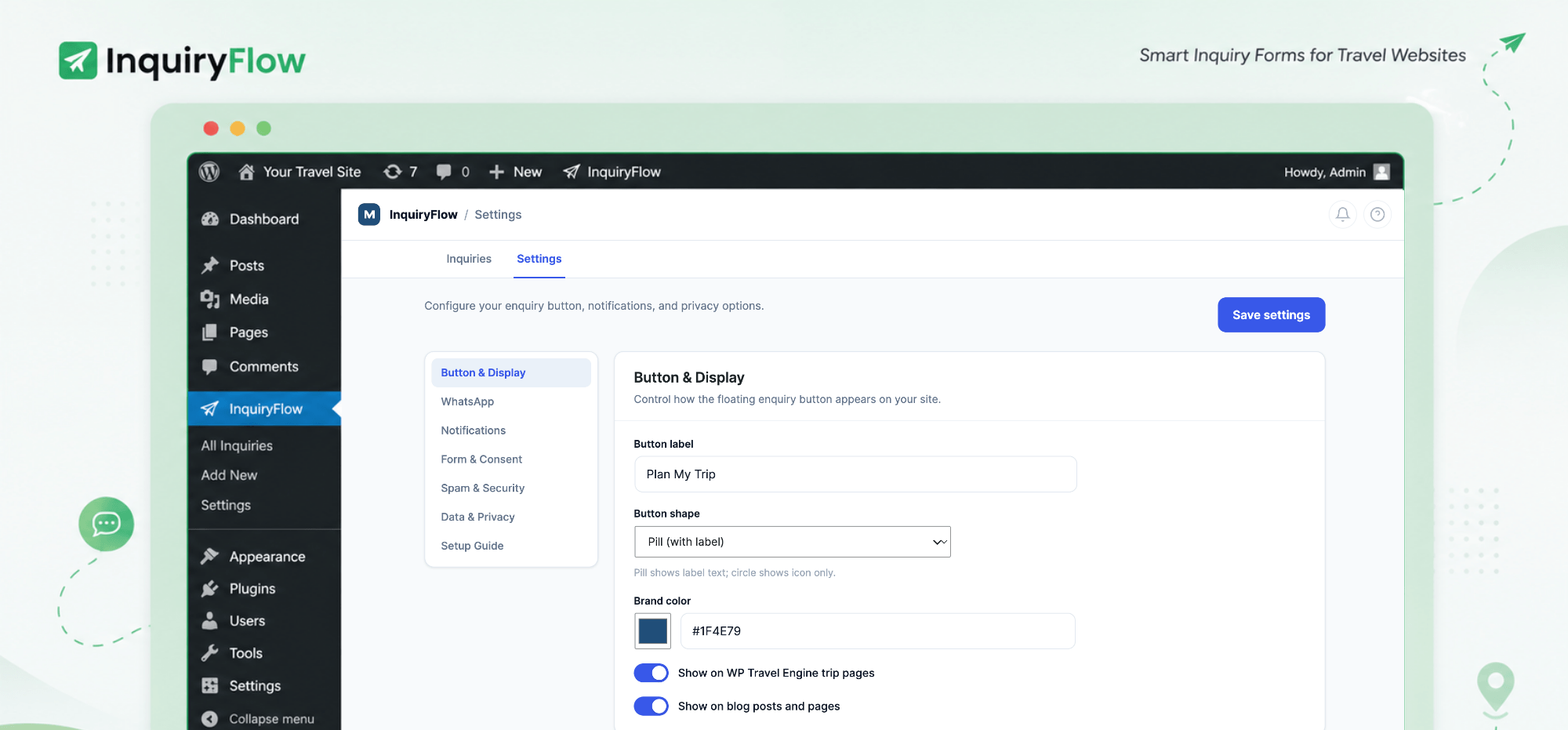
- Customizable button label, color, and shape (pill or circle).
- Choose exactly where the button appears — trip pages, blog posts, pages.
- Add the inquiry form anywhere with a shortcode or Gutenberg block.
- Trip-aware: the form automatically knows which trip the visitor is viewing.
- Built-in Inquiries inbox right inside WordPress — no spreadsheets.
- Track each inquiry through clear statuses: New, Contacted, Booked, Closed.
- See where each lead came from and search, filter, and open full details.
- Export your leads to CSV any time for reporting or backups.
- At-a-glance stats showing how many inquiries you're getting over time.
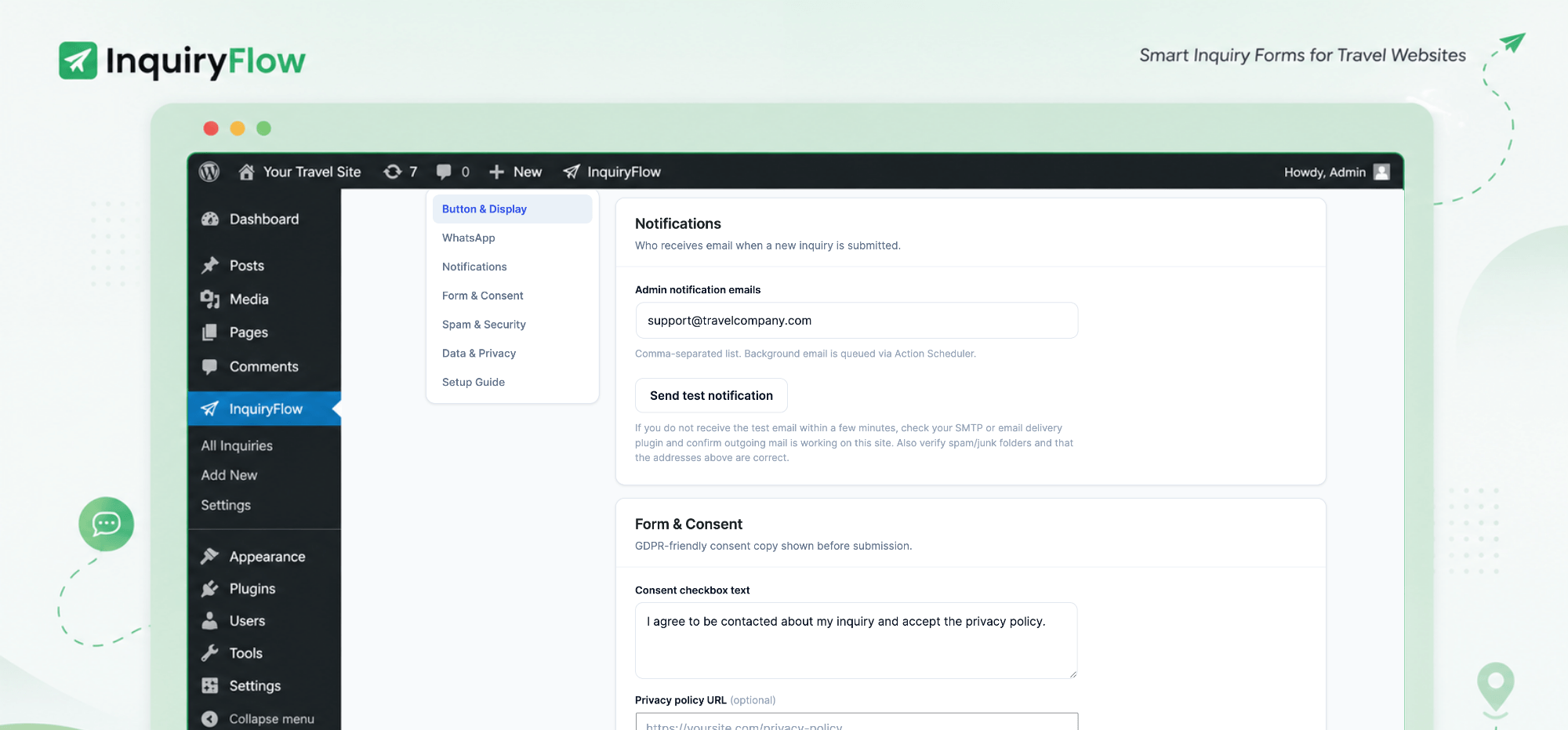
- Instant email notification to your team the moment a lead comes in.
- Send notifications to multiple recipients (sales, owner, agents).
- Consent checkbox with a link to your privacy policy (GDPR-friendly).
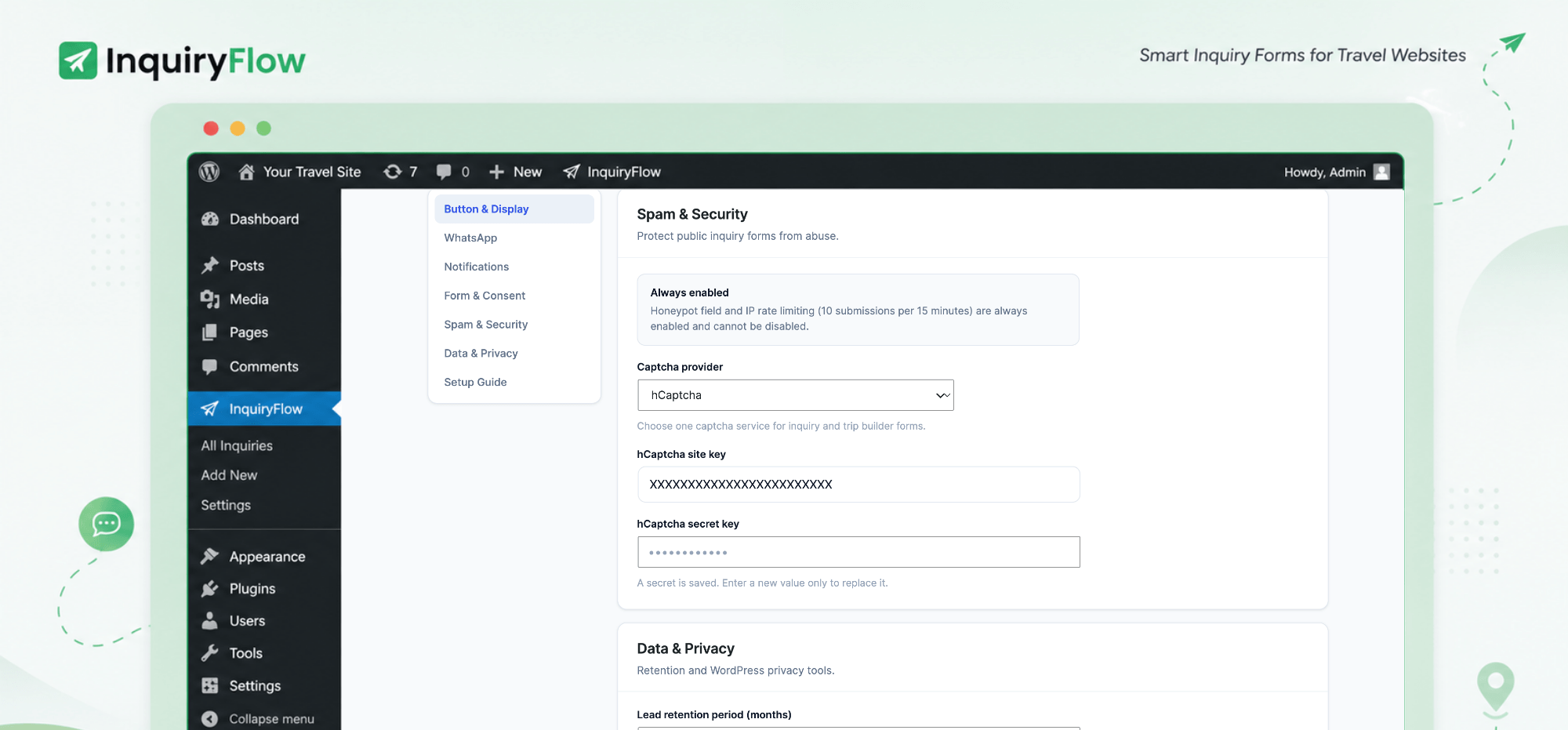
- Spam blocking with hCaptcha support, honeypot, and secure submissions.
- Data retention controls so you stay in charge of stored information.
- Guided onboarding that walks you through WhatsApp and notification setup.
- Works out of the box on WP Travel Engine sites.
- Translation-ready and compatible with WPML and Polylang.
- Custom Trip Request Builder — a beautiful multi-step trip planner wizard (destination → dates → travellers → budget → travel style → contact) with fully customizable steps and fields, no code required.
- Smart, travel-specific inputs — destination picker, flexible-or-exact dates, traveller counts with child ages, budget tiers, and travel-style chips with follow-up questions, all pulling real destinations and trip types from WP Travel Engine.
- Automated follow-ups — an instant thank-you email and a delayed follow-up (you choose the timing), with personalized merge tags and one-click unsubscribe.
- CRM sync with FluentCRM, Jetpack CRM, HubSpot, Mailchimp, Brevo, ActiveCampaign, ConvertKit, Zoho CRM, and Klaviyo — with auto-tagging, phone sync, and automatic retry.
- Exit-intent popup to recover inquiries before a visitor leaves.
- Conversion tracking & advanced analytics that tie real bookings back to the inquiries that started them, with breakdowns by channel, destination, and trip.
- Google reCAPTCHA for stronger spam protection on busy sites.
- Developer hooks & filters so agencies can tailor InquiryFlow Pro to any workflow.
安装:
- Upload the
inquiryflowfolder to the/wp-content/plugins/directory, or install the plugin directly through the WordPress Plugins → Add New screen. - Activate the plugin through the Plugins menu in WordPress.
- Make sure WP Travel Engine is installed and active — InquiryFlow extends it.
- Go to InquiryFlow → Settings and follow the guided onboarding to add your WhatsApp number and notification recipients.
- Choose where the floating "Plan My Trip" button appears, and you're capturing inquiries.
屏幕截图:


常见问题:
Do I need WP Travel Engine to use this plugin?
Yes. InquiryFlow is built to extend WP Travel Engine — it reads your trips, destinations, and trip types automatically, so it won't work without it.
What's the difference between Free and Pro?
Free gives you the floating "Plan My Trip" button, quick inquiry popup, one-tap WhatsApp chat, and a built-in inquiry inbox. Pro adds the custom multi-step trip request builder, automated thank-you and follow-up emails, CRM sync with nine platforms, exit-intent recovery, and conversion analytics.
Do I need a WhatsApp Business account?
No. The one-tap WhatsApp chat works with any WhatsApp number. Add yours during onboarding and visitors can message you with the trip name already filled in.
Where does the inquiry button appear?
You choose. Show it on trip pages, blog posts, and pages, or place the form anywhere with a shortcode or Gutenberg block. The form is trip-aware, so it always knows which trip the visitor is viewing.
Where do my inquiries go?
Every lead lands in the built-in Inquiries inbox inside WordPress, where you can track status (New, Contacted, Booked, Closed), search and filter, add notes, and export to CSV. You also get an instant email notification for each new inquiry.
Will it slow down my site?
No. InquiryFlow is lightweight and performance-optimized, so it won't drag down your page speed or SEO.
Is it translation-ready?
Yes. InquiryFlow works with WPML, Polylang, and other translation plugins, and all front-end labels are customizable.
Can I customize the trip request form?
The multi-step Custom Trip Request Builder is a Pro feature. With Pro you can turn steps on or off, reorder them, rename labels, and add your own custom questions — all without code.
Which CRMs does it connect to?
CRM sync is a Pro feature. InquiryFlow Pro pushes leads to FluentCRM, Jetpack CRM, HubSpot, Mailchimp, Brevo, ActiveCampaign, ConvertKit, Zoho CRM, and Klaviyo, with auto-tagging and automatic retry.
更新日志:
- Fixed 'core' parity with other plugins in suite
- Compatibility update required by InquiryFlow Pro.
- Fixed 'escaping' issues.
- Removed old brand names.
- Removed ActionScheduler Library
- Added External Services details
- Made prefix_ standard to match the plugin name
- Updated prefix to match plugin name
- Initial release.
- Floating "Plan My Trip" inquiry button with quick popup form.
- One-tap, trip-aware WhatsApp chat.
- Built-in Inquiries inbox with statuses, search, filtering, notes, and CSV export.
- Instant admin email notifications to multiple recipients.
- Button styling, display rules, shortcode, and Gutenberg block.
- Consent checkbox, hCaptcha, honeypot, and data retention controls.
- Guided onboarding. Translation-ready, WPML and Polylang compatible.