
Instant Emoji Reactions
| 开发者 | usamakhalid14 |
|---|---|
| 更新时间 | 2026年10月7日 00:52 |
| WordPress版本: | 7.1 |
| 版权: | GPL-2.0+ |
| 版权网址: | 版权信息 |
详情介绍:
- Add emoji-based reactions to posts, pages, WooCommerce products, and custom post types
- Support for both registered users and guest visitors
- Real-time reaction updates powered by AJAX
- No page refresh required for interaction
- Lightweight structure designed for smooth site performance
- Fully responsive behavior across all devices
- Easy-to-use admin panel for managing settings and reactions
- Define and manage which emoji reactions are available on your site
- Control where reaction elements appear across content types
- Monitor key analytics directly within the admin dashboard
- Automatically show reactions without adding a shortcode to every post
- View total reactions and tracked posts from the admin dashboard
- Review popular items ranked by total reactions
- Gain quick insights into which content is resonating with your audience
- Automatically show reactions without adding a shortcode to every post
- Enable automatic placement per post type (posts, pages, WooCommerce products, and custom post types)
- Choose whether reactions appear before or after content when using automatic display
- Manual shortcode placement still works and takes priority on posts where it is already used
- Seamless integration with WooCommerce product pages for enhanced engagement
- Automatic display option integrates with
the_contenton singular frontend views for supported post types - Smart duplicate prevention skips automatic placement when the shortcode is already present in a post
- Backward compatible with manual shortcode placement and custom template usage
- Built with secure coding practices and WordPress standards
- Optimized for speed and efficient resource usage
- Compatible with modern WordPress themes and the latest WordPress versions
- Mobile-friendly interface ensuring consistent experience on all screen sizes
- Dedicated custom database table for faster, scalable reaction storage
- Stable emoji IDs for consistent reporting and upgrades
- One-click migration from free plugin data
- Optional clean uninstall to remove plugin data when needed Display & placement
- Gutenberg block for drag-and-drop placement in the Block Editor
- Automatic placement before/after content and on WooCommerce product pages
- Public-facing post types only (builder templates, forms, and internal types excluded)
- Enhanced shortcode options for layout, style, and emoji selection
- Per-post overrides to hide reactions or use custom emojis Reaction controls
- Toggle off a reaction by clicking the same emoji again
- Flexible emoji manager with presets, labels, and slot controls
- Choose how many emojis to show and which ones are available
- Logged-in only or guest-friendly reaction modes
- IP and cookie deduplication to reduce guest vote spam Analytics & reporting
- Unlimited analytics rows
- Date range filters and per-emoji breakdown charts
- CSV export for deeper analysis
- Optional display of who reacted (logged-in users) Integrations
- BuddyPress activity reactions
- WooCommerce product support with improved placement options
安装:
- Upload the
instant-emoji-reactionsfolder to the/wp-content/plugins/directory. - Activate the plugin through the 'Plugins' menu in WordPress.
- Display reactions manually with the
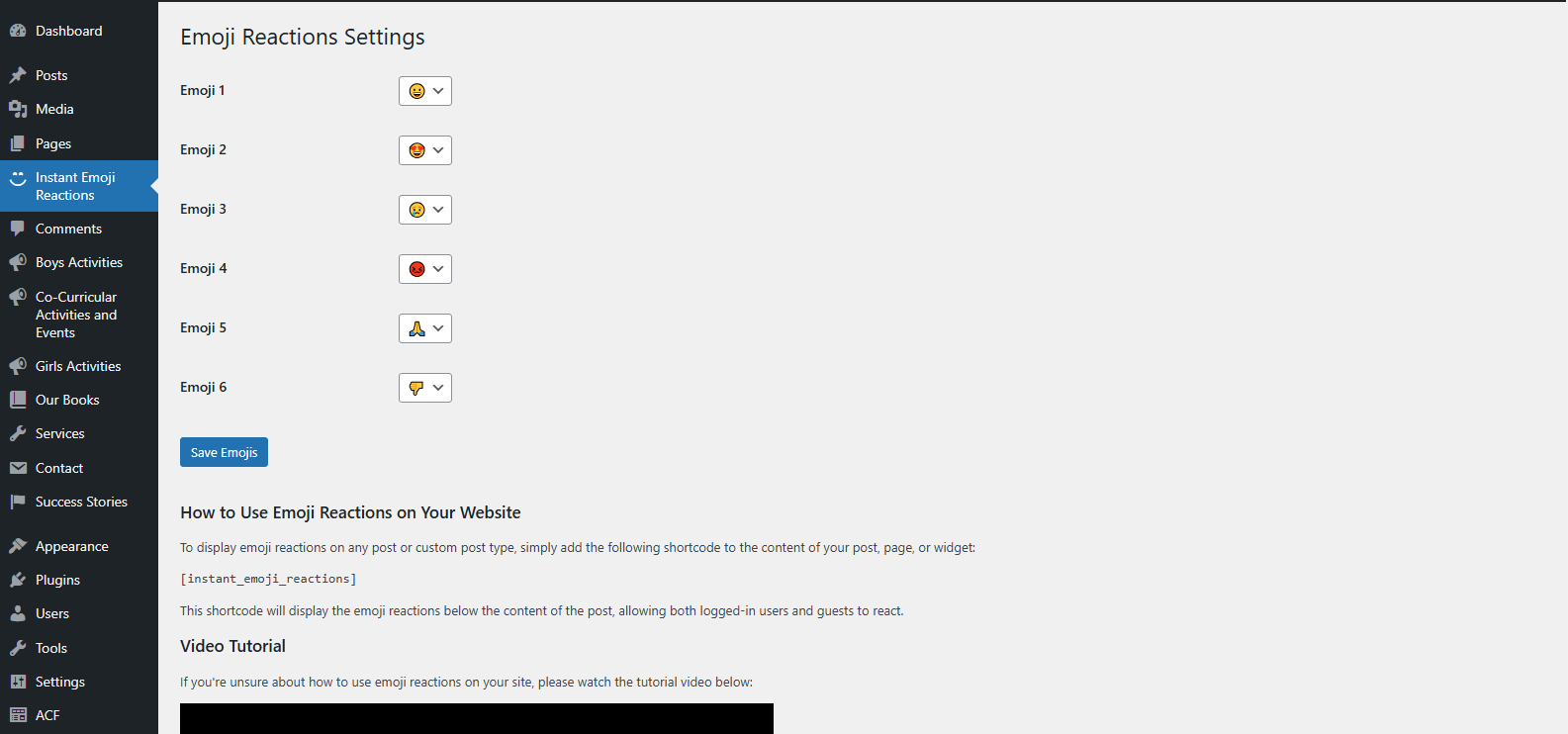
[instant_emoji_reactions]shortcode in posts, pages, products, or widgets — or enable Display Settings to automatically show reactions on selected post types. - Customize emoji reactions and configure automatic placement via Instant Emoji Reactions → Settings in the WordPress dashboard.
屏幕截图:


常见问题:
How do I use the plugin?
Simply activate the plugin, and use the [instant_emoji_reactions] shortcode in any post, page, product, or widget where you want the reactions to appear.
How can I add emoji reactions to WooCommerce products?
Simply paste the [instant_emoji_reactions] shortcode into the product description or short description area inside your WooCommerce product editor. Once added, the emoji reactions will automatically appear and start working on the product page.
Can I customize the emoji reactions?
Yes, you can customize the emoji reactions in the plugin's settings page. You can choose which emojis to display and configure their behavior.
Can guest users react to posts?
Yes, guest users can react to posts without needing to log in. The plugin stores their reactions under a dynamic user ID, which is generated and stored in a cookie.
How do I use the shortcode in custom pages or templates to show the reactions?
You can use the do_shortcode() function in your PHP code to display the reactions in custom pages or templates.
Does the plugin work with Gutenberg or other page builders?
Yes, the plugin is compatible with Gutenberg and most popular page builders. You can add the shortcode using a shortcode block or widget.
Can I use the reactions on any page, post, product, or custom post type?
Yes, you can use the reactions on any page, post, product, or custom post type. Simply add the [instant_emoji_reactions] shortcode to the content or use the do_shortcode() function in your template files.
Are the reactions stored permanently?
Yes, the reactions are stored permanently in the database for each post. Guest reactions are tied to a dynamic user ID stored in a cookie, while logged-in users' reactions are tied to their user accounts.
Can I automatically display reactions without using the shortcode on every post?
Yes. Go to Instant Emoji Reactions → Settings → Display Settings, enable Automatically display reactions, choose your post types, and select whether reactions appear before or after content. If a post already contains the [instant_emoji_reactions] shortcode, automatic placement is skipped for that post so reactions are not duplicated.
Can I change the position of the reactions on the page?
Yes, you can control the position of the reactions in two ways:
- Automatic display: In Display Settings, choose Before Content or After Content when automatic placement is enabled.
- Manual placement: Place the shortcode
[instant_emoji_reactions]in your desired location within the post, page, product, or widget content. For more advanced positioning, you can use thedo_shortcode()function in your theme templates.
Is the plugin compatible with caching plugins?
Yes, the plugin is compatible with most caching plugins. However, if you notice any issues with reactions not updating correctly, you may need to exclude the reactions section from caching or configure your caching plugin to handle dynamic content properly.
Can I use this plugin with other reaction or rating plugins?
While it’s technically possible to use this plugin alongside other reaction or rating plugins, we recommend testing for conflicts. Some plugins may override each other’s styles or functionality.
Does the plugin include analytics for reaction trends?
Yes. The built-in analytics are lightweight and designed to give you quick insights such as total reactions, tracked posts, and top-performing content without adding heavy overhead to your site.
Is advanced analytics available in a premium version?
Yes. Instant Emoji Reactions Pro includes unlimited analytics, date filters, per-emoji breakdown charts, and CSV export. See the Instant Emoji Reactions Pro section above for the full list of Pro features, or open Instant Emoji Reactions → Pricing in your admin to view plans.
How do I upgrade to Instant Emoji Reactions Pro?
Open Instant Emoji Reactions → Pricing in your WordPress admin, or click Upgrade on the Plugins screen. After purchase, install and activate Pro, then enter your license key. The free plugin will deactivate automatically, and your existing reaction data can migrate to Pro.
更新日志:
- Updated plugin version to 1.4.3.
- Content copy update in plugin.
- Fixed: reaction counts and user vote status now refresh via AJAX after page load, so visitors always see up-to-date reactions even when a page caching plugin is active.
- Fixed: expired security tokens on cached pages no longer block reactions — a fresh token is fetched automatically on page load.
- Added Freemius integration for upgrading to Instant Emoji Reactions Pro.
- Added in-plugin upgrade prompts on the Settings and Analytics pages.
- Added a branded Pricing page for Pro plans.
- Minor bug fixes.
- Display Settings bug fixes
- Added automatic emoji reactions placement option with post type selection and before/after content positioning support.
- Improved settings page UI with a dedicated Display Settings section, enhanced layout, and better overall admin experience.
- Added analytics page for total reactions, tracked posts, and top-performing content.
- Improved admin dashboard experience for reaction insights.
- Added support for more emoji reactions.
- Added WooCommerce product reactions support.
- Compatibility update for WordPress 7.0.
- Updated "Tested up to" WordPress version to 6.8 for compatibility confirmation.
- Added new FAQs to provide better guidance for users.
- Updated plugin tags for better version control.
- Initial release.
- Added support for emoji reactions on posts, WooCommerce products, and custom post types.
- AJAX-based reactions for logged-in and guest users.
- Reactions stored in the database and updated when users change their reaction.