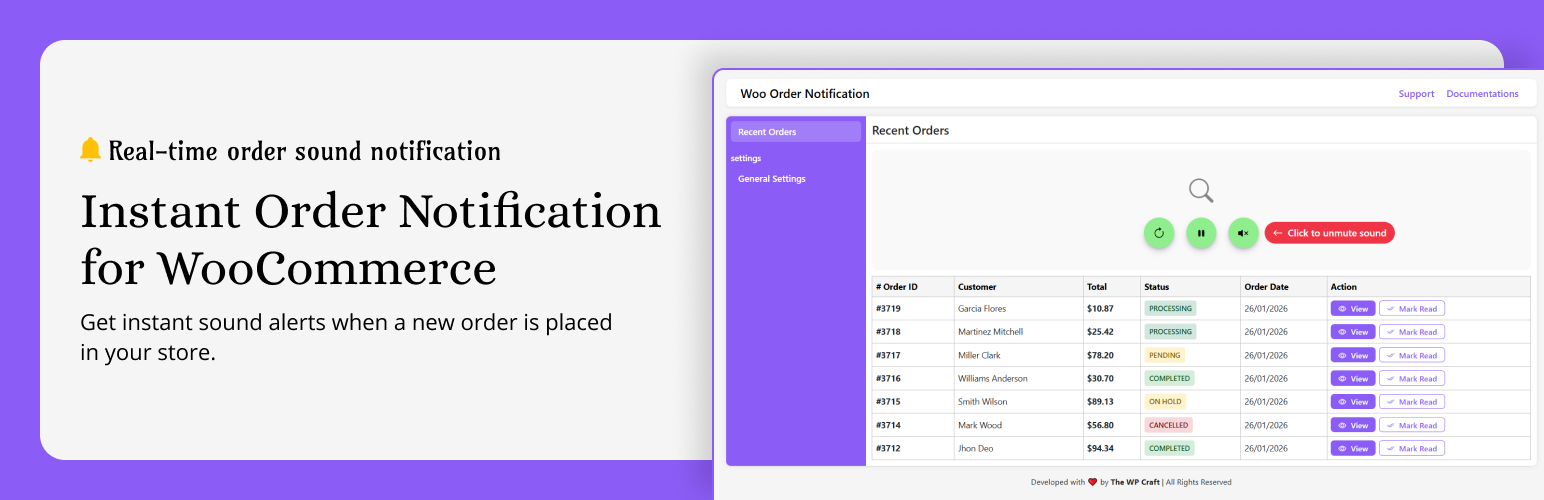
Instant Order Notification for WooCommerce – Get Audio Alert on new Orders
| 开发者 | thewpcraft |
|---|---|
| 更新时间 | 2026年9月16日 13:41 |
| PHP版本: | 7.4 及以上 |
| WordPress版本: | 7.0 |
| 版权: | GPLv2 or later |
| 版权网址: | 版权信息 |
详情介绍:
Instant Order Notification for WooCommerce helps store owners stay informed the moment a new order is placed. No more constantly refreshing the WooCommerce orders page or keeping the dashboard open all day.
As soon as a customer places an order, the plugin instantly displays a popup notification, plays a notification sound, sends a desktop browser notification, and automatically refreshes the recent orders table—so you never miss an order.
Designed for busy WooCommerce store owners, this lightweight plugin keeps you updated in real time while you focus on running your business.
What happens when a new order arrives?
- Displays a clean popup with Order ID, Customer Name, Order Total, and Order Status
- Plays an instant audio notification
- Sends a desktop browser notification (with permission)
- Automatically refreshes the recent orders table
- Updates dashboard summary cards instantly
- Keeps you informed without manually refreshing the WooCommerce dashboard Free Features 🚀 Real-Time Order Detection Instantly detects new WooCommerce orders as soon as they are placed.
- Today's Orders
- Processing Orders
- Completed Orders
- Cancelled Orders 📋 Recent Orders Table Automatically refreshes the latest orders without reloading the page.
- Processing
- Pending
- Completed
- Cancelled
- On Hold
- Failed 🎵 Multiple Notification Sounds Choose from three built-in ringtone options or upload up to 2 of your own custom notification sounds.
- Fast (1 Second)
- Normal (2 Seconds)
- Slow (6 Seconds) 📱 Responsive Admin Interface Works perfectly across desktop, tablet, and mobile devices.
- Notify only for orders above ₹500
- Notify only for orders above ₹1000
- Set any custom order value Perfect for stores that want alerts only for high-value orders. 🛍 Product-Based Notifications Choose exactly which WooCommerce products should trigger WhatsApp notifications. Ideal for:
- Premium Products
- Best Sellers
- Limited Stock Products
- High Priority Items 📂 Category-Based Notifications Receive WhatsApp notifications only when customers purchase products from selected categories. Perfect for stores with multiple departments or product categories.
- Minimum Order Value
- Selected Products
- Selected Categories
- Selected Product Tags Receive WhatsApp notifications only when your custom conditions are met. ⚡ Priority Updates Get access to new premium features and improvements before the free version.
- Receive fast and dedicated support for all Pro users.
- Why Choose Instant Order Notification?
- Never miss a WooCommerce order
- Instant popup, sound, and desktop notifications
- Stay informed in real time
- Save time by eliminating manual dashboard refreshes
- Advanced WhatsApp notifications available in Pro
- Smart filtering to reduce unnecessary alerts
- Lightweight, fast, and easy to use
- Beginner-friendly setup
- Perfect For
- WooCommerce Store Owners
- Online Businesses
- Retail Stores
- Wholesale Businesses
- Grocery Stores
- Restaurants & Food Delivery
- Fashion Stores
- Electronics Stores
- Print-on-Demand Stores
- Dropshipping Businesses
- Digital Product Sellers
- Upgrade to Pro Unlock the complete notification experience with advanced WhatsApp features. ✅ Pro Includes
- Instant WhatsApp Order Notifications
- Minimum Order Value Rules
- Product-Based Notifications
- Category-Based Notifications
- Product Tag Notifications
- Smart Notification Rules
- Premium Support
- Priority Updates
- Future Premium Features Instant Order Notification Pro gives you complete control over your WooCommerce notifications, helping you stay informed while reducing unnecessary alerts. Configure powerful notification rules and receive WhatsApp notifications only for the orders that matter most.
安装:
- Upload the
instant-order-notifier-wocfolder to your/wp-content/plugins/directory - Activate the plugin through the 'Plugins' menu in WordPress
- Navigate to Order Notifier in the admin menu
- You're all set! New orders will trigger instant alerts
常见问题:
Does this work with all WooCommerce themes?
Yes. It works in the WordPress admin area only, so no conflicts with frontend themes.
Can I change the notification sound?
Yes! Go to General Settings → choose from 3 built-in ringtones or upload up to 2 custom sounds of your own.
Can I disable sound but keep the popup?
Yes. Click the sound button to mute — you'll still see the popup alert.
How frequently does it check for new orders?
You can set it in settings: Fast (every 1 second), Normal (every 2 seconds), or Slow (every 6 seconds).
Is it compatible with the latest WooCommerce?
Yes. Fully tested with WooCommerce 9.3 and WordPress 6.4.
Do I need to allow browser notifications?
Yes. The first time you enable desktop notifications, your browser will ask for permission. Once allowed, you will receive instant alerts for new orders.
Will desktop notifications work if I switch tabs?
Yes. You will still receive the notification even if you are working in another browser tab.
更新日志:
1.4.2
- NEW: Added support for 2 custom notification sound slots.
- NEW: Professional UI for managing custom notification sounds.
- NEW: Unified multi-file upload for custom sounds.
- NEW: Intelligent audio slot assignment (automatically fills empty slots).
- IMPROVED: Auto-deletion of old audio files from the server when replaced.
- Updated plugin images and screenshots.
- Refined descriptions and content.
- Fixed several bugs.
- PRO: Added Advanced Notification Rules.
- PRO: Filter notifications by products, categories, tags and minimum order amount.
- PRO: Added Twilio WhatsApp notifications for new WooCommerce orders.
- Improved settings UI and overall performance.
- Minor bug fixes and code optimizations.
- Added popup queue for multiple orders
- Fixed multiple modal issue
- Disabled outside click to close popup
- Auto show next popup after close
- Fixed JS error (data undefined)
- Improved sound handling with localStorage
- Better audio compatibility
- Minor bug fixes & performance improvements
- NEW: Added feedback form on plugin deactivation to collect user insights
- NEW: Added support button for quick help and user assistance
- UPDATED: Improved UI design for better user experience
- UPDATED: Updated plugin images and visual assets
- Minor bug fixes and performance improvements
- NEW: Dashboard summary cards (Today Orders, Processing, Completed, Cancelled)
- NEW: Status-wise filtering for orders table
- NEW: Improved UI with better card design and layout
- Improved AJAX performance for order loading
- Minor bug fixes and UI enhancements
- NEW: Desktop browser notification for new WooCommerce orders
- NEW: Orders table pagination added for better order management
- Improved order table performance
- Minor UI improvements
- Full-screen black overlay when sound is muted
- Overlay only removes on mute/unmute button click (not on overlay click)
- Sound now only unmutes via the dedicated button
- Overlay now more prominent (darker opacity)
- Popup showing even when muted (as per user request)
- Layout and styling updates
- Improved responsiveness for mobile and tablet
- Minor bug fixes and performance enhancements
- Initial release
- Real-time order detection
- Sound and popup notifications
- Auto-refresh order table