
Integrazo Flow – Automate with AI, Send Data to CRM, Google Sheets and More
| 开发者 |
plugcrux
integrazo padmadev |
|---|---|
| 更新时间 | 2026年8月27日 22:23 |
| PHP版本: | 7.0 及以上 |
| WordPress版本: | 7.1 |
| 版权: | GPLv2 or later |
| 版权网址: | 版权信息 |
详情介绍:
- No-code visual builder — assemble Trigger → Filter → Delay → Action flows in a clean, drag-friendly editor. Each step is a card you configure with clicks, not code.
- 20+ form & WordPress triggers — works with the form plugin you already use, so there's nothing to migrate or rebuild.
- Connect to real business apps — Zoho CRM, Zoho Bigin, and Google Sheets today, with more destinations on the way.
- Smart field mapping — map form fields to app fields in seconds, with optional AI assistance to suggest the match for you.
- Reliable & transparent — every run is recorded in Sync Logs the moment it happens, with one-click resync for anything that fails.
- Privacy-first — data flows directly from your site to your apps in real time; credentials are encrypted with AES-256-CBC.
- Contact Form 7
- WPForms
- Gravity Forms
- Ninja Forms
- Formidable Forms
- Fluent Forms
- Forminator
- Everest Forms
- Elementor Forms
- Kali Forms
- MetForm
- NEX-Forms
- SureForms
- weForms
- HappyForms
- ARForms
- JetFormBuilder
- WS Form
- WooCommerce (customer & order events)
- WordPress Users (registration, profile update, login)
- Zoho CRM — create records the moment a form is submitted (Contacts and, with Pro, Leads, Accounts, Deals, and other modules)
- Zoho Bigin — create records in your Bigin pipeline in real time
- Google Sheets — append form submissions as new rows instantly, so your sheet is always current
- Trigger — starts the flow the instant a form is submitted or an event happens.
- Filter — continue only when your conditions match (AND/OR logic, multiple groups, operators like equals, contains, greater than, is empty, and more).
- Delay — wait a set amount of time before the next step runs (requires WP-Cron).
- Condition — split the flow into a "yes" path and a "no" path based on a rule, so different submissions can be routed to different actions. Conditions can be nested up to 3 levels deep.
- Action — send the mapped data to your connected app, live.
- AI field mapping — automatically suggests the best mapping between your form fields and app fields, so setup takes seconds instead of manual guesswork.
- AI test data — generates realistic sample values so you can test a flow end-to-end before it ever touches real data.
- Visual, step-based flow editor
- 20+ form, WooCommerce, and WordPress user triggers
- Zoho CRM, Zoho Bigin & Google Sheets actions
- Conditional branching with nested yes/no paths
- Drag-and-drop style field mapping
- Filter conditions with AND/OR logic
- Delay steps for timed automations
- Sync Logs with live status, error details, and one-click resync
- Email notifications for failed syncs
- Configurable log retention
- Secure OAuth 2.0 connections
- AES-256-CBC credential encryption
- WordPress multisite compatible
- Translation-ready (text domain: integrazo-flow)
安装:
- Go to Plugins > Add New in your WordPress dashboard.
- Search for Integrazo Flow.
- Click Install Now, then Activate.
- Open Integrazo Flow in the admin menu to get started.
- Download the plugin ZIP file.
- Go to Plugins > Add New > Upload Plugin.
- Upload the ZIP and click Install Now.
- Activate the plugin.
- Open Integrazo Flow in the admin menu to get started.
- Go to Integrazo Flow > My Flows and click New Flow.
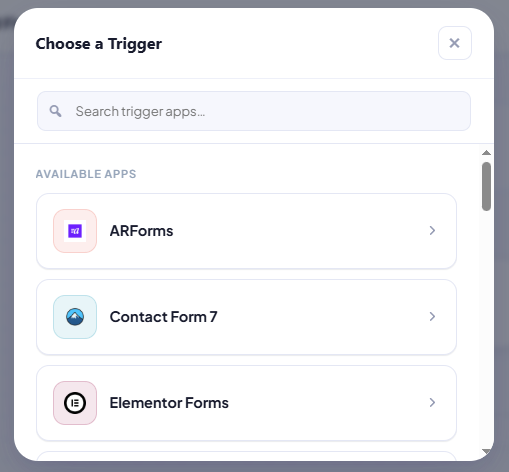
- Choose a trigger (for example, Contact Form 7) and select your form.
- (Optional) Add a Filter or Delay step.
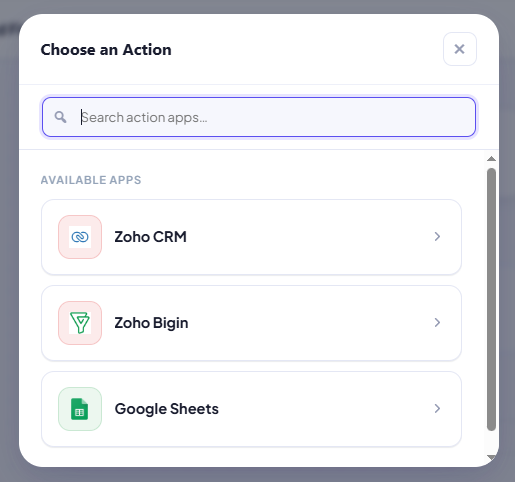
- Add an Action (for example, Zoho CRM) and connect your account.
- Map your form fields to the app fields.
- Click Publish — every matching submission now syncs automatically, in real time.
屏幕截图:


常见问题:
Which form plugins does Integrazo Flow support?
Integrazo Flow supports 20 triggers: Contact Form 7, WPForms, Gravity Forms, Ninja Forms, Formidable Forms, Fluent Forms, Forminator, Everest Forms, Elementor Forms, Kali Forms, MetForm, NEX-Forms, SureForms, weForms, HappyForms, ARForms, JetFormBuilder, WS Form, WooCommerce, and WordPress Users. You only need the form plugins you actually use installed and active.
Which apps can I send data to?
The current release supports Zoho CRM, Zoho Bigin, and Google Sheets. More apps are planned for future updates.
Do I need a Zoho account to use the plugin?
You need a Zoho CRM or Zoho Bigin account only if you want to use those actions. Google Sheets requires a Google account. You can use Integrazo Flow with any single app.
Is Integrazo Flow really no-code?
Yes. You build every automation visually in the flow editor by adding trigger, filter, delay, condition, and action steps. No coding is required at any point.
How does the Zoho OAuth connection work?
Integrazo Flow uses Zoho's official OAuth 2.0 authentication. During authorization, an Integrazo relay at https://integrazo.com/zoho_callback forwards the authorization code from Zoho to your WordPress site (this relay is required because Zoho OAuth needs a fixed registered redirect URI). No data is stored on Integrazo servers, and your tokens are encrypted in your own database.
What happens if a submission fails to sync?
Every run is recorded in Sync Logs the moment it completes, with its status and the full error message. Failed runs can be resynced with one click, so no lead is lost.
Can I control when a flow runs?
Yes. Add a Filter step with one or more conditions (using AND/OR logic and operators such as equals, contains, starts with, greater than, or is empty) so the flow only continues when your rules are met.
Can I split a flow based on a condition?
Yes. Add a Condition step and the flow branches into a "yes" path and a "no" path, each with its own steps — for example, route high-value orders to one CRM pipeline and everything else to another. You can nest conditions up to 3 levels deep.
Can I delay an automation?
Yes. Add a Delay step to wait a set number of minutes before the next step runs. Delays rely on WP-Cron; if WP-Cron is disabled on your site, the next step runs immediately instead of waiting, and the flow never stalls.
Do I need an AI API key?
No. AI Agents are completely optional. They add convenience features (auto field mapping and AI-generated test data) using your own Gemini, OpenAI, or Claude API key. Every core feature works without any AI key.
Is my data secure and private?
Yes. Form data is sent directly from your site to your connected app in real time — it is never stored on Integrazo servers. All connection credentials are encrypted using AES-256-CBC with a site-specific key.
Does it work on WordPress multisite?
Yes, Integrazo Flow is compatible with WordPress multisite installations.
Is there a Pro version?
Yes. The free plugin includes all triggers, filters, delays, conditions, Google Sheets, and creating Contacts in Zoho CRM and Zoho Bigin. Pro unlocks additional CRM modules (Leads, Accounts, Deals, and more) and extended/custom field mapping.
更新日志:
- Fixed: Zoho CRM, Zoho Bigin, and Google Sheets connections now cache their access token until it actually expires, instead of requesting a new one on every field-list load, test, or execution. This prevents connections from incorrectly showing "reconnect required" due to hitting the provider's token-refresh rate limit.
- Fixed: Reconnecting a connection now correctly clears the old cached access token and expiry, so a fresh reconnect always uses fresh credentials right away.
- New: Conditional branching. Add an If/Then step and your flow splits into a "yes" path and a "no" path, each running its own steps — for example, send high-value orders to one place and everything else to another. Conditions can be nested up to 3 levels deep.
- New: Step notes. Jot a reminder on any step to explain what it does or why it is set up that way.
- New: Turn individual steps on or off without deleting them, so you can pause part of a flow and switch it back on later.
- New: Drag and drop to reorder steps, including steps inside a branch. You are warned first if the move would change what an older step reference points to.
- Improved: Sync Logs and Test Run results now show which branch a condition took, with the steps that ran inside it listed underneath.
- Initial release.
- Visual, no-code flow editor with Trigger, Filter, Delay, and Action steps.
- 20 triggers: Contact Form 7, WPForms, Gravity Forms, Ninja Forms, Formidable Forms, Fluent Forms, Forminator, Everest Forms, Elementor Forms, Kali Forms, MetForm, NEX-Forms, SureForms, weForms, HappyForms, ARForms, JetFormBuilder, WS Form, WooCommerce, and WordPress Users.
- 3 actions: Zoho CRM, Zoho Bigin, and Google Sheets.
- Filter step with AND/OR logic and multiple operators.
- Delay step with automatic passthrough when WP-Cron is unavailable.
- Optional AI Agents (Gemini, OpenAI, Claude) for field mapping and test data.
- OAuth 2.0 connections with AES-256-CBC credential encryption.
- Sync Logs with status, error details, and one-click resync.
- Email notifications for failed syncs and configurable log retention.