
Intercessor
| 开发者 | shepherd365 |
|---|---|
| 更新时间 | 2026年8月25日 05:54 |
| PHP版本: | 8.0 及以上 |
| WordPress版本: | 7.1 |
| 版权: | GPL-2.0-or-later |
| 版权网址: | 版权信息 |
详情介绍:
- Prayer Form block — visitors submit requests directly from any page or post, with no coding required.
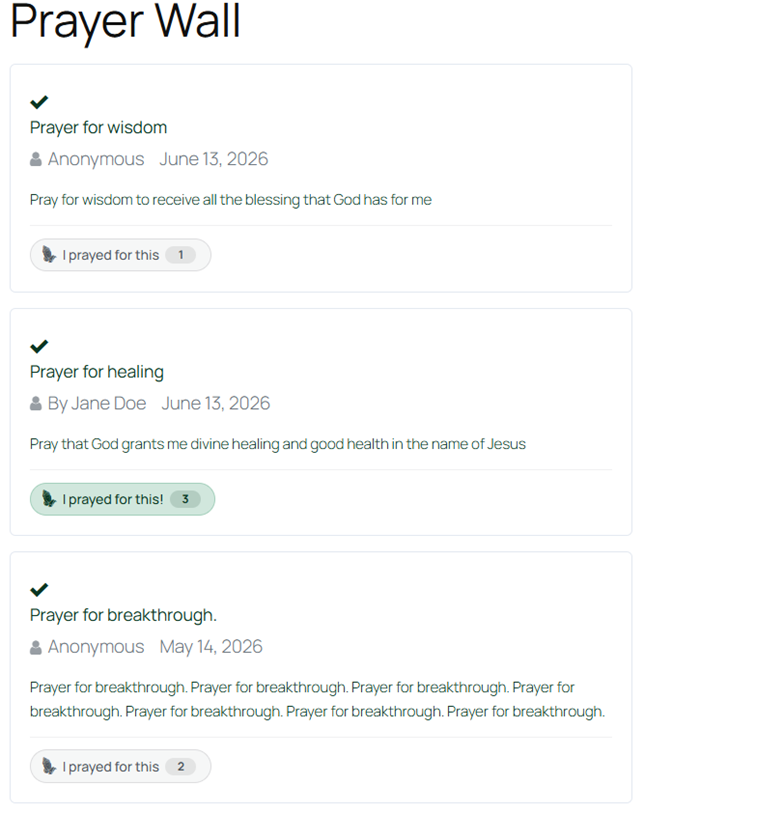
- Anonymous submissions — requesters can share publicly while hiding their name.
- Private requests — marked private and visible only to administrators and prayer managers.
- Login gate — optionally require a WordPress account before submitting.
- Auto-registration — guests can be automatically registered as WordPress users with a
requesterrole on submission. - Google reCAPTCHA — v2 checkbox or v3 invisible score-based spam protection.
- Rate limiting — configurable per-email daily submission cap.
- Profanity filter — flags rather than blocks requests, so moderators decide.
- Terms and privacy acceptance — optional checkbox with configurable label and URL.
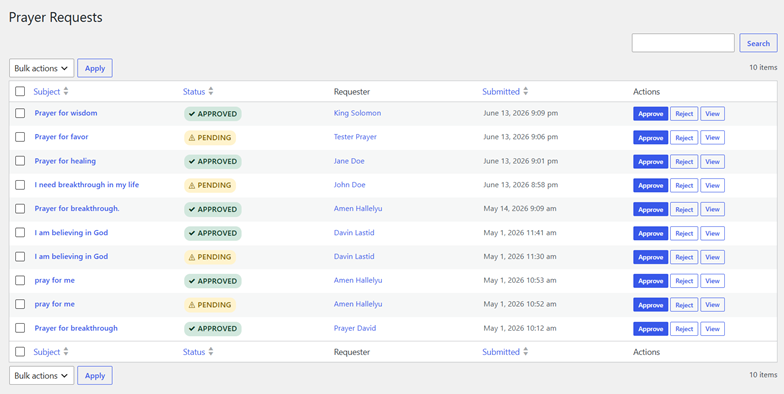
- Full workflow — approve, reject, mark private, archive, and restore individual requests.
- Bulk actions — process multiple requests at once from the list table.
- Moderator notes — private internal annotations on each prayer request, never shown publicly.
- Status audit trail — immutable history log for every status change, including actor and timestamp.
- Requester database — every submitter is tracked as a deduplicated requester record.
- WordPress user linking — optional link between a requester record and a WP user account.
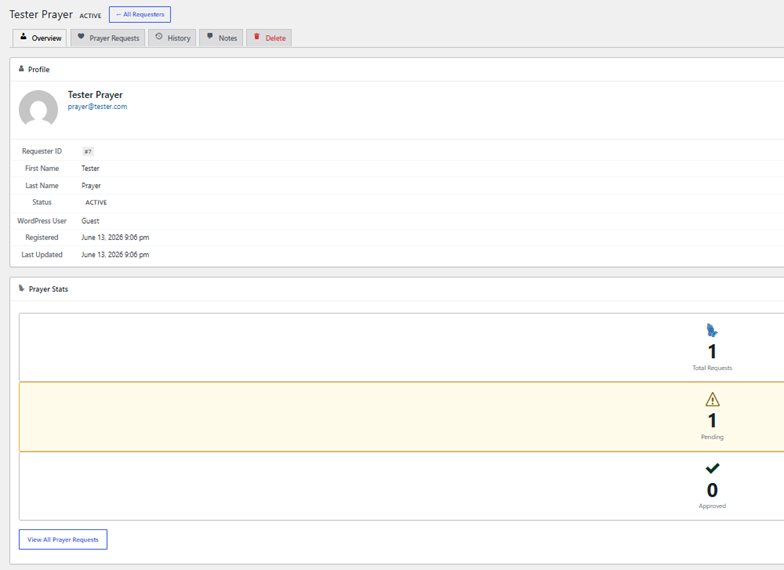
- Tabbed requester detail view — five-tab page covering profile, prayer requests, status history, notes, and delete.
- Requester notes — private admin notes attached directly to a requester record, separate from prayer notes.
- Prayer Wall block — displays approved requests with pagination and a live "I prayed for this" counter.
- Prayer History block — shows the full status timeline for a single request.
- Admin email — notified on every new submission.
- Requester email — notified when their request is received and when its status changes.
- Scheduled prayer reports — configurable cron job sends periodic prayer activity digests.
- Three custom roles —
prayer_manager(full management access),prayer_warrior(read and export),requester(minimal WP access for auto-registered submitters). - Six custom capabilities —
edit_prayers,manage_prayer_settings,view_prayer_reports,export_prayer_reports,view_prayer_sensitive_data,read_private_prayers.
- CSV exports — prayer requests, requesters, prayed counts, and plugin settings.
- REST API — 9 endpoints covering requests, requesters, history, and notes.
- Six database tables — all data stored locally; nothing sent to external services except reCAPTCHA.
- No external dependencies — BerlinDB is bundled; no Composer required on the server.
安装:
- Upload the
intercessorfolder to/wp-content/plugins/. - Activate the plugin from the Plugins screen in WordPress.
- Six database tables are created automatically on activation.
- Go to Intercessor → Settings to configure approval rules, notifications, reCAPTCHA, and roles.
- Add the Prayer Form block to any page to start accepting prayer requests.
屏幕截图:


常见问题:
Do I need to run a build step for the Gutenberg blocks?
No. The editor scripts are pre-compiled and included in the plugin. Simply activate and the blocks are ready to use.
Where are prayer requests stored?
All data is stored in your WordPress database in six dedicated tables prefixed with {prefix}intercessor_. No data is sent to external services except Google reCAPTCHA verification (when enabled).
Can visitors submit prayer requests without logging in?
Yes, by default. You can require login under Settings → General → Require Login to Submit. You can also enable auto-registration so guest submitters receive a WordPress account with the requester role.
What is the difference between anonymous and private requests?
Anonymous means the request is displayed publicly but the requester's name is hidden. Private means the request is not displayed publicly at all — it is only visible to administrators and prayer managers.
How does the profanity filter work?
Requests containing words from your prohibited word list are not blocked. They are submitted normally but forced to "Pending" status and flagged with a moderator note identifying which terms were matched. The moderator then decides whether to approve or reject.
What are requester notes?
Requester notes are private admin annotations attached directly to a requester record, separate from prayer request notes. They appear on the Notes tab of the requester detail page and are never shown publicly.
What is the difference between prayer_manager and prayer_warrior roles?
A prayer_manager has full access: they can moderate requests, manage settings, view reports, and export data. A prayer_warrior has read-only access: they can view reports and export data but cannot modify settings or moderate requests.
How does the REST API handle authentication?
Public read endpoints (listing approved requests, viewing history) are open. All write and moderation endpoints require the edit_prayers capability. Export and report endpoints require export_prayer_reports.
Can I export all data before uninstalling?
Yes. Use Intercessor → Tools to download CSV exports of all data before removing the plugin. Enable Delete All Data on Uninstall in Settings → Advanced if you want the tables dropped on removal.
更新日志:
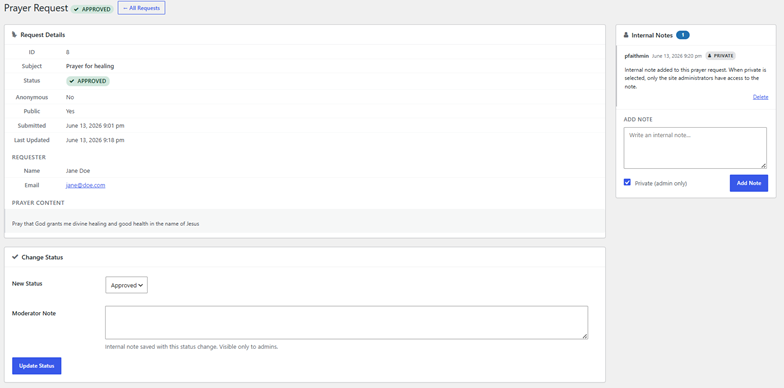
- Added single prayer request detail page in the admin — moderators can view all request details, add private or public notes, and see the live prayer count in one place.
- Added prayer-level notes with optional private flag — notes are visible only to administrators when marked private.
- Added anonymous prayer recording — visitors who are not logged in can now use the "I prayed for this" button on the Prayer Wall; interactions are tracked by a session fingerprint and counted toward the prayer total.
- Improved "I prayed for this" tracking — repeat interactions by the same user or visitor increment a running count rather than inserting duplicate rows.
- Notification cron job now reschedules automatically when the frequency or send time is changed in Settings, without requiring plugin reactivation.
- Internal: centralised settings schema into a dedicated Registry class for consistency across Renderer, Sanitizer, and Settings Exporter.
- Fixed missing class imports in Admin_Loader that would have caused fatal errors when moderating, performing bulk actions, or managing prayer notes.
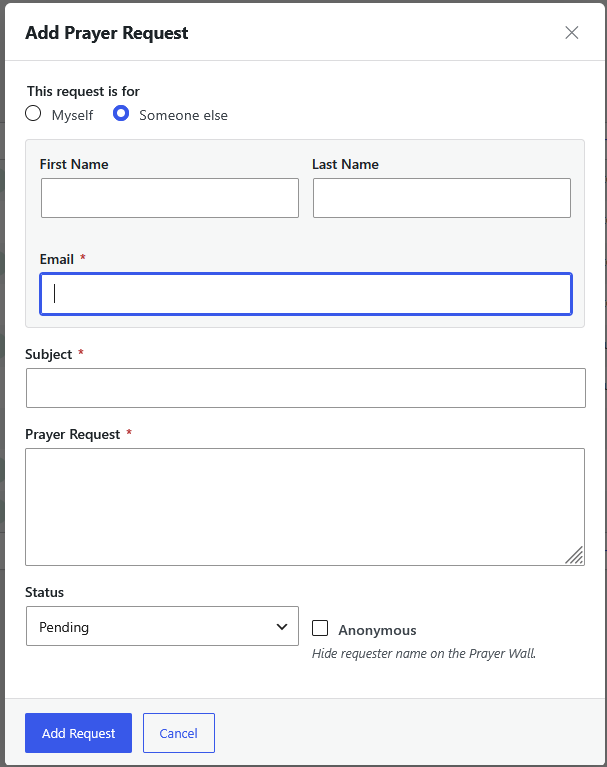
- Admins can now add prayer request from the prayer list page for themselves or for others.
- Added "Keep my prayer request private" option on the submission form. Private requests are visible only to administrators and never appear on the Prayer Wall.
- Added "Prevent Duplicate Requests" setting to block resubmission of the same subject line by the same requester.
- Added status filter bar (All / Pending / Approved / Rejected / Archived / Private) to the admin Prayer Requests list.
- Fixed "Settings saved." notice not appearing after saving settings.
- Fixed double blank lines throughout PHP source files.
- Redesigned the Prayer History block — guest login prompt is now a styled card with icon; authenticated view replaced the data table with a card-per-request layout showing status, date, prayer count, and inline edit/delete actions.
- Initial release.