
interPROter
| 开发者 | bastinet |
|---|---|
| 更新时间 | 2026年11月23日 14:53 |
| PHP版本: | 7.4 及以上 |
| WordPress版本: | 7.1 |
| 版权: | GPLv2 or later |
| 版权网址: | 版权信息 |
详情介绍:
- Language prefix in the URL (
/de/,/en/) and translated slugs (/de/zimmer/). The original slugs keep working. hreflangtags, translatedcanonical,html lang, Open Graph URL and locale.- A multilingual sitemap at
/wpt-sitemap.xml. - Canonical and Open Graph filters for Yoast SEO (verified) and Rank Math (implemented, not yet verified).
- A real server cron is strongly recommended. WP-Cron only fires on page loads, so on a quiet site translations would wait for the next visitor. Run
wp cron event run --due-nowevery 10 minutes, or point a system cron atwp-cron.php.
- Order emails and admin-side texts are not translated.
- Text that is written into the page by JavaScript after loading is not seen by the plugin and stays in the original language.
安装:
- Upload the plugin folder to
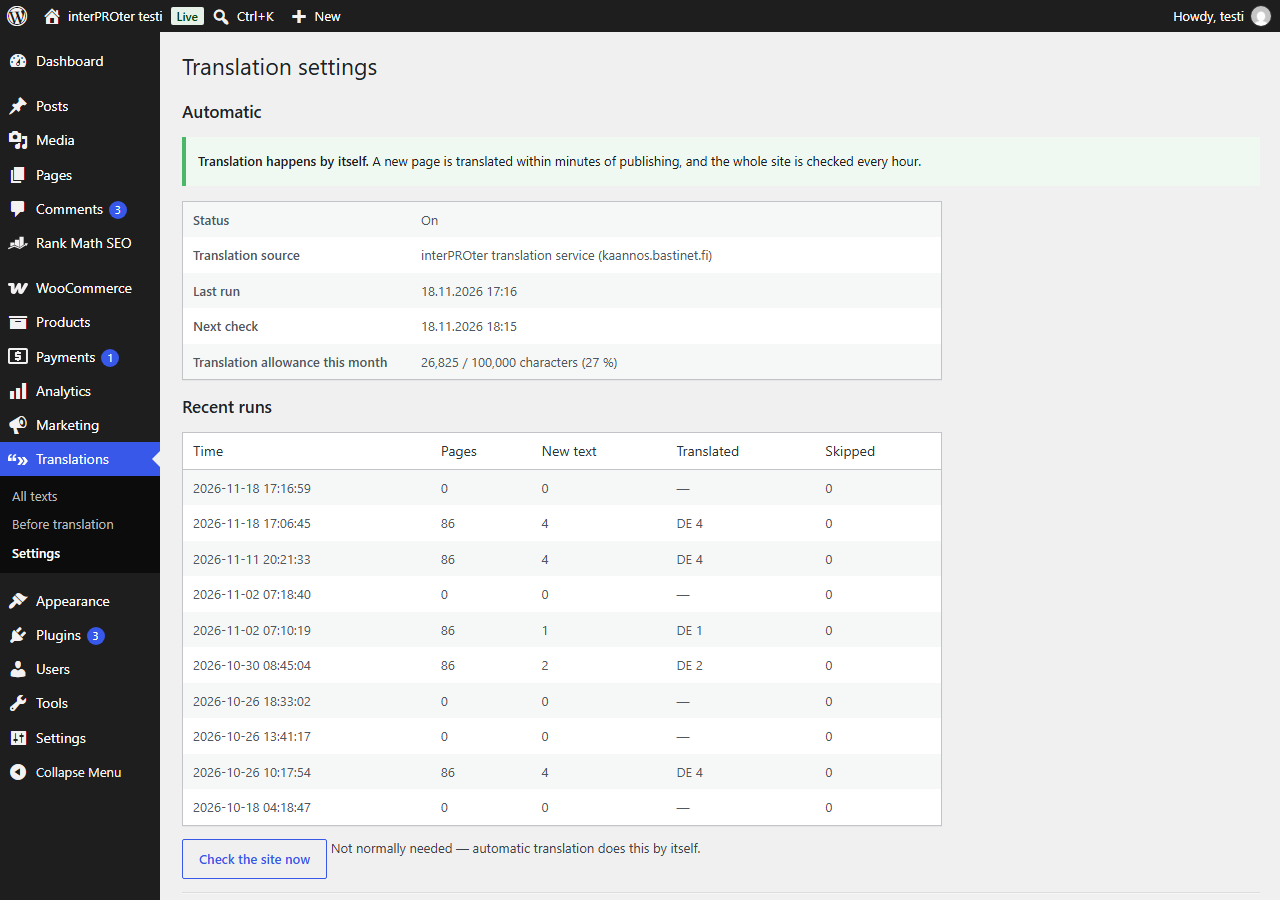
/wp-content/plugins/or install it from the Plugins screen, then activate it. - Go to Translations → Settings. Press Get a translation key and add the languages you want.
- Make sure automatic translation is on (it is by default). The first full run starts within minutes.
- Check Translations → Before translation to see what would be translated and what the plugin suggests leaving out.
- Once a language is fully translated it is published automatically. You can also publish or unpublish a language by hand.
wp interproter lists the commands.屏幕截图:
常见问题:
Does it work with my page builder?
Yes. interPROter translates the finished HTML, so it does not need to know anything about Elementor, Divi, Gutenberg or a hand-made theme. It has been run on an Elementor site and on a custom theme.
What happens if I stop paying for the service?
Your site keeps working in every language, because the translations are already in your database. Only new texts stop getting translated.
Does deleting the plugin delete my translations?
No. By default the translation tables stay in your database so a reinstall picks them up. If you want everything removed, turn on When the plugin is deleted → Also delete all translations and settings before deleting.
Does it slow my site down?
Measured on a test site running the standard WordPress theme unit test content (WordPress 7.1, PHP 8.3, median of eight requests per URL):
- A normal post with 74 translatable texts: 7 extra database queries, 6.6 ms, and 2.5 KB added to the page.
- The front page with 378 translatable texts: 7 extra queries, 25 ms, 2.4 KB.
- With the plugin installed but no languages added: 4 extra queries and nothing added to the page.
Can I edit a translation?
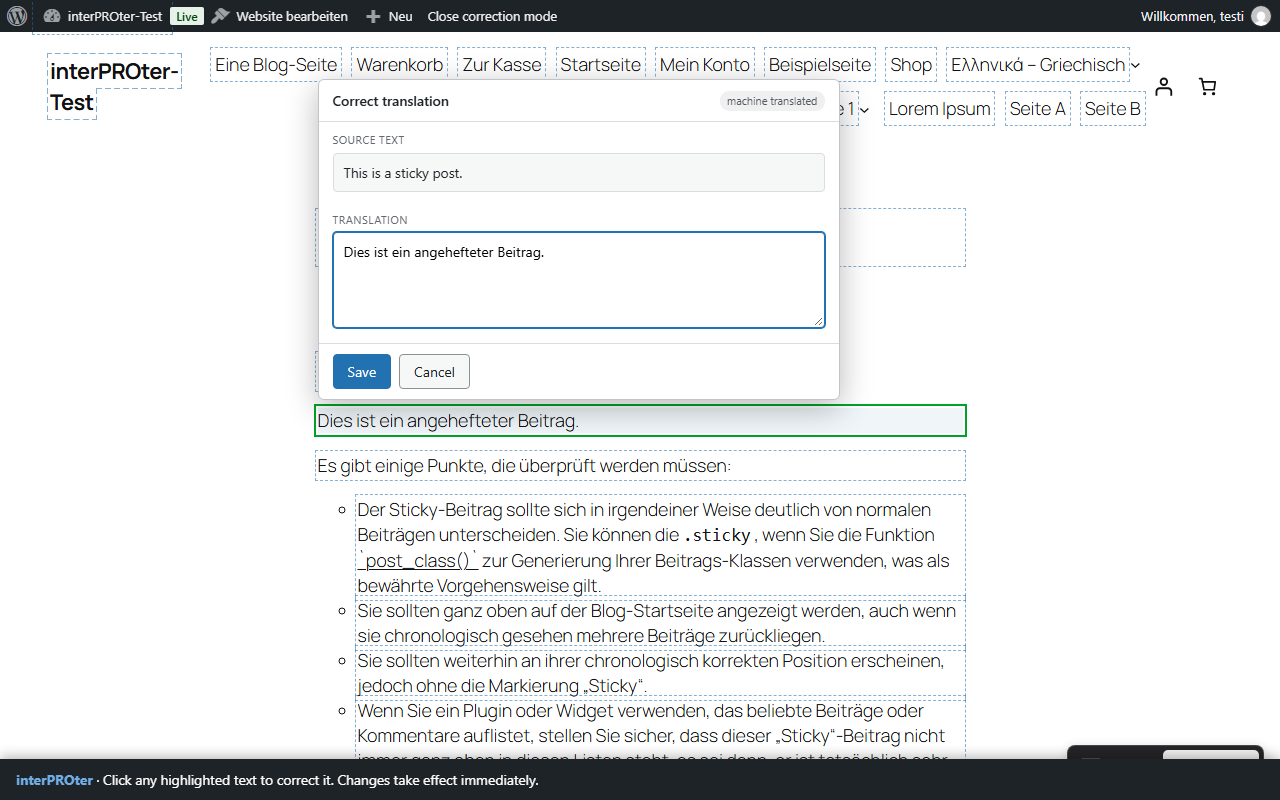
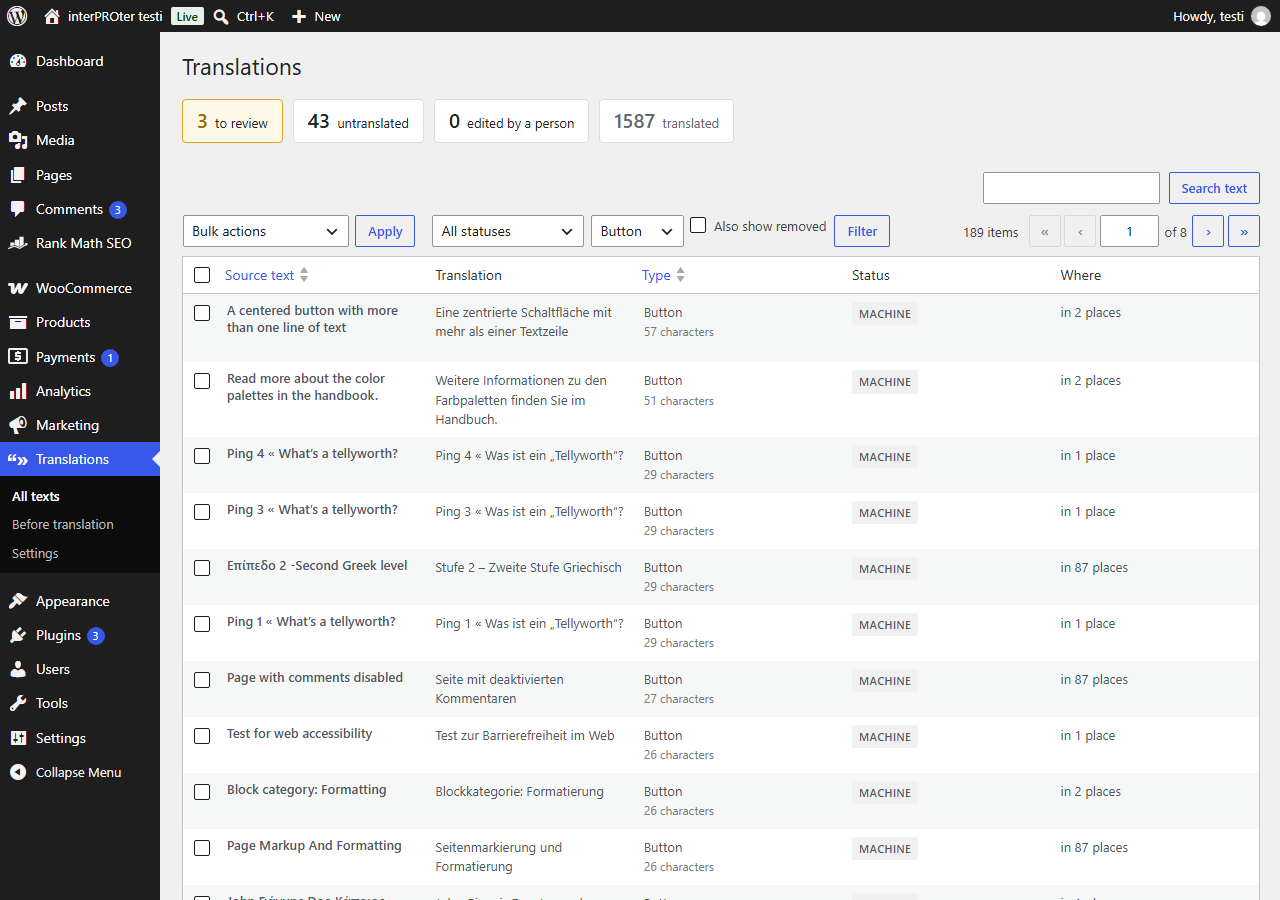
Two ways. On the page: open a translated page, click "Fix translations" in the toolbar, then click the text you want to change. Or in the admin under Translations: search for the text, edit it, save. Either way the translation is locked and never overwritten by the automatic run.
Does it work with WooCommerce?
Yes, including the cart and the checkout. Measured on WooCommerce 11.1 in a real browser. Shop, category and product pages translate in full, and every add-to-cart link, product ID and product URL stays exactly as it is in the original language. The cart and the checkout are React blocks: their text is generated in the visitor's browser, so it never appears in the page the server sends. Two things reach it. The interface itself — "Proceed to Checkout", "Subtotal", "Quantity" — comes from the translations WooCommerce already ships for every language, installed for you when you add a language. Your own product names and descriptions are translated from your own store. That split is deliberate, and it is also cheaper: standard interface text has been translated well by thousands of people already, and there is no reason to pay a machine to do it again. Your translation budget goes to your own writing.
Where does a visitor-only page get translated?
A page that exists only for one visitor — a cart with something in it, a search result, a form's error message — can never be reached by a crawl. Two things cover it. Anything a plugin or theme wrote is already translated, because the page runs in the visitor's language and WordPress's own translations apply. Anything else the plugin writes down as it renders, and the next automatic run translates it.
Can I stop a language from going live before I have read it?
Yes. In Translations → Settings, switch that language to "Require approval". The machine keeps translating it, but it stays hidden from visitors until you press "Approve and publish". Every other language keeps publishing itself.
Does it translate URLs?
Yes. Translated pages get translated slugs based on the translated title, for example /de/zimmer/. The original slug under the language prefix keeps working too, so shared and indexed links do not break.
Redirects stay in the visitor's language: if an SEO plugin redirects /old-page/ to /new-page/, then /de/old-page/ goes to /de/new-page/.
My theme already has its own language links. How do I keep them as they are?
Add translate="no" to the element that holds them. interPROter leaves everything inside it alone: the text is not translated and the links keep their addresses, so a link back to the original language does not get a language prefix. A CSS class such as notranslate is not enough. To hide the plugin's own floating switcher, run wp option update interproter_kelluva_vaihtaja 0.
更新日志:
- Translations now always come from the interPROter translation service. The option to enter your own DeepL API key has been removed, and a key saved earlier is deleted from the database. Sites already using the service are not affected.
- Better translations: the service now asks the engine for its quality model, keeps headings in sentence case and button and menu labels short, and reads a short description of your site with every text. Write that description under Translations → Settings → About this site (pre-filled from the site title and tagline).
- Fix: text inside an element marked
translate="no"was still translated when the element was wrapped in another element without text of its own (for example a price inside two<span>s). Thenotranslateclass is now also respected. - Fix: a button or link whose text was partly in a nested tag (for example an arrow in a
<span>) could lose its text in the translated page. The text is now kept. - Fix: a menu or a row of cards where several links sit side by side in one container was translated as one sentence, and words could move from one link to another. Each link is now translated on its own. Texts in such menus and cards are translated again on the next automatic run.
- New: after you correct a translation on the page, interPROter looks for the same wording in your other translations and lists them, for example "Event bags" → "Promotional bags". Tick the ones to correct and they are saved as human corrections. Only rows whose original text contains the same word are ticked in advance, small words like "and" or "the" never start a suggestion, and only whole words are matched.
- Fix: clicking inside the correction window could close it.
- Fix: on large sites the hourly check only ever looked at the first 500 pages, so new or changed text on the rest was found only when that page was saved. Every hourly run now goes through the next 200 pages, and the whole site is covered in turn.
- Fix: a text collection run that took over an hour treated the pages it had read first as removed, and their new texts were not translated. A text now counts as removed only if it was not seen during the latest complete pass over the site.
- WP-CLI:
wp interproter keraanow reads all public post types by default, the same as the automatic run.
- Fix: a link that wraps block content, such as a product card (
<a>around an image, a heading and a paragraph), was translated as one large piece together with its neighbours. On some pages such a grid stayed in the original language. Headings, paragraphs and labels inside such links are now translated one by one. Texts on these cards are translated again on the next automatic run.
- Fix: a redirect on a translated page dropped the language. With an SEO plugin redirecting
/old-page/to/new-page/,/en/old-page/went to the original-language/new-page/. Redirects to the same site now keep the language prefix; redirects to other sites, the admin and files are left alone. - Fix: when the translation allowance ran out, a translation run kept sending every remaining batch and got the same answer each time. The run now stops at the first "allowance used" answer and continues on the next run.
- Repeated errors in the run log are shown once with a count instead of one very long line.
- Fix: adding a language in Translations → Settings did not install WordPress's own language packs; only the WP-CLI command did. The cart, the checkout and plugin interface texts stayed in the original language. They are now installed in the background right after the language is added.
- Fix: for English, Portuguese and Chinese the WordPress locale is now taken from the chosen DeepL variant (English (US) → en_US, English (UK) → en_GB). Before, WP-CLI could download an unrelated regional pack (en_ZA) and a page in American English could use British English interface texts.
- Fix: the text list in the admin showed "in 87 place" instead of "in 87 places". The count now uses proper singular and plural forms, also in the Finnish translation.
- Fix: on a translated page whose language uses WordPress's own language pack (for example English), the original page was announced with the translated language in
hreflang, and the language switcher showed the original language under the translated language's name ("English | English"). The site language is now read before the page language is switched.
- Fix: on sites where the WordPress template output buffer is turned off (Elementor does this on WordPress 6.9 and later), translated pages were shown in the original language. The plugin now checks whether WordPress starts the buffer and opens and closes its own if it does not.
- All internal names now use the prefix
interproter(options, database tables, scheduled events, hooks, filters, the[interproter_kielet]shortcode). Existing installations are renamed automatically on the first page load after updating; translations and settings are kept. - On WordPress 6.9 and later, pages are translated through WordPress's own template output buffer instead of a buffer opened by the plugin.
- Admin, on-page editor and language switcher styles and scripts are loaded with
wp_enqueue_style,wp_enqueue_scriptandwp_add_inline_style.
- Version information for the WordPress updates screen (zip downloads from interproter.com). No changes to translation, routing or rendering.
- Plugin Check: input sanitisation and output escaping tightened; 0 errors, 0 warnings.
- First public version. Automatic translation, translated URLs, hreflang and canonical handling, multilingual sitemap, language switcher, on-page and admin editing, per-language approval gate, WooCommerce support including cart and checkout, WordPress's own language packs for plugin interface text, WP-CLI commands, interPROter service or direct DeepL as translation source.