
InterviewNea – Virtual Interview Queue, Check-in & Reminders
| 开发者 | hmbashar |
|---|---|
| 更新时间 | 2026年11月20日 19:50 |
| PHP版本: | 7.4 及以上 |
| WordPress版本: | 7.1 |
| 版权: | GPLv2 or later |
| 版权网址: | 版权信息 |
详情介绍:
- Check in with the email and phone number from their application (nothing to register).
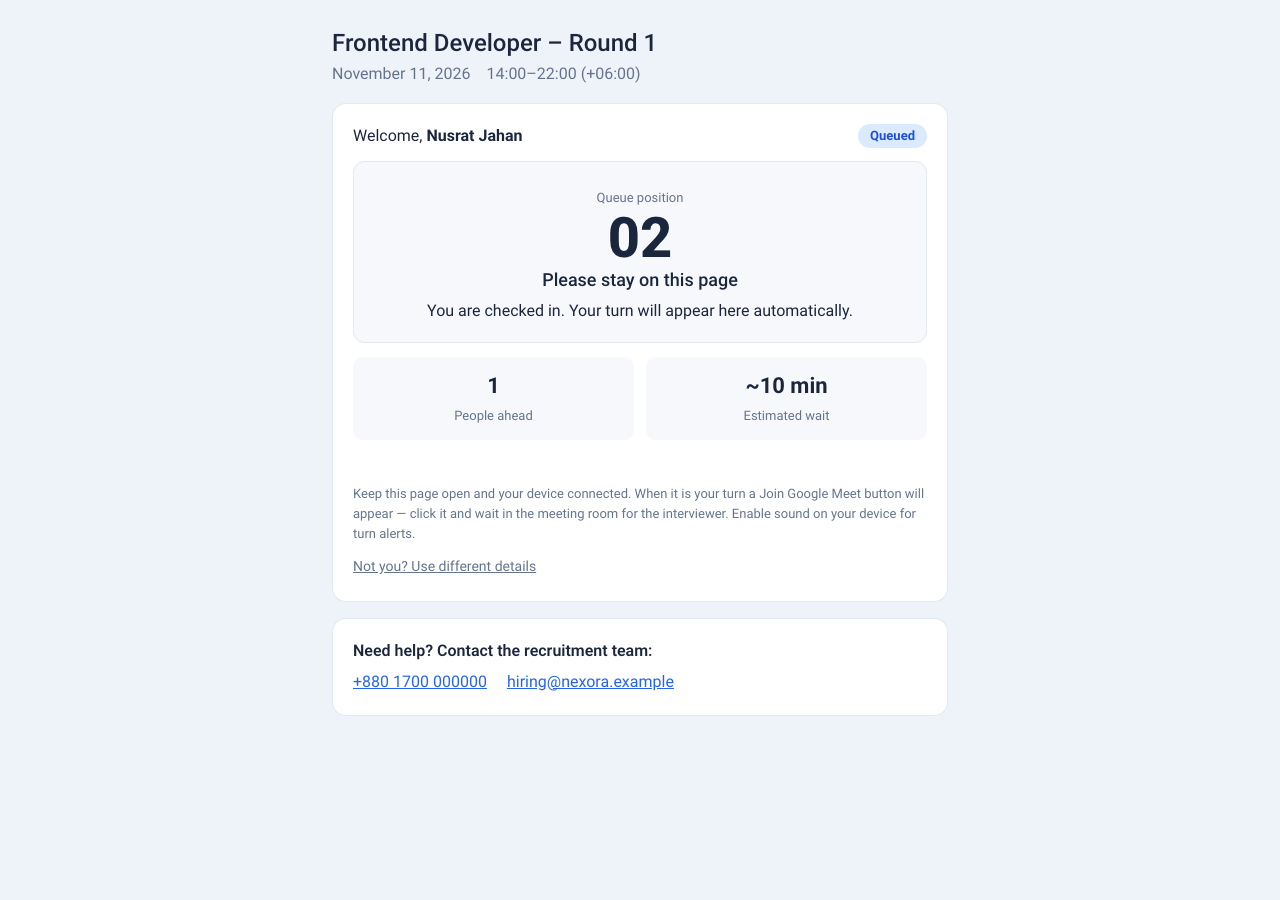
- See their queue position, the number of people ahead and an estimated wait, updated automatically.
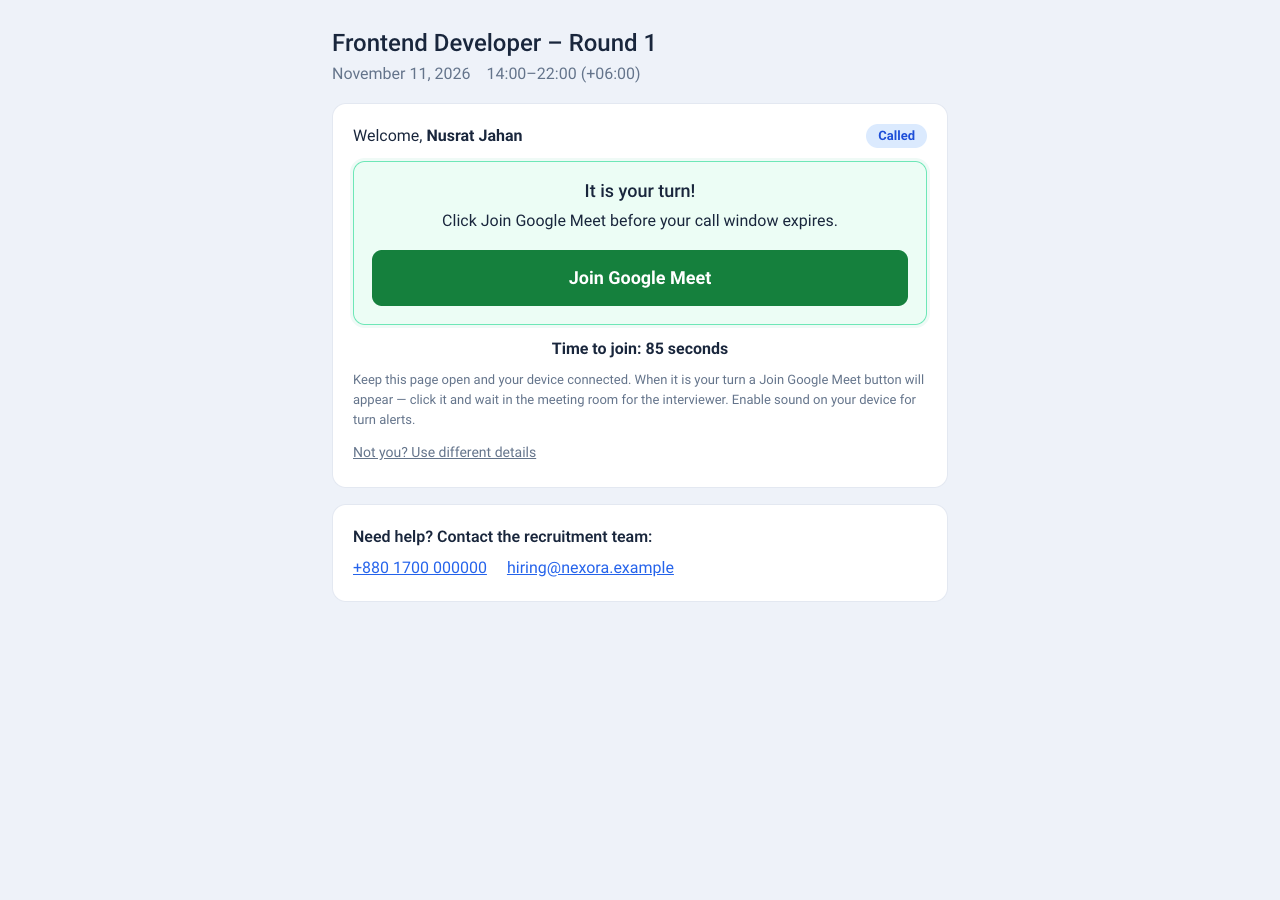
- A clear "It is your turn" alert (sound, vibration and an optional browser notification) with a 90 second countdown.
- The Meet link is released only to the candidate whose turn it is.
- Live dashboard: Call next, Confirm joined, Complete & call next, Skip, Mark late, No-show and Requeue. Opening the Meet link is never treated as proof of attendance; staff confirm after seeing the candidate in Google Meet.
- Start, pause (with duration and reason shown to candidates), resume and close a session.
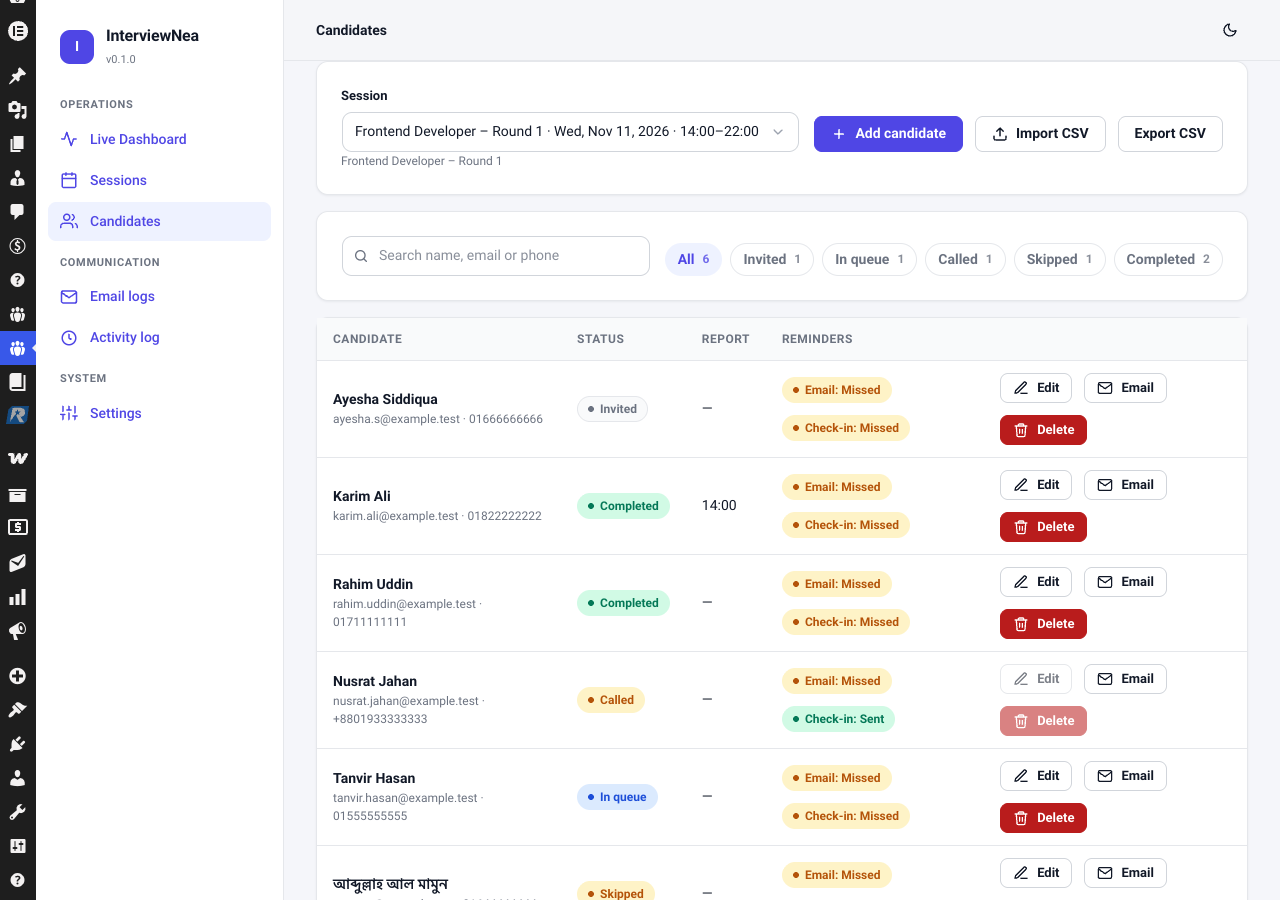
- Sessions, candidates (add, edit, delete), CSV import and export, search and status filters.
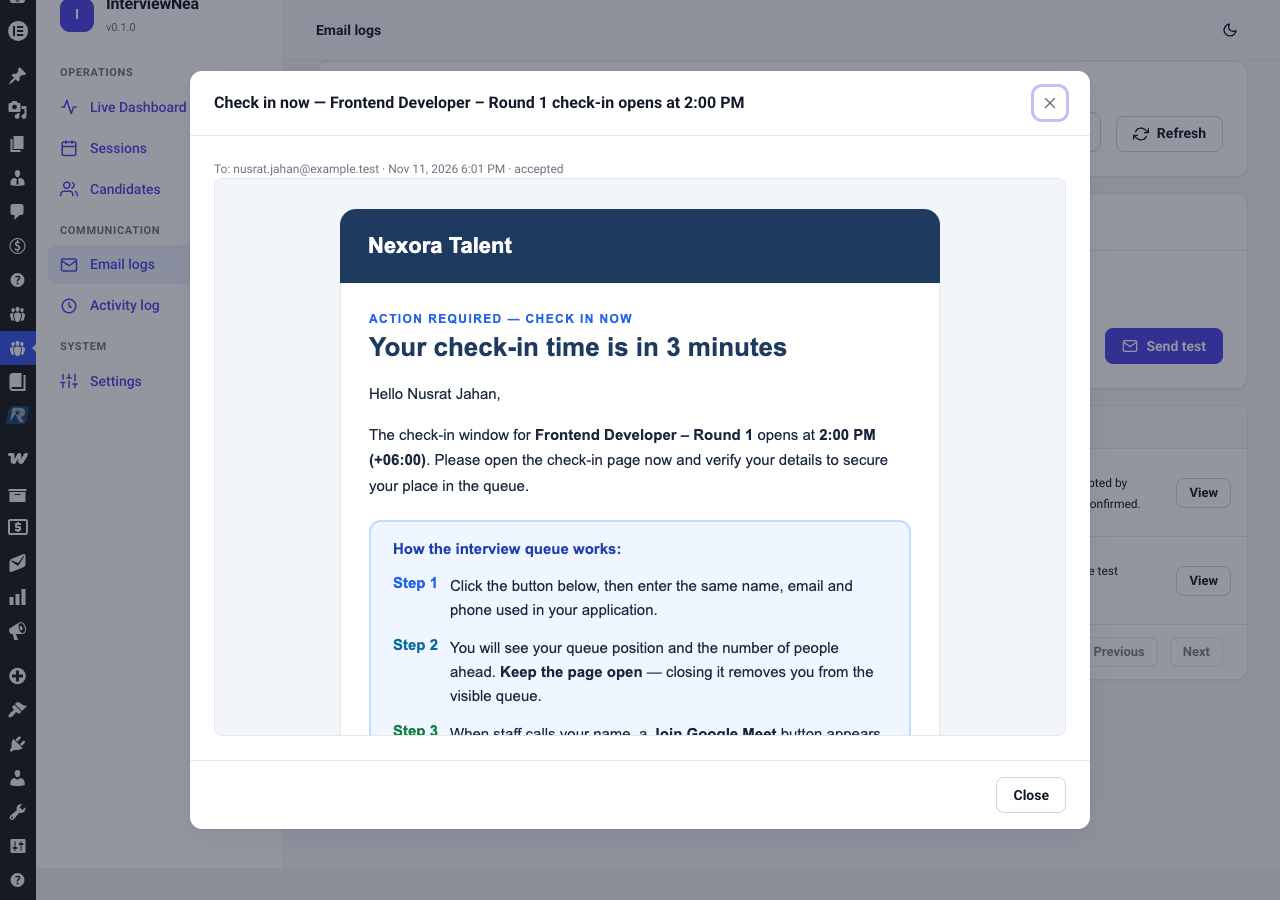
- Email log with the exact HTML of every message and an activity log of every queue action.
- Only one interview is active at a time: queue changes are serialised with database row locks.
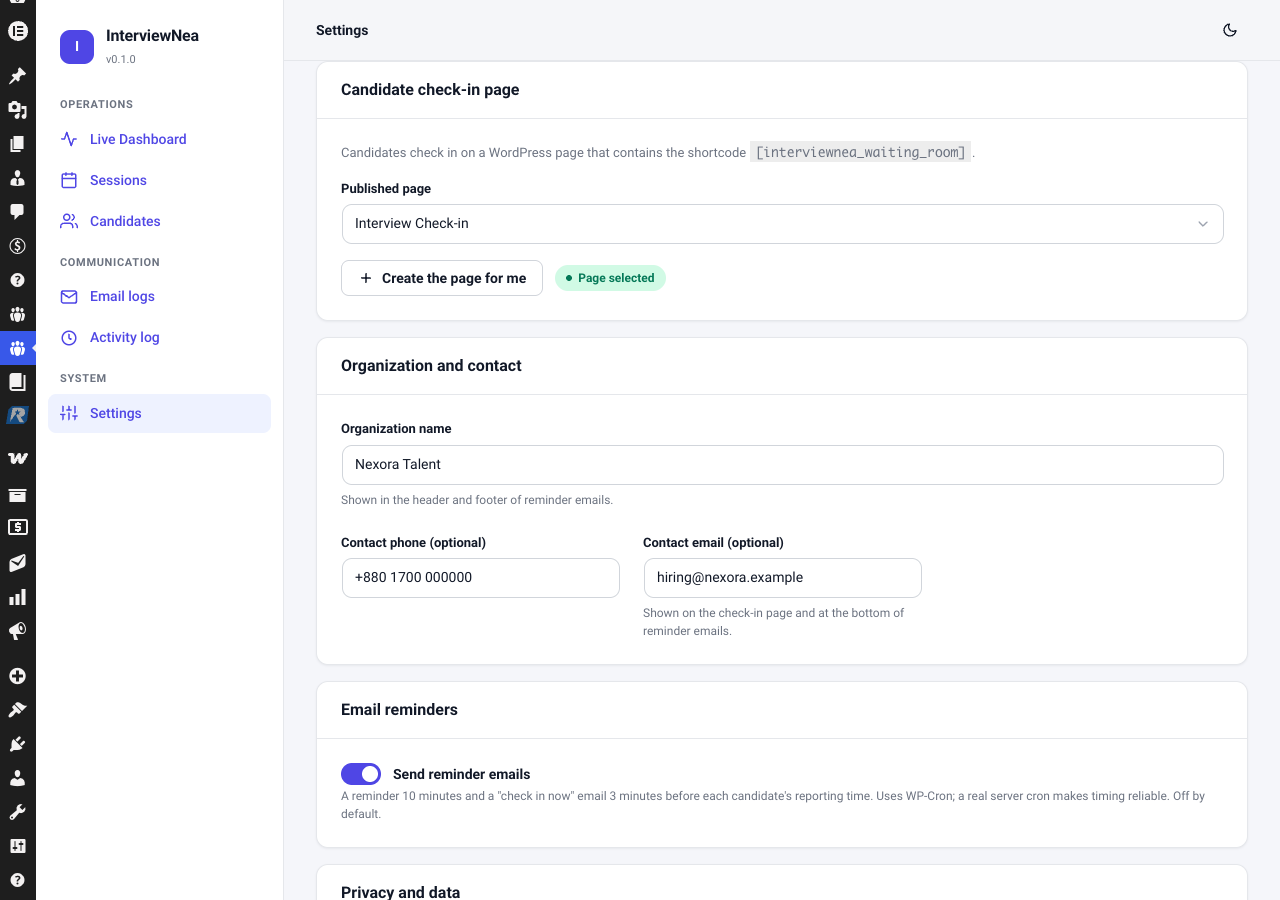
- A reminder email 10 minutes before each candidate's reporting time and a "check in now" email 3 minutes before.
- A test email before you switch anything on.
- Email logs are deleted automatically after the number of days you choose.
- WordPress personal-data export and erase are supported.
- Candidate check-in tokens are random and stored only as hashes. Check-in attempts and requests with unknown tokens are rate limited.
- No tracking, no ads, nothing is loaded from other websites.
安装:
- Upload the plugin through Plugins > Add New > Upload Plugin, or install it from the plugin directory, and activate it.
- Open InterviewNea > Settings and press "Create the page for me" (or add the shortcode
[interviewnea_waiting_room]to a page and choose it). - Create a session under Sessions, then add candidates one by one or import a CSV.
- Share the session's check-in link with candidates (Sessions > Copy link).
- On the interview day open the Live Dashboard and press Call next.
wp-cron.php.屏幕截图:
常见问题:
Does InterviewNea verify who the candidate really is?
It matches the email and phone number against the list you entered. That is record matching, not strong identity proof. The interviewer confirms the person in Google Meet before the interview starts.
What happens if a candidate does not click Join in time?
After 90 seconds the candidate is skipped and the next ready candidate is called. Skipped candidates can rejoin the end of the queue while the session is open. A No-show is only ever set by staff.
Can candidates share the Meet link?
The link is shown only to the called candidate, but anyone who has it can try to use it. Use Google Meet host controls (knock to join, host admits) for access control.
Which CSV columns are needed?
name, email, phone and optionally report_time (HH:MM). Download the sample file from the Import CSV dialog. Up to 500 rows and 1 MB per file.
Where is my data kept and how do I delete it?
In tables prefixed interviewnea_ in your own database. Deleting a candidate removes their email and activity records. Switch on "Delete all data when the plugin is deleted" in Settings if you want the tables removed on uninstall.
Does it work with page builders and caching plugins?
Yes. The check-in page is a normal page with a shortcode. Exclude it and /wp-json/interviewnea/ from full-page caching.
Which public endpoints does the plugin add?
The check-in, status, rejoin and join routes under /wp-json/interviewnea/v1/ are public on purpose, because candidates have no WordPress account. Check-in matches the candidate against the list you entered and is rate limited; the other three routes need the random token that check-in returns. Every other route requires a logged-in user with permission to manage the interview queue.
更新日志:
- Initial release: live interview queue, candidate check-in, Google Meet admission, email reminders, React admin app and waiting room, REST API.
- Names and pause reasons are measured in characters, so long Bangla text is accepted.
- Paged lists, email log retention, WordPress privacy export and erase, organization name setting, optional name matching.
- No external scripts or services: everything is bundled with the plugin.