
InvoHawk – PDF Invoices for WooCommerce
| 开发者 | invohawk |
|---|---|
| 更新时间 | 2026年8月20日 06:55 |
| PHP版本: | 7.4 及以上 |
| WordPress版本: | 7.1 |
| 版权: | GPL-2.0-or-later |
| 版权网址: | 版权信息 |
详情介绍:
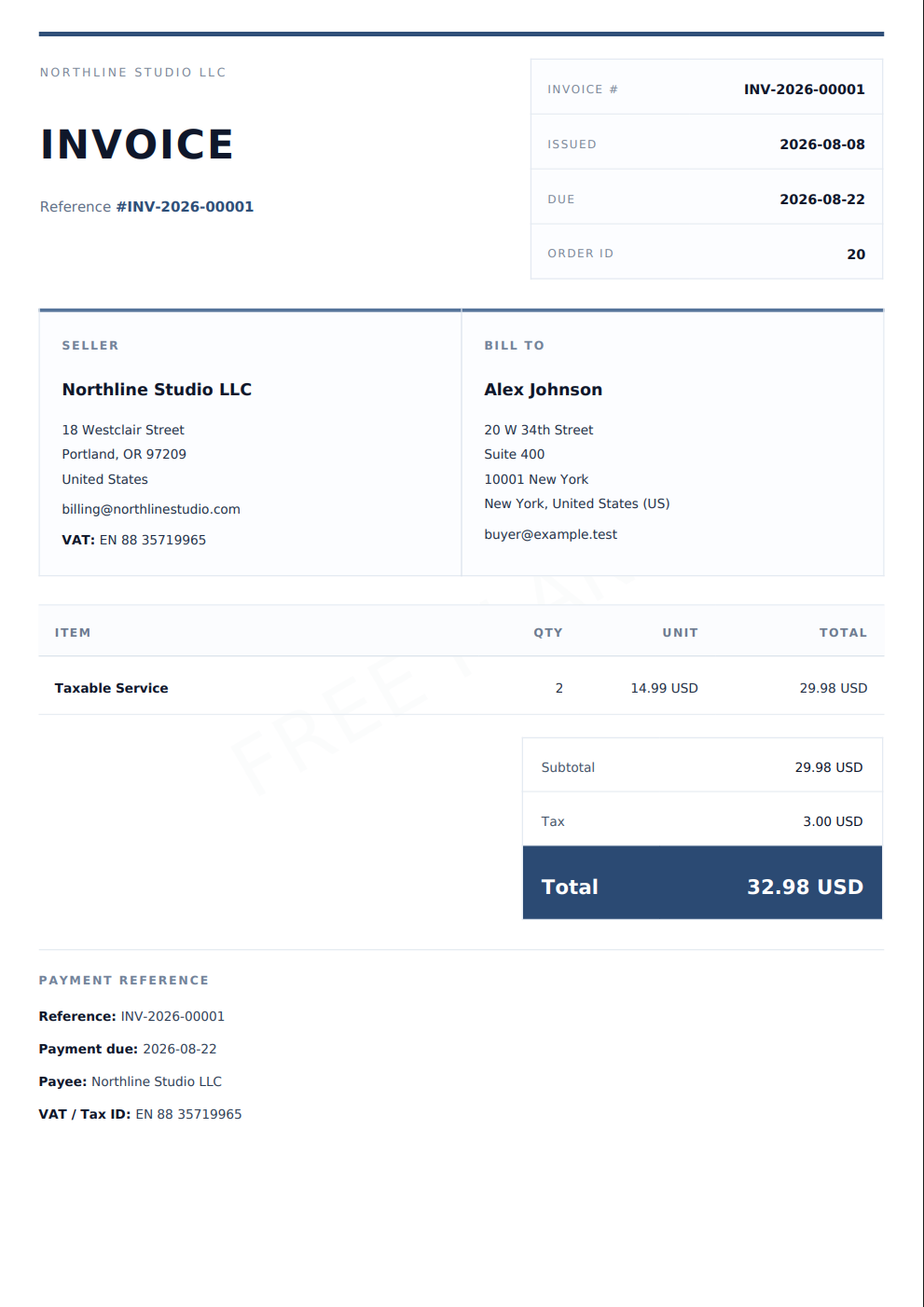
- Generate PDF invoices from individual WooCommerce orders.
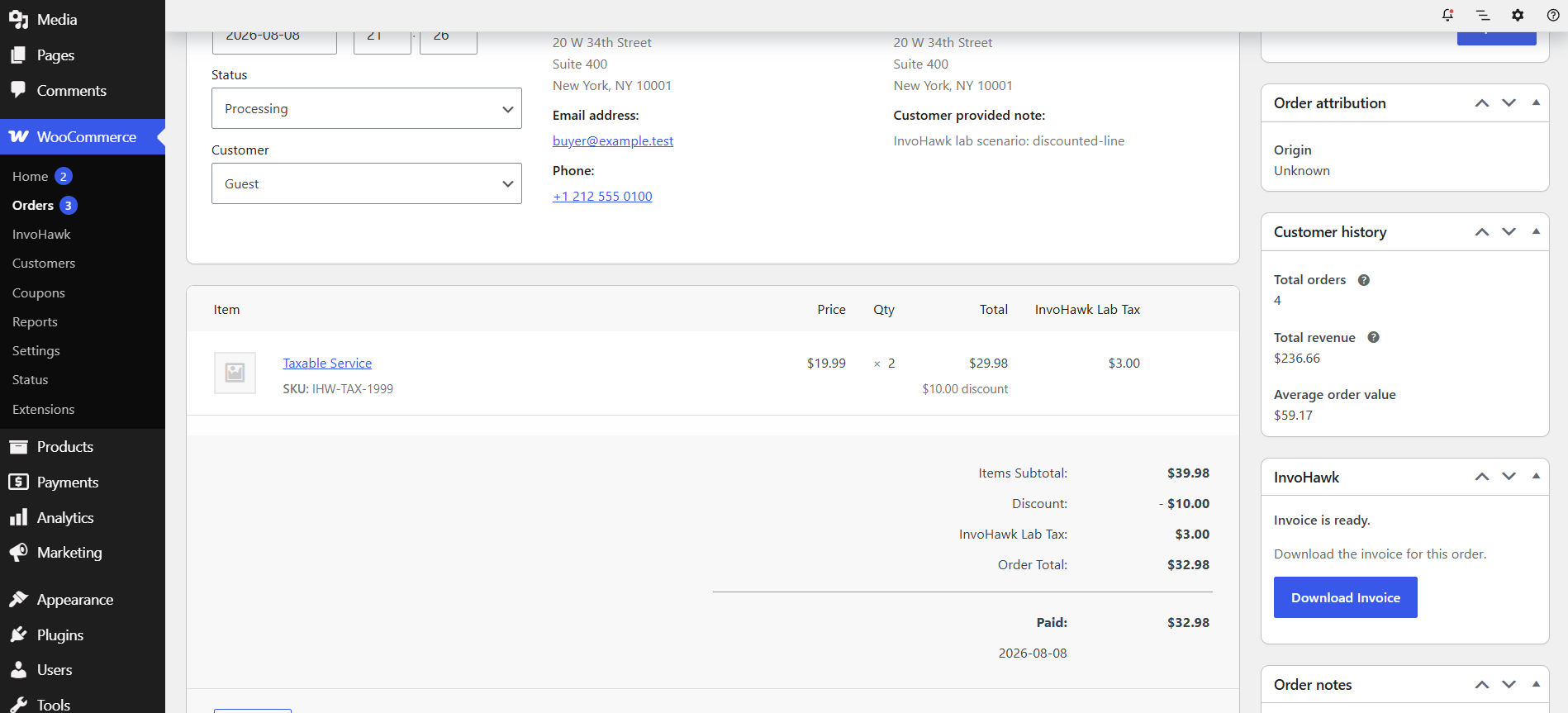
- Download prepared invoices directly from the WooCommerce order screen.
- Keep invoice data synchronized when relevant WooCommerce order information changes.
- Show clear preparing, ready, failed, plan-limit, and renewal states.
- Poll invoice status automatically, with a manual Refresh status fallback.
- Support WooCommerce High-Performance Order Storage (HPOS) and classic order storage.
- Store invoice PDFs privately through the InvoHawk service.
- Start with a free allowance before choosing optional paid access.
- Open secure, store-specific upgrade and renewal pages supplied by the InvoHawk service.
- Keep payment-provider code and card details outside WordPress.
安装:
- In WordPress Admin, open Plugins > Add New Plugin.
- Search for InvoHawk.
- Install InvoHawk – PDF Invoices for WooCommerce.
- Activate the plugin.
- In WordPress Admin, open Plugins > Add New Plugin > Upload Plugin.
- Select the InvoHawk ZIP file.
- Install and activate the plugin.
- Make sure WooCommerce is installed and active.
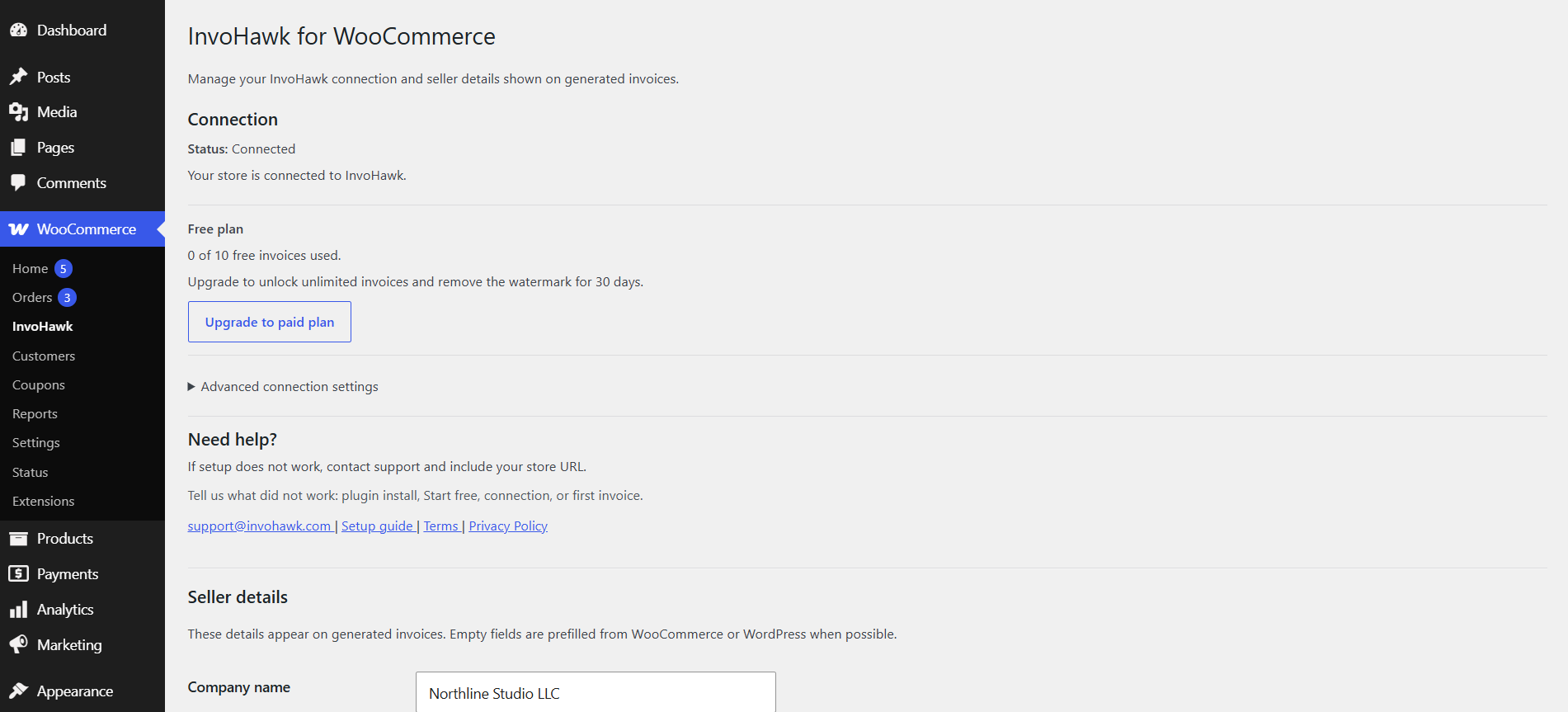
- Open WooCommerce > InvoHawk.
- Review and accept the Terms of Service and Privacy Policy.
- Select Start free.
- Review the seller details used on invoices.
- Open a WooCommerce order and select Generate Invoice.
屏幕截图:
常见问题:
Is an InvoHawk account required?
A separate dashboard login or password-based account is not required. Selecting Start free creates a store connection and saves the API key automatically inside WordPress.
Does the plugin work without the InvoHawk service?
No. The plugin is a client for the external InvoHawk service. The service performs invoice processing, PDF generation, private PDF storage, downloads, plan management, and paid-access activation.
What is included free?
Free access includes up to 10 invoice records. Generated PDFs include an InvoHawk watermark.
What does paid access include?
Paid access costs $19 as a one-time payment for 30 days. It includes unlimited invoice records and removes the InvoHawk watermark during the active paid period.
Is paid access a subscription?
No. There is no subscription and no automatic renewal. Another one-time payment is required to extend or renew paid access.
What happens when paid access expires?
After paid access expires, the external InvoHawk service will not process new invoice generations until paid access is renewed. Previously generated files remain subject to the service's storage and retention rules.
Where are PDF files generated and stored?
PDF files are generated by the external InvoHawk service and stored privately by that service. The plugin downloads them through authenticated InvoHawk endpoints.
Does InvoHawk email invoices to customers automatically?
No. The current version prepares and downloads PDF invoices for the store owner. It does not automatically email invoices to WooCommerce customers.
Does the plugin support HPOS?
Yes. InvoHawk declares compatibility with WooCommerce High-Performance Order Storage and also supports classic WooCommerce order storage.
Can I generate invoices for old or manually created orders?
Yes. Open an individual saved WooCommerce order and select Generate Invoice. Manual administrative orders, including valid pending-payment orders, can be prepared from the order screen.
Does the plugin support bulk invoice generation?
No. The current version works from individual WooCommerce order screens. Bulk generation and order-list invoice actions are not included.
What happens when an order changes?
The plugin synchronizes invoice-relevant order changes. When relevant customer, item, shipping, fee, tax, or total information changes, InvoHawk updates the invoice snapshot and prepares a fresh PDF while preserving the invoice number.
Is InvoHawk a tax or accounting compliance service?
No. InvoHawk generates PDF invoices from WooCommerce and seller data. Store owners are responsible for reviewing invoice content and determining their tax, accounting, and legal obligations.
What data is sent to InvoHawk?
The plugin sends the store, seller, order, customer, authentication, and compatibility data described in the Data Sent to InvoHawk section. Full card details are not handled by the plugin or stored by InvoHawk.
How do I stop using the service or request deletion of externally stored data?
Deactivate or remove the plugin to stop normal plugin requests. Removing the plugin does not automatically delete data already stored by the external service. Contact support@invohawk.com with the store URL to request assistance with stored data.
更新日志:
- Started the stable InvoHawk 1.x release line.
- Expanded PHP compatibility to PHP 7.4 and newer.
- Added compatibility metadata for WordPress 7.1.
- Finalized the WordPress.org slug, plugin folder, main file, text domain, and package names as
invohawk. - Finalized internal naming and prefix consistency for WordPress.org compatibility.
- Retired the obsolete legacy download alias.
- Verified compatibility with WordPress 7.0.
- Updated the plugin name, metadata, and WordPress.org documentation.
- Declared compatibility with WooCommerce High-Performance Order Storage (HPOS).
- Added WooCommerce compatibility metadata.
- Simplified the WooCommerce order panel by removing user-facing raw technical details.
- Preserved internal diagnostics, logging, and plan-state recovery.
- Improved the invoice preparation error message and request-data handling.
- Added the full GNU GPL version 2 license text.
- Added paid-access expiry information.
- Added early paid-access extension and renewal actions.
- Added renewal reminders before paid access expires.
- Made external InvoHawk links open in a new tab.
- Improved manual plugin update guidance.
- Initial early-access ZIP release.