Invoice Generator For Plando
| 开发者 |
hadavar.co.il
doronca |
|---|---|
| 更新时间 | 2026年5月10日 22:10 |
| PHP版本: | 7.4 及以上 |
| WordPress版本: | 6.9 |
| 版权: | GPLv2 or later |
| 版权网址: | 版权信息 |
详情介绍:
Invoice Generator for Plando is a lightweight plugin that connects your WooCommerce store to your Plando account, an Israeli CRM and billing system. Once activated and configured, the plugin automatically generates a document (invoice/receipt, proforma) for every successful payment on your site.
This plugin is developed independently and is not affiliated with or endorsed by Plando. You need a valid Plando account and API key to use it.Key Features:
- Automatic Document Generation: Creates documents for WooCommerce orders as soon as payment is confirmed.
- Flexible Document Types: Generates a full tax invoice/receipt, a proforma invoice, or other documents supported by the Plando API.
- Settings Panel: Configure your Plando Access Key and preferences directly in your WordPress dashboard.
- Smart Subject Lines: Automatically generates document subjects based on the products in the order, with customizable templates.
- Handles Zero-Amount Orders: Skips document generation for free trials or zero-amount orders, preventing clutter in your Plando account.
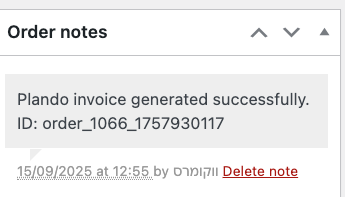
- Order Notes: Adds a clear note to each WooCommerce order to track whether a Plando document was issued successfully.
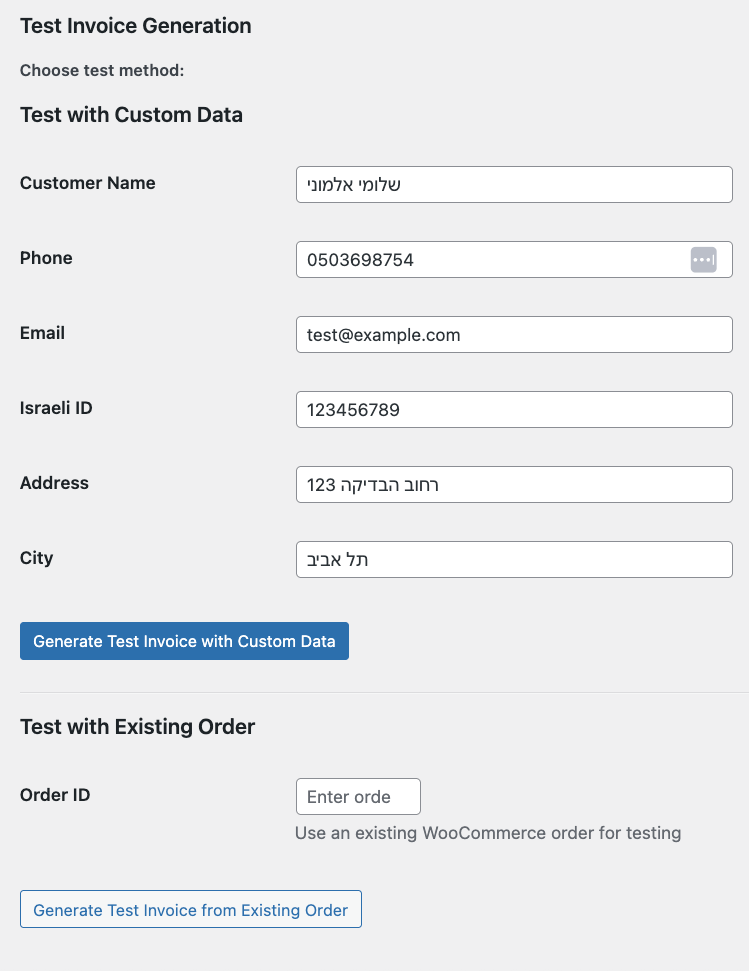
- Test Functionality: Built-in test panel allows you to generate a test invoice before going live.
- Language Support: Supports both Hebrew and English for document generation.
安装:
- Upload: Go to
Plugins > Add Newin your WordPress dashboard, clickUpload Plugin, and select the plugin's zip file. - Activate: After upload, click
Activate Plugin. - Configure: Navigate to
Settings > Invoice Generator for Plandoin your WordPress dashboard. - Enter Your Access Key: Input your Plando Access Key, available from Plando support.
- Save: Click "Save Changes." The plugin will now generate documents for new orders automatically.
屏幕截图:
常见问题:
Does this plugin require WooCommerce?
Yes. This is an extension for WooCommerce and will not work without it.
How do I get my Plando Access Key?
Contact Plando support to obtain your unique API Access Key.
What documents can the plugin generate?
By default, it generates a "חשבונית מס/קבלה" (Tax Invoice/Receipt). You can configure other document types supported by the Plando API.
What happens if an order has a total of zero?
The plugin automatically skips document generation for zero-amount orders, such as free trials or giveaways. An order note will indicate that no document was generated.
Can I customize the invoice subject?
Yes. The settings panel includes templates and placeholders such as {order_id} and {customer_name}.
How can I verify that the plugin is working?
The plugin adds a note to each order when a document is generated. You can also use the built-in test tool in the settings page.
更新日志:
1.2
- Fixed: test with existing order now works even if the order already has a generated invoice.
- Fixed: company name (billing_company) now used as invoice name for business customers.
- Fixed: business tax ID (ח.פ / ע.מ) now correctly detected from billing_taxid, billing_id, and other common checkout field keys.
- Updated plugin name and slug for WordPress.org compliance.
- Initial public release.
- Automatic invoice generation on payment complete.
- Settings panel for configuration.
- Test invoice generation tool.
- Dynamic invoice subjects.
- Order notes for success/failure tracking.