
Predax Security – VPN, Proxy, Tor, Bot Blocker & Firewall
| 开发者 | ipsentry |
|---|---|
| 更新时间 | 2026年10月16日 06:52 |
| PHP版本: | 7.4 及以上 |
| WordPress版本: | 7.1 |
| 版权: | GPLv2 or later |
| 版权网址: | 版权信息 |
详情介绍:
- VPNs, proxies and Tor — anonymised visitors, if you choose to block them
- Datacenter IPs — servers pretending to be people
- Known bad IPs — addresses flagged in a continuously updated threat database
- Countries and regions you don't serve
- Attack requests — a built-in firewall stops injection, scanner and file-probe attempts
- Brute-force logins — repeated failures are locked out, faster for risky addresses
- Fake signups and spam — disposable email addresses and bot comments are rejected
- Scrapers rotating addresses — optional fingerprint-rotation detection spots one browser arriving from many different addresses (off by default)
- Verified search engines are never blocked by your VPN, datacenter, country or risk rules, so screening can't cost you search traffic.
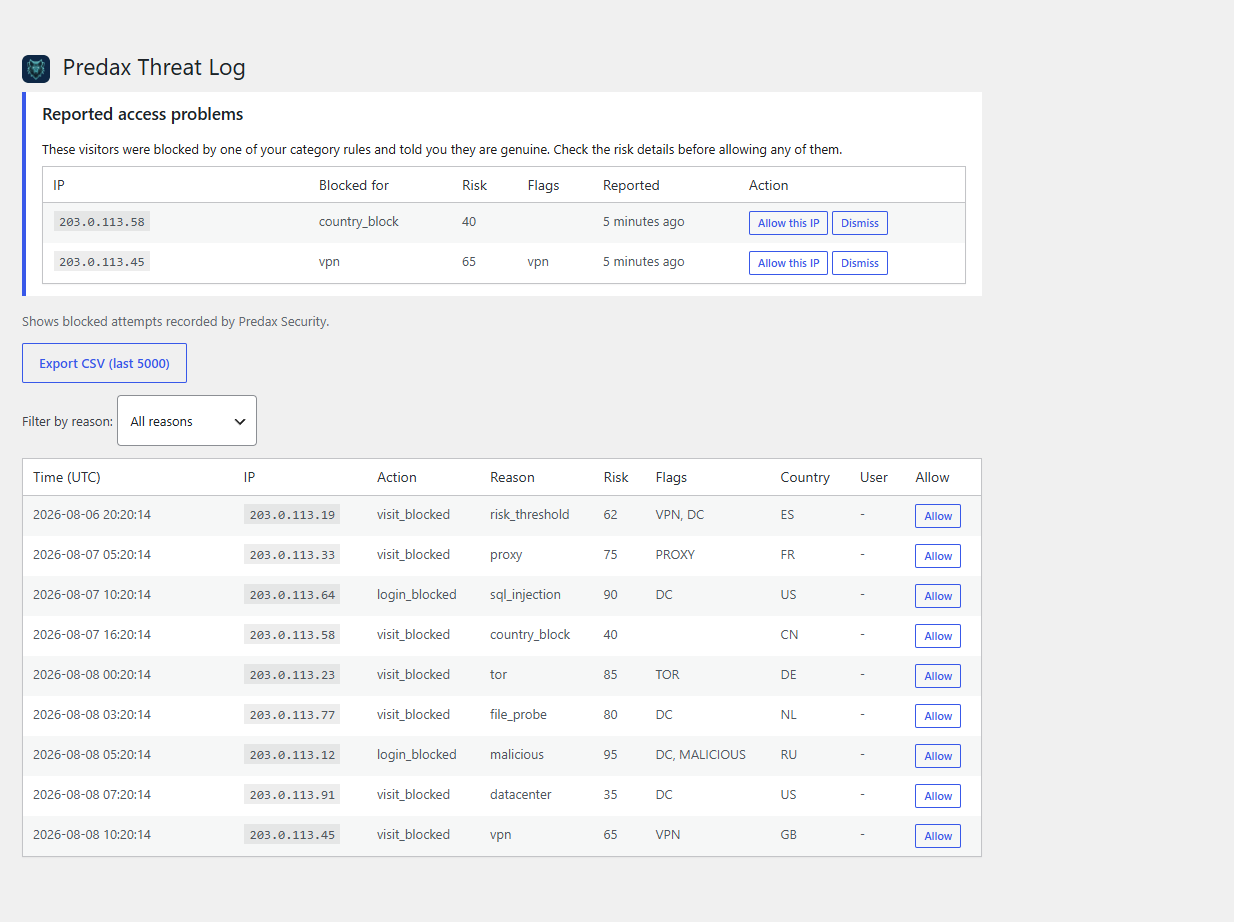
- Wrongly-blocked visitors can tell you. Their report lands in the Threat Log with the full risk detail beside it. Nothing is unblocked until you decide.
- One-click allow-listing from the Threat Log puts a genuine reader back in as fast as they were turned away.
安装:
- Go to Plugins → Add New Plugin in your WordPress admin
- Search for "Predax Security"
- Click Install Now, then Activate
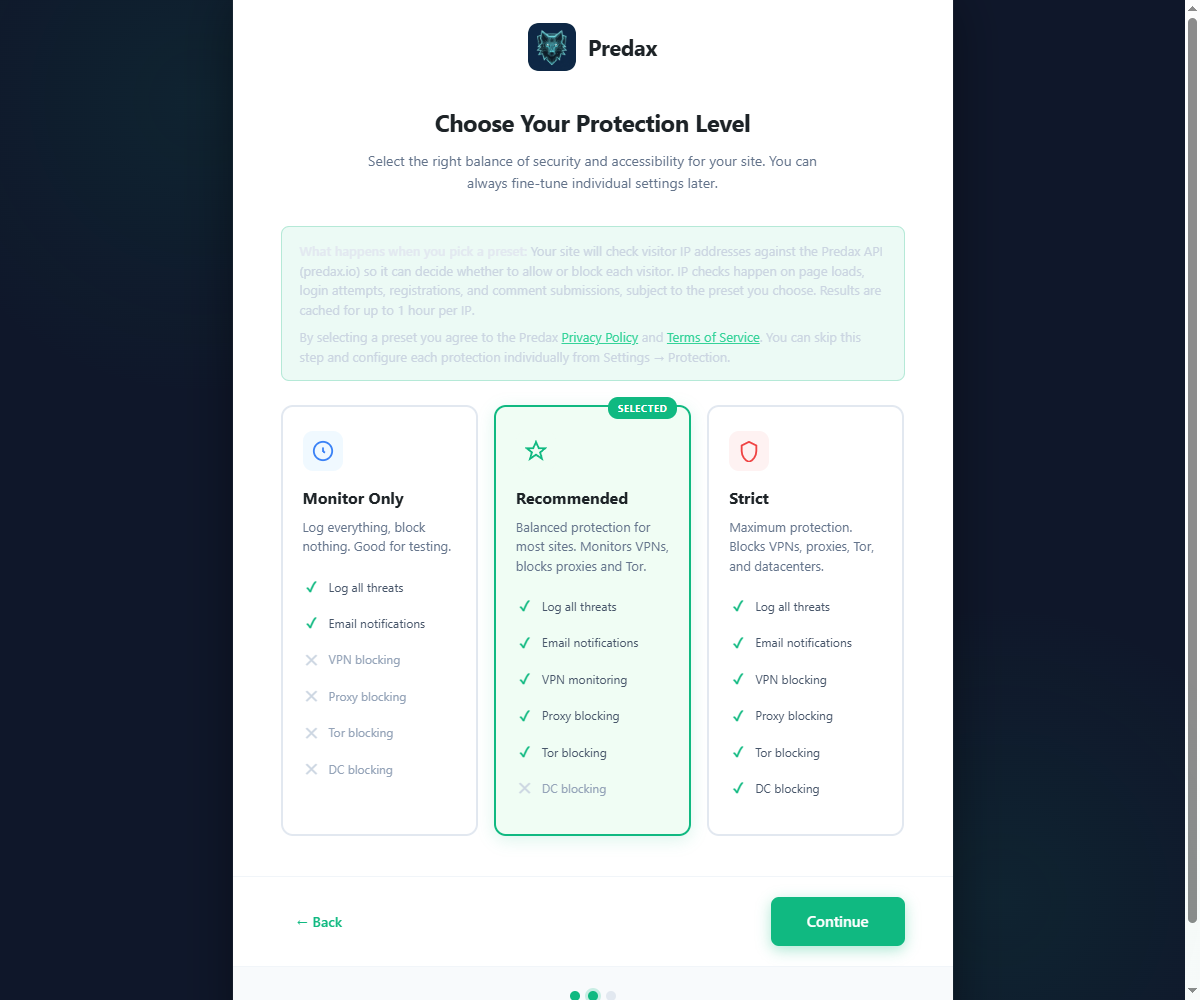
- The setup wizard launches automatically — click "Connect with Predax" to create your free account and link your API key in one click (or paste in an existing key manually), then choose a protection level
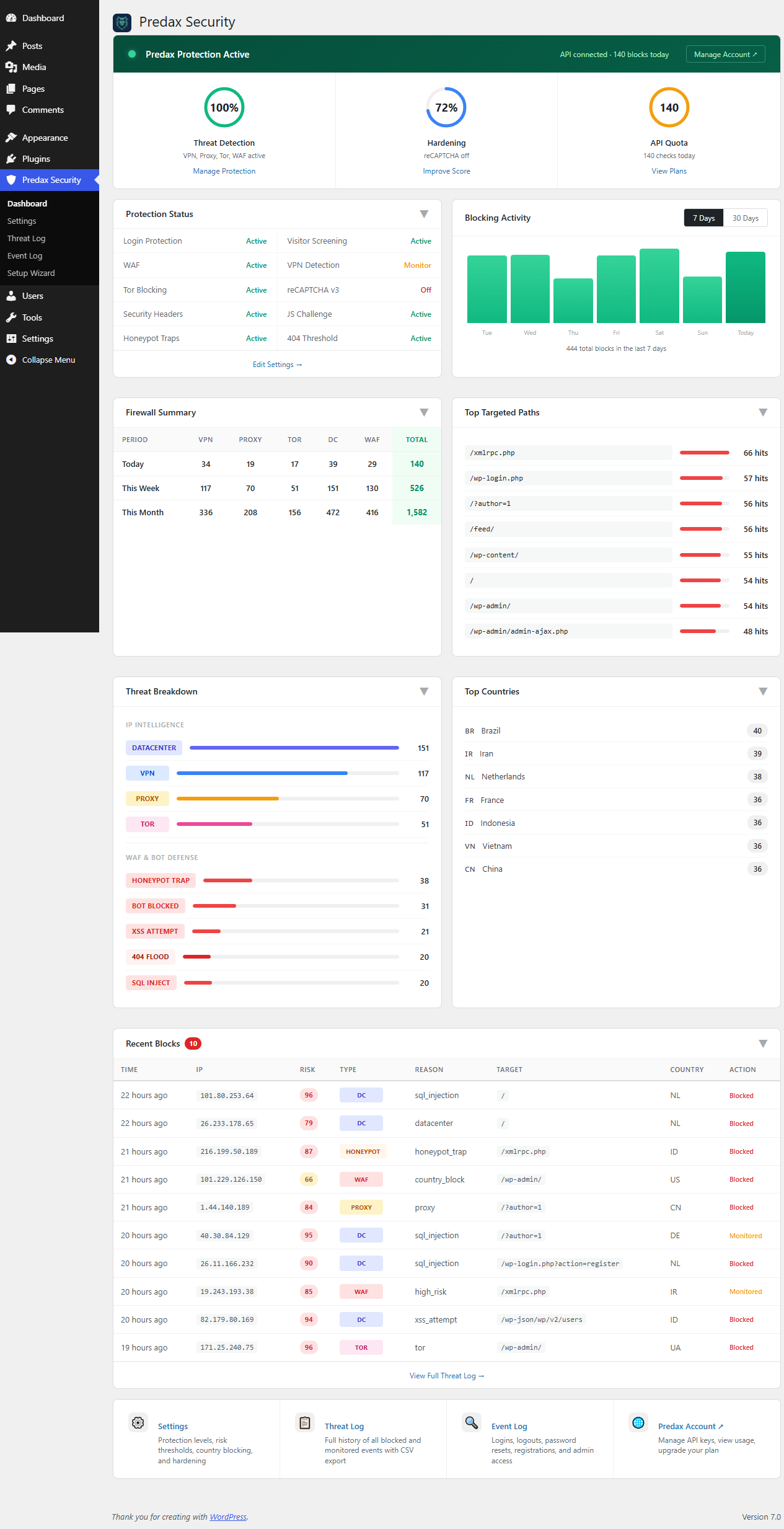
- Go to Predax Security in the admin sidebar to view the security dashboard, and Settings to fine-tune protection types, risk thresholds, and advanced features
- Download the plugin ZIP from this page and upload it via Plugins → Add New Plugin → Upload Plugin (or extract the
ipsentry-securityfolder to/wp-content/plugins/) - Activate the plugin through the Plugins menu and follow the setup wizard
屏幕截图:
常见问题:
How do I block AI bots like GPTBot or ClaudeBot from my content?
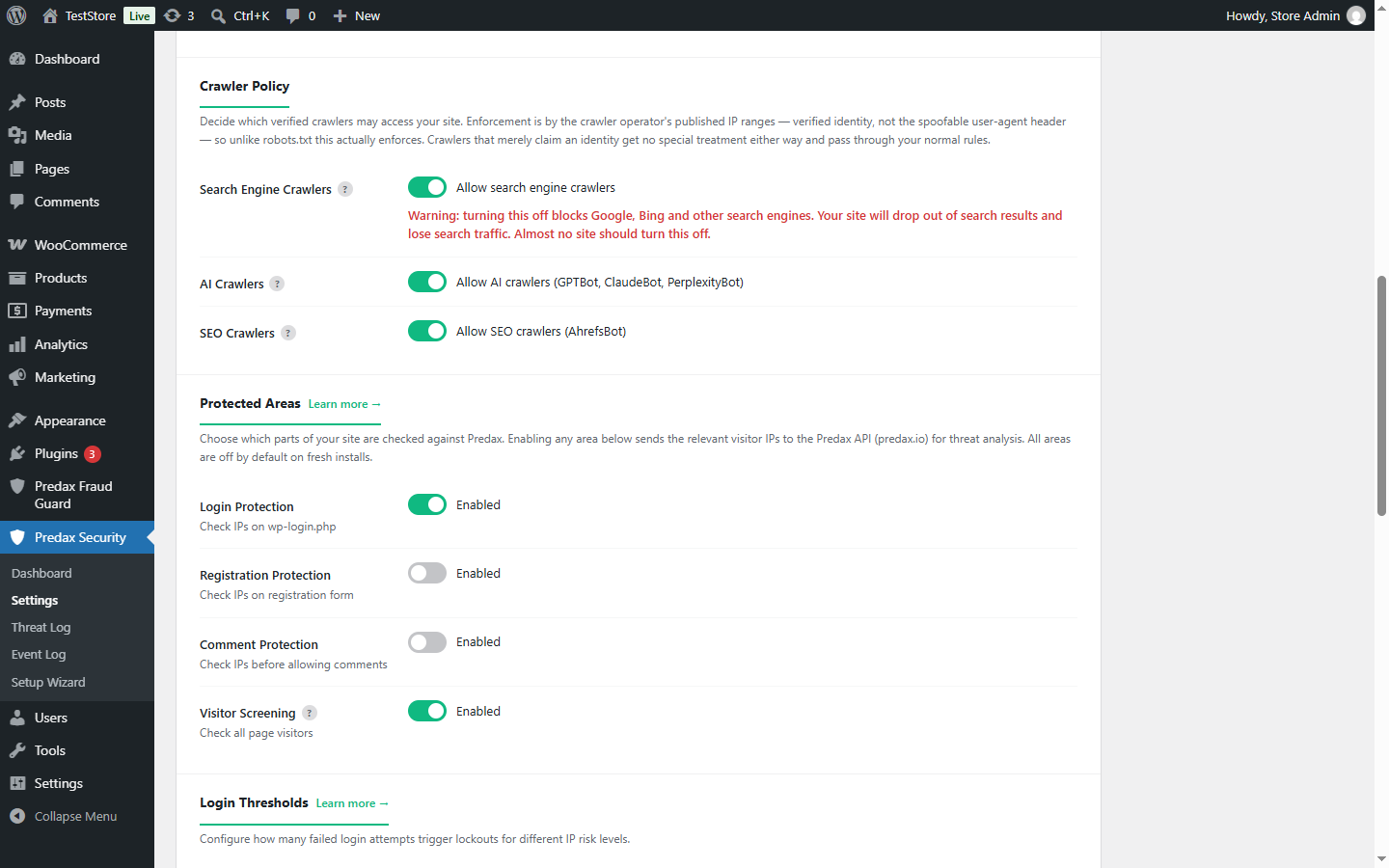
Switch off "Allow AI crawlers" in Settings → Protection → Crawler Policy. Requests coming from the IP ranges published by OpenAI (GPTBot, OAI-SearchBot, ChatGPT-User), Anthropic (ClaudeBot) and Perplexity (PerplexityBot) then receive a 403 instead of your content. Search engines and SEO crawlers have their own separate switches, so this changes nothing about how Google or Bing see your site.
Isn't robots.txt enough to stop AI crawlers?
robots.txt is a request that a crawler chooses to honour, and nothing enforces it. Blocking by user-agent is no better, because the user-agent is just a header any script can set to anything. Predax checks whether the request genuinely comes from an IP range the crawler's operator publishes, and blocks on that verified identity instead. Crawlers that publish no ranges at all are judged by the normal bot and risk rules.
Will blocking AI or SEO crawlers hurt my Google rankings?
No. The three switches are independent: blocking AI or SEO crawlers has no effect on search engines, which stay allowed — and exempt from your other category rules — unless you deliberately turn the search-engine switch off. The settings page warns you clearly if you do.
How is this different from Wordfence or other security plugins?
It solves a different problem — and runs happily alongside them. Scanner-based plugins like Wordfence or Solid Security focus on malware scanning and firewall rules: they look at what a request does once it reaches your site. Predax Security looks at who is connecting: it identifies anonymised and high-risk IPs (VPNs, proxies, Tor, datacenter ranges) in real time using a commercial IP intelligence database, and blocks them before they attempt anything. Many sites run Predax Security alongside a scanner-based plugin — Predax filters out the anonymous, high-risk traffic; the scanner watches what gets through.
Will this slow down my site?
No. API results are cached in the WordPress database for between 5 minutes and 1 hour per IP, following the lifetime the API recommends for that address. After the first check, returning visitors are served from cache with no API call.
Does this block all VPN users?
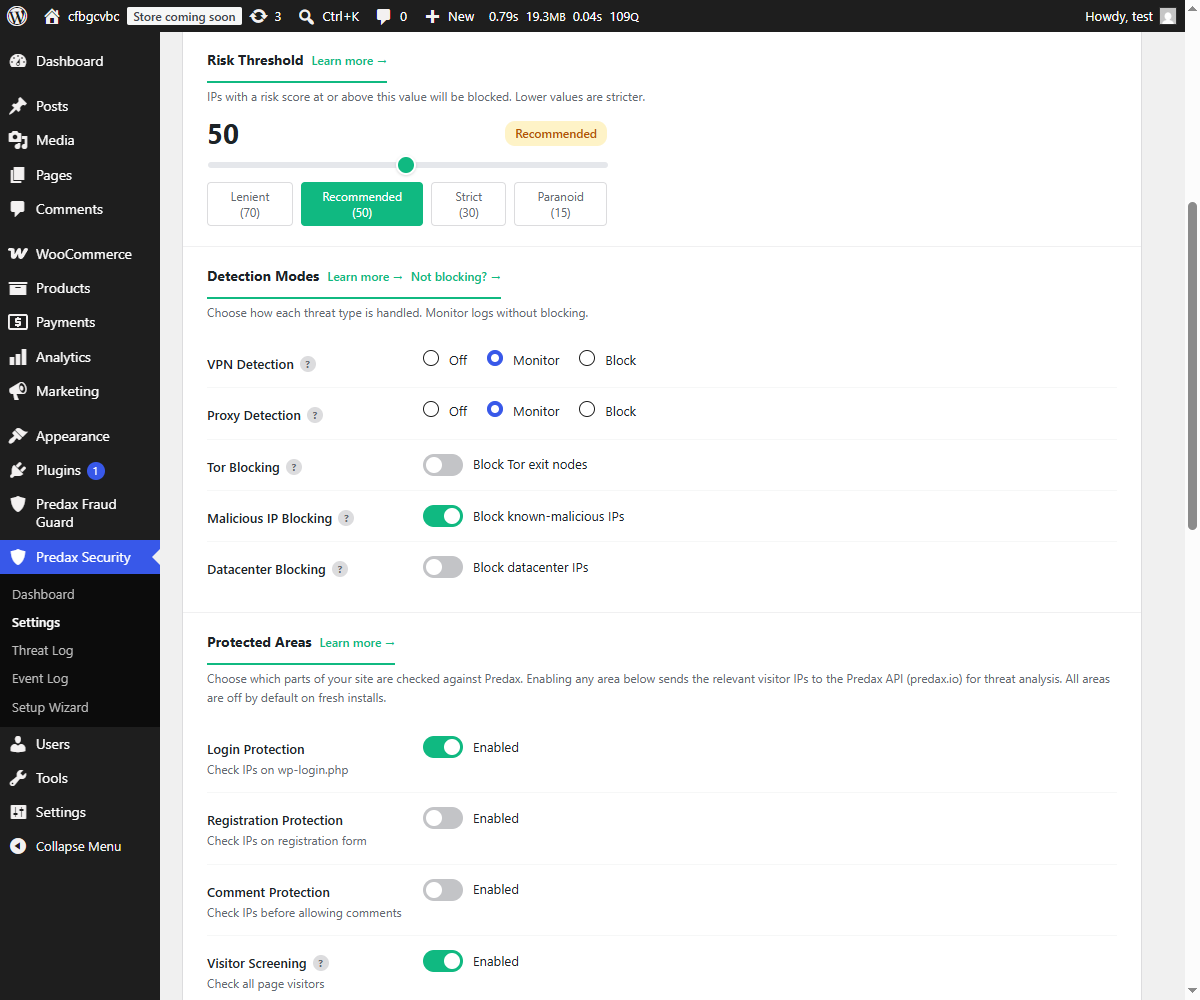
Only if you enable VPN blocking. By default the plugin is set to monitor VPN traffic (log it but not block it). You control exactly which threat types trigger a block.
What happens to blocked visitors?
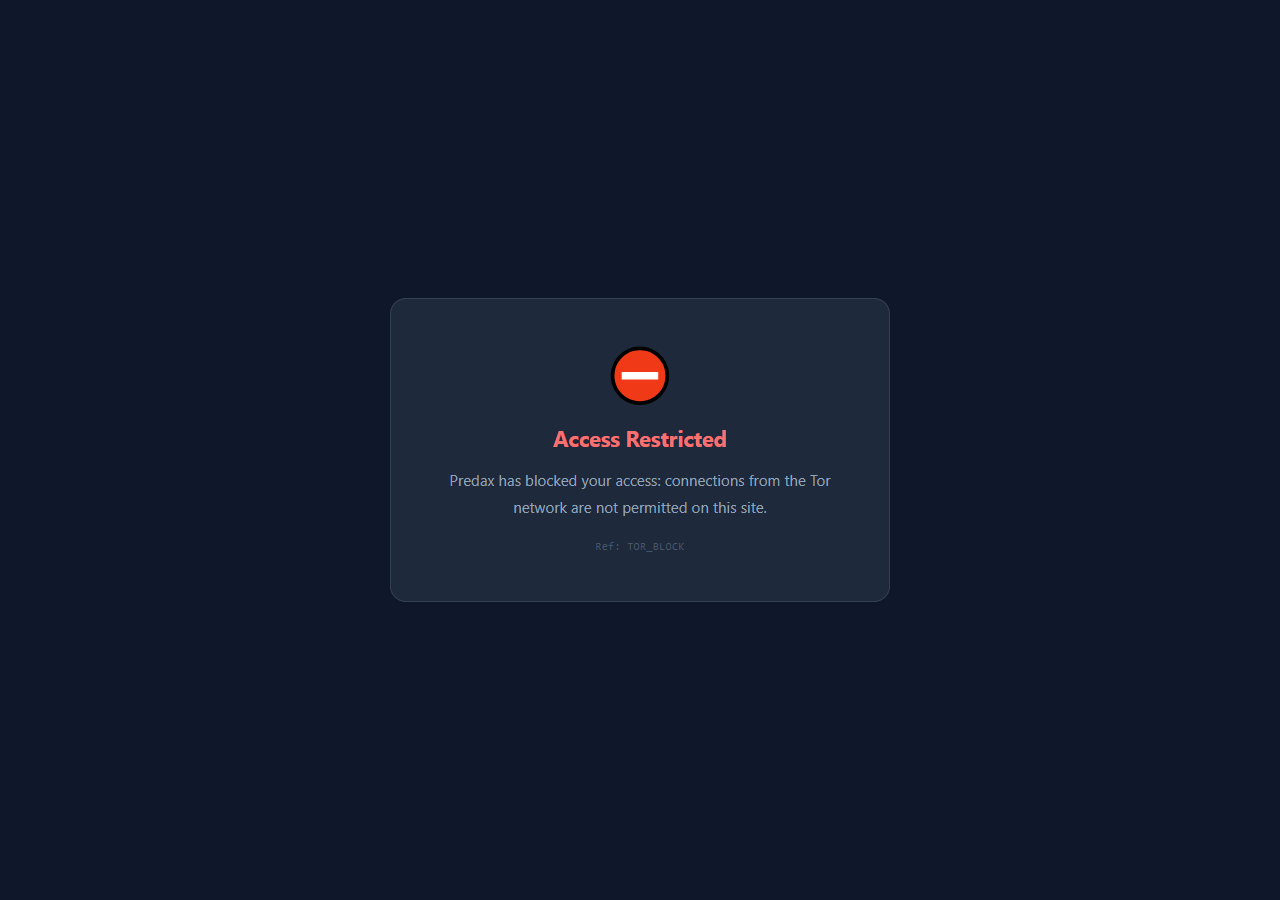
By default they see a standard WordPress error page with a 403 status code. You can enable the Custom Block Page option to show a branded page with your own message and a support link.
Does it work with Cloudflare?
Yes. The plugin reads the CF-Connecting-IP header automatically when Cloudflare is detected, so the real visitor IP is used rather than the Cloudflare proxy IP.
Is the free plan enough for a small site?
For most small sites, yes. The free plan provides 1,000 checks per day. With 1-hour caching, this covers approximately 1,000 unique visitors per day. Returning visitors within the hour use cached results and don't count against your quota. Verified search engine crawlers don't count either. When Googlebot, Bingbot or a similar crawler visits, the check is free — so a site that is crawled heavily doesn't lose its allowance to search engines. Verification is against each search engine's own published addresses, so a bot merely claiming to be Googlebot is still counted (and still blocked if you have fake-bot protection on).
Can I whitelist my own IP?
Yes. Go to Predax Security → Settings → Protection → IP Allow-list. It shows the address your site currently sees you as, with a button to add it, and you can add any single IP or CIDR range. You can also use the Allow button next to an entry in the Threat Log. Allow-listed addresses are never blocked.
I've locked myself out. How do I get back in?
Turn on safe mode. Add define('IPSENTRY_SAFE_MODE', true); to wp-config.php, or run wp ipsentry safe-mode on. Predax Security then blocks no one, without being deactivated and without changing any of your settings. Log in, add your own address to the allow list, then remove the line (or run wp ipsentry safe-mode off). A red notice in wp-admin reminds you while safe mode is on.
Does it protect the WooCommerce checkout?
The base security plugin protects logins and registrations. For WooCommerce checkout protection (fraud scoring, country mismatch, order velocity, auto hold), use the companion Predax Fraud Guard for WooCommerce plugin (also on WordPress.org).
What data is sent to the API?
The visitor's IP address, and their browser timezone whenever visitor screening or login protection is switched on. A temporary cookie is used to pass the timezone from the browser to the server. If you enable disposable-email screening, the domain part of the email address entered at registration (for example "gmail.com") is also checked — never the address itself, and never the part before the @. No page content or other personal user data is transmitted. See the Third Party Services section below for full details.
Will this block my real visitors or hurt my SEO?
No. Verified search engine crawlers — Googlebot, Bingbot and others confirmed by reverse DNS — are never blocked by category rules, so your search rankings are not affected. For human visitors, the plugin errs toward telling you rather than guessing. The dashboard separates attacks stopped from visitors turned away by your own category rules, so you can see at a glance whether your settings are too strict. Anyone blocked by a category rule can tell you they are genuine, and you can allow their IP in one click. If you run a blog, news or download site, we suggest the Recommended preset rather than Strict: a meaningful share of ordinary readers browse via a VPN.
更新日志:
- New: fingerprint rotation detection (Settings, off by default). It spots a scraper running one browser through a pool of rotating addresses: the same browser signature arriving from many different addresses within ten minutes, almost none of which come back. Choose Monitor to see it in the Threat Log, Challenge to show the JavaScript check to new addresses, or Block. Signatures are hashed on your own server and never sent anywhere. Returning visitors, logged-in users, verified search engines, allow-listed addresses and REST API requests are never counted.
- New: safe mode, for when you lock yourself out. Add define('IPSENTRY_SAFE_MODE', true); to wp-config.php, or run "wp ipsentry safe-mode on", and nothing is blocked or banned until you turn it off - without deactivating the plugin or changing a setting. A notice in wp-admin reminds you while it is on. See Help, "If you lock yourself out".
- Fixed: the TZ MISMATCH flag in the Threat Log never appeared, because the browser timezone the plugin collects was not reaching the check. It works now, and it compares real clock differences of three hours or more rather than zone names, so a visitor in Paris on a German connection is no longer flagged.
- Changed: a timezone mismatch is no longer one of the signals that turns failed logins into a permanent ban. It is shown in the Threat Log, but never used to ban anyone - travellers and company VPNs mismatch honestly.
- Removed: the "Timezone mismatch" slider under Custom Scoring. It never affected any score.
- Changed: the privacy section of this readme now says exactly when the browser timezone is collected, and describes fingerprint rotation detection.
- Fix: site search no longer trips the firewall. Searching for ordinary phrases such as "how to drop table in mysql", "/etc/passwd" or "wp-config.php" returned a 403 on any site with the firewall on. The search box is now exempt from the SQL-injection, path-traversal, file-probe and command-injection rules; it is still checked for cross-site scripting, because search terms are shown back on the page.
- Security: the CF-Connecting-IP header is now trusted only when the request really arrives from Cloudflare. On a site not behind Cloudflare, anyone could send that header to impersonate any address and bypass the block-list, rate limits and login lockouts.
- Fix: automatic rules can no longer ban a private or loopback address. On a site where every visitor appeared to come from 127.0.0.1 (some proxies and local setups), one honeypot hit put that address on the permanent block-list and locked out the whole site, including WP-Cron. A private address you add by hand still works.
- Fix: every local blocking rule now uses the one shared allow-list check. Seven rules inside the blocker (firewall escalation, JavaScript challenge, fake-bot check, temporary blocks, 404 flooding, honeypot) each kept their own copy, which is how allow-listed visitors kept getting refused in earlier releases.
- Changed: the default blocked user-agent list now contains only attack tools (sqlmap, nikto, wpscan and similar). Generic HTTP libraries such as curl, wget, python-requests, Go and Java clients were removed because uptime monitors, Zapier, Make and most webhook senders identify that way. If you had edited the list, your list is left exactly as it was. The generic entries are still offered on the Settings page if you want them.
- New: Monitor mode on every blocking rule. Tor, malicious-IP, datacenter, country and region blocking, the risk threshold, the firewall, the user-agent list and the 404 threshold can each be set to Monitor: the rule records what it would have blocked in the Threat Log and lets the visitor through. Try a rule before enforcing it. Nothing changes until you pick Monitor; the "Monitor" setup preset now uses it for every rule except the firewall.
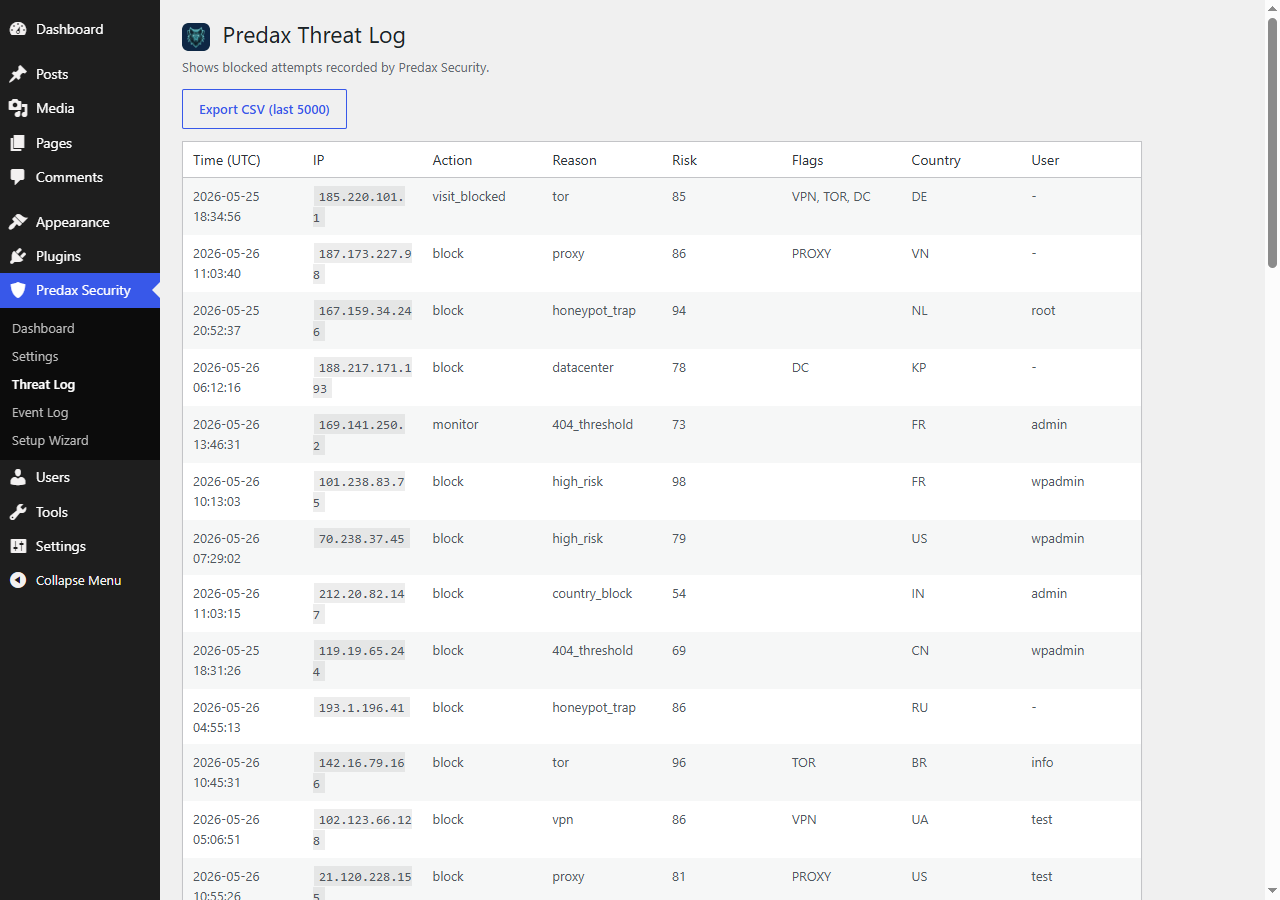
- New: Threat Log filters. Switch between Blocked, Monitored (would have blocked) and Flagged, search by IP address or prefix (203.0.113.), pick a date range, sort any column and choose the page size. The CSV export now downloads exactly the filtered view.
- Fix: a honeypot hit in "Log only" mode was recorded with the same action as a blocked one, so the log could not tell them apart.
- Fix: the JS Challenge "Suspicious IPs only" mode was saved but never applied, so the challenge was shown to every logged-out visitor. It now challenges only visitors whose verdict carries a VPN, proxy, Tor, datacenter or malicious flag or a risk score of 30 or more. Choose "All visitors" to challenge everyone except verified search crawlers - the right setting against botnets on residential addresses.
- Note: the Help page now explains that logged-in editors and administrators are never blocked by the firewall, so a test from your own logged-in browser will always get through - test from a private window.
- New: the IP ranges for Jetpack and other trusted services are now refreshed daily from Predax, so a change on the vendor side no longer waits for a plugin update. The built-in list remains as the offline fallback and is never removed by a sync.
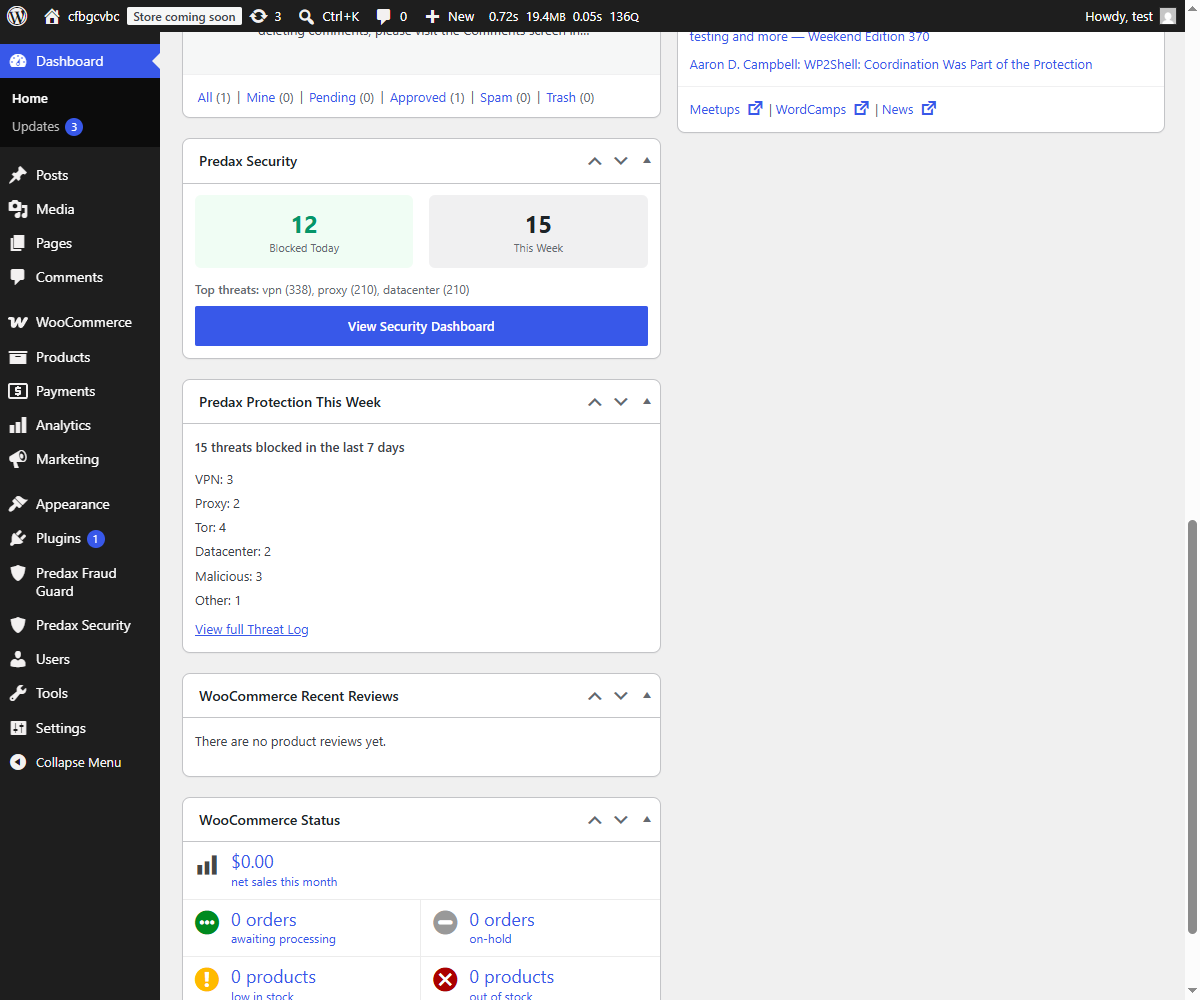
- Changed: one compact Predax widget on the WordPress Dashboard instead of two. The attack-versus-your-own-rules breakdown moved to the plugin's own dashboard page as "Attacks vs Your Own Rules".
- Fix: the "top threats" list on the dashboard was all-time while the counts beside it were for the week, so the numbers did not add up. It is now the last 7 days.
- Note: verified search-engine crawlers (Googlebot, Bingbot and others verified by IP or reverse DNS) are no longer counted against your Predax plan allowance. A visitor merely claiming to be Googlebot is still counted.
- Fix: the firewall treated every request to xmlrpc.php as an attempted file probe, so Jetpack, the WordPress mobile apps and backup services were blocked on any site with the firewall on -- no matter how XML-RPC protection was configured, including when it was switched off. Requests for leaked copies (xmlrpc.php.bak and similar) are still blocked.
- Fix: the IP allow-list is now honoured for XML-RPC. Previously "Disable all XML-RPC" and "Block amplification" ignored it, so an allow-listed client was still refused.
- New: Jetpack is recognised automatically from Automattic's published IP ranges when Jetpack is installed, so it keeps working without adding anything to the allow-list. Recognised services are exempt from category rules (VPN, datacenter, country, risk score) only -- they are still blocked by the firewall, the malicious-IP feed and your own blocklist.
- Fixed: the allow-list was ignored by the user-enumeration protection. If "Block user enumeration" was switched on, author pages and the REST users endpoint were refused for logged-out visitors even when their address was on the allow-list. This was separate from the allow-list problems fixed in 1.17.0, which is why it could still bite after updating. The allow-list is meant to be absolute, and now is.
- Fixed: the comment honeypot could also refuse an allow-listed address. No effect on normal visitors, but it was the last place where "never blocked" was not quite true.
- Fixed: adding your own IP address to the allow-list did not always take effect. A saved decision about a visitor was kept for up to an hour, and allow-listing someone failed to clear it, so page views kept being refused even though the allow-list was correct. Allow-listing an address now takes effect immediately, whether you save it in Settings or use the Allow button in the Threat Log.
- Fixed: an allow-list or block-list entry could be ignored when your site is reachable over both IPv4 and IPv6. The same visitor can arrive in two different notations, and only one of them was being matched. Single addresses and ranges now match either notation.
- New: the IP Allow-list setting now shows the address your site currently sees you as, with a button to add it. Copying your address from an external "what is my IP" service can give you the wrong one, which is what made allow-listing yourself unreliable.
- New: a clear warning on your plugin screens when Predax is refusing your API key - most often because the account's email address has not been verified yet. Previously screening simply stopped and nothing said so, leaving visitors unchecked with no indication anything was wrong.
- Fixed: the text in the Community Threat Network consent box, and in the privacy notices either side of it, was too faint to read during setup. All of it now meets the standard contrast level.
- Improved: the plugin's name now describes what it does - VPN, proxy, Tor and bot blocking, plus the firewall. No settings or behaviour change.
- New: a Help page, in the Predax Security menu. Plain-English explanation of every setting, what to choose, and what to do when something is blocked that should not be. It is stored in the plugin, so it works even if your site cannot reach the internet.
- New: optional log retention. The Threat Log and Event Log can now be tidied up automatically. This is OFF by default - nothing is deleted until you choose a number of days under Settings -> Notifications. Once set, the plugin tells you exactly how many entries are affected and waits seven days before deleting anything.
- New: a reminder on your plugin screens when an API key is saved but visitor screening is still switched off, so a half-finished setup no longer sits unnoticed.
- Security: the Threat Log CSV export now neutralises spreadsheet formulas. Attacker-supplied text in a log entry could previously be interpreted as a formula when the file was opened in Excel or Sheets.
- Security: the firewall could be skipped by a request whose address merely contained "/wp-admin". Exemption is now based on being a logged-in user with editing rights, not on the address.
- Fixed: uninstalling Predax Security removed the settings of Predax Fraud Guard for WooCommerce if both were installed. It now leaves the other plugin alone.
- Fixed: Apple Private Relay and Cloudflare WARP are no longer caught by the datacenter rule, so iPhone visitors are not refused.
- Fixed: AJAX requests from visitors who are not logged in were exempt from IP screening.
- Fixed: the failed-login counter could undercount when many attempts arrived at once, letting an attacker exceed the configured limit before the lockout applied.
- Fixed: the automatic block list is now capped at 5,000 addresses. Addresses you added yourself are never removed.
- Fixed: the dashboard and the WP-CLI status command showed the firewall, Tor and VPN settings as off when they were on.
- Improved: the plugin is now fully translatable. The bundled translation template was previously almost empty, so translations had nothing to work from.
- New: disposable-email screening now checks a continuously updated list of thousands of throwaway providers instead of the short built-in list. Enable it under Settings -> Registration. Only the DOMAIN part of the address is checked (for example "gmail.com") - the address itself, and everything before the @, never leaves your site. The built-in list is still consulted first and still applies if the API is unreachable, so no site loses a block it had before.
- New: registrations from a domain that cannot receive mail, or with a machine-generated mailbox name, are recorded in the Threat Log. Both are flag-only signals and never block anyone on their own.
- Improved: a visitor already blocked by their IP address no longer triggers an email lookup as well - faster registrations and less of your plan allowance spent.
- Fixed: a malformed email domain could previously cause repeated API errors that temporarily paused IP screening. Malformed domains are now rejected on your own server and never sent.
- Note: email-domain lookups count towards your Predax plan allowance. Results are cached for six hours per domain.
- New: independent allow/block switches for search engines (Googlebot, Bingbot, DuckDuckBot, Applebot), AI crawlers (GPTBot, OAI-SearchBot, ChatGPT-User, ClaudeBot, PerplexityBot) and SEO crawlers (AhrefsBot), in Settings → Protection → Crawler Policy.
- Enforcement uses the IP ranges each operator publishes — verified identity, not the user-agent header — so unlike robots.txt (a request) or user-agent blocking (trivially faked), a blocked crawler is actually turned away. A visitor merely claiming a crawler's user-agent is neither blocked nor allowed by this policy; your normal rules apply to them in full.
- All three switches default to Allow, so nothing changes on your site until you switch one off. Blocks appear in the Threat Log with their own reasons. Search-engine safety
- Fix: verified search engine crawlers are no longer served the JavaScript Challenge page. That page returns HTTP 200 with no real content, so a challenged crawler could index "Verifying your browser…" in place of your pages. The exemption requires DNS-verified identity — a faked crawler user-agent still gets the challenge.
- Fix: crawler verification now accepts reverse-DNS names in any capitalisation, and with or without the trailing dot. Previously a legitimate crawler whose DNS answered in mixed case could be treated as fake. Privacy and control
- The Community Threat Network opt-in is now offered as an explicit, unticked checkbox in the setup wizard, with a plain-English description of exactly what is shared. It stays off by default and can be changed any time in Settings → Advanced.
- New: "Behind a proxy or CDN" setting. Leave it on (the default) if your site is behind Cloudflare, a CDN or any reverse proxy. Turn it off if visitors reach your server directly, so forwarded IP headers — which a visitor can fake — are ignored in favour of the real connecting address. Housekeeping
- The plugin now identifies itself and its version in its API requests.
- reCAPTCHA verification failures caused by a network error reaching Google are now recorded in the Threat Log instead of passing silently, and the fail-open behaviour can be changed with the
ipsentry_recaptcha_fail_openfilter. - Removed two settings that were registered but no longer had any effect.
- Corrected the documented cache lifetime: results are cached between 5 minutes and 1 hour per IP, following the lifetime the API recommends.
- The firewall now inspects large form submissions. Previously, if a request's form fields totalled more than 8KB, every firewall rule except the user-agent check was skipped - so an attack in the URL or a form field went uninspected and unlogged if any other field on the page was large. Attacks hidden inside an oversized single field are now inspected too.
-
Note: because these requests were never inspected before, a very long submission (a lengthy comment or contact-form message) that contains code-like text - backticks,
$(...), or<scriptwritten in prose - may now be blocked where it previously slipped through. This is the same behaviour shorter submissions have always had. Allow-listing now takes effect immediately -
Clicking Allow on a blocked visitor now unblocks them straight away. Previously only ordinary page views recovered; the visitor's REST (
wp-json) and XML-RPC requests kept being refused for up to an hour, which broke comment forms, block themes and app access for someone you had just allowed. - Adding an IP to the allow-list on the Settings page now does the same. Previously it had no immediate effect at all, making the allow-list look broken. Brute-force protection
- Fixed the risky-IP login limits not applying. Login protection was reading a cached verdict that nothing wrote any more, so an attacker on a VPN, proxy or Tor exit was given the relaxed limit for clean addresses instead of the stricter one, and no auto-blacklist followed. Reporting
- The dashboard no longer counts monitored or flagged visitors as blocks (measured on real data, this removed a 13.6% over-count), and now correctly counts auto-blacklist and temporary lockouts, which were being missed.
- The hardening score now reflects the XML-RPC setting. It was reading an option the settings screen has not written since 1.10.0, so hardening XML-RPC never moved the score.
- Risk levels now match the bands the Predax API actually issues.
- Fingerprint events now respect the "event tracking" setting instead of being recorded regardless.
-
Fixed a custom block-page title showing escaped characters (an apostrophe appearing as
'). Efficiency - Predax Security and Predax Fraud Guard now share one cached verdict per visitor, so a site running both no longer spends two checks on the same person.
- Cached verdicts now follow the lifetime the API recommends (up to an hour) instead of a fixed five minutes, which significantly reduces how much of your allowance a busy site uses.
- The cache key now covers the whole request rather than the IP alone, so one visitor's result can no longer be served to a different visitor behind the same network. Housekeeping
- Uninstall now cleans up correctly on multisite networks (per-site tables and options were previously left behind) and removes leftover lookup locks.
- Added optional automation-detection scoring based on browser header consistency. It only scores and never blocks; enforcement is not enabled.
- New one-time notice confirming your first blocked threat, so a fresh install shows evidence it is working.
- Tested up to WordPress 7.1.
- Fix: hitting your plan's DAILY check limit no longer reports it as the monthly limit. The notice used to say screening was paused "until your quota resets on the 1st" when it actually resumes at midnight UTC the same day - up to a month of wrong information at the moment it matters most. It now names the right limit and tells you the exact time screening resumes.
- Improved: fewer API checks are used for the same visitors. When several requests for one visitor arrive at the same time (a page load often makes several), the plugin now performs a single lookup and shares the result instead of one lookup per request. Busy sites will notice their daily allowance lasting longer.
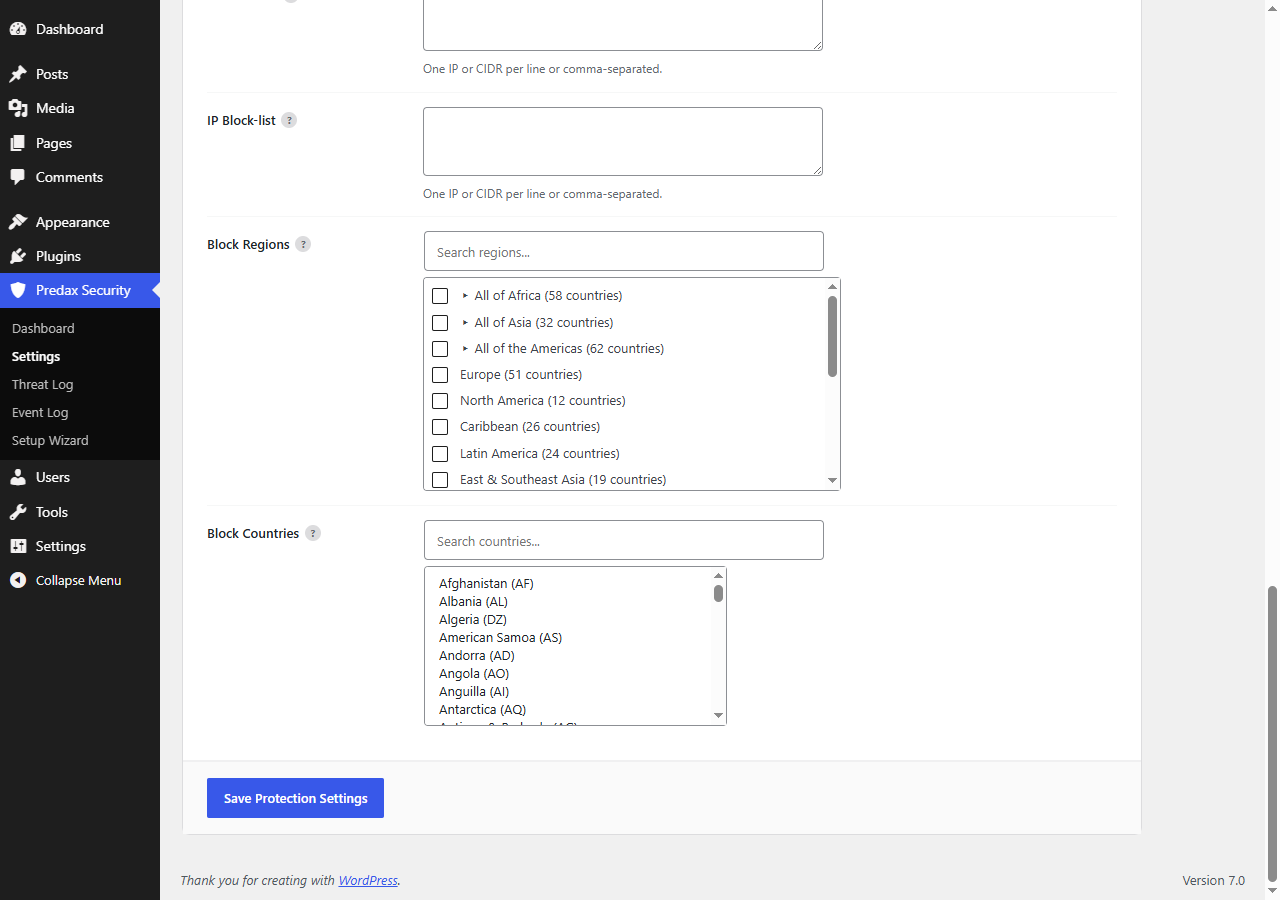
- Fix: region blocking now saves "All of Africa", "All of Asia" and "All of the Americas" selections. Previously they were silently discarded on save - the checkbox reverted and no visitors from those regions were ever blocked, with no error shown.
- Fix: re-running the Setup Wizard and choosing "Monitor Only" now also switches off known-malicious IP blocking. Previously that one rule stayed on if a stricter preset had enabled it, so a preset promising to block nothing kept blocking.
- Fix: the "Blocked Today" / "This Week" dashboard widget no longer counts monitored or flagged visitors as blocks - it now reports only visitors who were actually blocked.
- Fix: the weekly protection widget now counts auto-blacklisted attackers and brute-force lockouts, which it previously listed as categories but could never actually count.
- New: an invitation to join the Community Threat Network now appears on your dashboard, with a one-click opt-in. Sites in the network warn each other, so an attacker stopped on another Predax site is already known to yours. It remains entirely opt-in and was previously easy to miss - it lived only as a toggle in Settings.
- Improved: clearer wording about exactly what is shared - the attacking IP address and the reason it was blocked, never visitor personal data and nothing about your site.
- Security: the firewall now runs on every request. It previously ran last, so any visitor the other rules had already judged skipped it entirely - including VPN visitors on the Recommended preset, where VPN is set to monitor. Attacks from those visitors were not inspected or logged.
- Security: the firewall is no longer skipped for an hour after a visitor's first clean request. Visitor results are cached to keep your site fast; that cache described the visitor, not the request, so it was letting later attacks through uninspected.
- Security: the firewall now keeps working when the Predax API is unreachable. An outage previously disabled it, even though it runs entirely on your own site.
- Fix: VPN visitors were being blocked as "datacenter". Because VPN servers live in datacenters, the datacenter rule ran first and caught them — so turning "Block VPN" off did nothing, and the Threat Log showed "datacenter" instead of "VPN". VPN and proxy are now checked first, so your toggles work and the log names the real reason.
- Fix: visitors set to "monitor only" for VPN are no longer blocked when datacenter blocking is on.
- Fix: the dashboard's Recent Blocks list showed "Monitored" for visitors who were actually blocked. Only locally-triggered blocks were recognised; blocks based on IP intelligence were mislabelled.
- Fix: sites in the Community Threat Network were reporting every visitor as having no VPN/proxy/Tor/datacenter signal, so shared intelligence was based on incomplete data.
- Fix: honeypot-triggered blocks were shown as "Monitored" on the dashboard.
- Fix: the [ipsentry_badge] shortcode counted only locally-triggered blocks, so most sites displayed zero.
- Improved: block page reference codes are now readable — "DATACENTER_BLOCK" instead of "DC_BLOCK", "FIREWALL_SQL_INJECTION" instead of "WAF_SQLI", and so on.
- Fix: verified search engines (Googlebot, Bingbot) are no longer blocked. On the Strict preset the datacenter rule was blocking them, which over time removes a site from search results.
- New: visitors blocked by a category rule can tell you they're genuine. Reports appear on the Threat Log with full risk detail, and you can allow the IP in one click.
- New: allow any IP directly from the Threat Log.
- New: tell us why you're deactivating, so we can fix it.