VBULKiT - Bulk Edit Variations for WooCommerce
| 开发者 | ithemelandco |
|---|---|
| 更新时间 | 2026年7月26日 01:27 |
| 捐献地址: | 去捐款 |
| PHP版本: | 8.0.3 及以上 |
| WordPress版本: | 7.0 |
| 版权: | GPLv3 |
| 版权网址: | 版权信息 |
详情介绍:
- Filter variations by product, attribute, price, stock status, and more
- Instantly find exactly what you want to edit
- Ideal for complex catalogs with multiple variations ⏱️ Scheduled Variation Updates
- Schedule bulk variation changes to run at a defined time
- Great for future price changes or timed promotions
- Automate variation updates without manual timing ⚙️ Background Processing
- Run heavy bulk operations in the background
- Keeps your store responsive while editing
- Optimized for WooCommerce performance 📊 Big Data Ready
- Efficient handling of thousands of variations
- Suitable for stores with large catalogs
- Scalable and performance-focused
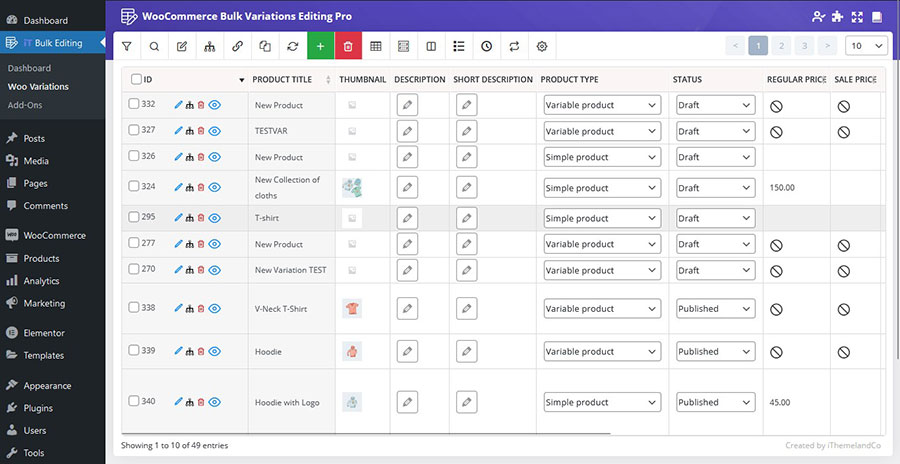
- ✅ View All Variations: See all your product variations from across your entire catalog in one single, powerful table.
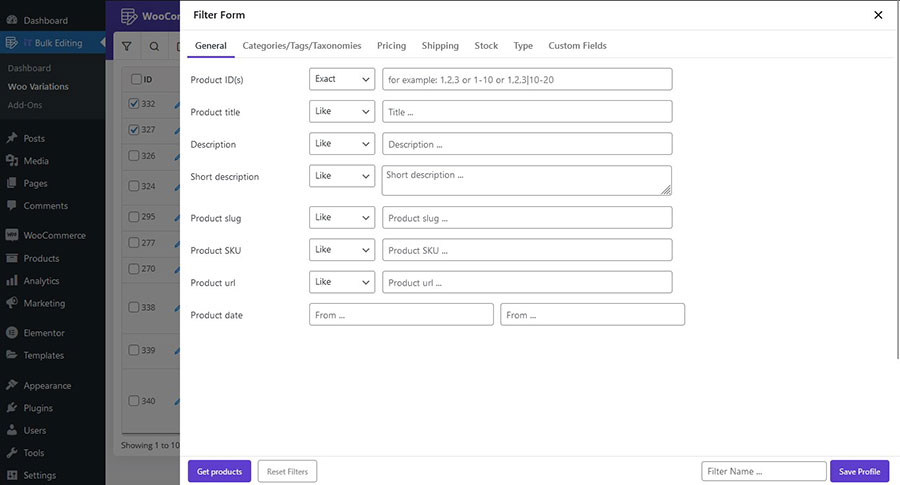
- ✅ Advanced Filtering: Find the exact variations you need to edit by filtering by product title, SKU, attributes, and more.
- ✅ Bulk Edit Stock: Instantly update the stock quantity and stock status for thousands of variations at once.
- ✅ Simple Price Editing: Quickly set a new Regular Price or Sale Price for your filtered variations.
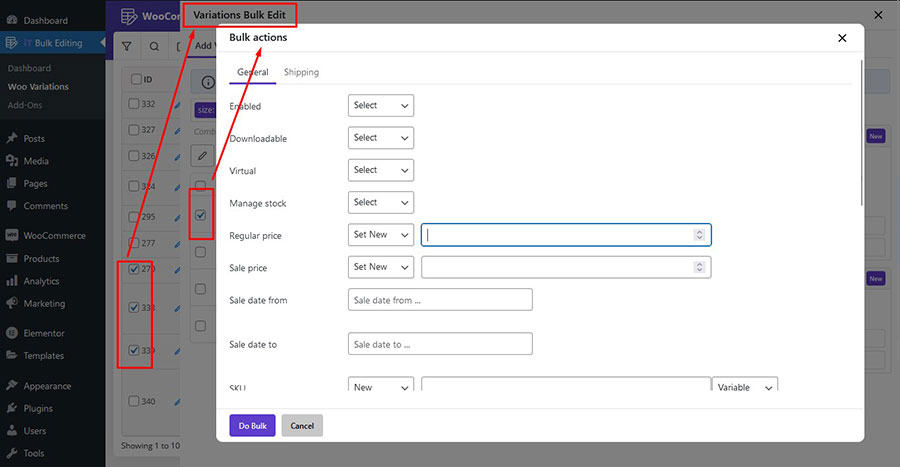
- 🎯 Edit ANY Variation Field: Get unlimited access to bulk edit every field, including price, stock, weight, dimensions, shipping class, tax class, attributes, and even the variation image.
- 🔄 Undo / Redo & History: Never worry about mistakes again. View a complete history of all changes and revert any operation with a single click.
- ⏱️ Scheduled variation updates
- ⚙️ Background processing for heavy operations
- 📊 Big data optimization for large catalogs
- ➕ Advanced Bulk Price Updates: Apply complex price changes. Increase or decrease prices by a percentage (%) or a fixed dollar amount ($), and even round to the nearest value.
- ✍️ Append, Prepend, & Replace Text: Easily add text to the beginning or end of SKUs and other text fields in bulk.
- 💾 Save Your Filters: Save your complex search queries to reuse them later for recurring tasks.
- 🗑️ Bulk Delete Variations: Clean up your store by bulk deleting old or unnecessary variations based on your filters.
安装:
- Upload the plugin files to the
/wp-content/plugins/ithemeland-bulk-variation-editing-for-woocommercedirectory, or install the plugin through the WordPress plugins screen directly. - Activate the plugin through the 'Plugins' screen in WordPress.
- After installation, a new "iT Woo Variation" menu will be added to your admin dashboard.
屏幕截图:
常见问题:
How is this different from editing variations within a product?
The standard WooCommerce interface requires you to open each product individually and then edit variations one by one. Our plugin lets you see and edit ALL variations from ALL products on a single screen, turning a task that could take hours into one that takes minutes.
Can I update the price of all "Large" variations across my store?
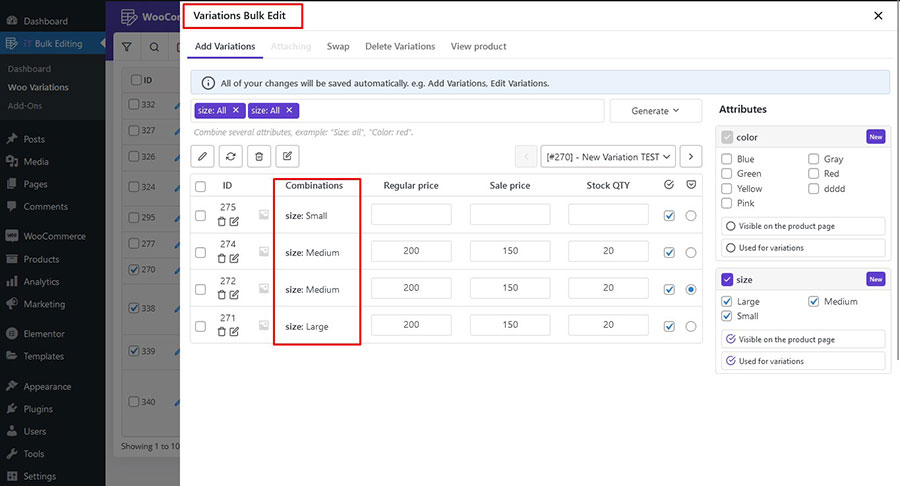
Yes! You can use the advanced filter to find all variations with the "Large" attribute and then use the bulk edit form to update their price, stock, or any other field all at once.
What happens if I make a mistake while editing?
The Pro version includes a comprehensive History tab that tracks every single bulk operation. If you make a mistake, you can simply find the action in the history and click "Undo" to revert the changes instantly.
Can I see a live demo before I decide?
Absolutely. We highly recommend you try the full power of the Pro version on our live demo site.
更新日志:
- Tested up to: WP 7.0.2
- Tested up to: Woo 10.9.4
- Fixed Some Issues
- Tested up to: WP 7.0
- Checked plugin with Plugin Check
- Fixed Some Issues
- Tested up to: WP 7.0
- Tested up to: Woo 10.7
- Fixed Some Issues
- Added Schedule review on Schedule list
- Tested up to: WP 6.9
- Tested up to: Woo 10.4.X
- Fixed Some Issues
- Fixed Rank Math Compatible issue
- Fixed Some Issues
- Fixed Some Issues
- Tested up to: WP 6.8.3
- Tested up to: Woo 10.2.X
- Fixed Some Issues
- Fixed some important issues
- Fixed Bulk edit Regular & Sale Price
- Fixed Some Issues
- Changes to the core plugin
- Implementing important security changes
- Tested up to: WP 6.8.x
- Tested up to: Woo 9.8.X
- Fixed Some Issues
- Updated Support RTL themes
- Fixed WP 6.7
- Fixed Some Issues
- Tested up to: WP 6.6.x
- Tested up to: WC 9.3.x
- Fixed Some other issues
- Fixed Change price for same products
- Tested up to: WP 6.4.2
- Tested up to: WC 8.4.0
- Fixed Some other issues
- Hello World!