
iTransparent – Media Background Remover
| 开发者 |
fareeddaar
thefareeddaar |
|---|---|
| 更新时间 | 2026年10月26日 00:03 |
| PHP版本: | 7.4 及以上 |
| WordPress版本: | 7.1 |
| 版权: | GPLv2 or later |
| 版权网址: | 版权信息 |
详情介绍:
- WooCommerce product images
- logos and graphics
- marketing assets
- agency workflows
- content creators and site managers Current features:
- One-click background removal from the attachment edit page
- Live processing spinner while the image is being processed
- Preview the transparent result before saving
- Save to Media Library with a single click
- Processed images are clearly marked and won't show the remove button again
- Creates a new processed image without replacing the original
- Supports JPG, PNG, and WebP input files
- Outputs transparent PNG or WebP
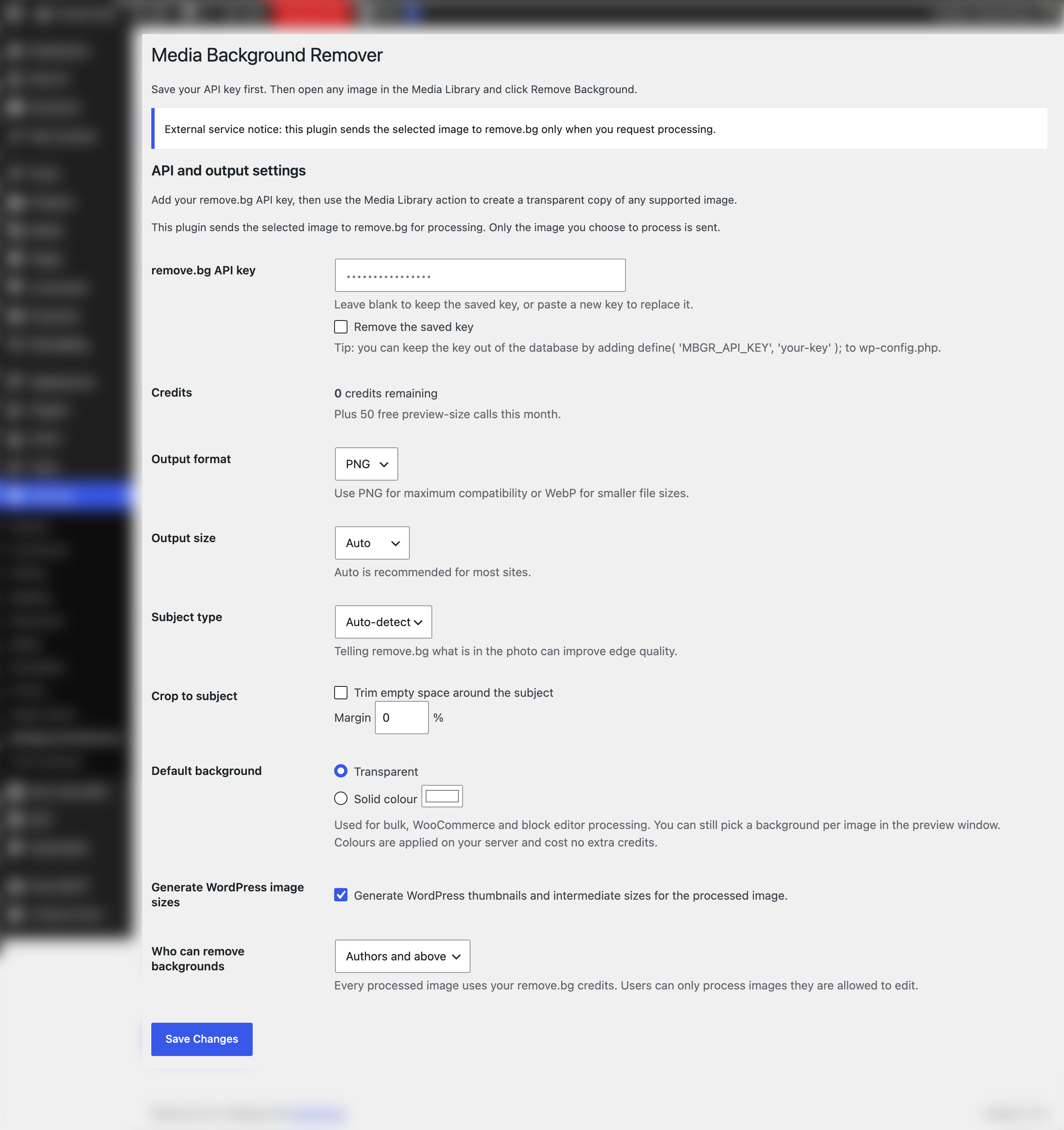
- API key settings page
- Lightweight workflow focused on the WordPress admin
- Bulk background removal from Media Library list view, processed in the background
- Before/after comparison slider in the preview
- Solid colour backgrounds (white, black or any colour) applied on your server at no extra credit cost
- Crop to subject with adjustable margin, and subject type hints (product, person, car)
- WooCommerce: process a product's image and gallery in one click, bulk-process products, or auto-process new product images
- Block editor: "Remove background" button in the Image block toolbar
- Remaining remove.bg credits shown on the settings page
- Media Library filter for processed and unprocessed images
- Choose which user roles can remove backgrounds
- Keep your API key in wp-config.php with the MBGR_API_KEY constant
安装:
- Upload the plugin ZIP through Plugins > Add New > Upload Plugin.
- Activate the plugin.
- Go to Settings > Background Remover.
- Enter your remove.bg API key.
- Save settings.
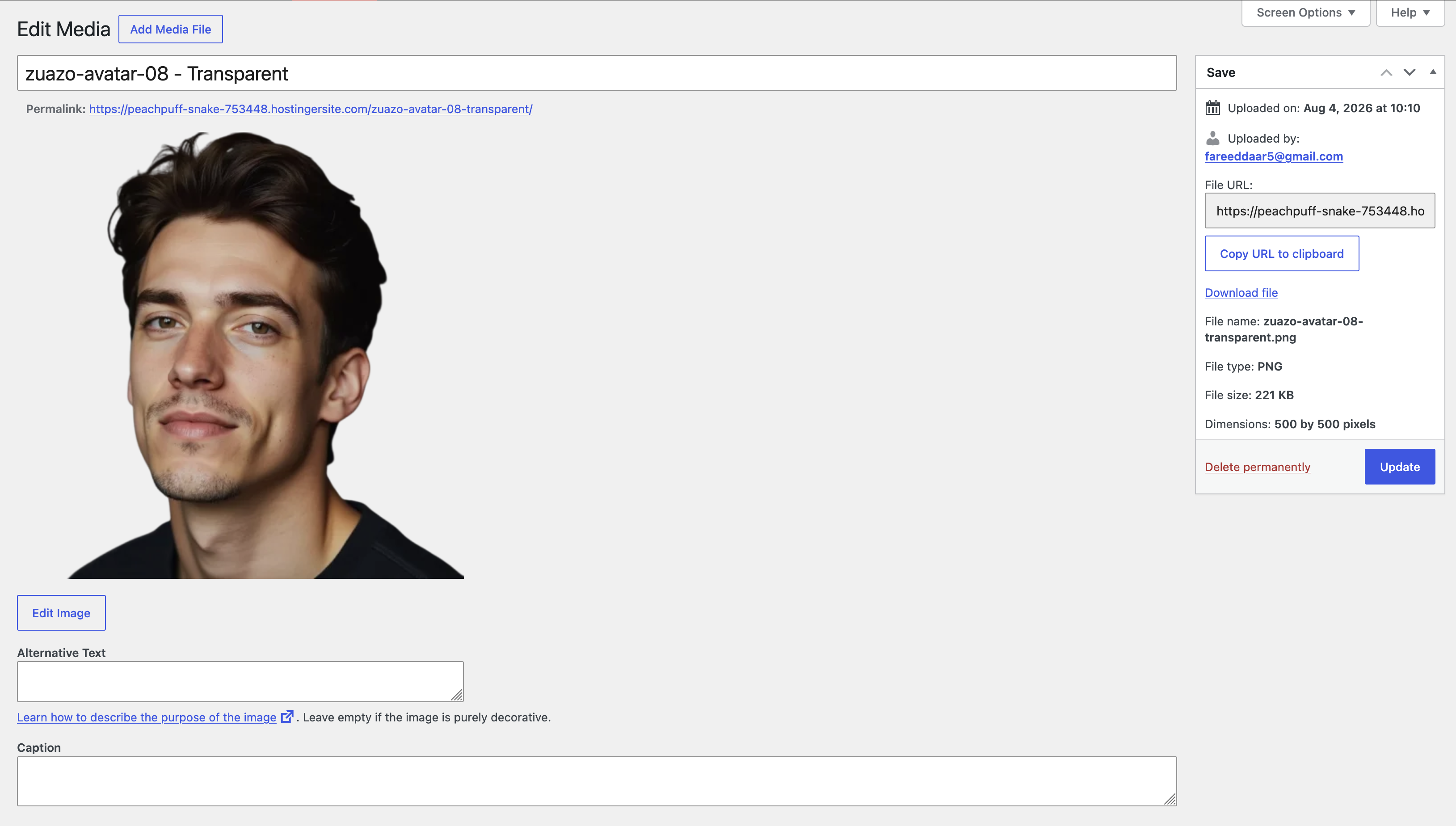
- Open Media > Library and click on any image.
- Click "Remove Background" and wait for the result.
- Click "Save to Media Library" to keep the transparent image.
屏幕截图:


常见问题:
Does this replace my original image?
No. The plugin creates a new processed image and keeps the original image untouched.
Which image formats are supported?
Supported input formats:
- JPG / JPEG
- PNG
- WebP Supported output formats:
- PNG
- WebP
Do I need an API key?
Yes. A valid API key from remove.bg is required.
Does it work in Grid View?
Yes. Open any image from Grid View and click Remove Background in the attachment details. List View also has a Remove Background row action.
Can I process many images at once?
Yes. In Media > Library list view, select images, choose "Remove Background" from the Bulk actions menu and click Apply. Images are processed in the background using WP-Cron, and progress is shown at the top of the Media Library.
Does it work with WooCommerce?
Yes. Each product edit screen has a Background Remover box that processes the product image and gallery. You can also bulk-process products from the Products list, and optionally process new product images automatically. By default the processed copies replace the product's images; the originals stay in the Media Library.
Can I add a white background instead of transparency?
Yes. Choose a background colour in the preview window, or set a default in Settings > Background Remover. Colours are added on your server, so they do not use extra remove.bg credits. This needs the GD image library, which most hosts provide.
How do I keep my API key out of the database?
Add this line to wp-config.php: define( 'MBGR_API_KEY', 'your-key' );
Why is the output image smaller than the original?
The free tier of remove.bg limits output to 0.25 megapixels (preview quality). Upgrade to a paid plan and set the size to "auto" in Settings > Background Remover to get full-resolution output.
更新日志:
- The plugin is now called iTransparent – Media Background Remover. Same plugin, settings and images; only the name changed.
- New plugin banner and icon
- New: bulk background removal from Media Library list view, processed in the background with progress notices
- New: WooCommerce integration (product edit box, Products bulk action, optional automatic processing, swaps in processed images)
- New: Image block toolbar button in the block editor
- New: before/after comparison slider in the preview
- New: solid colour backgrounds applied on your server, with a default in settings
- New: crop to subject with margin, and subject type setting
- New: remaining credits shown on the settings page
- New: Media Library filter for processed, has-copy and unprocessed images
- New: setting to choose which roles can remove backgrounds, plus mbgr_required_capability filter
- New: MBGR_API_KEY constant support for wp-config.php
- New: mbgr_api_fields filter and mbgr_queue_item_processed action for developers
- Already-processed copies can no longer be sent for processing again
- Security: users can only process images they are allowed to edit
- Security: preview tokens are tied to the user who created them
- Security: the saved API key is no longer printed into the settings page HTML
- Prevents double-spending API credits when the button is clicked twice
- Unsaved previews are discarded on close and cleaned up automatically
- Processed copies inherit the original image's alt text
- Deleting a processed copy now unlinks it from the original
- Validates that the API returned an image; clearer rate-limit message
- Assets now load only on Media screens
- Added Settings link on the Plugins screen
- Removed duplicate "Settings saved" notice
- Simplified UX: click → loader → preview → save. No options step.
- Two-step AJAX: preview first, save to library on confirmation
- Processed images are now clearly marked and won't show the remove button
- Processed image attachment page shows "This is a processed transparent image" with link to original
- Hover overlay button hidden on processed images
- Removed per-image options (size, format, thumbnail toggles) — uses saved settings
- Removed sizes table and per-size download from result popup
- Added retry button on error
- Save button shows inline saving state
- After saving, remove background buttons are hidden on the current page
- Added AJAX-powered modal for removing backgrounds on the attachment edit page
- Live spinner and progress feedback while the image is processing
- Result popup shows the processed image with all available dimensions
- Download individual sizes or the full-size transparent image directly
- Output size, format, and thumbnail generation options selectable per image
- Hover overlay button on the image preview for quick access
- Processed images now saved as filename-transparent.png (was -no-bg)
- Removed direct cURL usage; all API calls now use the WordPress HTTP API
- Added duplicate processing guard to prevent accidental double-clicks
- Expanded uninstall cleanup to remove all plugin post meta and transients
- API key field now uses a password input for visual security
- Fixed orphaned thumbnail files when size generation is disabled
- Removed deprecated load_plugin_textdomain call and nonexistent Domain Path header
- Updated Tested up to 7.0
- Removed Plugin URI to avoid duplicate URI review issues
- Added uninstall cleanup for plugin settings
- Added privacy policy helper content and clearer external service disclosure
- Tightened sanitization for request and settings values
- Added bundled admin stylesheet and updated readme metadata
- Updated plugin header and WordPress.org documentation
- Added duplicate-load protection in the main plugin file
- Added bundled admin stylesheet file
- Improved submission-readiness metadata
- Fixed activation stability issues
- Improved request handling
- Improved admin notices and settings behavior
- Improved plugin packaging safety
- Improved API request handling
- Improved settings persistence
- Initial release