
JAT Shell Scanner
| 开发者 | cptnope |
|---|---|
| 更新时间 | 2026年11月5日 23:06 |
| PHP版本: | 7.0 及以上 |
| WordPress版本: | 7.1 |
| 版权: | MIT |
| 版权网址: | 版权信息 |
详情介绍:
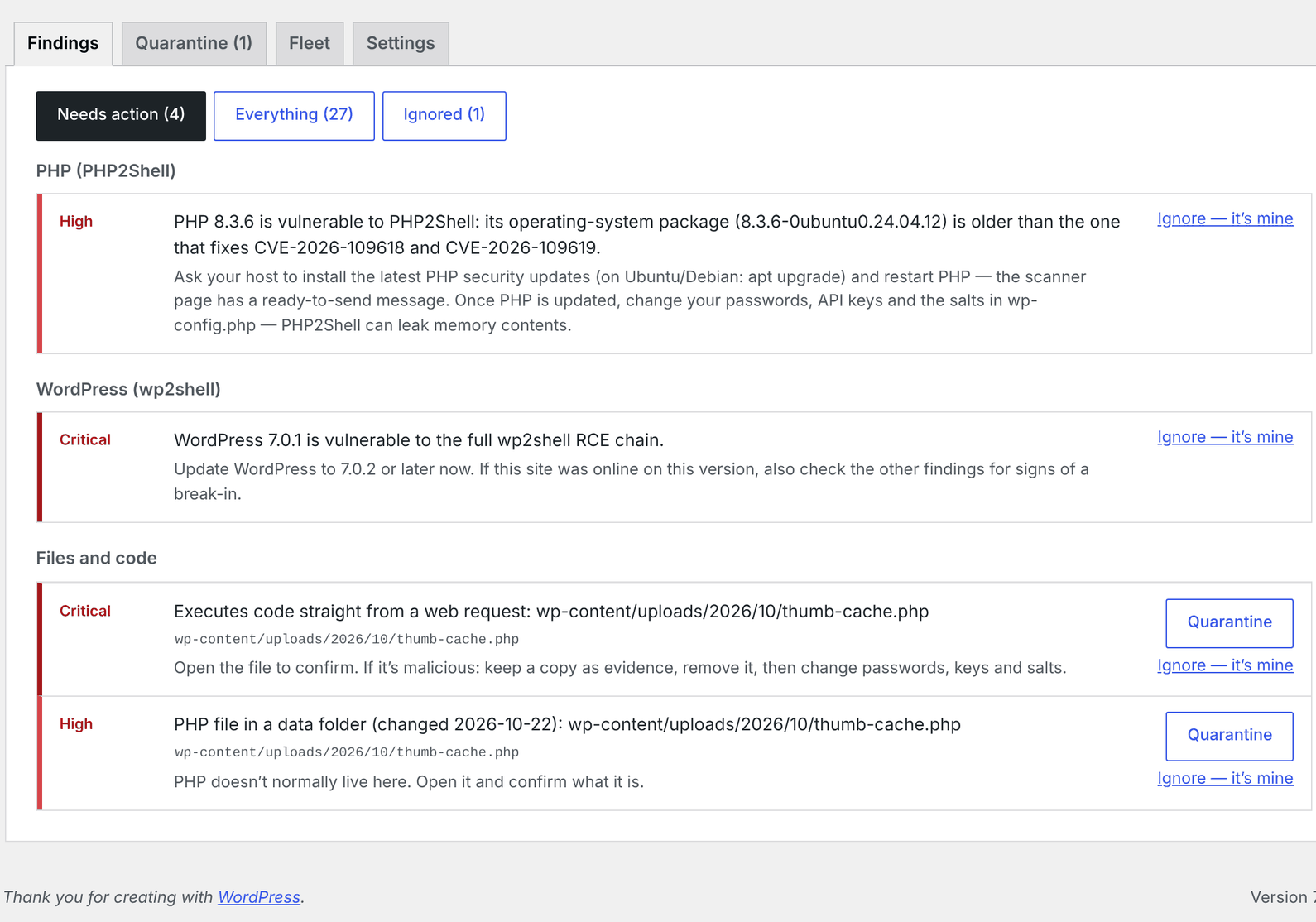
- The PHP your website runs, including Debian/Ubuntu package versions and build dates (patched without a version change), and the temporary php.ini protections
- Whether the site ran an unpatched PHP during the attack window
- PHP2Shell traces in the PHP error log; exploit tools, known attacker addresses and suspicious bursts in the access log; the /tmp/nfs second stage
- Your WordPress version, and wp2shell exploit plugins, files and traffic
- Webshell code anywhere in the site, PHP hidden in uploads, images and the site root, and PHP auto-loaded via .user.ini / .htaccess
- New or promoted administrators, roles given admin powers, application passwords
- Backdoors kept in the database: code in settings, scripts and hidden links injected into posts, scheduled tasks that carry code
- WordPress core files, and plugins from WordPress.org, against official checksums; unexplained drop-ins
- Its own files, against the checksums WordPress.org publishes for this plugin
- Works on shared hosting with short time limits — scans run in slices with a progress bar
- A ready-to-send message for your host when PHP needs updating
- Weekly or daily automatic scans with email alerts for new, serious findings
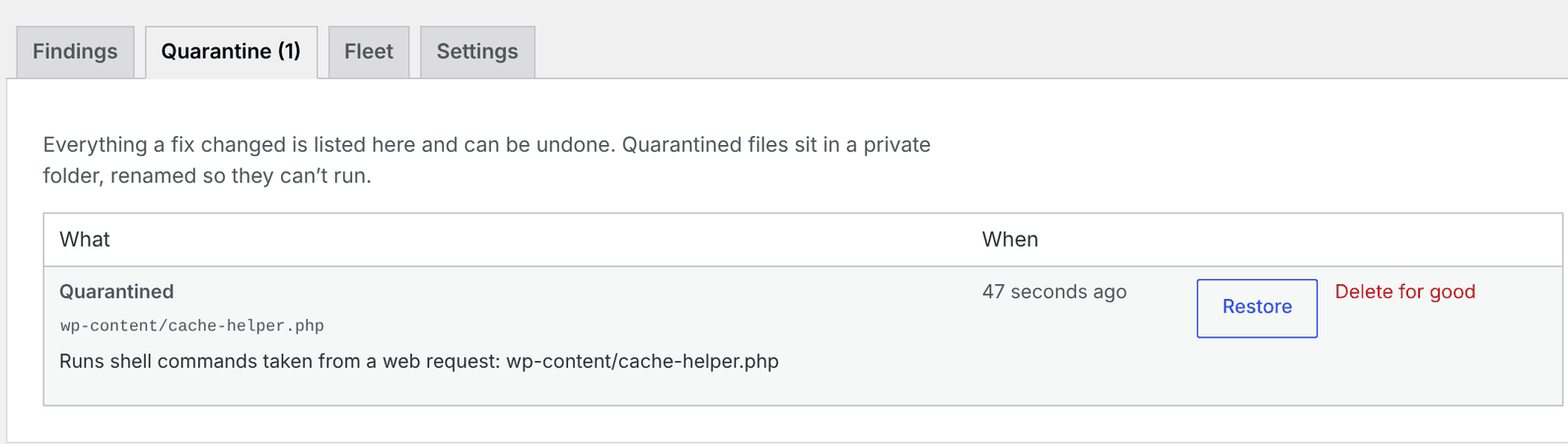
- One-click quarantine and admin removal, with undo
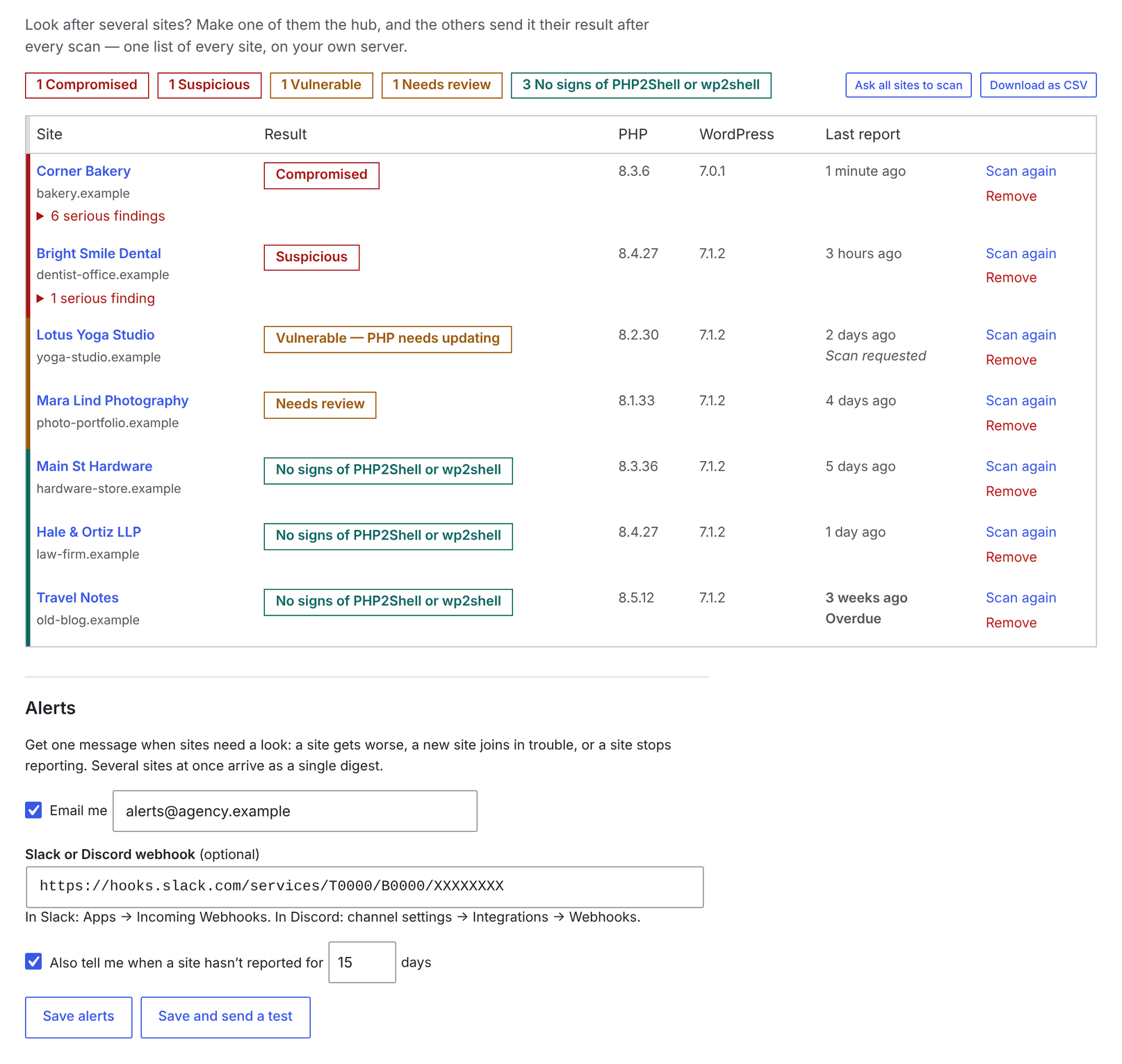
- Fleet dashboard: one hub site shows the results of all your sites, with email/Slack/Discord alerts and remote rescans
- Ignore false positives (signed, so attackers can't forge it)
- Site Health integration
- WP-CLI:
wp jat-shell scan,status,ignore,fix,quarantine,fleet - Multisite aware
安装:
- Install from Plugins → Add New Plugin (search for "JAT Shell Scanner"), or upload the zip, and activate.
- Go to Tools → JAT Shell Scanner and click Scan now.
屏幕截图:
常见问题:
Will it change or delete my files?
Scans never do. Only if you click a fix button does it move a file into quarantine or remove someone's admin rights — and you can undo either from the Quarantine tab. Quarantined files go into the plugin's own folder in uploads (uploads/jat-shell-scanner/), blocked from the web and renamed so they can't run.
It says "Vulnerable — PHP needs updating". Was I hacked?
Not necessarily. It means no signs of a break-in were found, but your server's PHP can be attacked. Send your host the ready-made message on the scanner page.
My host says PHP is patched, but the scanner disagrees.
Some hosts fix PHP without changing its version number. If your host confirms both CVEs are fixed, click Ignore on that finding.
Does it send my data anywhere?
No. See "External services" above for the only outside requests it makes.
I installed an earlier version from GitHub.
The GitHub edition updates itself from GitHub releases. To switch to this WordPress.org edition, deactivate and delete the GitHub copy, then install this one. Deleting a plugin removes its settings, scan history and quarantine, so restore anything you need from the Quarantine tab and note your fleet settings first.
Where do I report a bug or a new attack indicator?
Use the support forum. Security problems in the plugin itself: please report them privately through GitHub.
更新日志:
- Far fewer false alarms from newly installed plugins and hosts. These are now recognised instead of reported as a break-in: PHP a plugin keeps in its own uploads or cache folder, updates left half-unpacked in wp-content/upgrade, must-use files and drop-ins that only load an installed plugin, security firewalls (Wordfence, All In One WP Security, MalCare) at the site root, and host security tools that load before every page. Anything still worth a look is "needs review", not "suspicious".
- Ordinary plugin code no longer matches webshell signatures: a method named exec() or system(), or saving custom CSS from a form.
- New PHP2Shell indicators from honeypot captures (October 22–24): probe markers, webshell names (shell_<8 letters>.php), session IDs and attacker addresses.
- New wp2shell persistence indicators from an incident report: fake plugin folders, w2s_/wpsvc_ admin accounts, a hidden option, and marked wp-config.php and .htaccess blocks.
- Reminds sites to install WordPress's October 28, 2026 security release (7.1.4, 7.0.8, 6.9.11…), which fixes a race condition during core updates that could allow remote code execution.
- Renamed to JAT Shell Scanner (by Jeremy Anderson Tech).
- Quarantine now lives in the plugin's own folder in uploads (uploads/jat-shell-scanner/) instead of wp-content. Files quarantined by earlier GitHub builds can still be restored or deleted.
- Finds every folder through WordPress's own functions, so sites with moved content, plugin or theme folders are scanned correctly, including theme folders registered elsewhere.
- Fleet reports are checked in the REST permission check.
- Requires WordPress 6.2 or newer.
- Latest PHP2Shell intel: the Potassium (Mirai) botnet's second stage, servers and download names; webshell names and markers from PHP2Shell exploit kits; poisoned session files; Apache worker aborts; 34 more attacker addresses.
- Advice for CVE-2026-115560, a related PHP flaw with no fix yet: turn off session upload progress.
- Looks for backdoors in the database: code stored in settings, self-decoding scripts, invisible frames and hidden links in posts, and scheduled tasks that carry code or download scripts.
- Checks plugins from WordPress.org against their official checksums, catching a backdoor written into a real plugin's file and stray PHP files in plugin folders.
- Flags drop-ins (advanced-cache.php, object-cache.php, db.php…) changed since the attacks that don't say which plugin made them.
- Now available on WordPress.org. The WordPress.org edition updates through WordPress.org and checks its own files against WordPress.org's checksums.
- Links to documentation, support and the author on the Plugins screen and the scanner page.
- The update check no longer sends the site address to GitHub.
- Recognises the Installatron Worker (it-api.php), the temporary script IONOS and other hosts use for one-click installs.
- Hidden "data" files that can only answer 404 are no longer reported as backdoors. The full history is in CHANGELOG.md.