
JPrompt's Pixengine - Image Converter & Optimizer
| 开发者 | jprompt |
|---|---|
| 更新时间 | 2026年2月5日 17:33 |
| PHP版本: | 7.4 及以上 |
| WordPress版本: | 6.9 |
| 版权: | GPLv2 or later |
| 版权网址: | 版权信息 |
详情介绍:
- Auto-convert JPG and PNG uploads to WebP or AVIF
- Choose WebP only, AVIF only, or both formats
- Smart resizing for images over configurable width
- Maintains aspect ratio automatically
- Preserves transparency for PNG images
- Converts all WordPress thumbnail sizes AVIF Support (New in 1.1.0)
- Next-generation AVIF format with superior compression
- Up to 50% smaller files than WebP
- Automatic browser detection and fallback
- Requires PHP 8.1+ or Imagick with AVIF support Superior Compression
- Uses Imagick (when available) for best compression
- Strips unnecessary metadata (EXIF, profiles)
- Optimized settings for 40-70% file size reduction
- Fallback to GD library with optimization
- Separate quality controls for WebP and AVIF Lazy Loading (New in 1.1.0)
- Native browser lazy loading support
- Exclude first N images (above-the-fold)
- Improves initial page load performance
- Works with post content, thumbnails, and attachments Responsive Images (New in 1.1.0)
- Automatic srcset optimization
- Optional picture element wrapping
- Format fallback: AVIF > WebP > Original Caching Integration (New in 1.1.0)
- Configurable cache headers via .htaccess
- Browser caching for repeat visits
- Immutable cache-control for static images Bulk Conversion
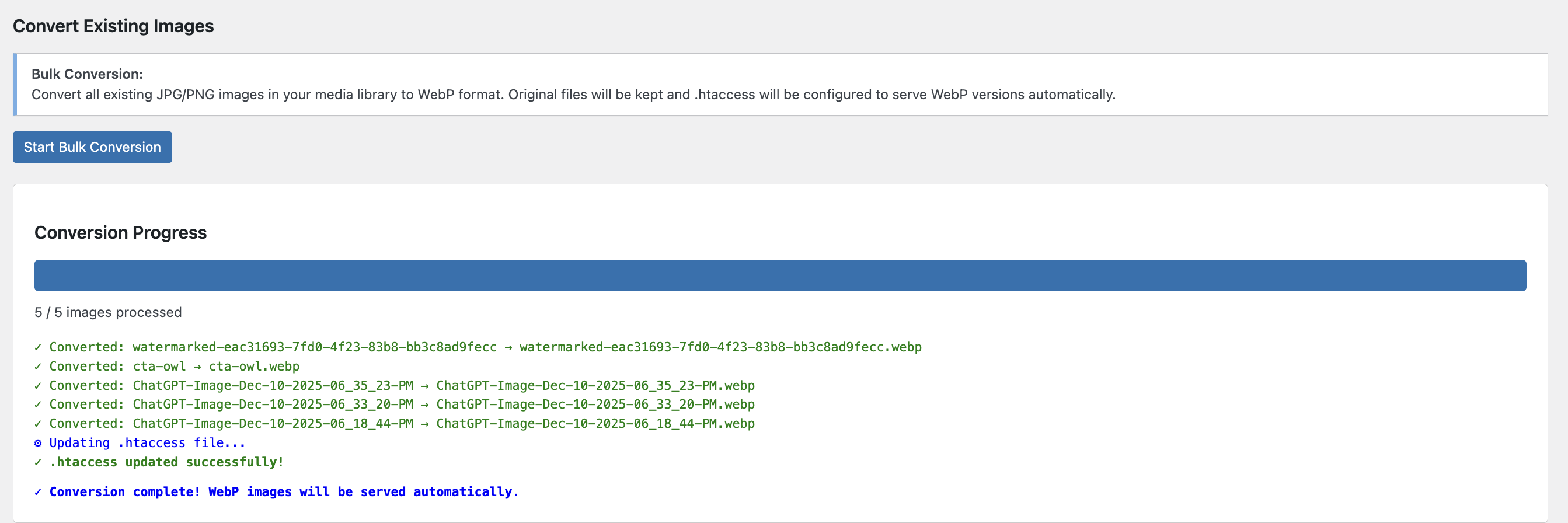
- Convert existing media library images
- Keeps original files for compatibility
- Automatic .htaccess configuration
- Browser-based optimized image delivery
- Progress tracking with detailed logging
- E-commerce - Faster product page loading
- Photographers - Portfolio optimization
- Bloggers - Quick page loads, better SEO
- News Sites - Handle high-volume image uploads
- Agencies - Client site optimization
- Developers - Performance-first development
- 40-70% smaller file sizes compared to JPG/PNG
- Faster page load times - Better Core Web Vitals
- Improved SEO rankings - Page speed is a ranking factor
- Reduced bandwidth costs - Smaller files = less data
- Better mobile experience - Faster loads on slow connections
- Green hosting - Lower carbon footprint
- Upload JPG or PNG image
- Plugin resizes if width > 1920px (configurable)
- Converts to WebP with optimized compression
- Strips metadata for smaller files
- Original deleted (saves storage)
- All thumbnails converted to WebP Existing Images (Bulk):
- Click "Start Bulk Conversion"
- Converts all JPG/PNG in media library
- Keeps originals for compatibility
- Updates .htaccess for automatic WebP delivery
- Browsers that support WebP get optimized images
- Older browsers get original JPG/PNG
- Primary: Imagick with method 6 (best compression)
- Fallback: GD with alpha channel preservation
- Automatic metadata stripping
- Configurable quality settings (1-100)
- Smart resizing with LANCZOS filtering WebP Options (Imagick):
- Method 6 compression (highest quality)
- Lossy compression for better file sizes
- Alpha quality 100 (perfect transparency)
- Auto-filter optimization
- Lossless option available Browser Compatibility:
- Automatic .htaccess rules for serving WebP
- Fallback to original JPG/PNG for older browsers
- Supports Chrome, Firefox, Edge, Safari 14+, Opera
- Mobile browsers fully supported
- No external API calls
- All processing done on your server
- No data collection or tracking
- Minimal performance impact
- Asynchronous bulk conversion
- Progress tracking without page reload
安装:
- Log in to your WordPress admin panel
- Go to Plugins > Add New
- Search for "Pixengine"
- Click "Install Now" and then "Activate"
- Go to Settings > Pixengine to configure
- Download the plugin ZIP file
- Go to Plugins > Add New > Upload Plugin
- Select the ZIP file and click "Install Now"
- Activate the plugin
- Navigate to Settings > Pixengine
- Go to Pixengine in your admin menu
- Set your preferred quality (recommended: 75)
- Set maximum width (default: 1920px)
- For existing images, click "Start Bulk Conversion"
- PHP 7.4 or higher
- GD library with WebP support OR Imagick extension
- WordPress 5.8 or higher
- Apache with mod_rewrite (for .htaccess rules)
屏幕截图:

常见问题:
Will this work on my server?
The plugin requires either GD library with WebP support or Imagick extension. Most modern hosting providers have at least one of these. The plugin will show an admin notice if WebP is not supported.
What happens to my original images?
For new uploads, original JPG/PNG files are deleted and replaced with WebP versions (saves storage). For bulk conversion of existing images, originals are kept alongside WebP versions for browser compatibility.
Will this break my site for older browsers?
No! When you run bulk conversion, the plugin configures .htaccess to serve WebP to supporting browsers and original JPG/PNG to older browsers. It's completely automatic.
How much smaller will my images be?
Typically 40-70% smaller than original JPG/PNG files while maintaining the same visual quality. Results vary based on image content and quality settings.
Can I convert images larger than 1920px?
Yes! Images wider than the max width setting are automatically resized while maintaining aspect ratio. You can adjust the max width in settings.
What quality setting should I use?
We recommend 75 for most sites. WebP quality 75 is roughly equivalent to JPEG quality 85-90. You can go as low as 70 for maximum compression or up to 80-85 for highest quality.
Does this work with CDN?
Yes! The WebP files are stored in your WordPress uploads directory and will be served by your CDN just like any other image.
Can I use this with other image optimization plugins?
It's recommended to use Pixengine as your primary image optimizer. Disable other WebP conversion plugins to avoid conflicts.
Does this support PNG transparency?
Yes! PNG transparency is fully preserved in WebP conversion using alpha channels.
更新日志:
- NEW: AVIF format support with superior compression
- NEW: Output format selection (WebP, AVIF, or Both)
- NEW: Lazy loading integration with native browser support
- NEW: Exclude first N images from lazy loading (above-the-fold)
- NEW: Responsive image srcset optimization
- NEW: Optional picture element wrapping for format fallback
- NEW: Advanced caching headers via .htaccess
- NEW: Configurable cache duration settings
- NEW: Separate AVIF quality control
- NEW: Newsletter subscription notice
- IMPROVED: Bulk conversion now supports both WebP and AVIF
- IMPROVED: .htaccess rules now include AVIF with priority over WebP
- IMPROVED: Admin UI with new settings sections
- Initial release
- Automatic WebP conversion for new uploads
- Bulk converter for existing images
- Intelligent resizing (configurable max width)
- Imagick support for superior compression
- GD library fallback with optimization
- Metadata stripping for smaller files
- .htaccess automatic configuration
- Transparency preservation for PNG
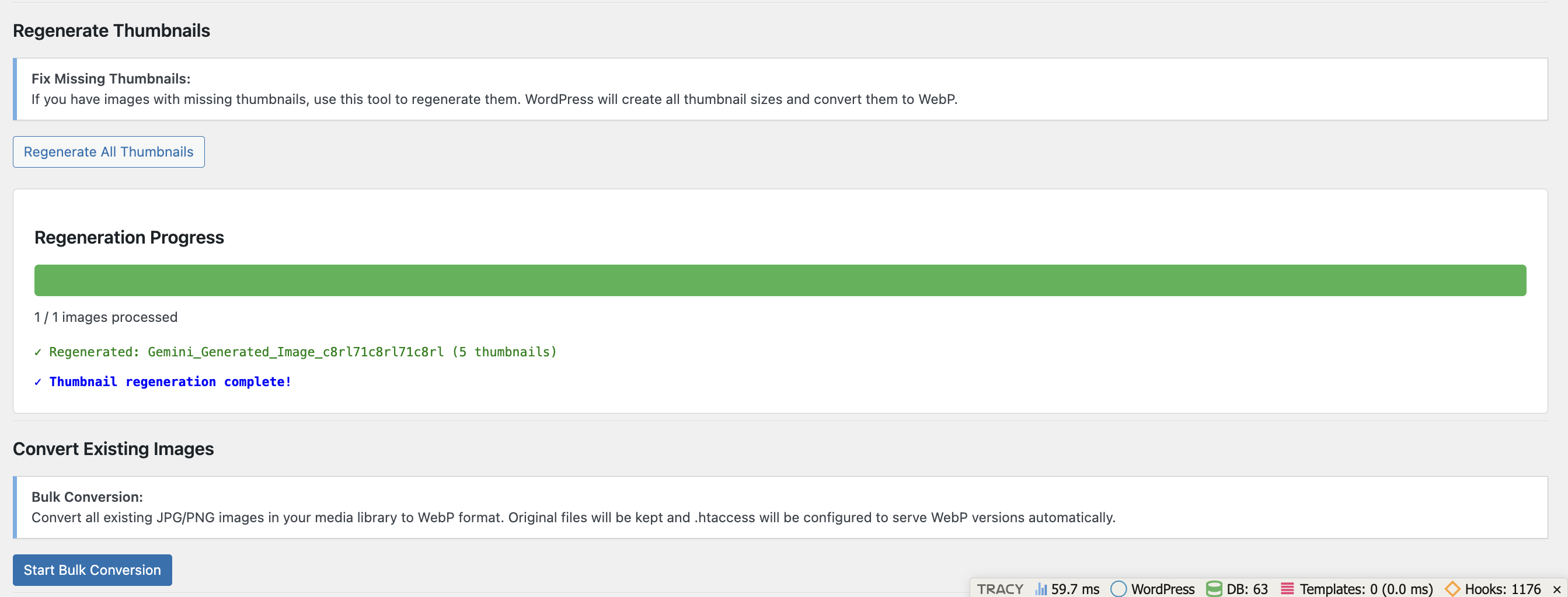
- Thumbnail regeneration tool
- Real-time conversion progress tracking
- Translation ready