JR Post to Photocard Maker
| 开发者 | jeweltechie |
|---|---|
| 更新时间 | 2026年2月2日 02:44 |
| PHP版本: | 7.2 及以上 |
| WordPress版本: | 6.9 |
| 版权: | GPLv2 or later |
| 版权网址: | 版权信息 |
详情介绍:
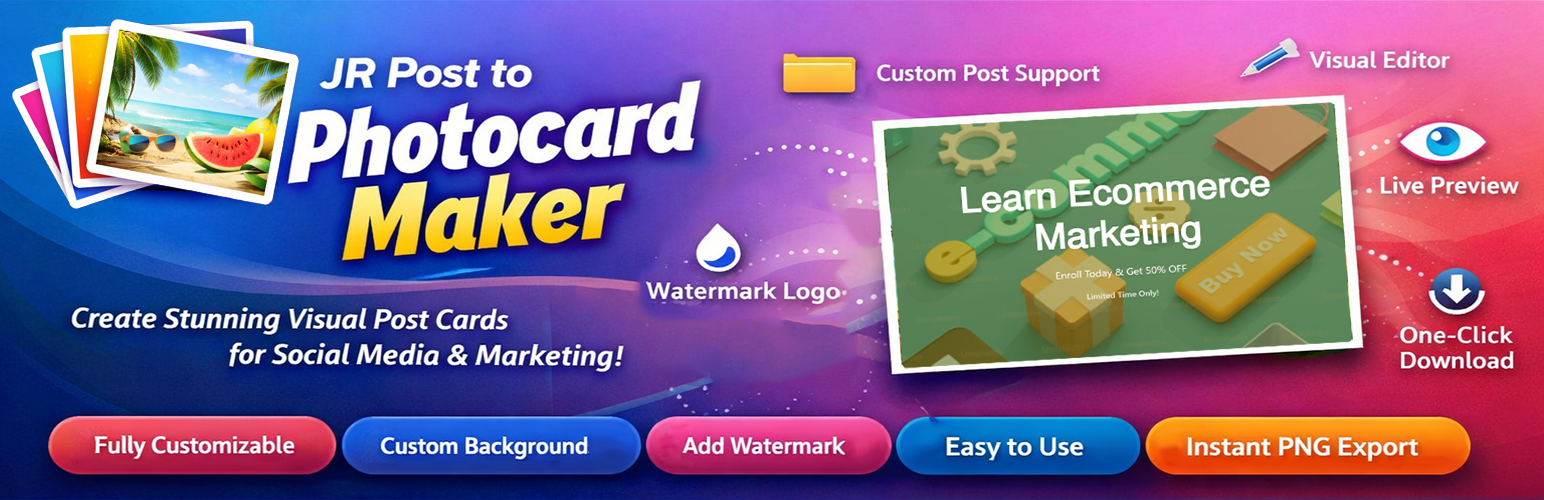
- Custom Post Type Support - Works with WooCommerce, Events, Courses, Portfolio, and any CPT
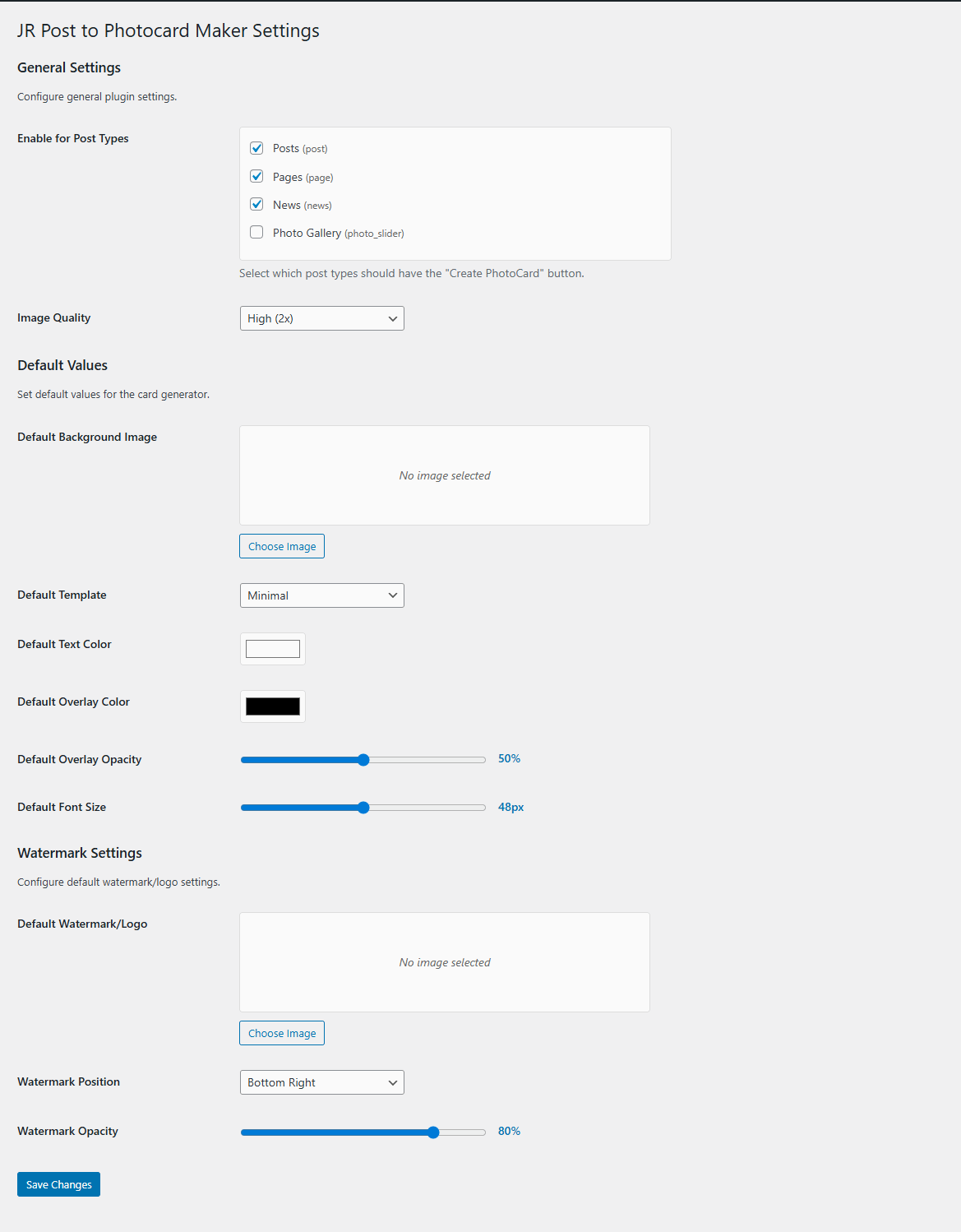
- Settings Page - Configure defaults for watermark, background, colors, and more
- Visual Front-End Editor - No admin dashboard needed, create cards directly on your site
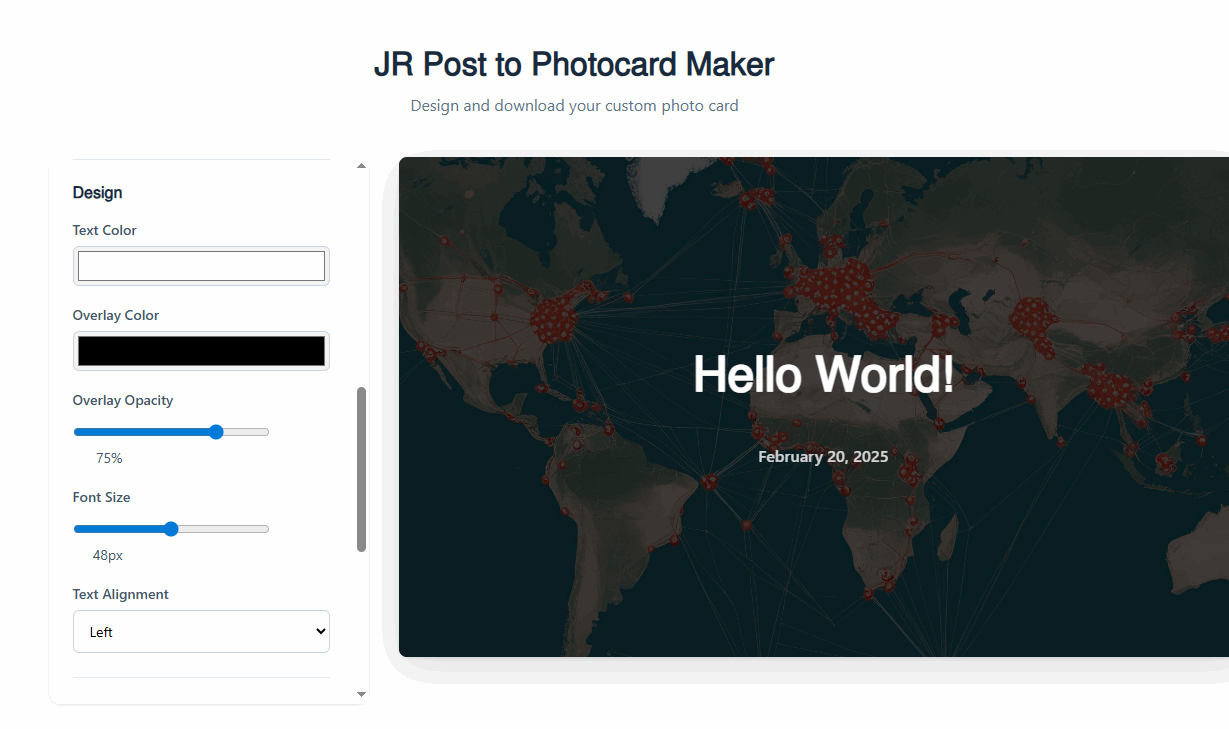
- Live Preview - See changes in real-time as you design
- Full Customization - Control colors, fonts, overlays, and alignment
- Custom Backgrounds - Upload your own images or use post featured images
- Watermark Support - Add your logo with customizable position and opacity
- Default Settings - Set site-wide defaults for consistent branding
- One-Click Download - Export high-quality PNG images instantly
- Unique Naming - Automatically generates unique filename
- User-Friendly - Requires login for access control
- Custom Card Without a Post – Create a card by entering a custom title, description, and date, no post needed
- Install and activate the plugin
- Go to Settings → JR Post to Photocard Maker
- Configure default watermark, background, and design settings
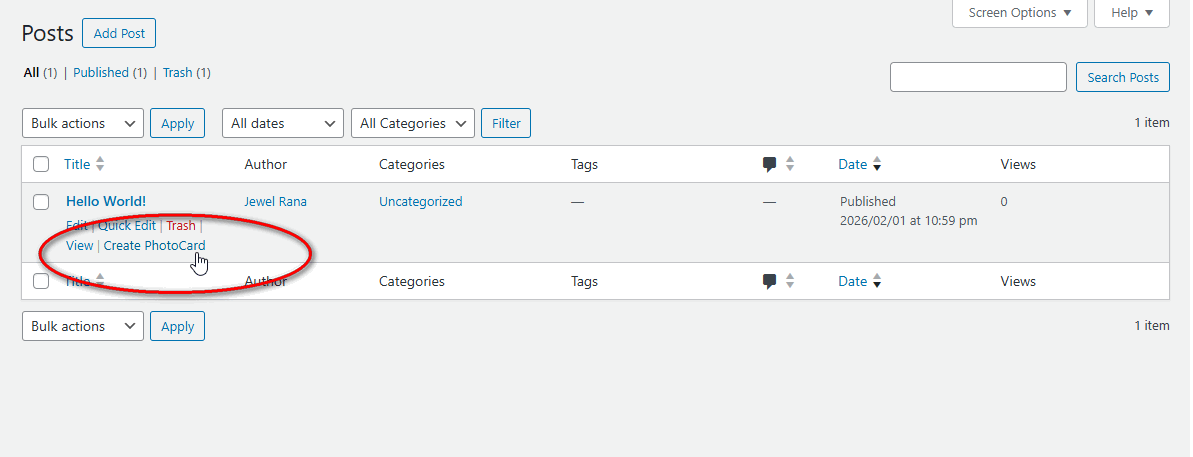
- Click "Create PhotoCard" from any post in your post list
- Customize your card using the visual editor (or use default settings)
- Download your professional post card as PNG
- Or Create a custom card without a post by going to the Card Generator page and entering a custom title, description, and date.
- Social media managers creating shareable graphics
- WooCommerce stores promoting products visually
- Event organizers creating event announcements
- Course creators marketing their courses
- Bloggers promoting their content
- Marketing teams designing promotional materials
- Content creators building visual assets
- Portfolio sites showcasing work
- Real estate agencies featuring properties
- Anyone wanting to create beautiful post cards quickly
- Uses html2canvas for high-quality image generation
- No external APIs required
- Lightweight and fast
- Clean, modern codebase
- WordPress coding standards compliant
- Translation ready
安装:
- Log in to your WordPress admin panel
- Navigate to Plugins → Add New
- Search for "JR Post to Photocard Maker"
- Click "Install Now" and then "Activate"
- Download the plugin ZIP file
- Log in to your WordPress admin panel
- Navigate to Plugins → Add New → Upload Plugin
- Choose the ZIP file and click "Install Now"
- Activate the plugin
- The plugin automatically creates a "JR Post to Photocard Maker" page
- Go to Settings → JR Post to Photocard Maker to configure defaults
- Upload your default watermark/logo
- Set default background image (optional)
- Configure default colors and design settings
- Find "Create PhotoCard" links in your Posts list
- Start creating beautiful post cards with your branding!
- Create Custom card without a post by entering a custom title, description, and date
屏幕截图:

常见问题:
Do I need any coding knowledge?
No! The plugin provides a visual interface that anyone can use. Simply click, customize, and download.
Can I use my own images?
Yes! You can upload custom background images and custom watermark logos.
What image format is supported for download?
Post cards are downloaded as high-quality PNG images with transparent support.
Can I set default branding for all cards?
Yes! Go to Settings → JR Post to Photocard Maker to upload a default watermark/logo and background image. You can also set default colors, fonts, overlay settings, and more. These defaults will be applied to all new cards, saving you time while maintaining consistent branding.
Where do I upload my logo?
Go to Settings → JR Post to Photocard Maker in your WordPress admin. In the "Watermark Settings" section, you'll find an option to upload your default watermark/logo. This will be used on all cards unless you upload a different one in the editor.
Can I set a default background image?
Yes! In Settings → JR Post to Photocard Maker, you can upload a default background image that will be used when a post doesn't have a featured image, or when creating blank cards.
Is there a file size limit for uploads?
Upload limits are determined by your WordPress/server configuration. The plugin uses standard WordPress media handling.
Do I need to be logged in?
Yes, the JR Post to Photocard Maker page requires users to be logged in for security.
Can I use this with WooCommerce products?
Yes! Go to Settings → JR Post to Photocard Maker and check the "Products" post type. You'll then see the "Create PhotoCard" button on all your WooCommerce products. Perfect for creating product promotion images for social media!
Does it work with custom post types?
Absolutely! The plugin automatically detects all public post types (WooCommerce Products, Events, Courses, Portfolio, etc.). Simply go to Settings → JR Post to Photocard Maker and select which post types you want to enable. The "Create PhotoCard" button will appear for those post types.
What custom post types are supported?
All public custom post types! This includes WooCommerce Products, The Events Calendar events, LearnDash courses, portfolio items, and any custom post type created by themes or plugins. If it's a public post type, you can use it.
Will this slow down my site?
No! The plugin only loads its assets on the JR Post to Photocard Maker page, ensuring optimal performance.
Can I create a card without using an existing WordPress post?
Yes! JR Post to Photocard Maker lets you create fully custom cards by entering your own title, description, and date no post required. This makes it perfect for one-off promotions, announcements, or social media graphics.
更新日志:
- Initial release
- Visual front-end editor with live preview
- Settings page for default configurations
- Default watermark/logo upload
- Default background image upload
- Default color, font, and template settings
- Settings link on plugins page
- 3 pre-built styles (Modern, Classic, Minimal)
- Custom background image upload
- Watermark/logo support with position and opacity controls
- Image quality settings (1x, 2x, 3x)
- Enable/disable for posts and pages
- Color and font customization
- Text alignment options
- Unique filename generation
- WordPress coding standards compliant
- Custom card without a post