JumpsuitAI – llms.txt + Markdown Endpoints
| 开发者 | bradphillips |
|---|---|
| 更新时间 | 2026年7月30日 10:06 |
| PHP版本: | 7.2 及以上 |
| WordPress版本: | 7.0 |
| 版权: | GPLv2 or later |
| 版权网址: | 版权信息 |
详情介绍:
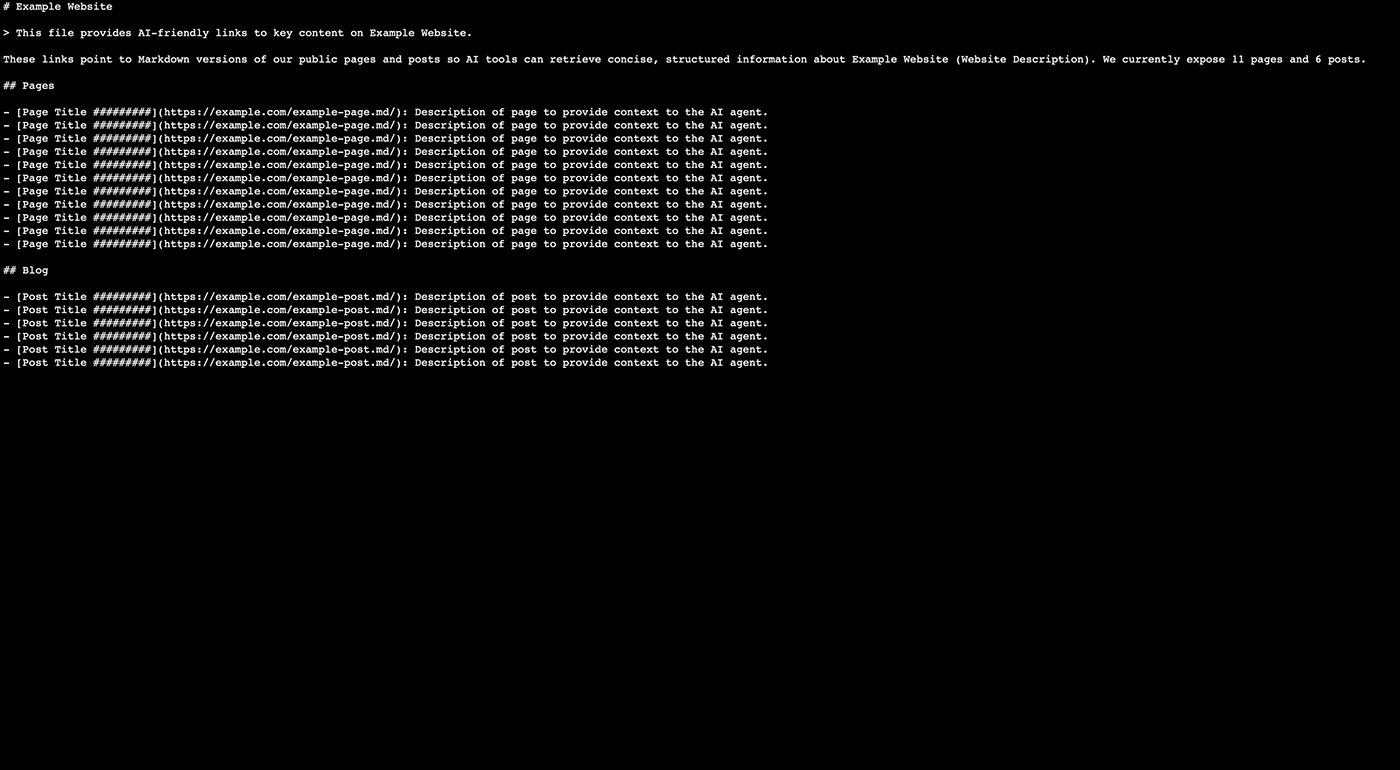
- /llms.txt — a structured list of links to your public content, using the canonical filename URL without a trailing slash. On supported single-site installations, the completed file is also synchronized to the physical website root.
- /llms-full.txt — the entire documentation in a single file (enabled by default and configurable in Settings)
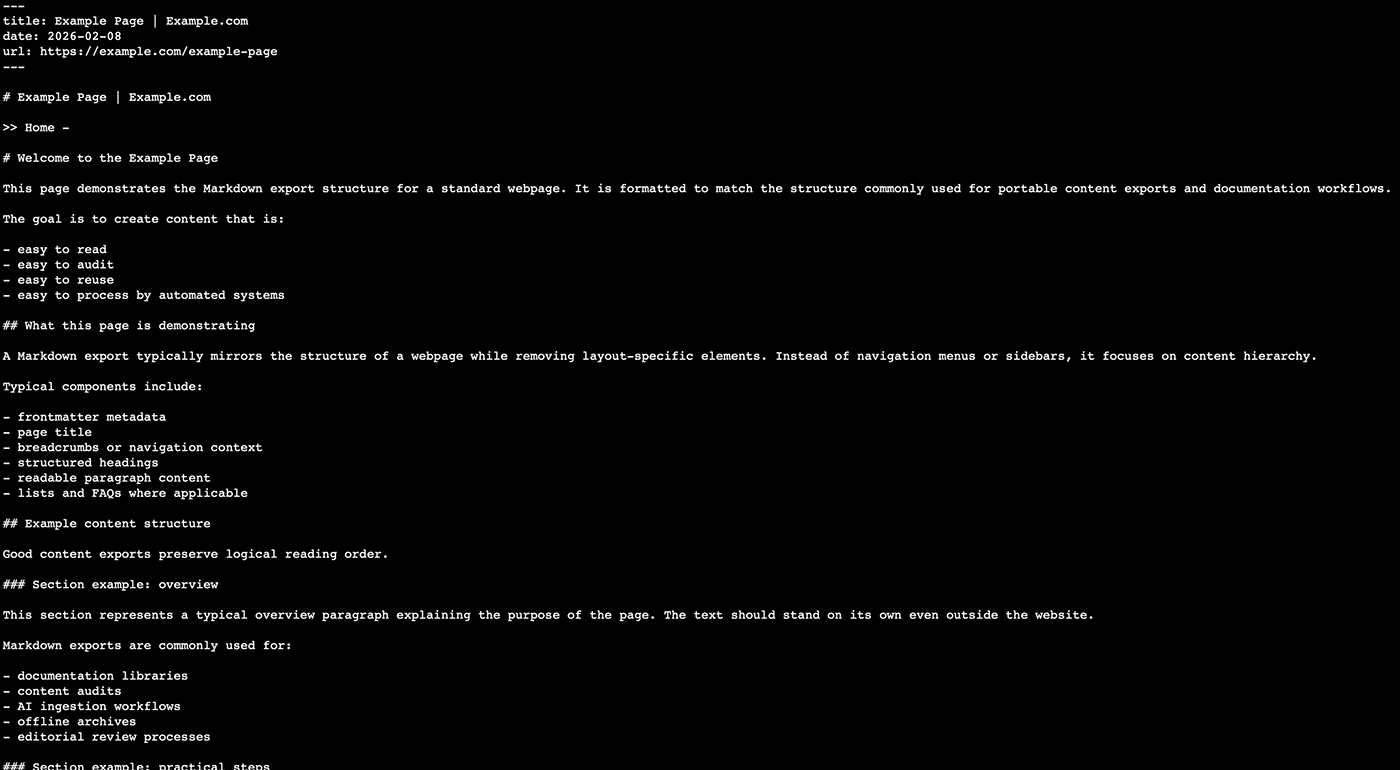
- .md endpoints — request a public URL with .md appended to get a lightweight Markdown representation
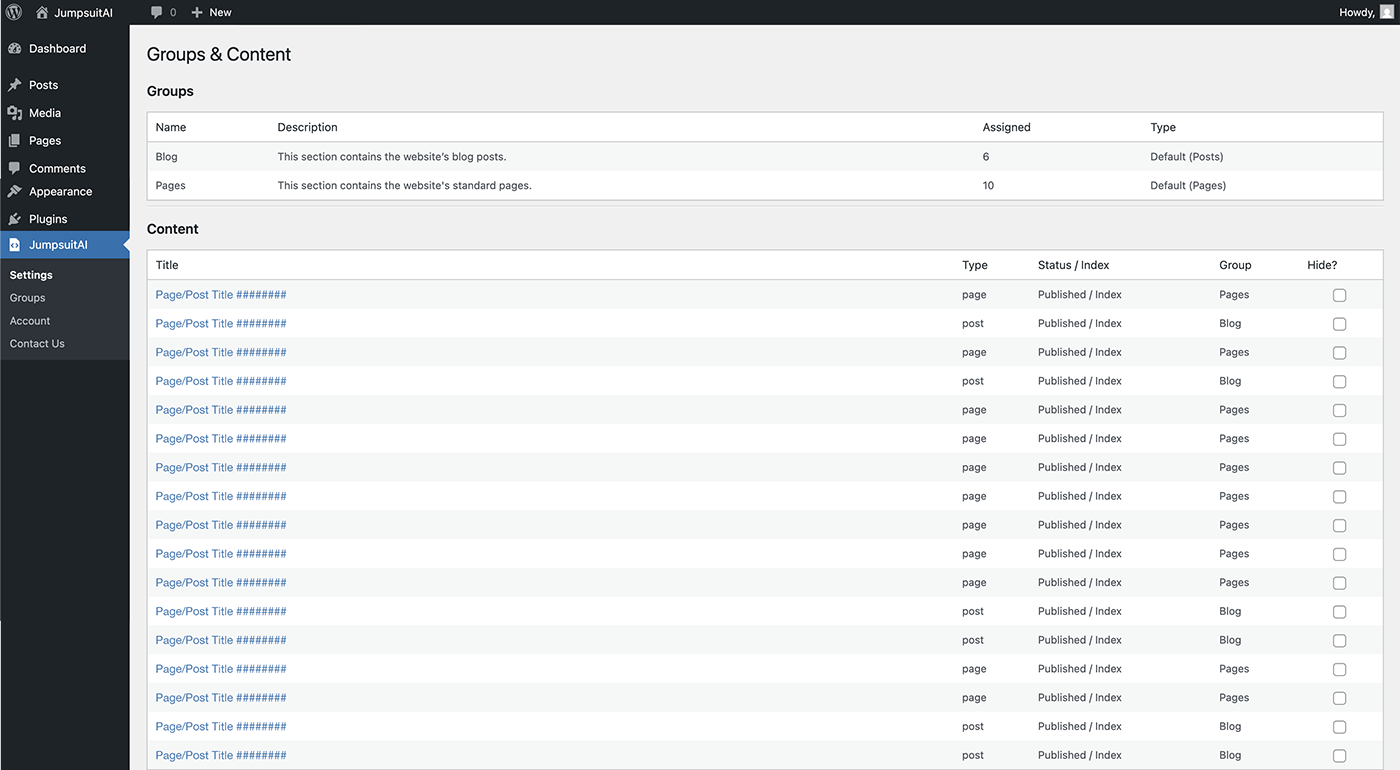
- Custom groups and manual ordering
- Per-item short descriptions
- Optional section support
- Custom intro text and blockquote customization
安装:
- Upload the plugin folder to
/wp-content/plugins/jumpsuitai-llms-txt/, or install via the WordPress Plugins screen. - Activate the plugin through the Plugins screen in WordPress.
- Go to JumpsuitAI – llms.txt + Markdown Endpoints → Settings.
屏幕截图:
常见问题:
Where is the llms.txt file?
After activation, visit /llms.txt on your site. The canonical URL does not use a trailing slash. On a supported single-site installation with direct filesystem access, JumpsuitAI synchronizes the completed artifact to llms.txt in the website home root. If that is not available, the existing WordPress endpoint continues to serve the private completed artifact.
What happens if a root llms.txt file already exists?
JumpsuitAI does not overwrite or delete a file it cannot prove it created. The Settings screen reports the conflict. Remove or rename the other file, or disable the other llms.txt generator, and then use Retry public /llms.txt now to retry only the root publication.
Why is the physical root file not active?
The website root may not allow unattended direct writes, a conflicting file may already exist, the server may use an unusual filesystem layout, or the site may use WordPress multisite. The virtual endpoint remains available whenever WordPress handles the request. The Settings screen distinguishes root-detection, permissions, existing-file, symbolic-link, temporary-write, activation, and verification failures. Expand Technical details to see the selected path, how it was detected, the WordPress filesystem method, the server response, and every root candidate that was checked.
Why can an older error appear even though /llms.txt exists?
A previous background worker may have stored an error before a later attempt successfully activated the file. Version 1.1.7 associates status, errors, and ownership records with the exact publication attempt and runtime, so an obsolete result is shown only as previous history. Use Retry public /llms.txt now for an immediate current result.
Is the physical file removed when the plugin is deactivated or deleted?
Yes, when the last active JumpsuitAI Free or Pro build stops managing the shared artifacts. The plugin removes only an llms.txt file whose path and exact hash prove that JumpsuitAI created it, and removes only its marked robots.txt block. A byte-identical file left by an earlier 1.1.7 test build can be recovered once from the completed private artifact so it can be cleaned up safely. A file changed by another system is left untouched.
Does physical root publishing work on managed hosts with a symlinked WordPress core?
Version 1.1.7 resolves the logical directory represented by the site's Home URL instead of treating the resolved WordPress-core path as the public root. It first maps WP_CONTENT_DIR and its public URL back to the Home URL, then considers the server document root and validated WordPress fallbacks. This supports layouts where WordPress core is symlinked but wp-content and public files live in the site's own document root. A jsai_llmstxt_public_root_path filter is available for uncommon custom deployments; filtered paths still have to pass the plugin's normal local-path and directory checks.
Does the robots.txt option change crawler permissions?
No. The opt-in setting adds only a comment containing the /llms.txt URL. It does not add or replace User-agent, Allow, Disallow, or sitemap directives. Existing robots.txt content is preserved.
Does the plugin create a physical robots.txt file?
No. If a physical robots.txt exists, JumpsuitAI can add or remove only its marked comment block. If no physical file exists, the plugin uses WordPress's virtual robots.txt filter so SEO plugin output remains intact.
Is physical root publishing supported on multisite?
Not automatically in version 1.1.7. Multiple multisite sites can share one document root, so JumpsuitAI keeps the existing virtual endpoints rather than risk one site overwriting another site's root file.
How are the generated resources kept current?
Relevant WordPress content and plugin-setting changes queue regeneration through WordPress cron. The previous complete artifacts remain available while normal updates are being built. Changes that make content nonpublic are withheld until safe replacement artifacts are ready.
Why don’t I see updates right away?
Check JumpsuitAI – llms.txt + Markdown Endpoints → Settings for the static file status. Use Retry public /llms.txt now for an immediate root-publication result without rebuilding content, or Regenerate all static artifacts when the private Markdown artifacts also need to be rebuilt. WordPress cron must be able to run queued full rebuilds. An external page cache or CDN may also need to revalidate or purge its stored response.
Which URLs get a Markdown endpoint?
The plugin supports requesting an eligible public URL with .md appended. Content must be published, password-free, selected by post type in Settings, and allowed for anonymous public output. Post types controlled by an active access-restriction system may be withheld from public exports.
Is /llms-full.txt enabled automatically?
Yes, it is enabled by default for new installations and installations that have never saved an explicit preference. An existing manual choice to disable it is preserved during the upgrade.
What if rendered content depends on an external system or custom data source?
The plugin automatically tracks normal WordPress content, reusable blocks, plugin visibility/grouping data, and relevant settings. Custom integrations can request regeneration with do_action( 'jsai_llmstxt_request_regeneration', $post_id, false );, or pass 0, true to request a full rebuild.
更新日志:
- Security: Hardened anonymous public-content eligibility and invalidated pre-update Markdown and aggregate artifacts before rebuilding under the new access policy.
- Fixed stale background-publication errors being displayed as the result of a newer or still-queued attempt.
- Added an immediate Retry public /llms.txt now action that publishes from the completed private artifact without rebuilding page Markdown or waiting for WP-Cron.
- Added attempt and runtime fencing so an older worker cannot republish or retain a root file after deactivation, uninstall, or a newer synchronization request.
- Added exact-hash recovery for a physical file written by an earlier 1.1.7 test build when its ownership state was not finalized, allowing safe cleanup without taking ownership of a different file.
- Fixed deactivation and Freemius
after_uninstallcleanup so the last active Free or Pro build removes only its proven-owned root file and managed robots.txt block. - Switched temporary root publication to WordPress's
wp_tempnam()helper and added separate diagnostics for reservation, writability, content write, byte verification, hash verification, activation, and final verification. - Replaced direct PHP
is_writable()fallbacks with WordPress Filesystem API checks for WordPress.org Plugin Check compatibility. - Corrected public-root detection for managed hosting and deployment layouts where WordPress core is symlinked outside the site's actual document root.
- Added candidate-based root resolution using the relationship between
WP_CONTENT_DIR, the content URL, the Home URL, the server document root, and validated WordPress fallbacks. - Added administrator-only diagnostics showing the exact selected root, attempted target, resolution source, filesystem method, failure stage, server response, and rejected root candidates.
- Added an internal resolver revision so an existing 1.1.7 installation retries root and robots.txt synchronization without rebuilding the private content artifacts.
- Added guarded synchronization of the completed llms.txt artifact to the physical website home root on supported single-site installations.
- Retained the existing private cache and WordPress /llms.txt endpoint as a fallback when physical root publishing is unavailable.
- Added ownership and hash checks so pre-existing or externally modified root files are never overwritten or deleted automatically.
- Added immediate withdrawal of the plugin-owned physical root file during privacy-sensitive visibility changes, followed by safe republication after regeneration.
- Added an opt-in robots.txt discovery comment, disabled by default, without replacing existing crawler directives or SEO plugin output.
- Added safe support for existing physical robots.txt files while never creating a new physical robots.txt file.
- Added root-file and robots.txt synchronization details to the existing Settings status area.
- Preserved the existing generated content format while requiring one privacy-safe artifact rebuild during upgrade.
- Fixed canonical handling so /llms.txt and /llms-full.txt use filename URLs without trailing slashes.
- Added pre-generated, atomically replaced static artifacts so public endpoint requests no longer rebuild site content on demand.
- Added automatic, debounced regeneration for relevant content, visibility, grouping, and settings changes.
- Added ETag, Last-Modified, HEAD, and conditional-request support for generated resources.
- Added valid Markdown table conversion, with sanitized HTML fallback for complex table structures.
- Enabled /llms-full.txt by default without overriding an existing saved preference to disable it.
- Added static file status, error reporting, and a manual regeneration control to the existing Settings screen.
- Fixed unresolved Rank Math description variables such as %excerpt% by using the existing excerpt/content fallback.
- Added automatic llms.txt regeneration when Rank Math Titles & Meta description templates change.
- Replaced direct cache writability checks with the WordPress compatibility wrapper.
- Updated stable WordPress tags.
- Fixed an issue where Markdown (.md) endpoints could render the wrong page content on some sites.
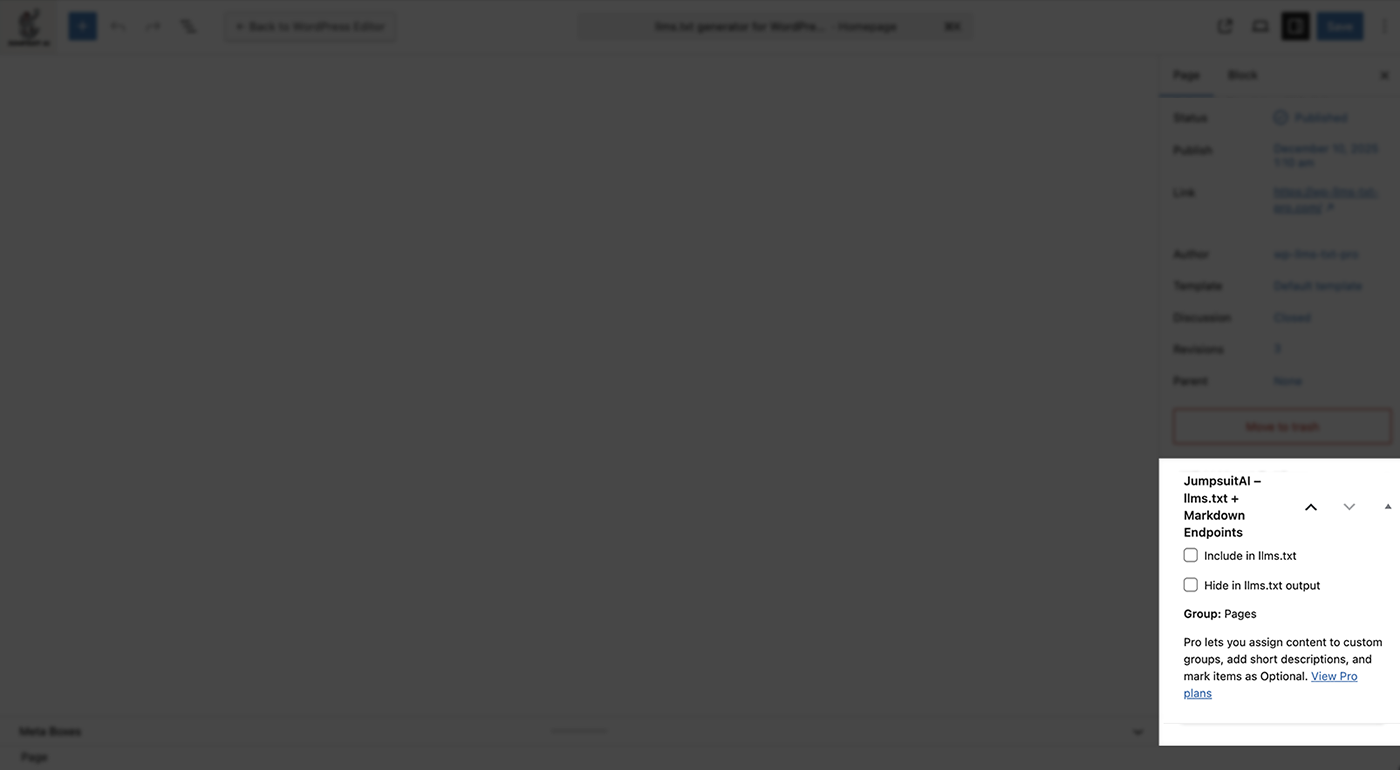
- Removed the redundant editor Include toggle. Content is included by default; use Hide in llms.txt output to exclude items.
- Added optional /llms-full.txt single-file export (toggle in Settings).
- Changed default section title from Blog to Posts.
- Fixed HTML entity escaping in Markdown output.
- Updated website references to jumpsuitai.com.
- Initial public release on WordPress.org.