JVM Rich Text Icons
| 开发者 | jorisvanmontfort |
|---|---|
| 更新时间 | 2026年9月17日 05:43 |
| 捐献地址: | 去捐款 |
| PHP版本: | 5.4 及以上 |
| WordPress版本: | 7.1 |
| 版权: | GPLv2 or later |
| 版权网址: | 版权信息 |
详情介绍:
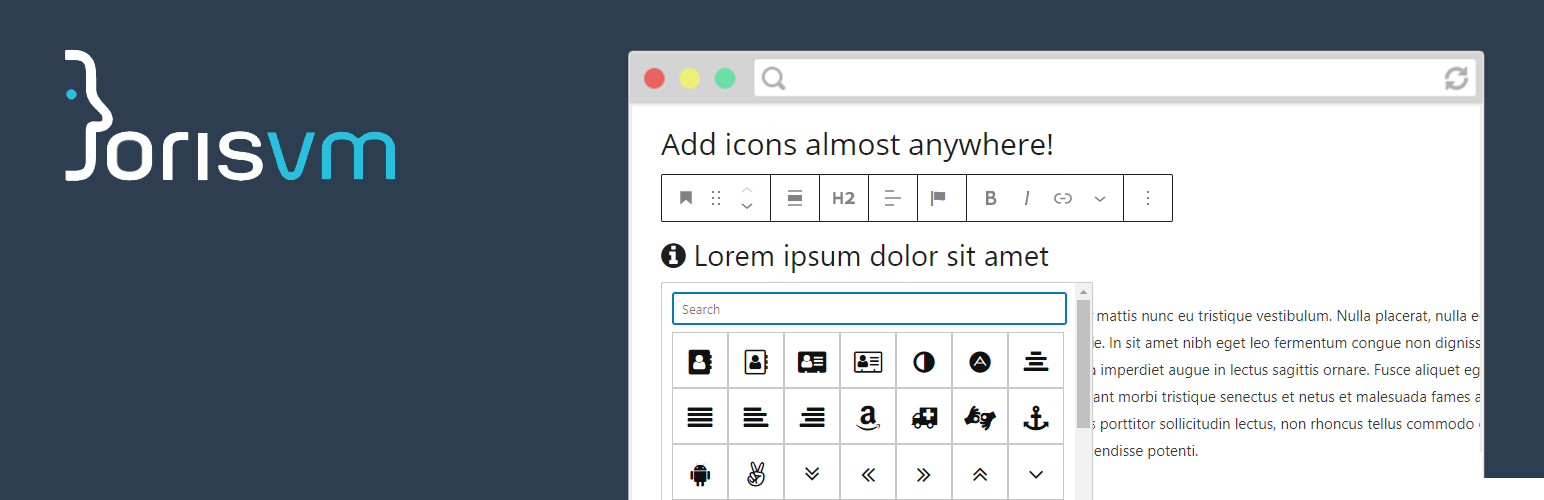
Add icons to any rich text field in the WordPress block editor. Insert icons inline in paragraphs, headings, lists, buttons, or use the dedicated single icon block.
Features
- Icon picker - Select icons from a searchable popup in the block editor toolbar.
- Font Awesome included - Ships with Font Awesome 4.7, 5.x and 6.x. Choose your preferred version from the settings.
- Custom SVG icon set - Upload your own SVG icons via a drag & drop uploader in the plugin settings. This is the recommended approach for the best performance.
- Single icon block - A dedicated block with font size, color, alignment and spacing options. Supports Pattern Overrides (WordPress 6.9+), so the icon and its color can be customized per instance when the block is used inside a synced pattern.
- ACF integration - Adds a "JVM Icon" field type for Advanced Custom Fields.
- Better page speed - No render-blocking CSS or font files to download. Icons are part of the HTML itself.
- Only loads what you use - Unlike Font Awesome which loads CSS for hundreds of icons, inline SVG only includes the icons that are actually on the page.
- No external requests - Everything is served inline, so there are no extra HTTP requests for font or CSS files.
- Inherits text color - Icons automatically use the surrounding text color, no extra CSS needed.
- Fully reversible - The stored content in the database is not modified. You can switch between render technologies at any time from the plugin settings if you want to.
add_filter( 'jvm_richtext_icons_iconset_file', function($file) { return get_stylesheet_directory() . '/path_to_my/icons.json'; });
Load a custom CSS file
add_filter( 'jvm_richtext_icons_css_file', function($cssfile) { return get_stylesheet_directory_uri() . '/path_to_my/cssfile.css'; });
To disable the default CSS file entirely:
add_filter( 'jvm_richtext_icons_css_file', '__return_false');
Change the icon class prefix
add_filter( 'jvm_richtext_icons_base_class', function() { return 'my-custom-css-class-name'; });
Disable the settings screen
add_filter( 'jvm_richtext_icons_show_settings', '__return_false');
Please note that if you are loading a custom icon set with the plugin hook: jvm_richtext_icons_css_file, you should make sure the plugin is not set to My SVG uploads as this setting does not load any CSS file.
更新日志:
1.8.2
- Fixed block validation errors ("This block contains unexpected or invalid content") for buttons and any other rich text field content containing an icon. The icon placeholder is now a zero-width space (U+200B) instead of a plain space: the block editor collapsed whitespace-only icon content when parsing, dropped the icon, and then generated an empty
saveoutput. The icon classes are now also preserved throughunregisteredAttributesinstead of raw HTML insertion. - Added a one-time content migration that converts existing whitespace-only icon tags (
<i …> </i>) to the zero-width space variant. It runs automatically (once) on update in batches, and can also be triggered manually withwp jvm-icons migrate. Post meta and options are intentionally skipped because values are often PHP-serialized. - Fixed the inline SVG frontend replacement so it also matches icons containing a zero-width space (previously only plain spaces matched, leaving empty icons on the front end).
- The single icon block now saves the same zero-width space content, keeping saved markup and post content in sync.
- Icon CSS is now loaded exclusively via
enqueue_block_assets, fixing the "was added to the iframe incorrectly" warning in the block editor.
- Removed the custom "Enable overrides" control that was added in 1.8.0: WordPress now shows its own, native version of this control.
- Fixed a visual glitch where opening the icon, color, or link popover in the block toolbar could shift the layout of the row the block was in. The popovers did not have an explicit
anchor, soPopoverfell back to inserting an empty placeholder<span>at the point in the DOM where the block's own markup happened to render, which could be counted as an extra flex item in surrounding layouts. All three popovers are now anchored explicitly to the block. - Security fix: the SVG sanitizer removed dangerous tags (
script,iframe,object,embed,link,style,foreignObject) case-sensitively, sinceDOMDocument::getElementsByTagName()is case-sensitive for XML. An uploaded SVG containing an upper/mixed-case tag like<SCRIPT>would survive sanitization and could execute once later parsed by an HTML5 parser (which lowercases tag names), resulting in stored XSS. Forbidden-tag removal is now case-insensitive.
- The single icon block now supports WordPress Pattern Overrides (block bindings, WordPress 6.9+). When the block is placed inside a synced pattern, the icon and a new optional color override can be enabled for per-instance customization, so each placement of the pattern can show a different icon or color.
- Added a new
iconColorattribute and an "Icon Color Override" control in the block sidebar. This is separate from the existing text color support and is specifically meant to be overridden per pattern instance. - Added "Enable overrides" / "Reset override" controls to the block's Advanced panel, since WordPress core only shows its built-in versions of these controls for paragraph, heading, button and image blocks.
- Fixed a bug where overrides did not apply on the front end: the block is static (its HTML is saved by the JS
save()function), and WordPress only patches override values into already-saved HTML for attributes with asourcedefined inblock.json. Added arender_callbackso the block is rendered fresh from its (already-overridden) attributes on every request, matching the official guidance for custom blocks with unsourced attributes. - Fixed a bug where the editor could freeze when overrides were enabled on the single icon block inside a synced pattern, caused by the block re-applying its default attributes on every render.
- The single icon block's "Replace icon" toolbar control now shows as a text button ("Replace"), matching the convention used by the core Image block's "Replace" button.
- Fixed JavaScript-side translations for the single icon block (the icon picker, color controls, and pattern override controls were never actually translatable due to a missing
wp_set_script_translations()call and a text domain typo in several__()calls). Block editor strings now translate correctly into Dutch and German.
- Fixed a bug with the ACF select 2 icon selector showing [Object, object] for the selected icon.
- Settings page split into two tabs: Icon Set (existing settings) and Tools & Settings (new).
- Replaced the security-only SVG sanitizer with a full-featured sanitizer that supports configurable normalization. All options are exposed as checkboxes on the Tools & Settings tab and apply to every new SVG upload.
- New sanitizer options: normalize fill/stroke colors to
currentColor, derive and normalizeviewBox, square non-squareviewBox, removeidattributes to prevent DOM collisions, auto-convert white-shape cutout patterns to proper SVG<mask>elements. - Added a Bulk Sanitize tool on the Tools & Settings tab. Re-processes all uploaded SVG icons through the current sanitizer settings in place, with a live progress bar.
- Updated Dutch (nl_NL) and German (de_DE) translations with all new strings.
- Performance improvement for large custom SVG icon sets: CSS generation is now cached using a WordPress transient, so file reads and base64 encoding only happen once rather than on every page load. The cache invalidates automatically when icons are added or removed.
- Bug fix: custom SVG CSS was being generated twice per admin page load (via two separate WordPress hooks), causing the full icon stylesheet to appear twice in the editor HTML. This has been fixed so the CSS is generated and output once per request.
- Added SVG security sanitizer: uploaded SVG files are now scanned for XSS vectors (scripts, event handlers, external references, forbidden tags) before being stored. The sanitizer runs automatically on every upload. When JVM Rich Text Icons Pro is active, the pro sanitizer (which also normalizes colors and viewBox) runs instead.
- Added filter hook
jvm_richtext_icons_process_uploaded_svgthat fires after an SVG is uploaded. Third-party plugins (such as JVM Rich Text Icons Pro) can use this hook to sanitize or transform the SVG content before it is stored. The filter receives the current result (nullby default), the raw SVG content, and the absolute file path. Return a clean SVG string to replace the file, or aWP_Errorto reject the upload and remove the file. - Updated the "Remove link" icon in the single icon block toolbar.
- Added link support to the single icon block. Click the link button in the block toolbar to add a URL with an optional "Open in new tab" toggle.
- Bug fix: for some uploaded SVG icons the colors would display incorrectly on the settings page.
- Enhanced the settings page to use inline SVG icons for the preview of My SVG uploads. This prevents the need for additional (large) CSS when using a lot of icons.
- Font Awesome 6 is now the default icon set on a fresh install.
- Bug fix: The plugin would add doubled CSS markup for My SVG uploads.
- Bug fix: Added line-height: 1 to the single icon block to ensure it is always vertically centered.
- Migrated the single icon block to use
block.jsonfor block metadata registration. - Added text alignment support to the single icon block. It had been added before but was broken.
- Added border controls (color, style, width, radius) to the single icon block.
- Fixed editor iframe style loading for icon font CSS by adding
enqueue_block_assetshook. - Fixed deprecation warnings for
TextControlandRangeControlcomponents.
- Renamed the "Custom SVG icon set" to "My SVG uploads" for clarity.
- Improved layout for SVG uploads grid on the settings page: CSS grid layout with icon class name labels.
- Added Dutch and German translations.
- Added
load_plugin_textdomain()for translation support. - Fixed Text Domain header mismatch (was
jvm-richtext-icons, now matches code:jvm-rich-text-icons). - Centralized CSS renderer for custom SVG icons. Replaces three separate view files with a single renderer class that supports all render technologies (inline-svg, html-css, html-css-before, html-css-after).
- Icons JSON parser supports a new pro/extended format alongside the existing flat array and Fontello formats.
- More preparation for (Pro) future features.
- Added extensibility hooks for pro plugin support:
jvm_richtext_icons_svg_directories,jvm_richtext_icons_use_inline_svg,jvm_richtext_icons_available_icon_sets,jvm_richtext_icons_valid_icon_sets,jvm_richtext_icons_load_default_css. - Added action hooks on the settings page:
jvm_richtext_icons_settings_after_formandjvm_richtext_icons_settings_after_icons. - The icon set dropdown is now dynamically generated and filterable instead of hardcoded.
- Fixed "Font Awsome" typo to "Font Awesome" in the settings dropdown.
- New visual icon picker for the single icon block. Replaced the dropdown with a searchable icon grid with tooltips. The same style as the rich text toolbar picker. Both pickers now share a single reusable IconPicker component.
- Added padding and margin controls to the single icon block via native WordPress block supports.
- Migrated the single icon block to useBlockProps for better compatibility with WordPress block features.
- Fixed the icon search bar in the rich text toolbar popover scrolling out of view. The search bar now stays fixed at the top while the icon grid scrolls.
- Added a friendly review notice that appears after 14 days of use. Can be permanently dismissed.
- Updated plugin description and tagline.
- New render technology: Inline SVG. When using a custom SVG icon set you can now choose "Inline SVG" as render technology. This replaces the
<i>tags with inline<svg>elements on the frontend using output buffering. Benefits: no CSS overhead for unused icons, only icons that are actually on the page are included, and icons inherit the current text color viafill: currentColor. The block editor continues to use CSS-based rendering so icons remain visible while editing. The stored HTML in the database is not modified, so you can switch back to any CSS-based technology at any time. - Migrated build tooling from the deprecated cgb-scripts (Create Guten Block) to @wordpress/scripts. JavaScript source files now use proper
@wordpress/*package imports, and the build generates ablocks.asset.phpfile for automatic dependency management. - Fixed "acf is not defined" error on admin screens where Advanced Custom Fields is not active.
- Code quality review of the entire codebase: added settings sanitization with whitelisted values, added capability checks in AJAX handlers, improved error handling for file operations and JSON parsing, fixed a text domain typo, and replaced deprecated PHP syntax.
add_filter('jvm_richtext_icons_show_settings', '__return_false');
1.0.9
Added a plugin settings screen and a nice interface to upload and create a custom SVG file based icon set. If you like this feature please consinder donating: https://www.paypal.com/donate/?hosted_button_id=VXZJG9GC34JJU
1.0.8
Fixed some WordPress coding convenstions and tested and fixed some minor issues for WordPress 6.0.
1.0.7
Fixed the styling of the editor pop-over. It was to large since WordPress 5.9.
1.0.6
The addon is now also loaded in the widget screen (widget.php)
1.0.5
Added a hook for modifying the editor javascript file loaded for advanced users.
Example usage:
`
function add_my_js_file($file) {
$file = '/path_to_my/js_file.js';
return $file;
}
add_filter( 'jvm_richtext_icons_editor_js_file', 'add_my_js_file');
`
1.0.4
Bug fix: Replaced the deprecated block_editor_settings hook by the new block_editor_settings_all hook. This fixes a deprecated notice.
1.0.3
New feature: ACF field for the JVM icon set loaded.
New feature: Font icon config file can now also ben in fontello format
1.0.2
Bugfix: Changed backend asset loading to load only on new posts and edit post pages. In version 1.0.1 scripts for this plugin loaded on all backend pages and kept breaking the widget text editor.
1.0.1
Php error fix for some php versions on plugin activation.
1.0.0
Initial release