
Kaan Bulk Redirects
| 开发者 | kaan73 |
|---|---|
| 更新时间 | 2026年1月21日 18:50 |
| 捐献地址: | 去捐款 |
| PHP版本: | 7.4 及以上 |
| WordPress版本: | 6.9 |
| 版权: | GPLv2 or later |
| 版权网址: | 版权信息 |
详情介绍:
- Save Time: Import hundreds of redirects at once using CSV files
- Preserve SEO: Proper 301 redirects maintain your search engine rankings
- No Database Bloat: Efficient storage that won't slow down your site
- User-Friendly: Clean, intuitive admin interface that anyone can use
- Flexible: Support for wildcards, domain changes, and complex redirect patterns
/old-blog/* to /new-blog/ automatically.
🌐 Domain-to-Domain Redirects
Moving to a new domain? Redirect specific pages from your old domain to your new one with full URL support.
⚡ Lightweight & Fast
No bloated code, no unnecessary features. Just clean, efficient redirect management that won't slow down your site.
🔒 Secure
Built with WordPress security best practices. All inputs are validated and sanitized to protect your site.
Perfect For
- Site Migrations: Moving to a new domain or hosting provider
- URL Restructuring: Changing your permalink structure or reorganizing content
- Content Consolidation: Merging multiple pages into one
- SEO Optimization: Fixing broken links and maintaining link equity
- Multilingual Sites: Redirecting between language versions
- E-commerce: Managing product URL changes
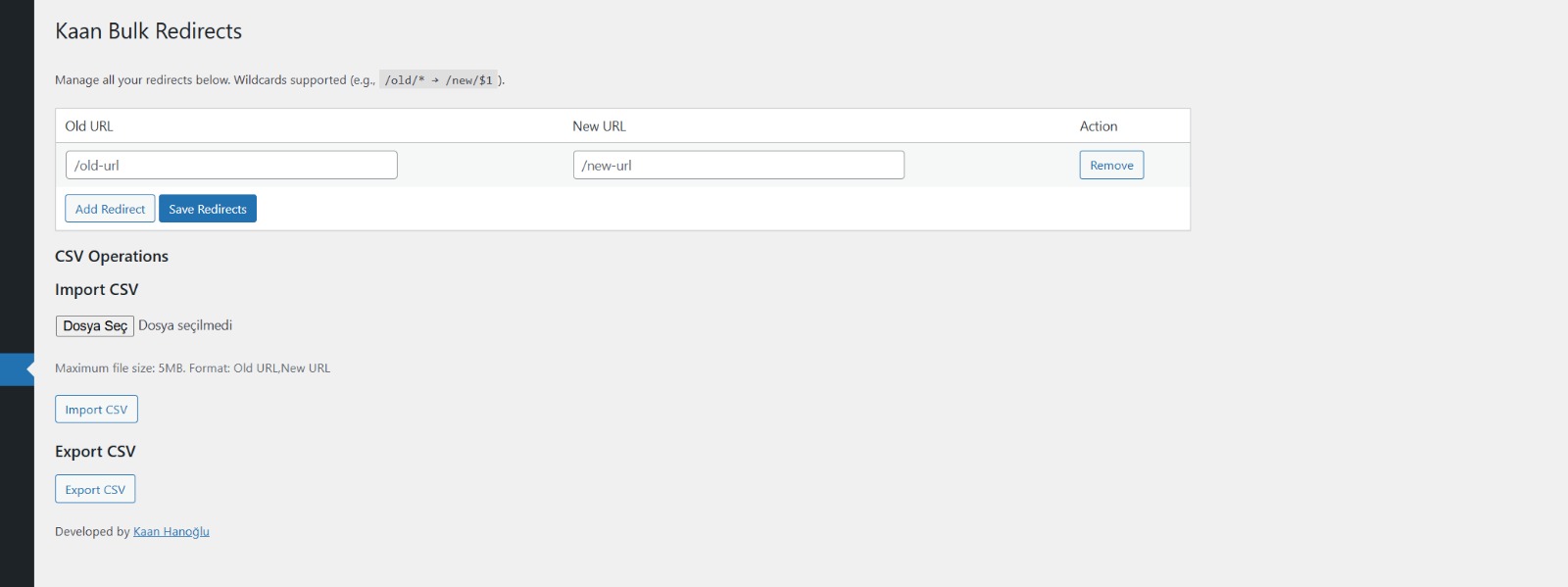
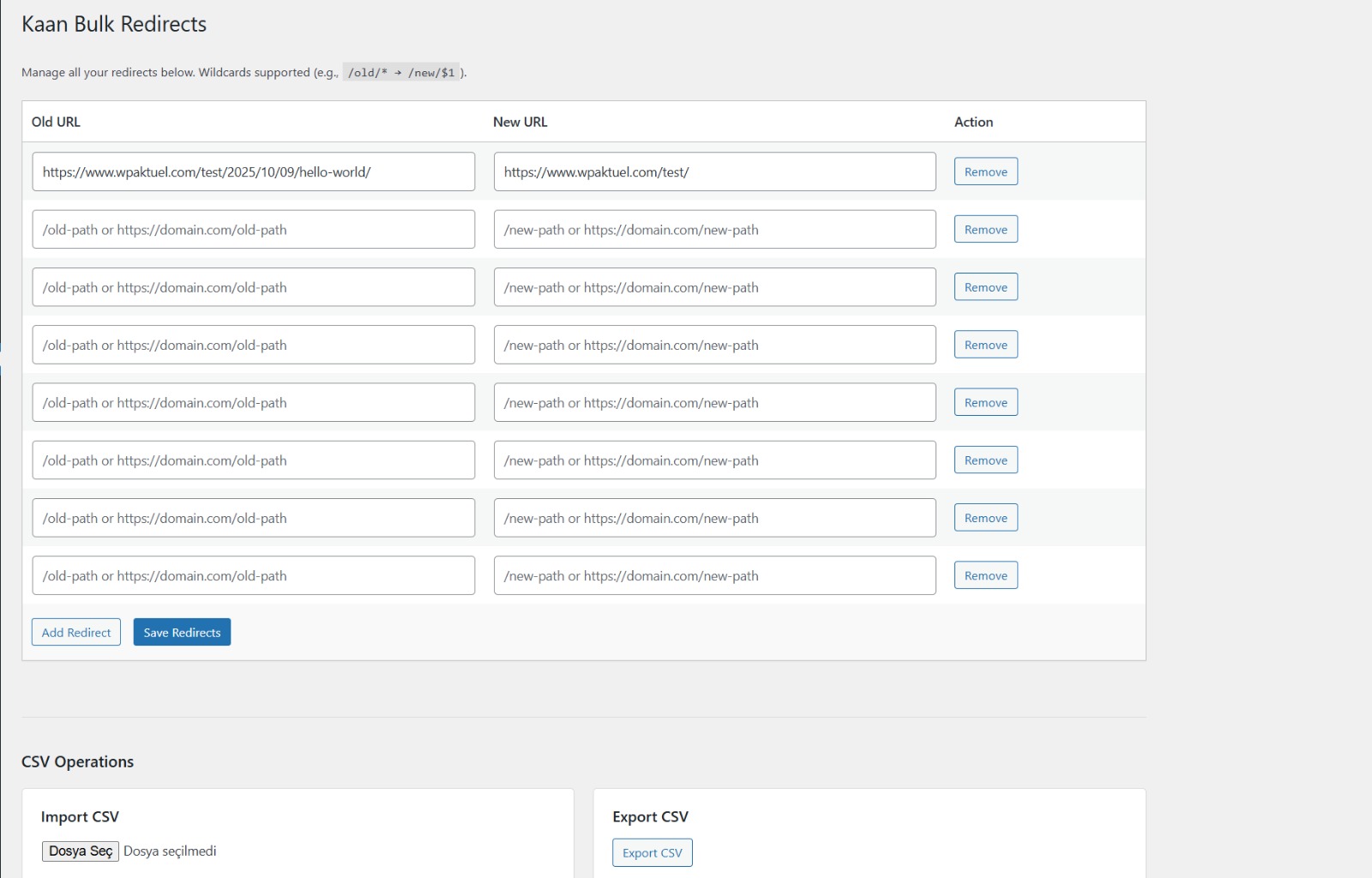
- Add Redirects Manually: Use the simple table interface to add old and new URLs
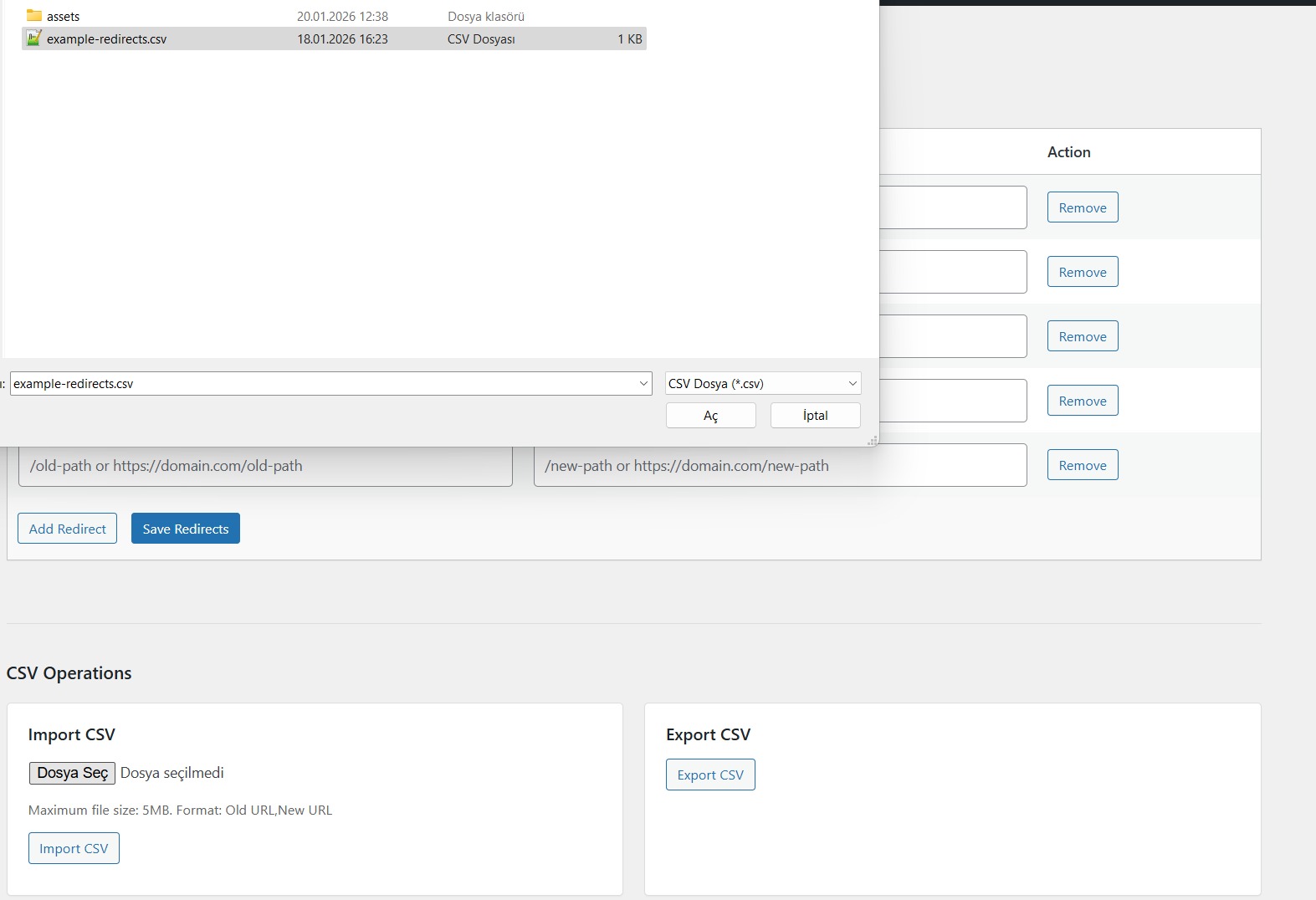
- Import from CSV: Upload a CSV file with your redirect rules
- Use Wildcards: Create pattern-based redirects for entire sections
- Export for Backup: Download your redirects as a CSV file anytime
/about-us/
New URL: /about/
Redirect to Homepage
Old URL: /old-page/
New URL: /
Wildcard Redirect
Old URL: /blog/2023/*
New URL: /archive/2023/
Result: All pages under /blog/2023/ redirect to /archive/2023/
Preserve Subpages with Wildcards
Old URL: /old-category/*
New URL: /new-category/$1
Result: /old-category/page1/ → /new-category/page1/
Domain Change
Old URL: https://oldsite.com/page/
New URL: https://newsite.com/page/
Developer Friendly
- Clean, well-documented code
- WordPress Coding Standards compliant
- No external dependencies
- Lightweight and efficient
安装:
- Log in to your WordPress admin panel
- Navigate to Plugins > Add New
- Search for "Kaan Bulk Redirects"
- Click Install Now and then Activate
- Download the plugin ZIP file
- Upload the
kaan-bulk-redirectsfolder to/wp-content/plugins/ - Activate the plugin through the Plugins menu in WordPress
- Go to Bulk Redirects in the admin menu to start adding redirects
- Navigate to Bulk Redirects in your WordPress admin menu
- Add your first redirect by entering the old URL and new URL
- Click Save Redirects
- Test the redirect by visiting the old URL
屏幕截图:
常见问题:
How do I add a redirect?
Go to Bulk Redirects in your admin menu, enter the old URL in the first column and the new URL in the second column, then click Save Redirects.
Can I redirect to my homepage?
Yes! Simply use / as the new URL to redirect any page to your homepage.
What is a wildcard redirect?
A wildcard redirect uses * to match multiple URLs. For example, /old-blog/* will match /old-blog/post1/, /old-blog/post2/, etc.
How do I preserve the subpage path in a wildcard redirect?
Use $1 in your new URL. For example:
Old URL: /old/*
New URL: /new/$1
This will redirect /old/page/ to /new/page/
Can I import redirects from a CSV file?
Yes! Click the Import CSV button, select your CSV file (format: Old URL, New URL), and click Import. The plugin will process all redirects at once.
What CSV format should I use?
Your CSV should have two columns: "Old URL" and "New URL". See the example below:
Old URL,New URL
/about-us/,/about/
/old-page/,/new-page/
/blog/*,/archive/
Can I export my redirects?
Yes! Click the Export CSV button to download all your current redirects as a CSV file. This is useful for backups or migrating to another site.
Does this work with custom post types?
Yes! The plugin works with any URL on your WordPress site, including custom post types, pages, posts, and custom URLs.
Will this affect my site's performance?
No. The plugin is extremely lightweight and only runs when a redirect is needed. It won't slow down your site.
Can I redirect from an external domain?
Yes! You can use full URLs (e.g., https://mavitaksi.com/) to redirect from external domains, as long as you have control over the old domain.
What happens if I have multiple redirects for the same URL?
The plugin will use the first matching redirect it finds. Make sure to avoid duplicate old URLs.
Can I redirect to an external site?
Yes! You can use full URLs as the new URL (e.g., https://mavitaksi.com/contact/).
Is this plugin compatible with other redirect plugins?
Yes, but we recommend using only one redirect plugin to avoid conflicts. If you're switching from another plugin, export your redirects first, then import them into Kaan Bulk Redirects.
更新日志:
- Enhanced security with proper WordPress file handling (WP_Filesystem)
- Improved input validation and sanitization
- Fixed WordPress Coding Standards compliance issues
- Added comprehensive inline documentation
- Updated compatibility to WordPress 6.9
- Fixed security issues with proper sanitization and validation
- Improved file upload security
- Proper script enqueueing
- Complete code cleanup
- Enhanced security with dangerous URL detection
- Added file size limits for CSV imports (5MB max)
- Improved redirect validation
- Added translation support
- Major security improvements
- Added proper data sanitization and escaping
- Fixed option name conflicts
- Improved wildcard redirect handling
- Added wildcard redirect support
- Improved CSV import/export functionality
- Minor bug fixes and performance improvements
- Initial public release