
KaaTai Consent Manager
| 开发者 | kaatai |
|---|---|
| 更新时间 | 2026年6月16日 17:16 |
| PHP版本: | 7.4 及以上 |
| WordPress版本: | 6.9 |
| 版权: | GPLv2 or later |
| 版权网址: | 版权信息 |
详情介绍:
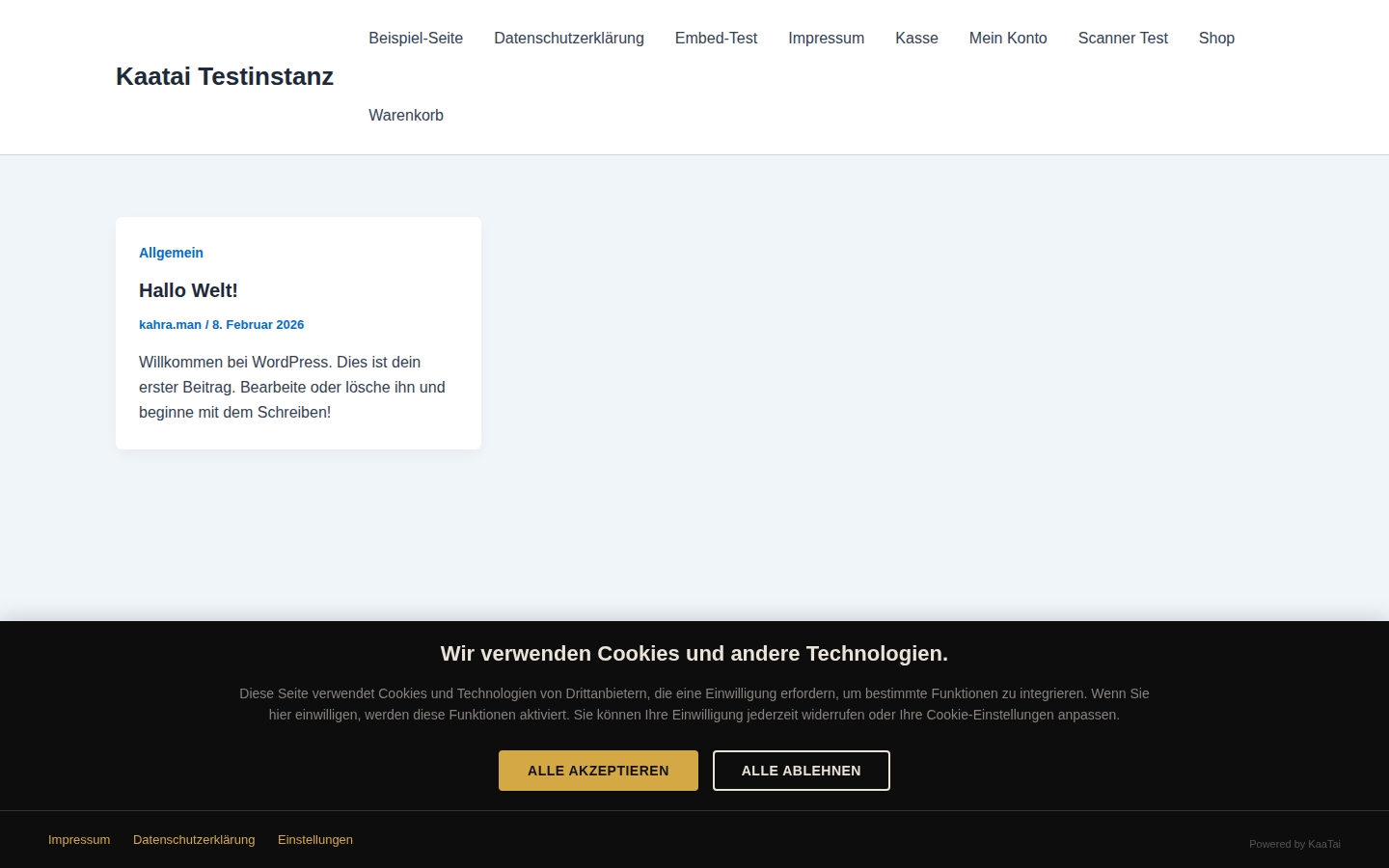
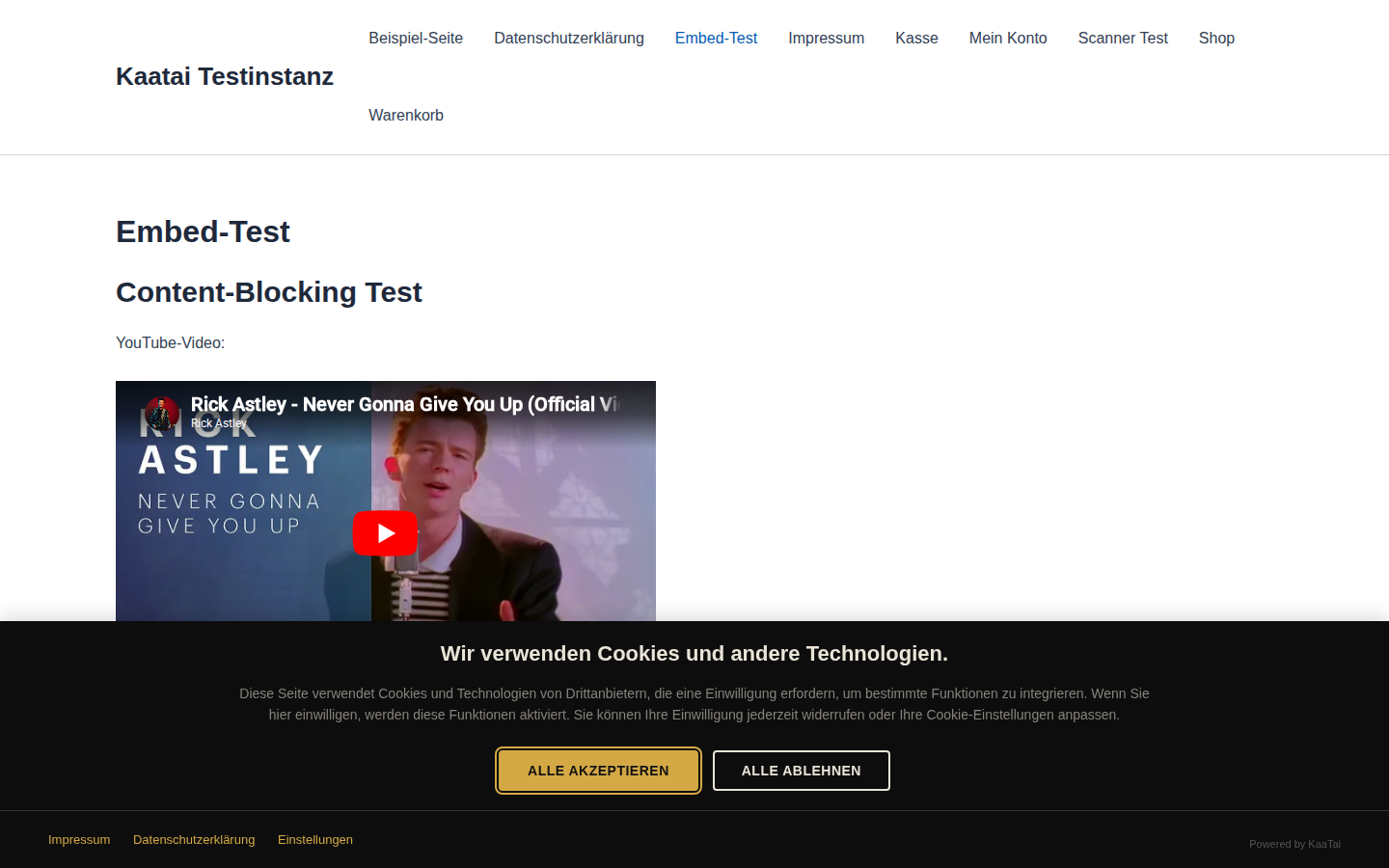
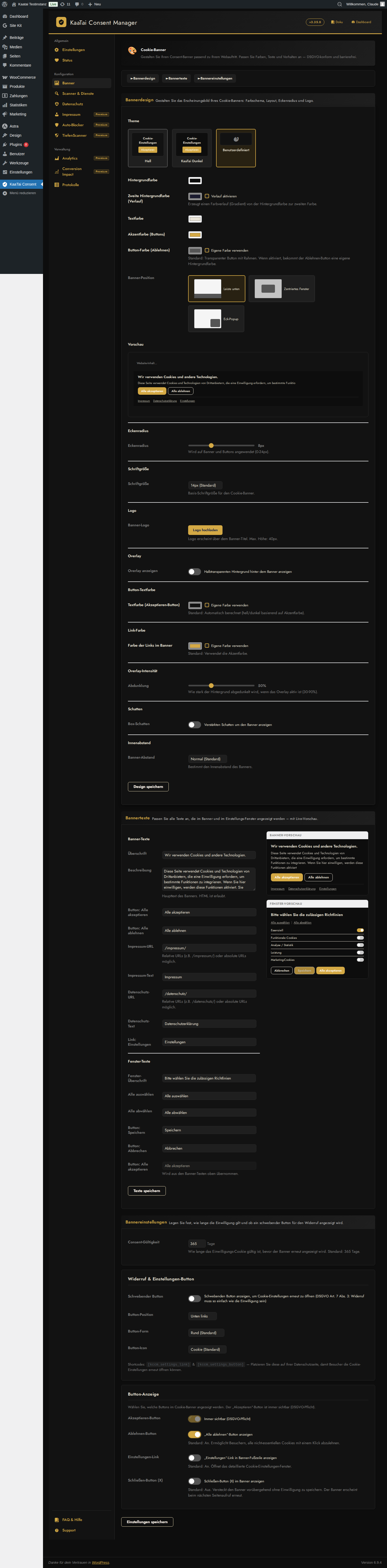
- Customizable consent banner with 3 layouts: Bottom Bar, Centered Popup, Corner Box
- All design settings free for all plans: colors, overlay, border radius, spacing, box shadow
- Responsive design -- works on desktop, tablet, and mobile
- WCAG 2.1 compliant: ARIA roles, focus trap, keyboard navigation, semantic HTML
- No jQuery dependency -- lightweight vanilla JavaScript
- Cache-safe: works correctly with all popular caching plugins
- Automatically blocks YouTube, Vimeo, Facebook, Instagram, and Spotify embeds until consent
- Blocks Google Maps and OpenStreetMap iframes
- Shows privacy-friendly placeholders with click-to-load buttons
- MutationObserver detects and blocks dynamically injected content
- Auto Script Blocker detects and blocks tracking scripts from third-party plugins (67 known services)
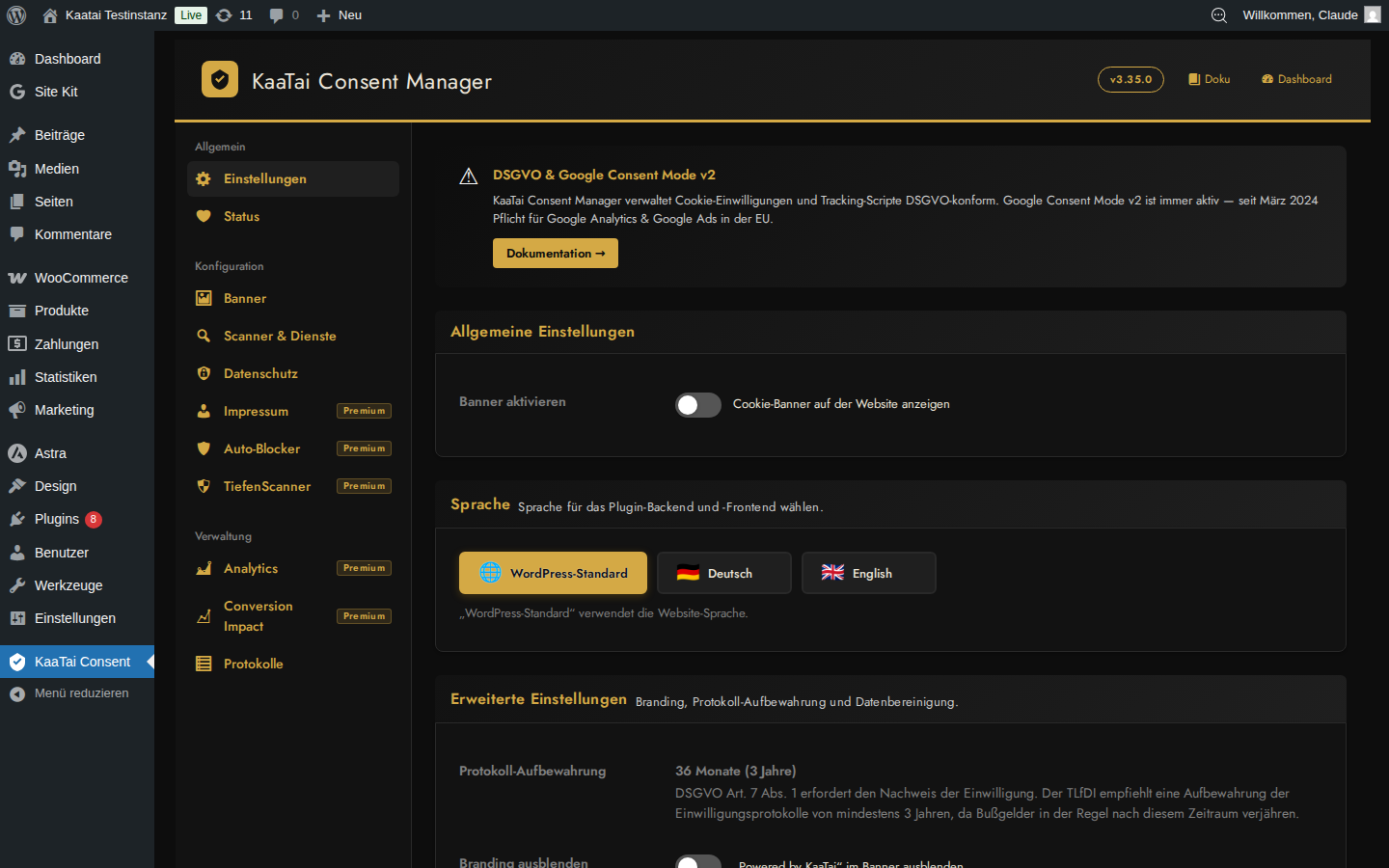
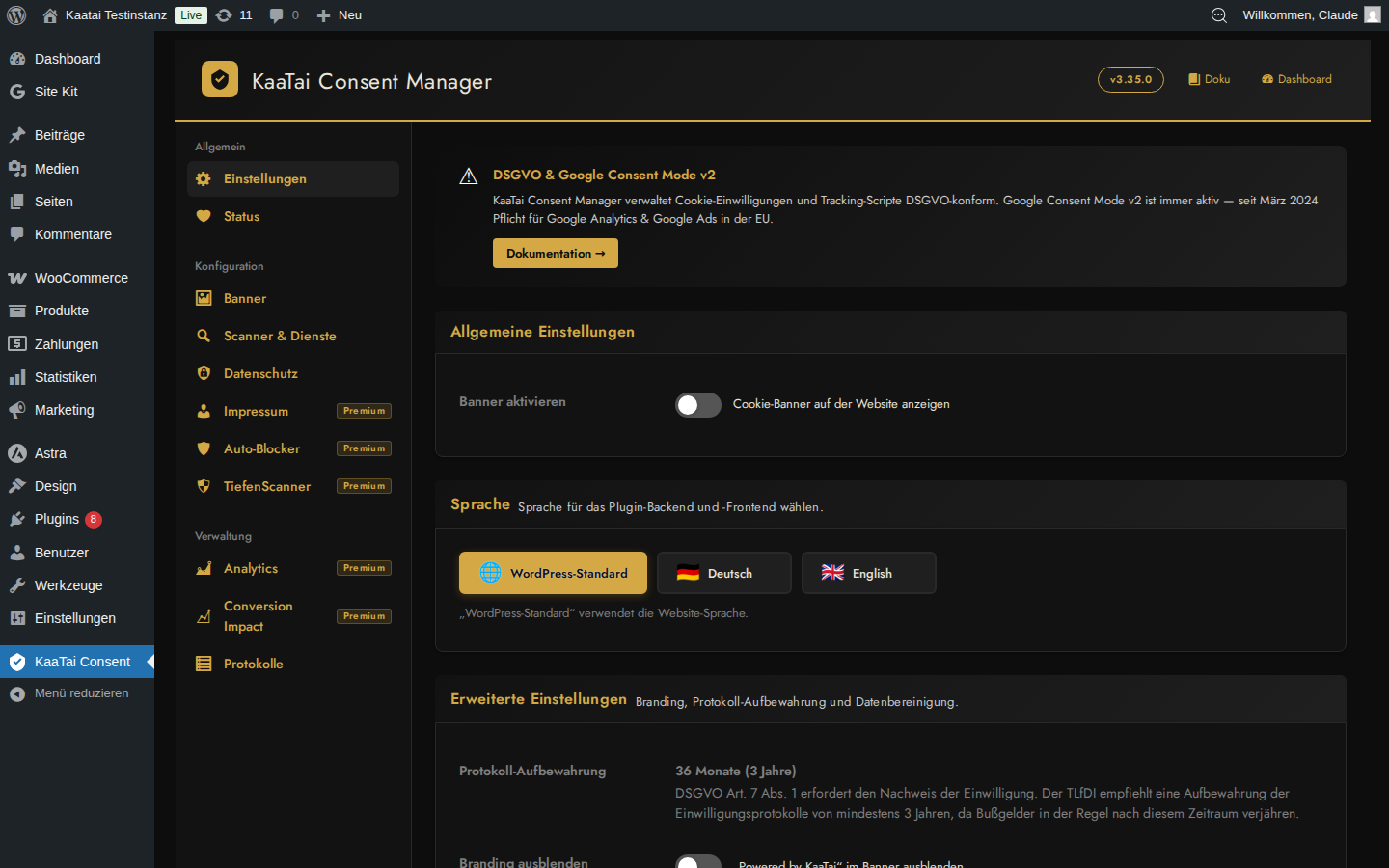
- Google Consent Mode v2 -- always enabled, sends proper signals to GTM, GA4, and Google Ads
- Granular consent -- visitors can accept/reject individual vendors, not just categories
- 5 cookie categories: Essential, Functional, Statistics, Marketing, Performance
- Consent choices persist across sessions and can be withdrawn at any time
- Consent logging with unique record IDs for GDPR Art. 7(1) compliance (36-month retention)
- Global Privacy Control (GPC) -- automatically honors browser-level privacy signals
- Impressum generator -- all mandatory fields per German law (TMG/DDG)
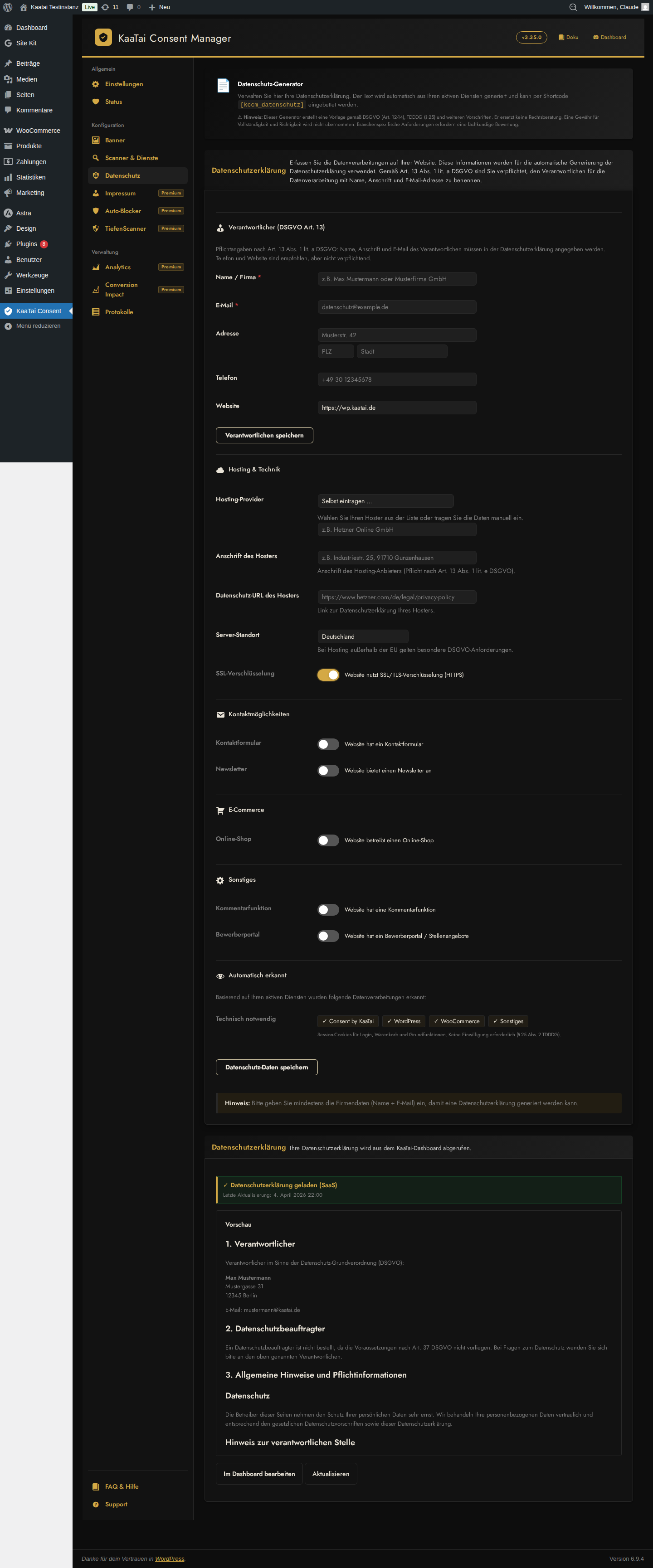
- Privacy policy generator -- covers all 14 items required by GDPR Art. 13
- Shortcodes: [kccm_impressum] and [kccm_datenschutz] for easy page integration
- Language-specific shortcodes for multilingual sites (WPML/Polylang): [kccm_datenschutz_en], [kccm_datenschutz_de], [kccm_impressum_en], [kccm_impressum_de] -- or the lang="en|de" attribute
- Data for responsible person (Verantwortlicher) stored locally -- no external service needed
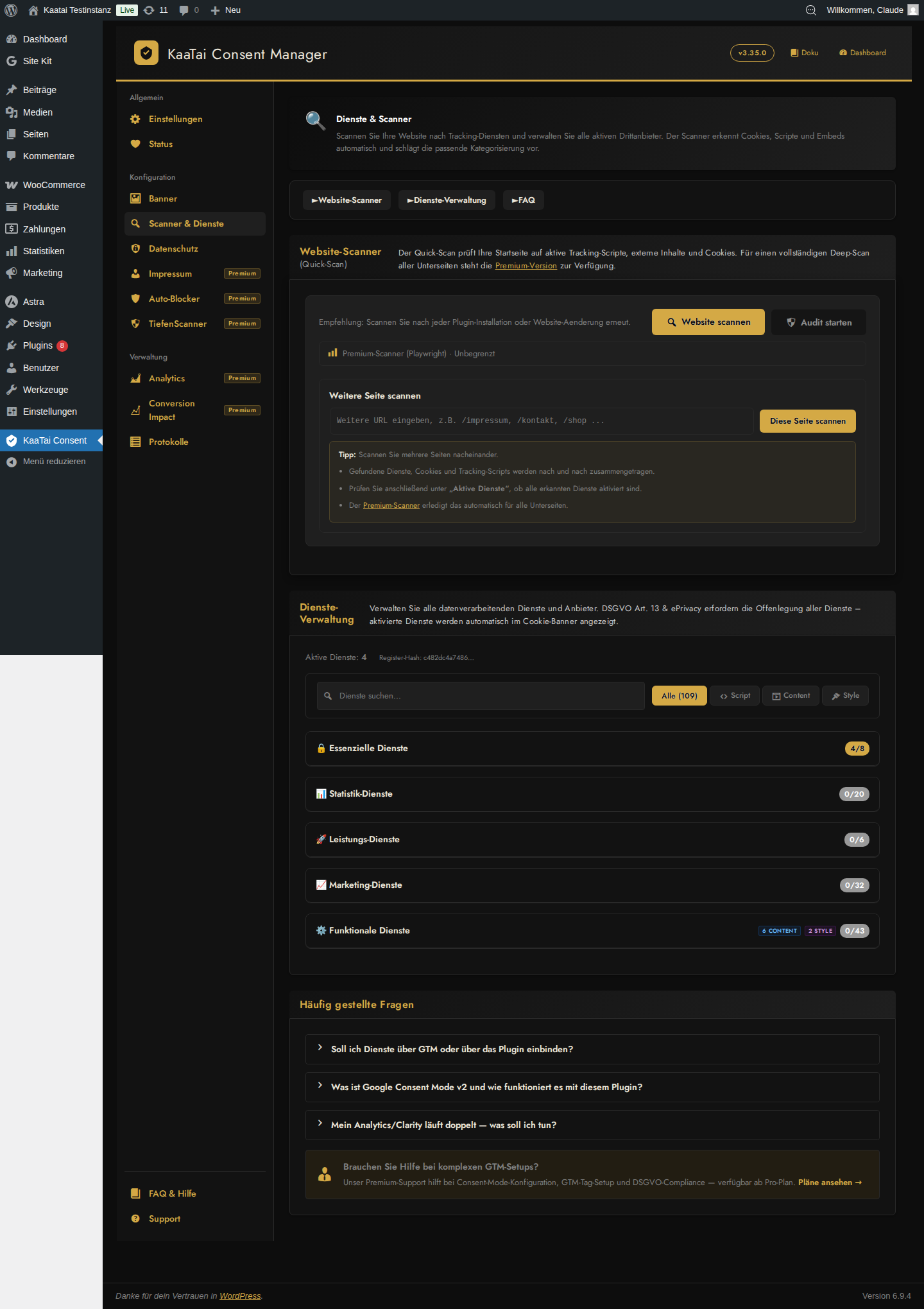
- Pre-configured database of 66+ common services with accurate cookie descriptions
- Google Analytics, Meta Pixel, Microsoft Clarity, YouTube, Google Maps, and many more
- 1-click install from the service catalog
- Custom vendor support -- add your own services with cookie details
- 4-step guided setup: General Settings, Responsible Person, Select Services, Banner Design
- Live banner preview during setup
- Works without an API key -- no account required for basic features
- Analytics: Google Analytics, Google Tag Manager, Matomo, Piwik PRO, Microsoft Clarity, Plausible, Fathom
- Marketing: Meta Pixel (Facebook), Google Ads, Taboola, Outbrain, Awin, Tradedoubler
- Embeds: YouTube, Vimeo, Google Maps, OpenStreetMap, Facebook, Instagram, Spotify
- E-Commerce: WooCommerce (Checkout Banner mode, one-click setup)
- Chat & Support: Tidio, Crisp, Zendesk, Drift, LiveChat
- Security: Google reCAPTCHA, Cloudflare, hCaptcha
- Payments: PayPal, Klarna
- Other: HubSpot, Twitter/X Pixel, Snap Pixel, Gravatar, Site Kit by Google
- Cookie banner with all designs and layouts
- Local consent logging
- Vendor registry (4 vendors)
- Content blocking (YouTube, Maps, etc.)
- Google Consent Mode v2
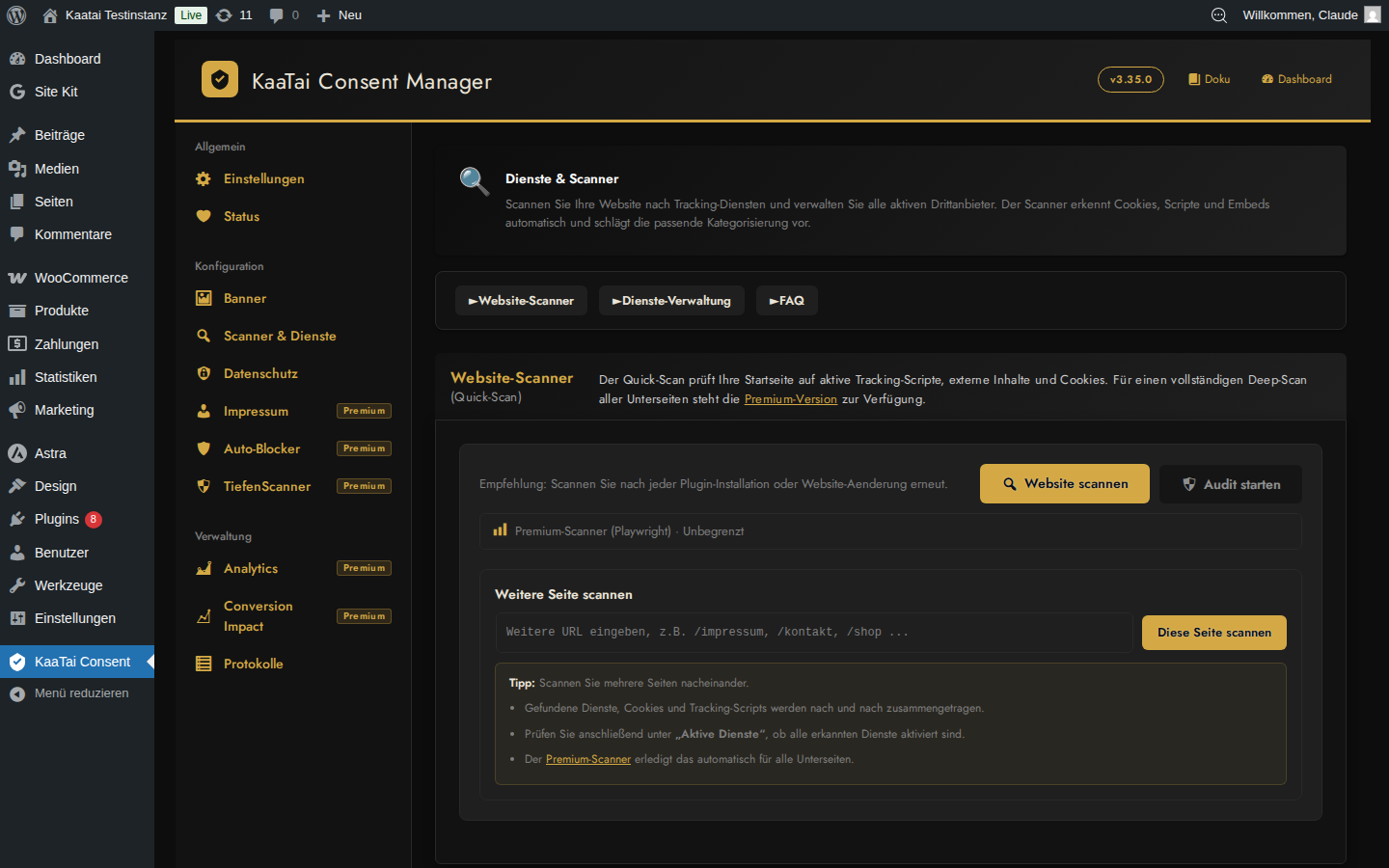
- Local cookie scanner -- scan any single page, unlimited scans (dashboard sync once per day)
- Privacy policy (DSE) generator (local)
- 66+ vendor presets
- Banner logo upload
- Cookie scanner -- automatic scan of your most important pages (up to 20, from your navigation menus)
- Impressum generator (via SaaS)
- Auto script blocker
- White-label (remove branding)
- Ticket support
- SaaS legal texts: dashboard archive, version history, DE/EN sync
- Playwright deep scan
- Audit scanner with compliance score
- WooCommerce presets
- Central consent logging
- Multi-domain support
- Analytics dashboard (consent trends, geo data)
- Conversion impact calculator
安装:
- Go to Plugins > Add New in your WordPress admin
- Search for "KaaTai Consent Manager"
- Click Install Now, then Activate
- Download the plugin ZIP file
- Go to Plugins > Add New > Upload Plugin
- Upload the ZIP file and click Install Now
- Activate the plugin
- The setup wizard starts automatically -- follow the 4 steps
- Configure your site name, language, and responsible person
- Select which services (vendors) your site uses
- Customize the banner design and preview it live
- Done! The cookie banner appears on your frontend
屏幕截图:
常见问题:
Do I need an API key to use this plugin?
No. The plugin works fully without an API key. The free version includes the cookie banner, local consent logging, vendor registry, content blocking, Google Consent Mode v2, a local cookie scanner (single page, dashboard sync once per day), and a local privacy-policy (DSE) generator. An API key unlocks the SaaS Impressum generator, automatic multi-page scanning, deep scan with a compliance audit score, analytics, and central consent logging.
Does this plugin connect to external services?
Only if you enter an API key. Without an API key, no external connections are made. When an API key is configured, the plugin communicates with consent-management.kaatai.de for license validation, config sync, and consent event tracking. See the External Services section below for full details.
Is this plugin GDPR/DSGVO compliant?
Yes. The plugin is designed for GDPR, DSGVO, TDDDG, and ePrivacy compliance:
- No cookies are set before consent is given
- Consent choices are stored locally and can be withdrawn at any time
- Consent logs are retained for 36 months per GDPR Art. 7(1)
- Global Privacy Control (GPC) signals are automatically honored
- All consent records include unique IDs for audit trails
- Legal text generator covers all 14 items required by GDPR Art. 13
Does the plugin support Google Consent Mode v2?
Yes. Google Consent Mode v2 is always enabled and sends proper consent/denial signals to Google Tag Manager, GA4, and Google Ads. No additional configuration needed.
Can I customize the banner appearance?
Yes. All banner design settings are free for all plans: colors, positions, layouts, overlay, border radius, spacing, box shadow, and custom CSS. Only logo upload requires a Starter plan or higher.
Does it block YouTube and other embeds?
Yes. The plugin automatically detects and blocks YouTube, Vimeo, Google Maps, OpenStreetMap, Facebook, Instagram, and Spotify embeds until consent is given. A privacy-friendly placeholder with a click-to-load button is shown instead.
Can I use this on non-German / international websites?
Yes. KaaTai works on any GDPR website and the admin interface is fully available in English and German. Its legal-text templates and some presets are tailored to German/DACH law (DSGVO, TDDDG) -- among the strictest in the EU -- which also benefits sites elsewhere in Europe. For multilingual sites, legal texts can be output per language via dedicated shortcodes. More localized presets are planned.
Does it work with WooCommerce?
Yes. The plugin includes a Checkout Banner mode (minimal single-line banner) and a one-click e-commerce setup that automatically configures the right cookie categories for WooCommerce shops.
What PHP and WordPress versions are supported?
PHP 7.4 or higher and WordPress 5.8 or higher. Tested up to WordPress 6.9 and PHP 8.3.
Where can I get support?
Free support is available on the WordPress.org support forum. Starter plan and above include ticket support.
更新日志:
- New: Multilingual cookie banner. The banner auto-starts in the visitor's browser language and offers a manual language switcher (DE/EN for now, schema open for more). Per-language banner texts in the admin; category and service descriptions switch along. A language allowlist controls which languages appear on the frontend.
- New: Multilingual service descriptions in the banner detail view, lazy-loaded per language.
- New: Fixed-language variants for the settings link/button shortcodes -- [kccm_settings_link_de] / [kccm_settings_link_en], [kccm_settings_button_de] / [kccm_settings_button_en], plus a lang="de|en" attribute -- for multilingual sites (WPML/Polylang).
- Change: Google Tag Manager protection. Services loaded via GTM (e.g. Google Analytics, Meta Pixel) are no longer injected directly by the plugin while GTM is active, which prevents double-loading. Managed via the GTM service list.
- Fix: The admin interface is now fully English-first -- strings that previously stayed German in the settings/script tabs and the setup wizard now follow the selected language.
- Fix: Scanner description corrected -- the deep scan checks your most important pages (from the navigation menus, up to 20), not "all subpages".
- Fix: Banner texts stay aligned with the default language -- switching the default language now moves the texts with it, so the per-language tabs no longer show the wrong language's content.
- Fix: Dropdown options in the admin stay readable on hover (dark-theme contrast fix).
- New: Full English admin UI. Switch the plugin interface to English via the "Plugin language" setting (English is now the source language; German is provided via translation). The plugin is now ready for international users -- with the same deep DSGVO/DACH compliance.
- New: Language-specific legal-text shortcodes for multilingual sites (WPML/Polylang). Alongside [kccm_datenschutz] / [kccm_impressum] you can now use fixed language variants -- [kccm_datenschutz_de], [kccm_datenschutz_en], [kccm_impressum_de], [kccm_impressum_en] -- or the lang="de|en" attribute, to place the right text on each language page.
- Fix: The API-key field is now available in the free version. Previously the entire license card was premium-only, so free users could not connect (or disconnect) an optional free SaaS account. The field is back in both builds; the store promo card remains below it as an upsell.
- Fix: Settings page layout without an API key. A stray closing tag (the newsletter card was only opened for a valid license but always closed) closed the settings container early, pushing the "unlock premium" card into a second column next to the content and breaking on small screens. The card now appears correctly below the license card.
- Change: SaaS legal-text fetch and sync are now language-aware -- the selected language mode applies to texts delivered by the SaaS and to synchronization (Impressum/privacy policy are stored under the matching language).
- Fix: Manually assigned cookie categories in the scanner are now persistent. Previously the assignments were lost on every page load (the stored JSON was corrupted while being read back) and had to be re-assigned after each scan. Existing assignments reappear immediately after the update -- nothing needs to be re-assigned.
- Security: Rate limit for the unauthenticated consent logger (60 events/hour per IP) -- prevents database flooding of the consent log table via the public AJAX endpoint. If the limit is hit, only the log entry is skipped; the consent itself (cookie/banner) is unaffected.
- Security: REST API rate limiter switched to a fixed window (start timestamp stored in the bucket) with hashed keys to avoid key collisions for IP addresses.
- New: GTM-managed mode for vendors -- services loaded via Google Tag Manager (GA4, Meta Pixel, Microsoft Clarity, Hotjar, etc.) can be marked as "managed via GTM". They stay listed in the banner and privacy policy for transparency, but the plugin no longer injects their script -- GTM loads it and Google Consent Mode governs the signal. Prevents duplicate scripts (e.g. two GA4 loaders).
- Fix: GTM service checklist now auto-saves on change (previously the checkmarks were lost on reload unless a hidden "save" button was clicked).
- Change: Vendor cards for GTM-managed services show an "über GTM" badge and their direct toggle is disabled -- managed exclusively via the GTM service list to prevent accidental double activation.
- Brand: Internal product strings unified to "KaaTai Consent Manager — DSGVO-konformes Consent Management" (matches the WordPress.org listing name). Previously mixed with "Consent by KaaTai" in admin texts, legal text generator footer, and update display name.
- Fix: Auto-Blocker output buffer now skips REST API and AJAX requests (avoids breaking JSON responses)
- Fix: document.body guard in all blocker scripts (osm-blocker, etc.) -- prevents JS crash when scripts load before body is ready
- Fix: Button border in WP 6.7+ visible again
- Fix: "Vertreten durch" field no longer overwritten on save in legal company data form
- Fix: Broker-specific fields cleared when role is not "insurance broker"
- Fix: WP Rocket compatibility -- data-nowprocket attribute on all KCCM scripts to prevent delayed JS issues
- Fix: GTM checklist -- added GA4 (most common GTM use case), removed YouTube (not a GTM service)
- Fix: GTM checklist vendor ID corrected (ga4 instead of google_analytics)
- New: 7 privacy policy text blocks for marketing services (Meta Pixel, Google Ads Remarketing, LinkedIn Insight, Pinterest Tag, TikTok Pixel, Twitter/X Pixel)
- Fix: Vendor toggle now creates vendor from preset catalog if not in database (upsert)
- Fix: Meta Platforms Ireland address updated (Merrion Road, Dublin 4)
- Fix: Twitter/X privacy URL unified
- Fix: Store version was deployed without build step -- premium code markers were active in WP.org release
- Fix: Free users saw license key prompt in setup wizard (should only appear in premium version)
- Fix: Sidebar badges showed plan levels (Starter/Business/Pro) instead of unified "Premium" label
- Fix: kccm_has_feature() used premium API path instead of store feature map -- all features incorrectly disabled
- Remove: Custom CSS field removed from store version (WP.org guideline compliance)
- Remove: Script integration textareas removed from store version
- Fix: Last inline style tag replaced with wp_add_inline_style and JS class approach
- Fix: Legacy ccm_ shortcode aliases removed -- only kccm_ prefixed shortcodes
- New: 5 additional design options -- button text color, link color, overlay opacity, box shadow, banner spacing
- Refactor: Store-Plugin uses KCCM_IS_STORE compile-time constant -- all local features fully functional without API key
- Refactor: Premium-only files physically removed from store build
- Docs: External Services section documents all referenced third-party detection patterns
- Fix: Premium build gets -premium version suffix to distinguish from store version
- Refactor: Plugin slug migrated from consent-by-kaatai to kaatai-consent-manager
- Refactor: Code prefix migrated from ccm_ to kccm_ (4+ character prefix per WP.org requirement)
- Refactor: All inline scripts and styles migrated to wp_add_inline_script/style
- Fix: DB migration for ccm_ to kccm_ prefix (options, transients, user meta)
- Security: Input sanitization hardened -- all $_GET/$_COOKIE wrapped with sanitize_text_field
- Security: Nonce checks and cookie JSON data sanitization improved
- Refactor: Removed build-time premium flag in favor of runtime feature gates
- Feature: Status tab -- new setup step for responsible person (GDPR Art. 13 check)
- Feature: Precise error message when privacy policy cannot be generated
- Fix: DSE section numbering, X-Button banner close
- Feature: Wizard Free version -- new responsible person step with GDPR Art. 13 form
- Feature: Auto-Blocker -- 17 new patterns (Tidio, Crisp, Zendesk, PayPal, Klarna, and more)
- Style: All wizard and admin buttons use unified gold design
- Feature: Store vs Premium build separation
- Feature: Auto-Blocker own admin tab with per-vendor toggles
- Feature: Branding toggle (Powered by hide, local, no SaaS required)
- Fix: Uninstall cleanup -- 11 missing options + 2 transients
- Security: SSRF protection, IP spoofing hardening, rate-limit improvements
- Security: CSV export limited to 100,000 rows against memory exhaustion
- Accessibility: Decorative icons marked with aria-hidden, color-picker labels linked, scanner aria-live region
- Fix: Banner stays visible after accepting on cached pages -- cache-safe Early-Hide
- Fix: OpenStreetMap blocking extended (osm.org, openstreetmap.de)
- Fix: Cookie set with Secure flag on HTTPS sites
- Accessibility: WCAG AA color contrast and focus-visible on all interactive elements
- Feature: Auto Script Blocker -- automatically blocks known tracking scripts from third-party plugins
- Feature: Runtime Engine -- activates blocked scripts upon consent
- Feature: Audit Scanner mode -- detect compliance gaps after setup
- Feature: Compliance score with color-coded report
- Feature: Service Library -- on-demand service catalog with 1-click install
- Feature: 4 new embed blockers -- Vimeo, Facebook, Instagram, Spotify
- Feature: WooCommerce Checkout Banner mode
- Feature: One-Click E-Commerce Setup
- Feature: Legal Generator -- Privacy policy HTML generation (GDPR-compliant)
- Feature: Legal Generator -- Local Impressum HTML generation
- Rename: Plugin renamed from "Custom Consent Manager" to "Consent by KaaTai"
- Change: New slug kaatai-consent-manager
- Feature: All banner design settings now free for all plans
- Feature: 3-step setup wizard on first activation
- Feature: Cookie Scanner with deep scan and 67 service detection
- Feature: Banner Editor -- 3 positions, border-radius, live preview
- Feature: Banner Editor with theme presets (Light/Dark/Custom)
- Feature: Layout types, logo upload, overlay option
- Feature: Impressum and Datenschutz shortcodes
- Improvement: Consolidated admin tabs from 11 to 7