
Kamerpower WP Custom Login & Registration (Lightweight plugin for Wordpress)
| 开发者 | Alondi |
|---|---|
| 更新时间 | 2016年3月3日 03:19 |
| 捐献地址: | 去捐款 |
| PHP版本: | 4.0 及以上 |
| WordPress版本: | 4.4.2 |
| 版权: | GPLv2 or later |
| 版权网址: | 版权信息 |
详情介绍:
Features of the plugin include:
- Disable Admin Bar for All Users Except for Administrators.
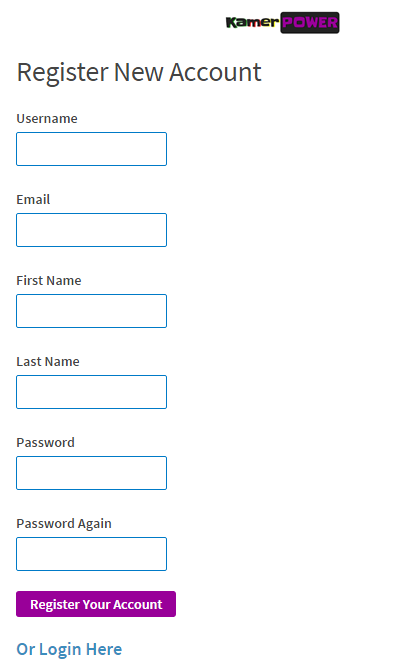
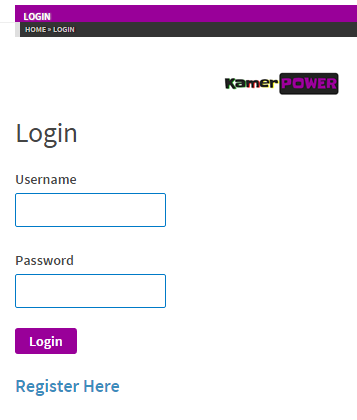
- Front-end login form / user login and Front-end registration form / user registration.
- Google Captcha (Not avaiable since spam prevention is present already, but can be added upon users request).
- Login / registration only allowed on page/post with shortcode available.
- Prevention of spam registration.
- Redirect WordPress default login to custom front-end login page.
- Redirect WordPress default registration to custom front-end registration page.
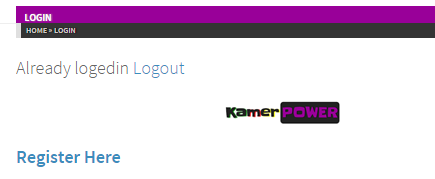
- Redirect users to a custom page after login / logout.
安装:
Installing Kamerpower WP Custom Login & Registration (Lightweight plugin for Wordpress) is just like any other WordPress plugin. Navigate to your WordPress �Plugins� page, inside of your WordPress dashboard, and follow these instructions:
In the search field enter \"Kamerpower WP Custom Login & Registration\". Click \"Search Plugins\", or hit Enter.
Select \"Kamerpower WP Custom Login & Registration\" and click either \"Details\" or \"Install Now\".
Once installed, click \"Activate\".
OR
- Download the zip file from wordpress.org
- Unzip kamerpower-registration-login.zip
- Upload all the files to the /wp-content/plugins/kamerpower-registration-login
- Activate the plugin through the \'Plugins\' menu in WordPress.
屏幕截图:
更新日志:
1.0
- The very beginning.