
kavitapatel FeedbackKit
| 开发者 | kavitapatel |
|---|---|
| 更新时间 | 2026年7月22日 01:23 |
| PHP版本: | 7.4 及以上 |
| WordPress版本: | 7.0 |
| 版权: | GPLv2 or later |
| 版权网址: | 版权信息 |
详情介绍:
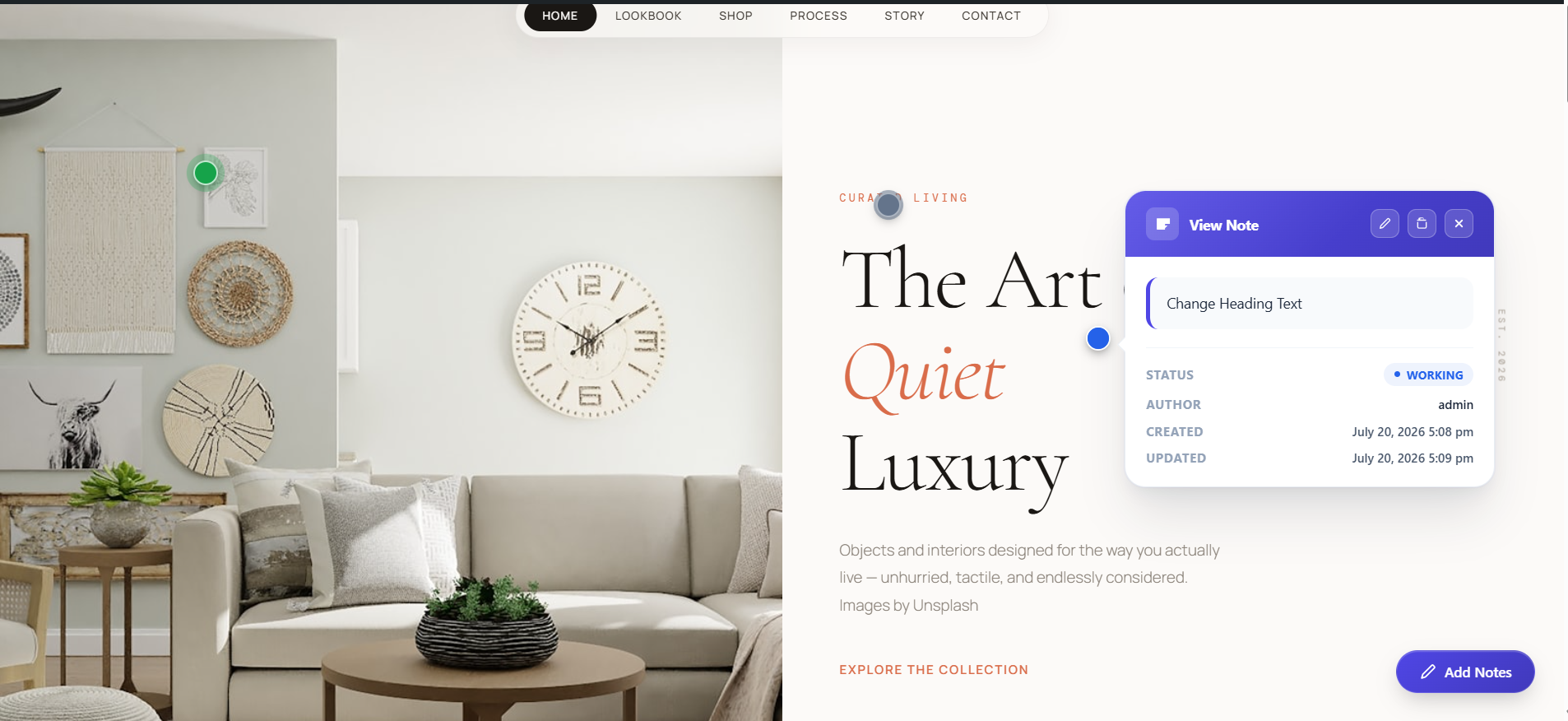
- Visual Element Selection — Enter Add Notes Mode to highlight page elements dynamically. Click exactly where you want to add a note.
- Element-Relative Positioning — Annotation markers stick precisely to their target HTML nodes, automatically shifting if the theme layout changes.
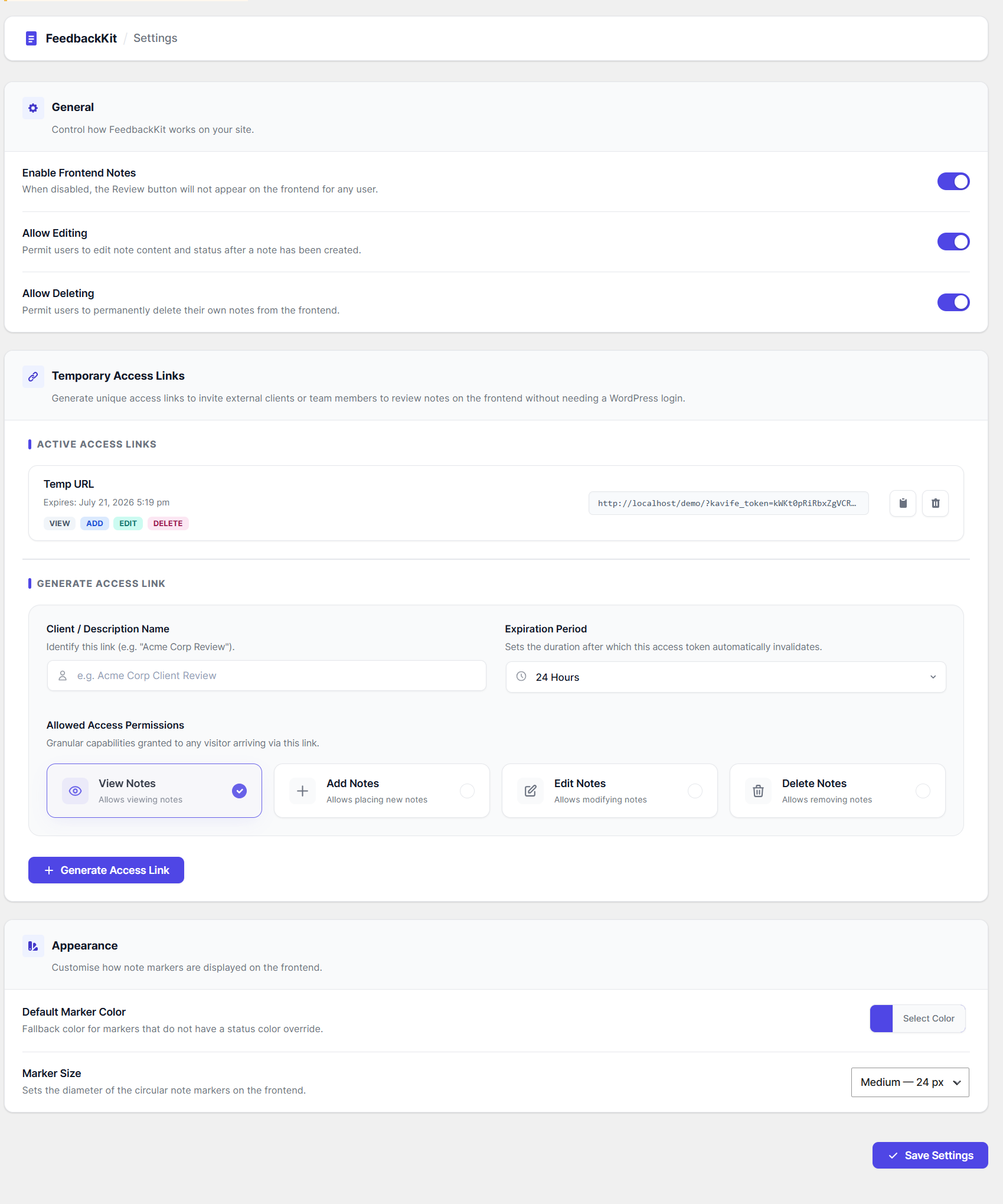
- Temporary Guest Access Links — Generate secure, time-expiring guest links with custom capabilities (View, Create, Edit, Delete). Share with external clients so they can annotate directly without a WP user account!
- Premium Real-Time Stats Bar — Track note statuses (Assigned, Working, Resolved, Closed) via a premium card grid dashboard at the top of the All Notes page.
- 100% AJAX Workflow — Add, edit, delete, reopen, filter, sort, and paginate notes instantly. No page reloads for single-note actions or dashboard metrics.
- Mobile Responsive Drawer — Markers are fully interactive on desktop, tablet, and mobile. Note details load inside a smooth sliding mobile drawer on small screens.
安装:
- Upload the
kavitapatel-feedbackkitfolder to the/wp-content/plugins/directory, or install directly through the WordPress plugin screen. - Activate the plugin through the Plugins screen in WordPress.
- Navigate to FeedbackKit → Settings to set default marker sizes, color themes and generate temporary guest access links.
- Visit the frontend of your site while logged in — click the floating Add Notes button in the bottom right corner to begin annotating!
屏幕截图:

常见问题:
How do Temporary Access Links work?
Temporary links authorize guests using a secure, random cryptographic token (e.g. ?kavife_token=xyz). You can configure the link to expire in 1 hour, 24 hours, 7 days, 30 days, or never, and limit the guest to specific actions (e.g., allow them to view and add notes but not delete them).
Are sticky notes visible to public visitors?
No. Notes and markers are kept strictly secure. They are only rendered for authorized logged-in WordPress users or guests visiting via a valid temporary access link. Public visitors see your page exactly as normal.
Does this work with page builders (Elementor, Divi, Gutenberg)?
Yes. FeedbackKit includes a high-performance Activity-Driven Layout Polling Loop and global scroll capture. This ensures note markers are kept perfectly in sync with moving, fading, or dynamically loaded elements on popular page builders like Elementor, Divi, Beaver Builder, WPBakery, and Gutenberg.
更新日志:
- Initial release.