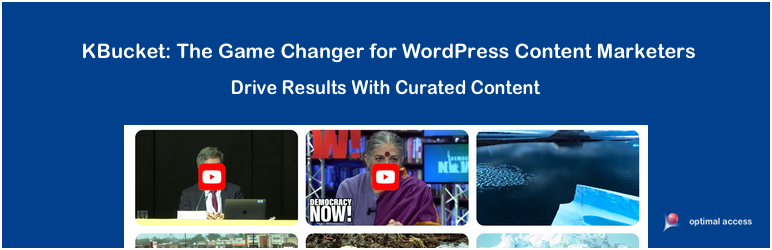
KBucket: Your Curated Content in WordPress
| 开发者 | bodhisatva |
|---|---|
| 更新时间 | 2026年10月3日 06:11 |
| 捐献地址: | 去捐款 |
| PHP版本: | 8.0 及以上 |
| WordPress版本: | 7.1 |
| 版权: | GPLv2 or later |
| 版权网址: | 版权信息 |
详情介绍:
安装:
Steps to activate the plugin.
- Activate the Plugin from your WordPress Dashboard, KBucket Plugin page (You will see KBucket in the sidebar)
- Register the Plugin by going to our registration page
- Get your API key from your new profile page
- Enter your API key under the settings tab in your WordPress KBucket page
- If you are using a Page Builder product, you need to use short codes to display the content
- Go the the “Settings Tab” and choose “use short code” option
- Go to the KBucket page (this page is labeled under your pages list) and create a row with two columns and copy the short codes into each section
- Add the Kbucket page to your desired menu and change the name and url of the page as you wish
- If you are not using short codes, go to the Appearance Widgets menu and add the KBucket tags to the "KBucket Sidebar"
- Download Kurator from the Kurator product page
- Visit our Docs if you have any questions Docs.
- To learn how to create and export your curated research visit our website and ask KChat: How can I create a gallery file for KBucket Optimal Access
- To upload your curated page go to the 'upload KBucket' tab in your plugin and upload the file.
更新日志:
2.3.8
First official public release
= 2.3.9 =\
Fixed minor theme related bugs
= 2.3.10 =\
Fixed minor theme related bugs
2.3.11
Fixed issues with "Set Social" on the backend
2.3.13
Added Twitter handle for sharing
2.3.16
Added Twitter handle for sharing
Fixed upload bugs
2.3.19
Fixed category tag issues
2.3.20
Fixed memory upload issues
2.3.21
Fixed issues with social image share
2.3.23
Fixed issues with Style formatting
2.3.24
Fixed issues with Java Script - conflicts with newer versions
2.4.7
Made KBucket page micro tags visible to the search engine
Added short code capabilities to make it compatible for more themes
Changed how images are uploaded. Once an image is loaded from the server, it will stay, till changed by the server.
2.4.8
Solved issues with mobile display
2.6.1
Changed the URL structure to SEO friendly URLs.
2.6.3
Added a new template with the channels appearing in the side-bar
2.6.6
Added CSS tab for modifying look and feel of the KBucket page
2.6.7
Fixed issues with image upload
2.6.16
Updated Mobile display of posts. Now you see the whole description while in Mobile viewing. This helps with our Botcopy integration.
2.6.22
Updated the version to work with the new Wordpress database, enhanced the RSS feeds and added more fields for our Chatbot CMS solution and changed how the cards display content.
2.7
Updated the tag and image edit features. Also made the plugin compatible with PHP 8.0
2.7.4
Added a new theme for the KBucket page.
Added the ability to edit and replace images directly on the page
Updated the payment gateway
2.7.6
Ability to add description for each channel
2.7.7
Fixed issue with camera icon
2.8.0
Fixed minor issues and crated a link back to our website
2.9.0
Added a sync feature to sync Kurator files with KBucket
2.10.0.1
Fixed bugs with the sync feature
2.11.7
Fixed issues with Sync, improved the uploading process to only update what has changed. Much faster sync process.
2.11.9
Fixed an issue with a log file that needed to be deactivated. It was slowing down access to plugin on the back end.
2.12.1
Added styles option for customizing the look & feel of the content tags and post items. Updates to image upload and sync feature.
2.12.2
Fixed a compatibility bug with Wordpress version 6.1.1
2.13.9
Added widgets to embed content from KBucket via short code anywhere on your website.
2.13.11
Added a Slider widget via short code
2.13.18
Updated the look & feel of the embed widgets and added the readme button to the posts
2.14.3
Updated php to support 8.0, and added capability to play YouTube videos directly on the page.
2.14.5
Updated PHP to support 8.3, fixed issues with theme display, changed captions for videos, added Facebook share button
3.1.3
Fixed incompatibility with Astra themes, introduced new widget theme
3.1.6
Fixed compatibility issues with JS and minor bug fixes
3.1.9
Added new option to display popups (Left, Center, Right)
4.1.1
Fixed issues with popup text formatting and image alignment
4.1.5
Fixed security issue with $_SERVER[‘REQUEST_URI’]
4.1.6
Fixed Security issue with YouTube API
4.2.4
Applied prepare condition with sql query
4.2.5
Fixed a widgets broken issue.
4.2.6
Fixed a formatting of the posts on share popup.
5.0
Changed the yearly license to a free license and fixed the upload workflow
5.2
Improved structured data implementation by setting the correct schema @type for content items.
5.2.1
Fixed sync-by-URL failing with "File empty" on larger XML exports. The staging
step now writes the downloaded file to disk under /uploads/ instead of an
AES-encrypted blob in wp_options, which silently truncates on MySQL servers
whose max_allowed_packet is below the encrypted file size (~33% larger than
the raw XML due to base64). Removes a fixed-key/no-IV "encryption" pass that
provided no real security. Backward-compatible read fallback for any sync
that was mid-flight when the patch was applied.
5.2.2
Tested with WordPress 7.0. Pinned the Stable tag to an actual version
(previously "trunk") so the WP.org plugin page serves a known-good build
rather than whatever happens to be in trunk.
5.2.3
Fixes "YouTube video is broken or unavailable." appearing in place of videos
that are perfectly fine. The share modal was refusing to output the embed
unless a YouTube Data API lookup succeeded first, and installs that have not
set their own API key share one bundled key whose daily quota is regularly
exhausted - so a 403 from Google read to visitors as a broken video. The embed
is now rendered from the video id alone and never depends on that lookup; the
API is used only for the optional views/likes/channel panel. That lookup is
also now made once per view instead of twice, cached for 12 hours (failures
cached for 15 minutes), given a 5 second timeout, and issued through
wp_remote_get so it works on hosts with allow_url_fopen disabled. The settings
screen now explains how to add your own key. Also hardens the id parser
against ?t=/&list=/# suffixes and tolerates videos with likes or view counts
hidden.
5.2.4
Fixes the scheduled upload not running at the interval you selected. The
scheduler runs on every front-end page load, and it was clearing and
re-creating the cron event each time, discarding WordPress's record of when
the event was next due. A site set to "Every 1 hour" would instead sync at
unpredictable intervals, often 14 to 21 hours apart. The event is now created
once and only rebuilt when the interval actually changes, so hourly means
hourly. Also clears the schedule when auto upload is switched off or set to
Manual, instead of leaving an orphaned event behind.
5.3.0
KBucket now inherits your theme instead of imposing its own look.
PLEASE READ - THIS CHANGES HOW YOUR GALLERIES LOOK. Until now the plugin
hard-coded its own palette and typography (Raleway, coral headings, white
panels) into every page it rendered, and set much of it with !important, so
the only way to restyle KBucket was to fight it with more !important. That is
also why KBucket looked out of place on dark themes, and why its popup stayed
white no matter what your theme did.
Colours, fonts and backgrounds are now CSS custom properties. On the front end
they are left undefined on purpose, so KBucket's headings, body text and panels
take the font, text colour and background of whatever theme you are running.
On most sites this simply makes the galleries and the article popup look like
the rest of the site. On sites that were built around KBucket's old colours,
the galleries will change appearance after updating.
To pin the previous look, or any palette you like, set the tokens in your
theme. No !important required:
.kb-wrapper, #kb-wrapper, #facebox .content {
--kb-font: Raleway, sans-serif;
--kb-bg: #ffffff;
--kb-bg-alt: #f6f6f6;
--kb-fg: #333333;
--kb-fg-muted: #828282;
--kb-accent: #e64d47;
--kb-accent-hover: #e76c67;
--kb-border: #dddddd;
}
48 presentational !important declarations were removed so your theme can win
the cascade normally. The wp-admin screens are unaffected - the old palette is
still applied there. Note that if you previously restyled KBucket with
!important overrides, those still win; a rule written for the old markup may
now be redundant, and an overly broad one (for example setting overflow on the
popup body) can still cause problems.
5.3.1
Fix: meta descriptions and canonical links are no longer removed from
non-KBucket pages.
KBucket's workarounds for Yoast SEO on its own hub pages were being applied
to every page of the site. Yoast's meta description and canonical link were
suppressed site-wide, and WordPress's own canonical link was removed from
every front-end page, which also affected sites running no SEO plugin at
all. All three now apply only on KBucket pages.
5.3.2
Fixes the SEO tags KBucket writes into on its own item pages. Yoast and
WordPress's canonical are deliberately removed on these pages, so KBucket's own
tags are the only signals search engines and social scrapers get.
- Adds pointing at the item's clean URL, built from the site's configured home URL, with no query string and the site's own trailing slash convention.
- og:url now uses that same canonical URL. It previously used the raw request URL, hard-coded to http:// and carrying any query string, so a shared link could report a different URL than the page it came from.
- Descriptions are cleaned up: leading transcript timestamps such as "(00:04)" or "[0:05]" are stripped, whitespace is collapsed, and the text is truncated on a word boundary at about 155 characters instead of mid-word at 107.
- Each og: tag is output once. The duplicate block using prefix="og: http://ogp.me/ns#" has been removed.
- og:image:width and og:image:height are output only when the real dimensions are known, instead of always reporting 0, and og:image:type is derived from the file extension instead of always claiming image/png.
- twitter:card is now summary_large_image instead of photo.
- Removes the Cache-Control, Pragma and Expires meta http-equiv tags.
- The addthis_widget.js enqueue is gone, along with the bundled copy of the script, the refreshAddthis() helpers in four JavaScript files, the AddThis event handlers and the addthis_share passthrough blocks.
- The share panel's Email button is now a plain mailto: link carrying the item's title and URL, with the same icon. It previously did nothing.
- The StumbleUpon button has been removed. StumbleUpon closed in 2018. The copy-citation button now reads the item URL from its own data-url attribute rather than from the StumbleUpon badge.
- Facebook, X, LinkedIn and Pinterest are unchanged. They are ordinary links and were never AddThis-powered.
- Masonry and imagesLoaded were enqueued in the head of every page on the site, whether or not it showed any KBucket content. They are now pulled in only by layouts that use them, so a carousel page no longer downloads masonry at all.
- jQuery UI (core, mouse, draggable, droppable) is no longer enqueued on the front end. Nothing there used it.
- The Font Awesome 4.7 stylesheet from maxcdn is no longer loaded. The slider arrows now use current Font Awesome class names. Sites that have no Font Awesome of their own can restore it with: add_filter( 'kbucket_load_font_awesome', '__return_true' );
- KBucket's scripts now load deferred from the footer on WordPress 6.3 and above, instead of blocking the parser.
- Pages with several widgets printed the kbObj data, an inline script and an inline stylesheet once per widget. Each is now emitted once.
- Item images carry real width and height, lazy loading below the fold, and async decoding, so they no longer shift the layout as they arrive. The ImageObject microdata reports the measured size instead of a fixed 500x500.
- Minified builds of the widget script, facebox and the stylesheet ship with the plugin and are used unless SCRIPT_DEBUG is on.
- Tag, related-tag, author and publisher listings, pages after the first, and sort/order/format/share/mtag variants now return 'noindex, follow'. They stay crawlable so search engines still reach item pages through them. Item pages and the first page of each category and collection are unchanged.
- A category and collection that both exist but do not belong together now return 404. They previously rendered, because only each half was checked, and were then 301'd to the KBucket home - which kept them indexed.
- Mixed-case KBucket URLs redirect once to the lowercase https form.
- The legacy /kc/{id}/ and /kb/{id} URLs resolve to the item's current address, or return 410 when the item no longer exists. They previously rendered a collection listing under an item URL.
- The category menu query is cached per request instead of running about a dozen times per page.