Khushal Login Path Guard
| 开发者 | khushal1995 |
|---|---|
| 更新时间 | 2026年5月28日 15:30 |
| PHP版本: | 7.0 及以上 |
| WordPress版本: | 7.0 |
| 版权: | GPLv2 or later |
| 版权网址: | 版权信息 |
详情介绍:
Khushal Login Path Guard is a WordPress security plugin that allows you to change your default login URL and protect your site from common attack vectors. The plugin blocks brute-force attempts, prevents user enumeration, secures sensitive files, and hides WordPress information from potential attackers. All blocked paths display 404 errors (Stealth Mode) instead of redirects, making your site invisible to attackers.
Features
Login Protection:
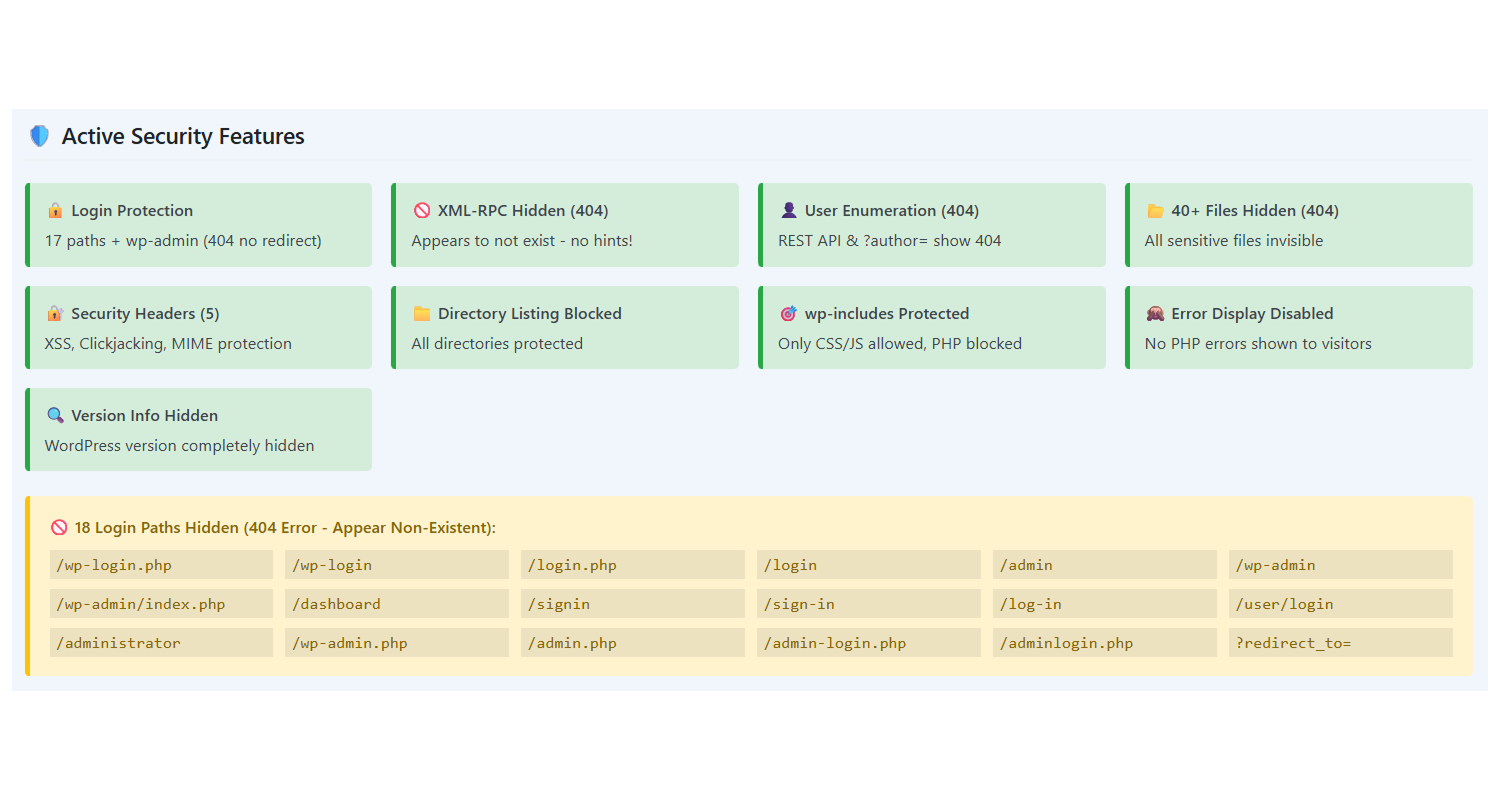
- Blocks 17+ common brute-force login paths
- Custom login URL (only you know the path)
- Shows 404 error instead of redirect (no hints to attackers)
- Protects /wp-admin, /login, /wp-login.php and more Advanced Security:
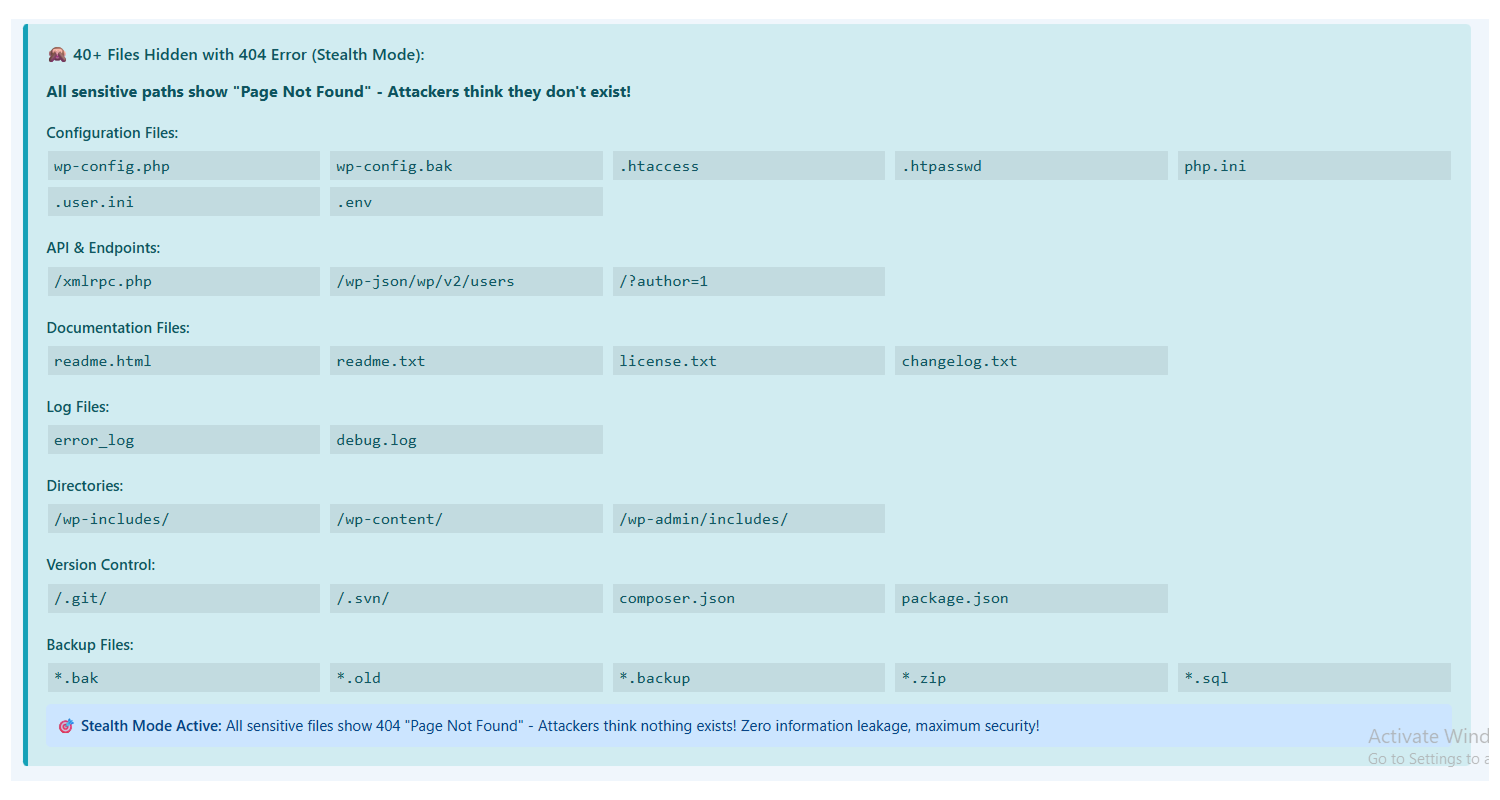
- Blocks XML-RPC (prevents brute-force via API)
- Prevents user enumeration via REST API
- Blocks author page enumeration (?author=1)
- Protects wp-config.php and sensitive files
- Blocks direct access to wp-includes PHP files
- Removes WordPress version information Security Headers:
- X-Frame-Options (prevents clickjacking)
- X-Content-Type-Options (prevents MIME sniffing)
- X-XSS-Protection (XSS attack protection)
- Referrer-Policy (privacy protection)
- Permissions-Policy (feature restriction) User-Friendly:
- Easy settings interface
- One-click URL copy
- Normal functionality for logged-in users
- Does not block AJAX requests
- Clean admin interface
- Brute Force Protection - 15+ login paths blocked
- XML-RPC Disabled - Prevents API-based attacks
- User Enumeration Blocked - Hides usernames from attackers
- Sensitive Files Protected - wp-config.php, .htaccess secured
- Security Headers - Industry-standard HTTP headers
- WordPress Hidden - Removes version and generator tags
- Plugin activate करें
- Settings > Login Path Security में जाएं
- अपना custom login path enter करें
- Settings save करें
- नया login URL use करें
安装:
- Upload the plugin folder to
/wp-content/plugins/directory - Activate the plugin through the 'Plugins' menu in WordPress admin
- Go to Settings > Login Path Security to configure
- Go to Plugins > Add New in WordPress admin
- Search for "Khushal Login Path Guard"
- Install and Activate
屏幕截图:
常见问题:
What if I forget my login URL?
You can rename or delete the /wp-content/plugins/khushal-login-path-guard/ folder via FTP or cPanel. This will deactivate the plugin and you can login using the normal wp-login.php.
Will this plugin slow down my site?
No, this plugin is very lightweight and will not affect your site's performance.
Will wp-admin work for logged-in users?
Yes, everything will work normally for users who are already logged in.
Does this work with multisite?
Yes, this plugin is multisite compatible.
Will AJAX requests be blocked?
No, WordPress AJAX requests will work normally.
更新日志:
2.4.1
- Fixed wp-admin redirect issue - now shows 404 when logged out
- Added multiple layers of protection for wp-admin access
- Improved logout functionality
- Enhanced user experience
- Changed wp-admin behavior - shows 404 instead of redirect when logged out
- Improved security by preventing information leakage
- Better stealth mode implementation
- Fixed dashboard access after login
- Removed wp-admin from directory blocking
- Improved logged-in user detection
- Fixed wp-admin access timing issue
- Changed hook from 'init' to 'wp' for better authentication detection
- Improved compatibility
- Fixed logout functionality
- Added proper logout URL filtering
- Improved redirect handling
- Added logout redirect to custom login page
- Enhanced logout URL handling
- Improved user experience
- Fixed wp-admin directory access
- Removed wp-admin from blocked directories list
- Improved functionality for logged-in users
- Fixed login.php blocking
- Added admin-login.php and adminlogin.php to blocklist
- Updated blocked paths count
- Fixed undefined variable warnings
- Initialized all required wp-login.php variables
- Improved login page compatibility
- Added comprehensive login path blocking
- Added /login, /signin, /administrator paths to blocklist
- Updated admin interface
- Changed redirect behavior to show 404 error
- Removed redirect URL setting
- Enhanced security by hiding WordPress
- Added XML-RPC blocking
- Added REST API user enumeration protection
- Added author page enumeration blocking
- Added sensitive file protection
- Added wp-includes PHP file protection
- Added comprehensive security headers
- Expanded blocked login paths
- Major security update
- Added multiple security features
- Enhanced protection mechanisms
- Initial release
- Custom login path functionality
- wp-login.php and wp-admin protection
- Admin settings interface
- Basic security features