Kitgenix Order Tracking for WooCommerce
| 开发者 | kitgenix |
|---|---|
| 更新时间 | 2026年10月13日 17:40 |
| 捐献地址: | 去捐款 |
| PHP版本: | 8.1 及以上 |
| WordPress版本: | 7.1 |
| 版权: | GPLv3 or later |
| 版权网址: | 版权信息 |
详情介绍:
- Add multiple shipments to one WooCommerce order.
- Store a tracking number and carrier for each shipment.
- Allocate specific order items and quantities to a shipment.
- Prevent allocated quantities exceeding what the customer ordered.
- Use built-in carrier tracking URL patterns.
- Create custom carrier entries for services not included by default.
- Track staff-managed shipment states including shipped, in transit, delivered, exception, returned and cancelled.
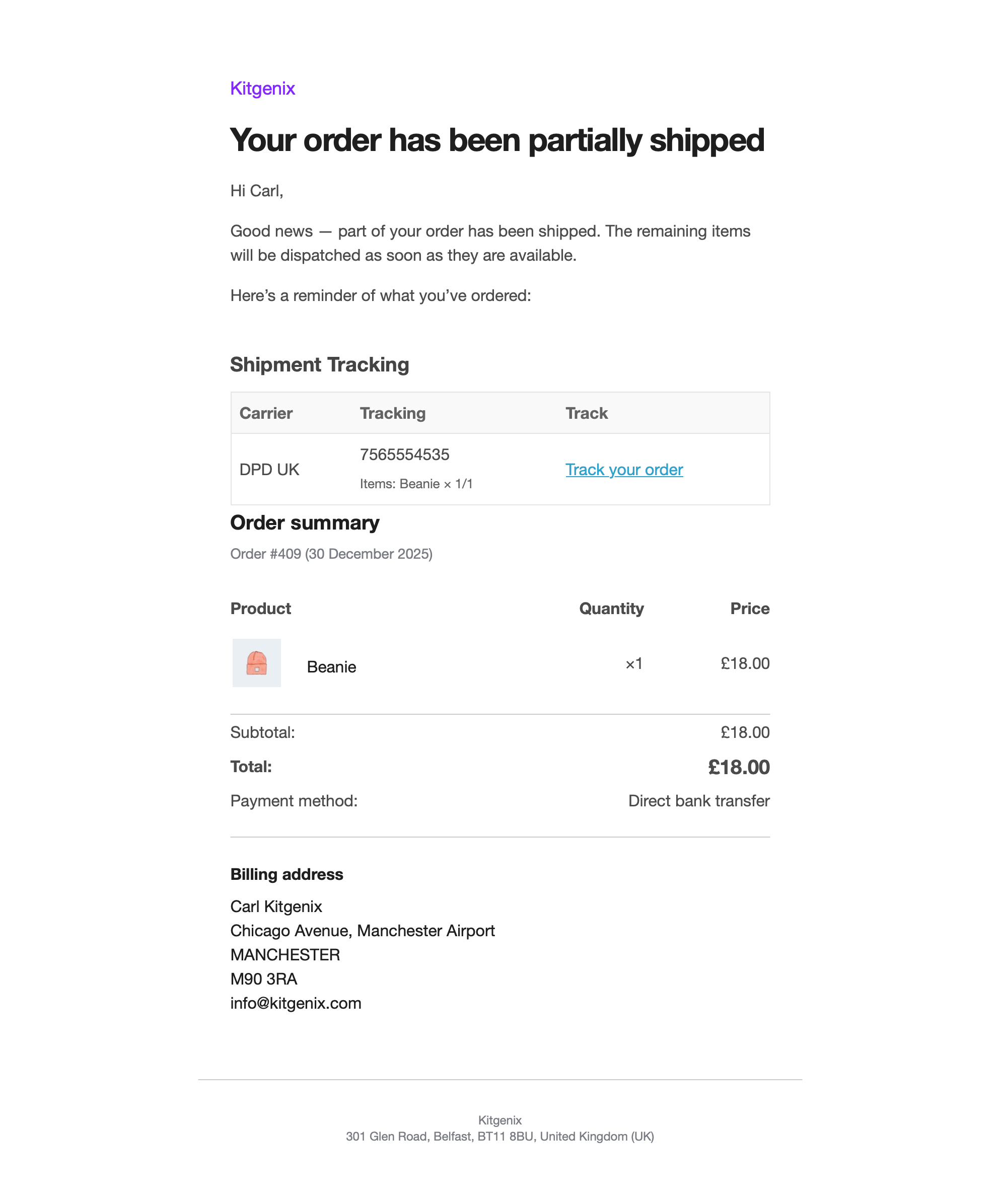
- Add tracking information to supported WooCommerce customer emails.
- Provide a dedicated partially-shipped workflow/status/email where configured by the plugin.
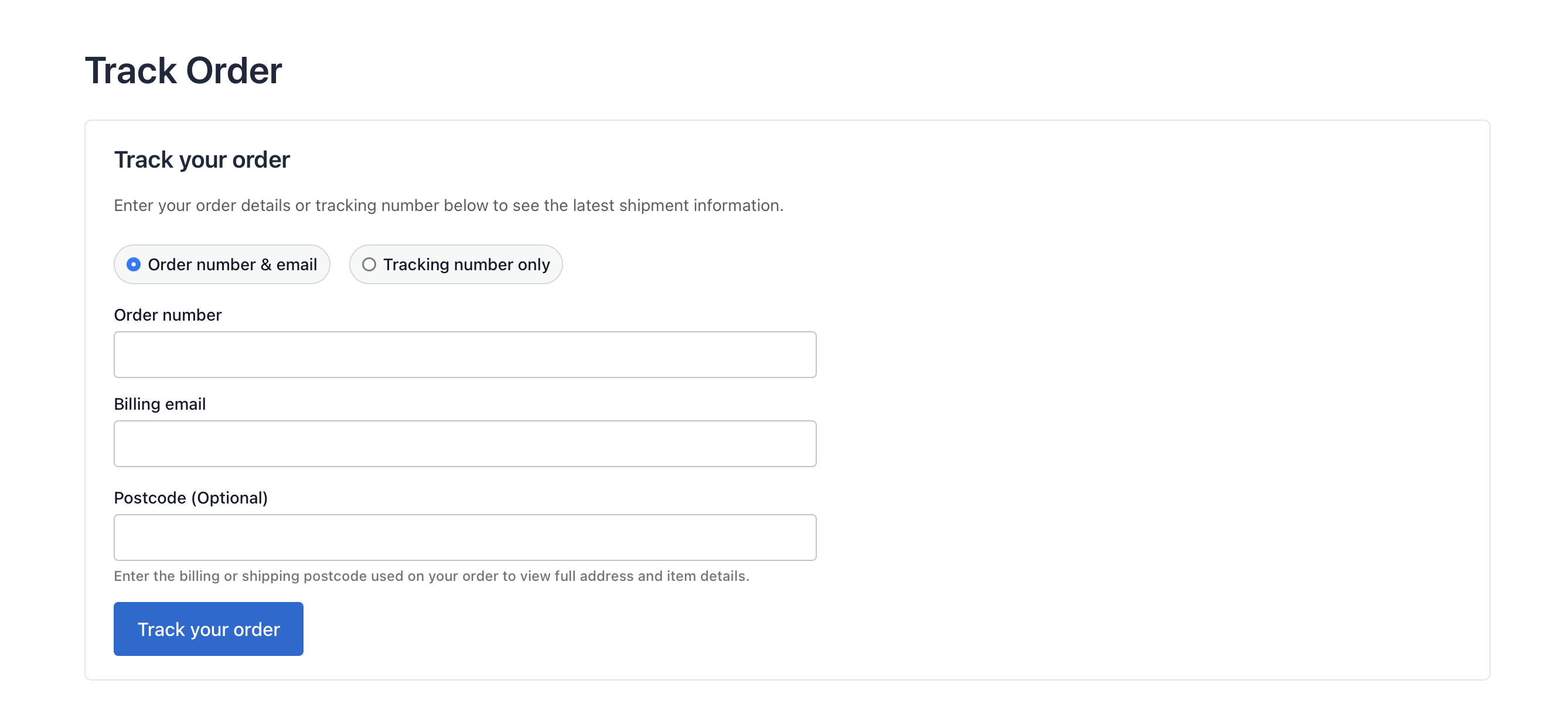
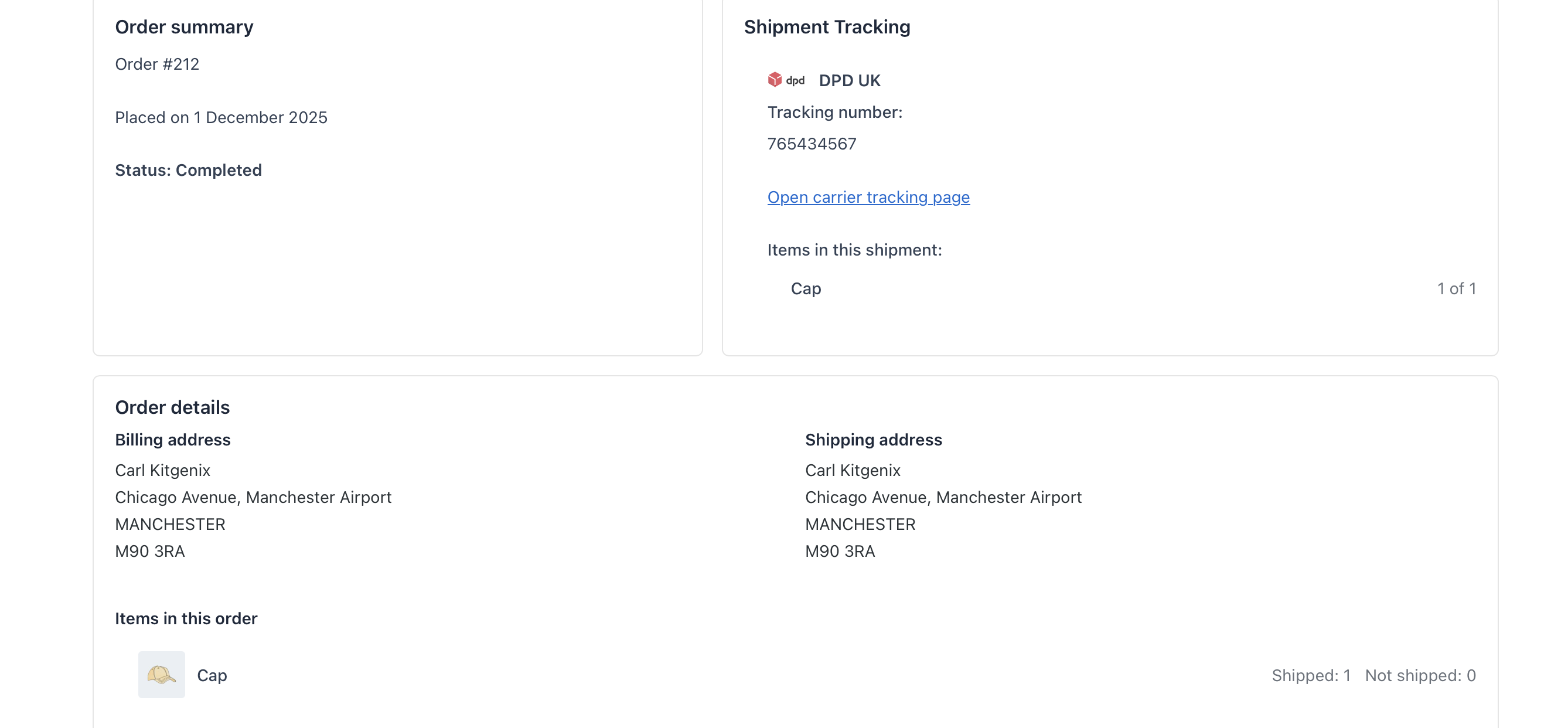
- Give customers a self-service order tracking page.
- Support a public tracking form with order-identification checks.
- Show tracking information in My Account for authenticated customers.
- Provide tracking analytics/reporting in wp-admin.
- Import/export tracking information in supported bulk workflows.
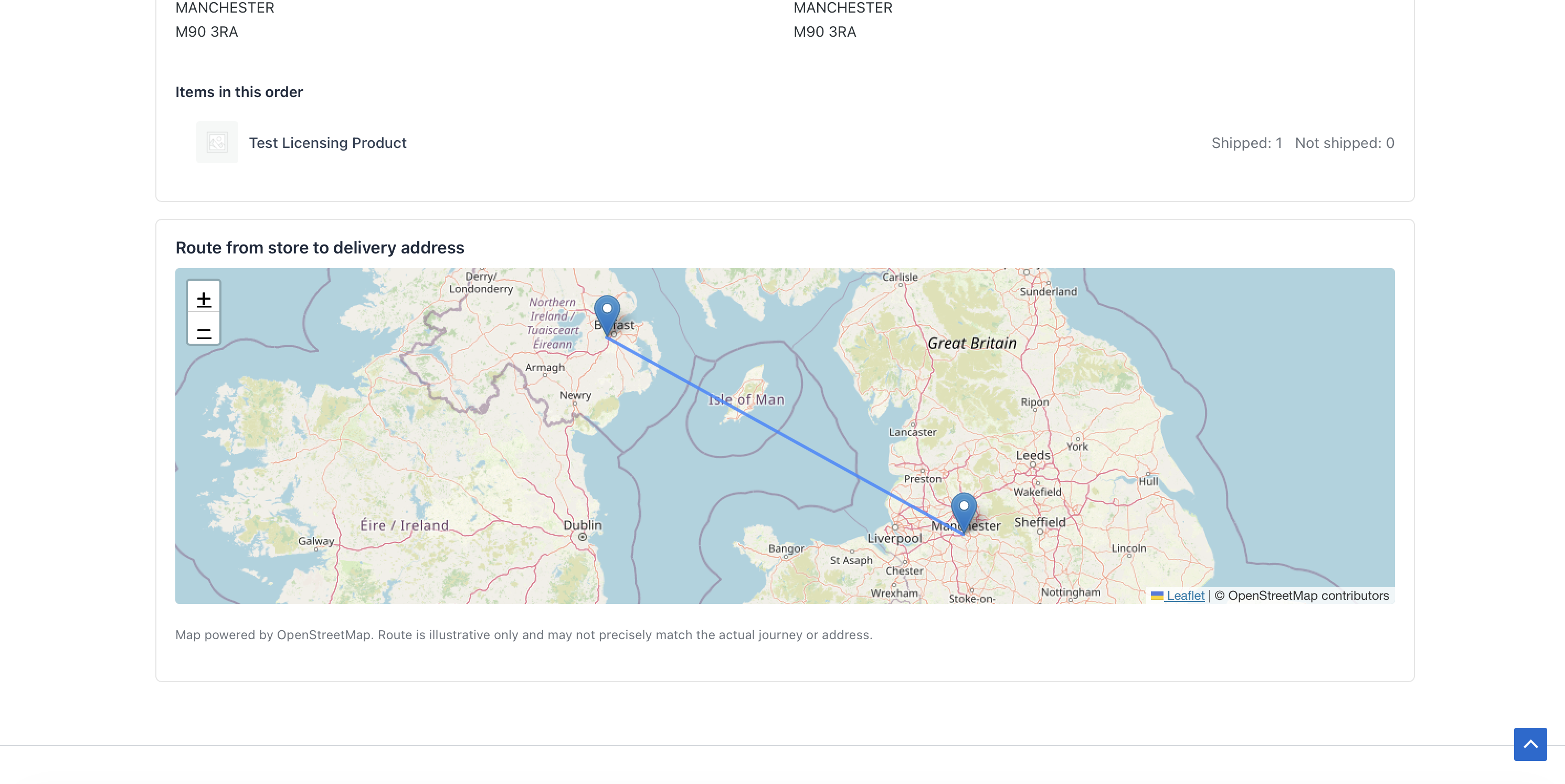
- Optional map presentation using OpenStreetMap tiles and Nominatim geocoding.
- Developer hooks/filters for extending carrier and tracking behaviour.
- Declare WooCommerce HPOS compatibility.
- Shipped.
- In transit.
- Delivered.
- Exception.
- Returned.
- Cancelled.
[kitgenix_tracking_form]
Tracking Analytics
The plugin includes an admin analytics area for reviewing shipment/tracking activity. Reporting is based on the tracking data stored with WooCommerce orders; it is not a remote courier analytics product and does not profile visitors across websites.
Optional Route Map
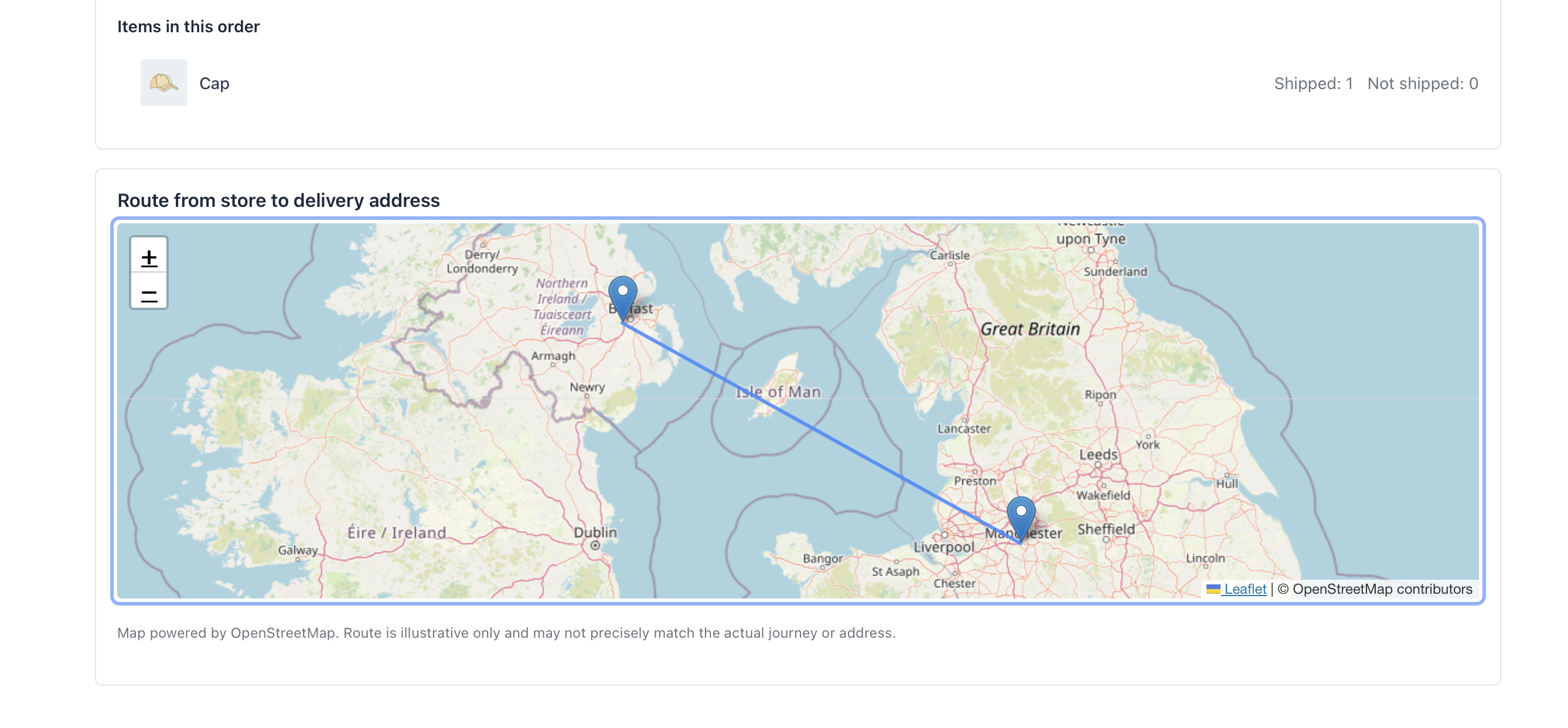
Where enabled by the frontend template/settings, the tracking page can display a simple map between the store origin and customer destination. The browser uses the bundled Leaflet library with OpenStreetMap map tiles and can query the public Nominatim geocoding service to translate the displayed addresses into coordinates.
The map is illustrative. The code draws a straight line between geocoded points; it is not a live courier route, vehicle location or turn-by-turn delivery route.
No Google Maps API key is required by this implementation.
Bulk Portability
The plugin includes import/export functionality for tracking records so stores can move or update shipment information in bulk rather than editing every order manually.
Administrators should test bulk imports on a staging copy first when mapping external fulfilment data, especially when orders can have multiple shipments or item allocations.
Privacy and Data
Shipment records are stored with WooCommerce orders. The plugin does not send tracking records to a Kitgenix tracking service. Clicking a courier link takes the customer to that carrier's own website, which then operates under the carrier's own privacy terms.
If the optional route map is used, address text is sent from the customer's browser to the configured Nominatim endpoint for geocoding and map tiles are requested from OpenStreetMap infrastructure. Those services are documented in External Services below.
What This Plugin Does Not Do
- It does not buy or print shipping labels.
- It does not book courier collections.
- It does not pull live tracking scans from carrier APIs.
- It does not automatically know when a parcel is delivered unless another user/integration updates the status.
- It does not replace a warehouse management or fulfilment platform.
- WooCommerce stores that dispatch with several different couriers.
- Orders split into multiple parcels.
- Partial shipments where customers need to know which items have left.
- Support teams that want tracking visible in the order instead of private notes.
- Stores that want a branded self-service tracking lookup without a hosted Kitgenix account.
安装:
- Install and activate WooCommerce if you haven't already – this plugin will not activate without it.
- Install this plugin via Plugins → Add New (search for "Kitgenix Order Tracking for WooCommerce"), or upload the ZIP file to /wp-content/plugins/ and activate it.
- Create a page (e.g. "Track Your Order") and add the shortcode:
[kitgenix_tracking_form] - Open any WooCommerce order and use the Kitgenix Order Tracking meta box to add a shipment.
- Send a Completed Order email (or use the Partially Shipped status) to confirm tracking appears correctly.
- Optional: visit Kitgenix → Order Tracking → Carriers to apply a regional carrier pack, and → Bulk Tools if your fulfilment team needs CSV import/export.
屏幕截图:
常见问题:
Does this plugin require WooCommerce?
Yes. WooCommerce must be installed and active. If WooCommerce isn't active, the plugin deactivates itself automatically and shows a notice.
Can I add multiple tracking numbers to one order?
Yes. Add as many shipments as you need per order, including split parcels and partial shipments, each with its own carrier and tracking number.
Does the plugin fetch live tracking status from couriers?
No. It stores the tracking number and links to the carrier's own tracking page. Any shipment status shown in the admin or analytics (Shipped, In transit, Delivered, etc.) is set manually by your staff – the plugin does not call carrier APIs.
Which couriers are supported?
Built-in carriers include Amazon Logistics, An Post, Australia Post, Bpost, Canada Post, Chronopost, Colissimo/La Poste, Correos, DHL, Deutsche Post/DHL Germany, DPD Ireland, DPD UK, DX, Evri, FedEx, GLS, NZ Post, Parcelforce Worldwide, PostNL, PostNord, Royal Mail, UPS (US, Ireland, UK), USPS, Woodside Distribution, and Yodel, plus an "Other" option for custom links.
Can I use a courier that isn't listed?
Yes. Use Kitgenix → Order Tracking → Carriers to add a custom carrier with its own tracking URL pattern (using {tracking_number}) and icon, or select "Other" when adding tracking to an order.
Does the plugin guess the carrier for me?
It can suggest one for tracking numbers with a distinctive, unambiguous format (UPS's "1Z" prefix, Amazon Logistics' "TBA" prefix, Royal Mail/Parcelforce and USPS formats). This is always shown as an unconfirmed suggestion – it never overwrites a carrier you've explicitly chosen, and ambiguous numeric formats are left unmatched rather than guessed.
Can I import or export tracking in bulk?
Yes. The Bulk Tools tab exports all tracked shipments to CSV and lets you re-import edited files, either appending new shipments or replacing all shipments on the matched orders. Per-item quantities round-trip using an item_id:qty|item_id:qty format.
Do customers get tracking in emails automatically?
Yes, once a shipment exists on the order. Tracking appears in the WooCommerce Completed Order email and in the plugin's Partially Shipped email.
What is the "Partially shipped" order status and email?
The plugin adds a custom order status, "Partially shipped", and a matching customer email. It's designed for stores that ship orders in stages and want to notify customers with tracking before the whole order is complete.
Can customers track an order without logging in?
Yes. The [kitgenix_tracking_form] tracking page is public and supports lookup by order number and billing email, or by tracking number alone.
Why can't a customer see the full address or item details on the tracking page?
For privacy, full addresses, the route map, and item-level shipment detail are only shown after the customer confirms the postcode, ZIP code, or postal code stored on the order. This check uses country-aware matching, not a single fixed postcode format.
Does the plugin work with WooCommerce High-Performance Order Storage (HPOS)?
Yes. The plugin declares HPOS compatibility and its order meta box and save logic work on both the classic and HPOS order-edit screens.
Do I need a Google Maps API key for the route map?
No. The optional map uses Leaflet (bundled with the plugin) and OpenStreetMap tiles, with no API key or CDN required.
The route map isn't showing – what should I check?
Check for a strict Content Security Policy or aggressive script/asset optimisation that might block the bundled Leaflet script or the OpenStreetMap tile and geocoding requests.
Does this plugin create shipping labels or replace a fulfilment system?
No. It records tracking numbers you already have and displays them to customers; it doesn't generate labels, rates, or replace a fulfilment/shipping suite.
Is this plugin GDPR-friendly?
It doesn't set tracking cookies and uses WooCommerce's existing order data for lookups. Carrier tracking links and the optional map's tile/geocoding requests are external services – review their own privacy policies for your needs.
Does this plugin talk to any other Kitgenix plugins or a remote Kitgenix server?
No customer or store data is sent to Kitgenix. The plugin adds an optional "Kitgenix" admin page that can look up publicly available plugin listing information (install counts, ratings, icons) from WordPress.org for other Kitgenix plugins, to help you find and manage them – see External Services below.
更新日志:
- New: Added a configurable log auto-delete setting (7/14/30 days) to automatically remove old event log entries.
- New: Added a "Request a Feature" button to the Need Help? sidebar, linking directly to this plugin's page on the Kitgenix roadmap (https://roadmap.kitgenix.com).
- New: Added a "Request a Feature" banner below the plugin grid on the Kitgenix Hub page, linking to the shared Kitgenix roadmap.
- New: Redesigned the entire admin experience around the shared Kitgenix design system – a sticky topbar with an Analytics dropdown menu, live settings search, dark/light theme toggle, and mobile hamburger menu replaces the previous page header and tab strip.
- New: Added a redesigned central Kitgenix Hub page for discovering, installing, activating, and reviewing every Kitgenix plugin from one screen, including the new Image Optimizer plugin.
- Improved: Rebuilt the Analytics, Carriers, Bulk Tools, Support, and Log tabs around a consistent set of cards, toggle switches, colour-coded status badges, empty states, and a drag-and-drop CSV upload zone, replacing the previous form tables and plain links.
- Improved: The Tracking Analytics stat-tile grid – including orders in range, time-to-ship, lookups, and other metrics – now uses a fixed four-column layout on wider screens, with responsive fallbacks to two columns and then one column on smaller displays.
- Improved: The "Add tracking" modal on the WooCommerce order edit screen and the custom carrier edit modal now share a common accessible modal component with proper focus handling, Escape-to-close support, and accessible labelling.
- Improved: Custom carrier rows now use compact icon-only edit and delete action buttons with colour-coded enabled/disabled badges instead of plain text links.
- Improved: The Log tab now displays entries in a searchable, paginated table containing time, context, outcome, and a plain-English note instead of a plain text block.
- Improved: CSV bulk import failures now record the specific underlying reason – including unreadable files, files that cannot be opened, missing or invalid headers, and unexpected processing errors – in the Log tab alongside the existing on-screen message.
- Improved: Added a reference table to the Log tab explaining what each recorded category means and whether administrator action is required.
- Improved: The Support tab is now three focused cards – a donate card with a collapsible monthly-amount picker, a "what your support funds" summary, and a "get involved" panel for reviews and plugin links – replacing the previous stack of donate, trust, and community cards.
- Improved: Moved the Log tab directly before Support in the admin navigation for a more logical workflow.
- Improved: Refreshed the Kitgenix logo and favicon assets used throughout the admin menu icon, Kitgenix Hub header, and Analytics header.
- Fix: The "Follow Us" social links no longer appear twice on the Support tab, removing the previous duplication between the inline social block and sidebar.
- Fix: The "Shipments over time" sparkline no longer displays a bold solid line when there is no shipment data. Empty charts now render a thinner, muted baseline so the absence of data cannot be mistaken for a genuine flat trend.
- Fix: Number inputs across the Analytics and settings screens are no longer cramped to a fixed 50px width.
- Dev: Added a shared
kitgenix-admin-components.jscontroller providing modal open/close handling, toast notifications, collapsible cards, copy-to-clipboard controls, and live table search. Bothadmin-analytics.jsandadmin-order-tracking.jsnow use the shared component controller. - Dev: Three previously silent internal errors – Analytics date parsing, tracking-count lookups, and HPOS order-screen detection – are now recorded in the Log tab for easier diagnostics while remaining non-blocking and preserving existing behaviour.