Kitgenix PDF Invoicing for WooCommerce
| 开发者 | kitgenix |
|---|---|
| 更新时间 | 2026年10月14日 01:53 |
| 捐献地址: | 去捐款 |
| PHP版本: | 8.1 及以上 |
| WordPress版本: | 7.1 |
| 版权: | GPLv3 or later |
| 版权网址: | 版权信息 |
详情介绍:
- Invoice.
- Receipt.
- Packing Slip.
- Credit Note.
- Pro Forma Invoice.
- Delivery Note.
- Statement.
- Local PDF generation with bundled Dompdf.
- Seven document types.
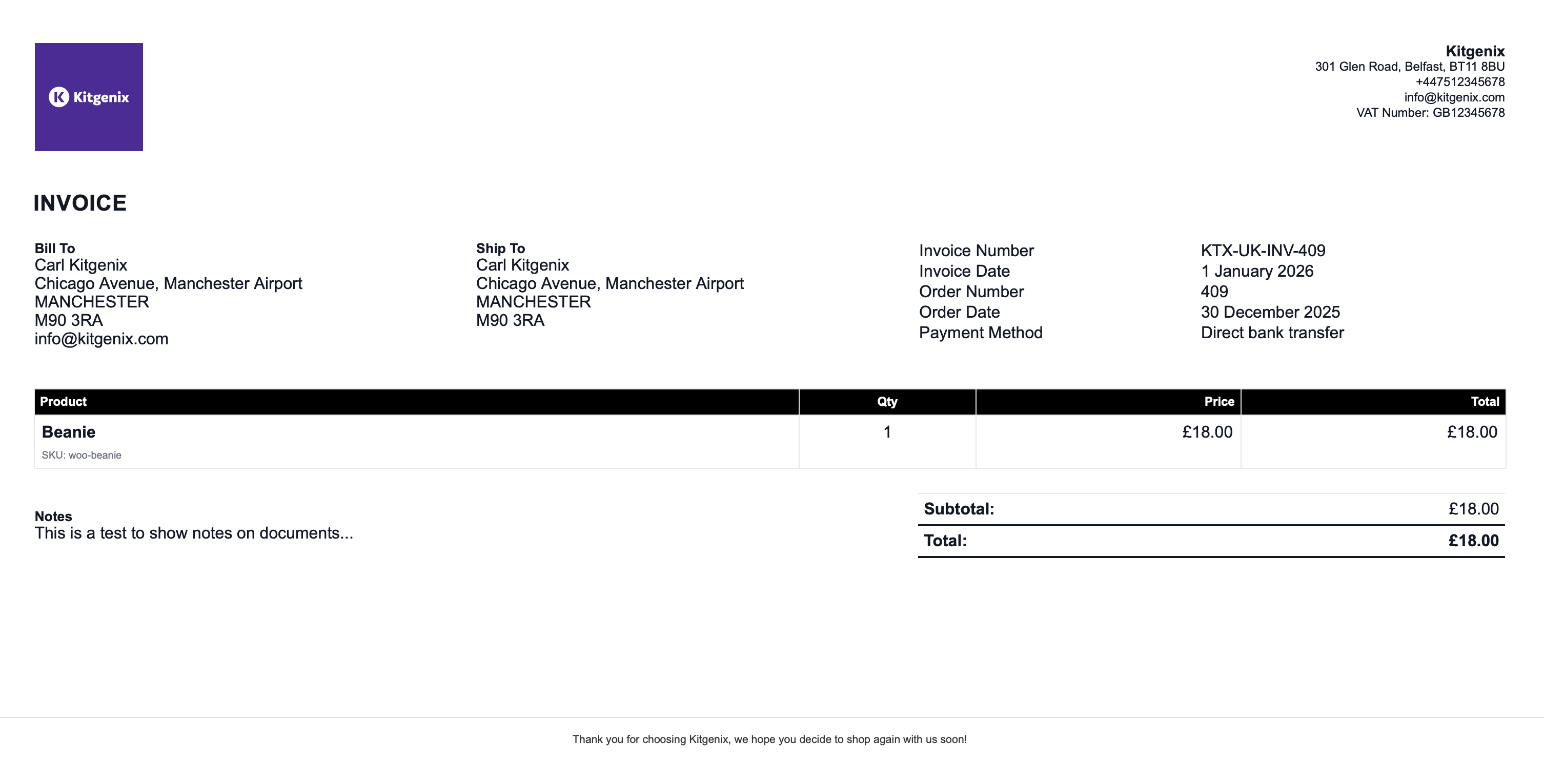
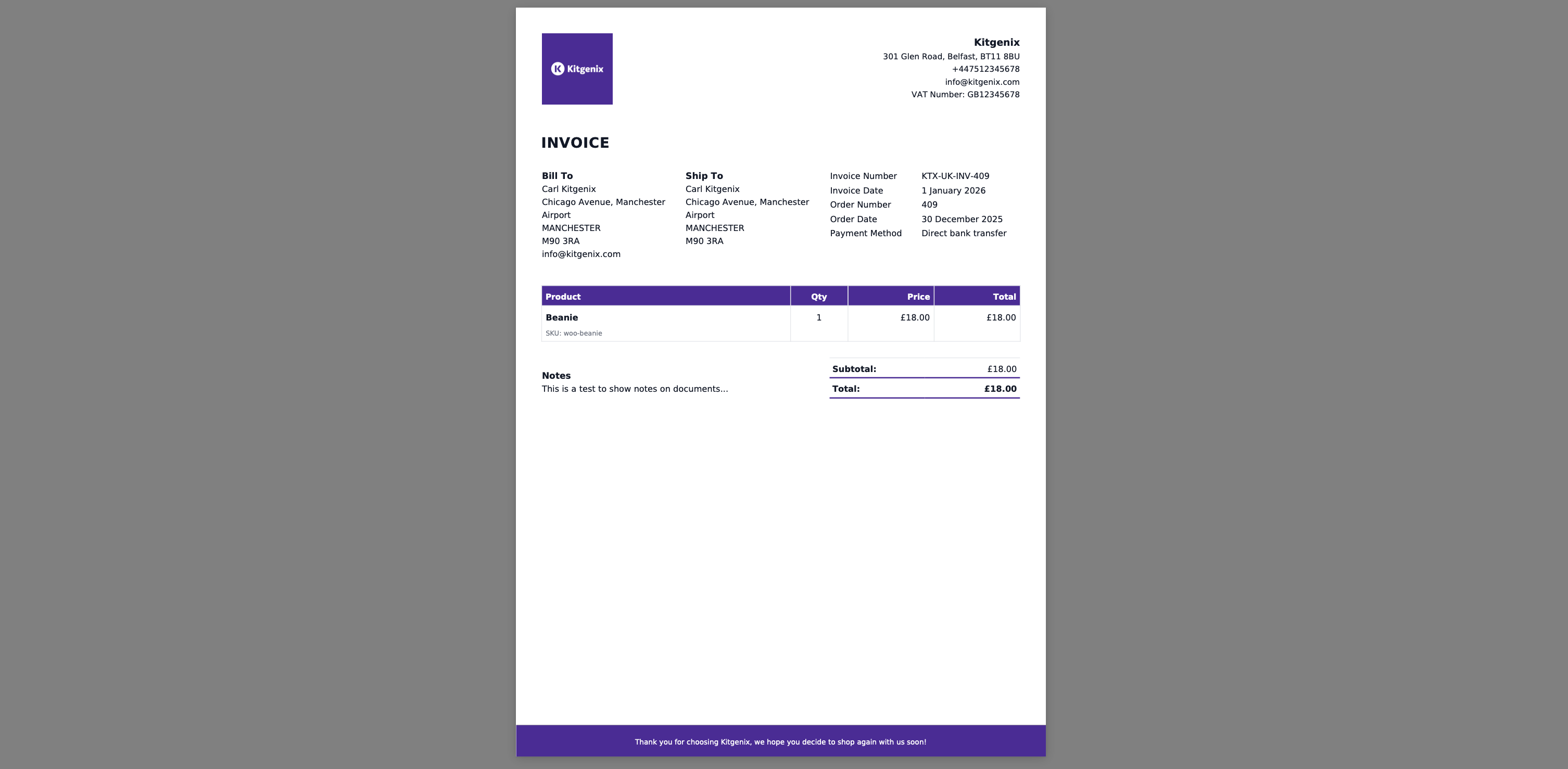
- Four bundled visual templates: Standard, Simple, Modern and Business.
- Company logo, address and tax/VAT registration details.
- Configurable document colours and presentation settings.
- Custom CSS controls used by the PDF renderer.
- Optional uploaded custom fonts supported by the font manager.
- Token-based document-number formats.
- Zero-padding, prefixes and sequence controls.
- Sequence reset options including calendar/fiscal-year scenarios supported by settings.
- Separate credit-note identity/history handling.
- Atomic database-backed sequence table for collision-resistant numbering.
- Automatic WooCommerce email attachments.
- Test email workflow for configured attachment mapping.
- Customer downloads from My Account.
- Guest document access using a valid WooCommerce order key where the relevant route/action permits it.
- Admin order meta box/actions for generating and retrieving documents.
- Bulk generation/download archive workflows.
- Order-list filtering for document state.
- Persistent document archive/history where enabled.
- Regenerate and void controls with history records.
- Tax terminology/localisation packs.
- Custom order fields and notes in document output where configured.
- WooCommerce HPOS compatibility handling.
- Developer filters/actions for output, identifiers, custom CSS and related document behaviour.
- Automatic PDF invoices attached to WooCommerce emails.
- Packing slips for warehouse picking/packing.
- Delivery notes included with shipments.
- Credit notes for refunded orders.
- Pro forma invoices before final invoicing.
- Customer self-service invoice downloads from My Account.
- Branded receipts for completed orders.
- Batch export of documents for finance or fulfilment teams.
安装:
- Install via Plugins → Add New (search for "Kitgenix PDF Invoicing"), or upload the plugin ZIP file.
- Activate the plugin. WooCommerce must already be installed and active – the plugin will deactivate itself with a notice if it isn't.
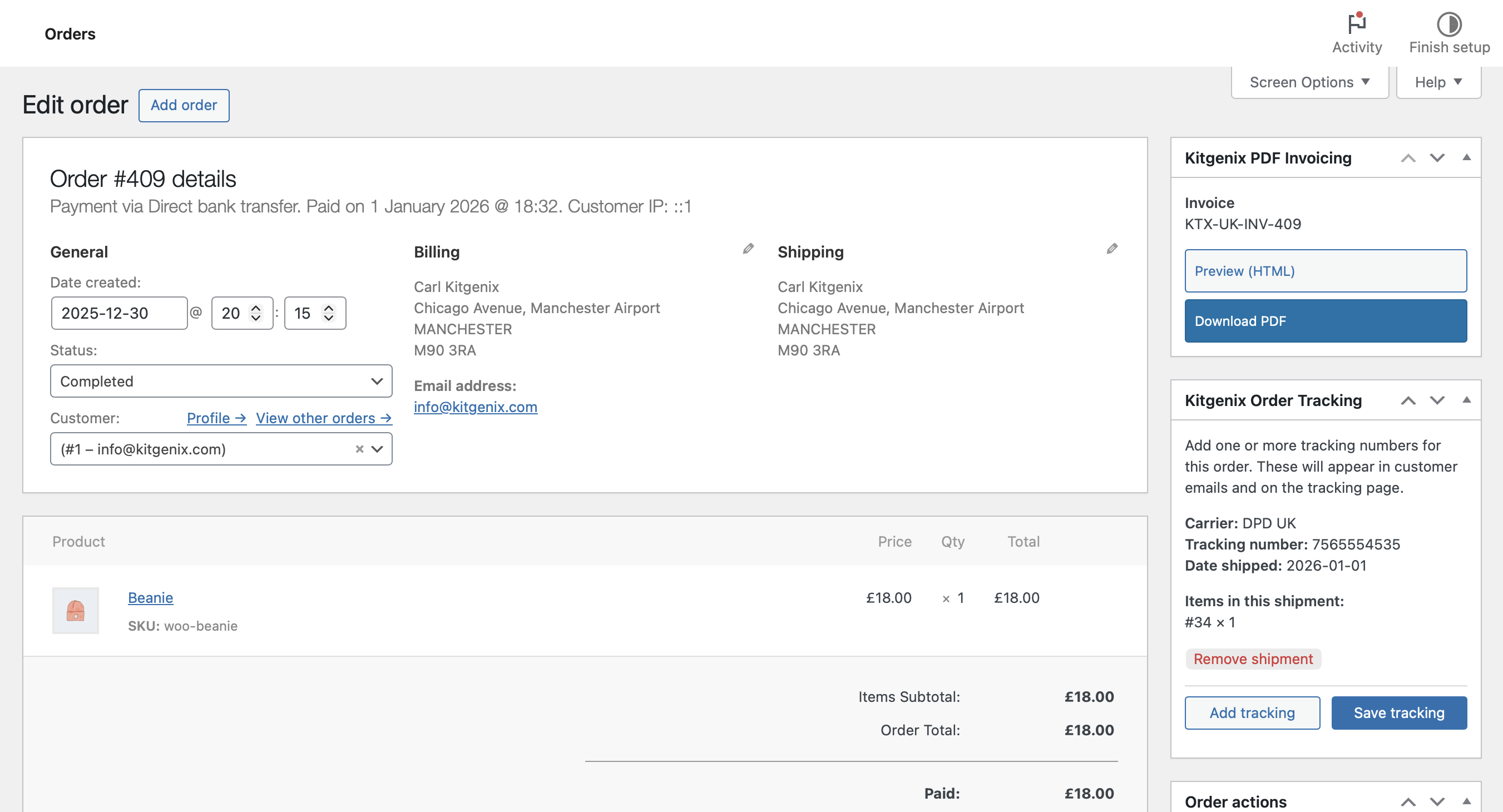
- Go to WooCommerce → Orders and open any order to see the "Kitgenix PDF Invoicing" meta box with document download actions.
- Go to the Kitgenix PDF Invoicing settings page to configure your company details, logo, numbering, template style, and email attachment mapping.
- Optional: enable customer-facing downloads and My Account order actions in settings.
zip extension when available, with an automatic fallback to WordPress's built-in ZIP support if it isn't.屏幕截图:
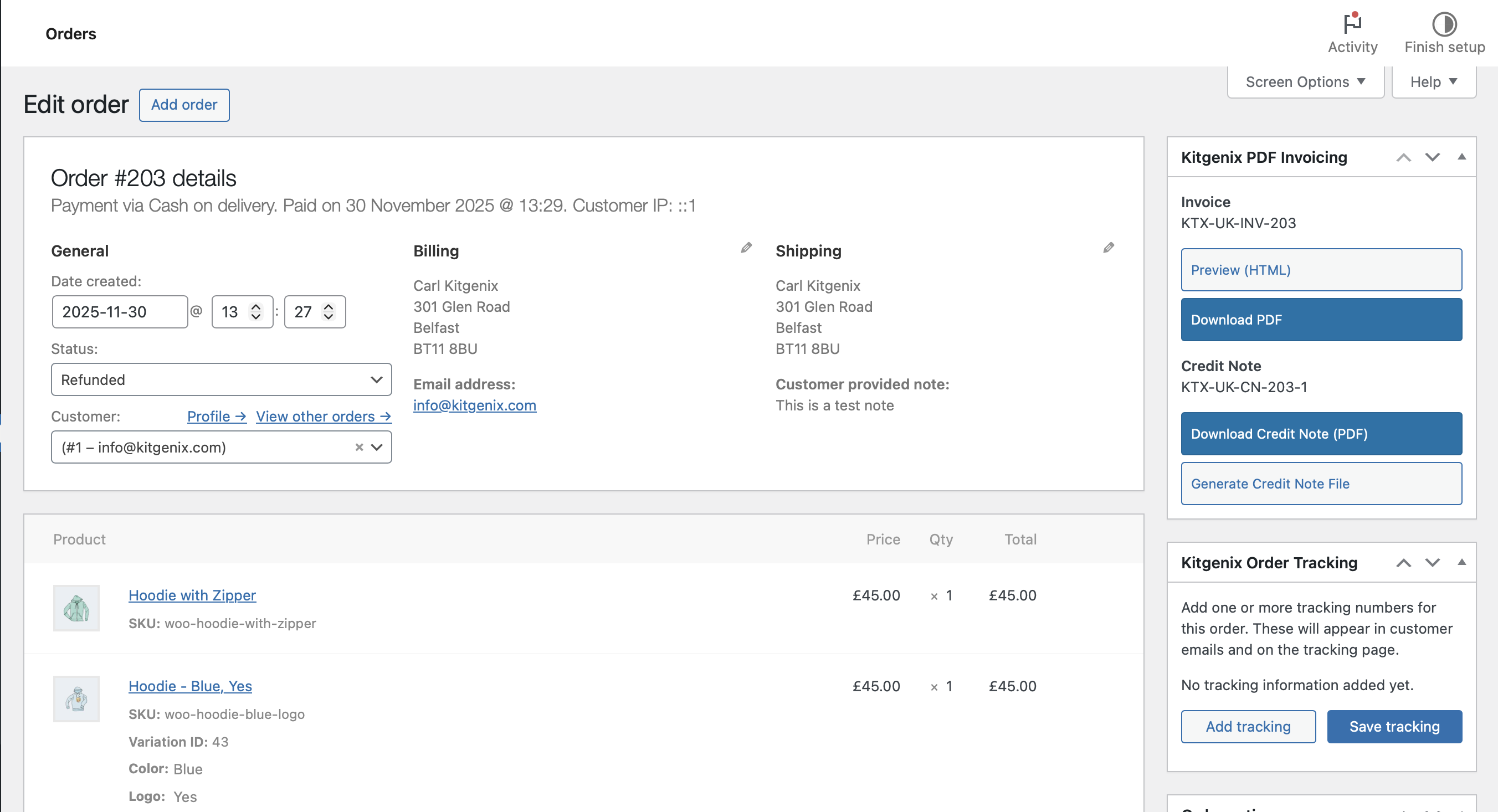
常见问题:
Does this plugin require WooCommerce?
Yes. WooCommerce must be installed and active. Every document type, download, and email attachment is generated from WooCommerce order data.
Are PDF invoices generated automatically?
Documents are generated on demand – when downloaded, or when a WooCommerce email is sent with that document type mapped to it. There is no scheduled/cron-based bulk generation; each document is rendered the first time it is needed and then archived for reuse.
Can customers download their own invoices?
Yes, if enabled in settings. Customers can download invoices and (once refunds exist) credit notes from the order details screen and the My Account Orders table. Guests can also be authorised with a valid WooCommerce order key.
Can I bulk-generate or bulk-download invoices?
Yes. From the WooCommerce orders list, select a set of orders and run a batch ZIP export for invoices, packing slips, receipts, credit notes, pro forma invoices, delivery notes, or statements.
Where are the generated PDFs stored?
Once a document is issued, an immutable copy is archived in the uploads directory and reused for later downloads instead of re-rendering a different version. Temporary files used for email attachments and batch ZIP exports are deleted automatically after use. No customer data is sent to a third-party PDF generation service.
Can I customise the invoice template?
Yes. Choose from four bundled template packs (Standard, Simple, Modern, Business), fine-tune the layout with the built-in visual designer (header alignment, logo scale, density, panels, table style, totals emphasis, footer alignment), or copy templates into your theme at kitgenix-pdf-invoicing-for-woocommerce/{style}/ for full control.
Can I add my company logo, address, and tax/VAT number?
Yes. Company name, address, email, phone, logo, and tax/VAT ID are all configurable and appear on every generated document.
Can I show custom order fields, such as tracking numbers?
Yes. Add custom order meta rows in settings using one entry per line in the format meta_key|Label.
Does it support VAT, GST, or Sales Tax terminology?
Yes. A localisation pack switches document titles and tax wording (for example, "Tax Invoice" for Australia GST), with manual overrides available for the tax label and tax registration label. You can also switch between tax-inclusive and tax-exclusive price display.
Is this compatible with WooCommerce HPOS (High-Performance Order Storage)?
Yes. The plugin declares HPOS compatibility and its order integrations, meta box, and admin order-list filter work with both HPOS and legacy post-based order storage.
How does credit note numbering work?
Credit notes become available once an order has at least one refund, and are numbered against the refund itself (not its position in a list), so deleting or reordering refunds can't desynchronise or duplicate numbers.
Can documents be regenerated or voided?
Yes. Staff can regenerate an issued document from the order's current data (the previous file is kept, not overwritten) or void/unvoid a document without touching its archived file. Both actions are logged in a per-document history on the order screen. This provides an audit trail but does not by itself guarantee compliance with local invoicing or record-keeping requirements.
Can I attach PDFs to WooCommerce emails?
Yes. Map document types to WooCommerce email workflows in settings, preview which documents are mapped for a specific order, and send a test email with only the PDF attachments before relying on the live workflow.
Does the plugin support custom document types?
Developers can extend the document type registry via the kitgenix_pdf_document_types filter to add custom document types alongside the built-in ones.
Does this plugin add any shortcodes or REST API endpoints?
No. The plugin does not register any shortcodes, REST API routes, custom post types, or custom taxonomies. All functionality lives in the WooCommerce order screen, plugin settings, and My Account area, and is extendable via the actions and filters listed in the Developers section.
What happens to my invoices if I uninstall the plugin?
Archived PDF files, document history, and order meta are intentionally preserved on uninstall so you don't lose invoice, receipt, packing slip, or credit note records. Only the plugin's own settings and tracking options are removed.
更新日志:
- Fix: Bump version to 2.1.2 across the plugin.
- Fix: Updated PluginScore Verification code.
- New: Added a configurable log auto-delete setting (7/14/30 days) to automatically remove old event log entries.
- New: Added a "Request a Feature" button to the Need Help? sidebar, linking directly to this plugin's page on the Kitgenix roadmap (https://roadmap.kitgenix.com).
- New: Added a "Request a Feature" banner below the plugin grid on the Kitgenix Hub page, linking to the shared Kitgenix roadmap.
- New: Documents now carry an explicit status – Not generated, Issued, or Voided – visible per document type on the order screen, without ever silently replacing a historic file.
- New: Added a "Regenerate" action that lets staff deliberately re-render an already-issued PDF using the order's current data. The previously issued file is renamed and retained rather than deleted or overwritten, and the action is logged with the acting user, timestamp, and an optional reason. This does not itself guarantee compliance with jurisdiction-specific invoicing or record-keeping laws.
- New: Added "Void" and "Unvoid" actions that change a document's status without modifying or deleting its archived PDF file, creating a metadata-only audit entry.
- New: Added a per-document history log showing issued, regenerated, voided, and unvoided events, including date, acting user, and document number, directly on the WooCommerce order screen.
- New: Added a System Status tab under Settings reporting PHP, WordPress, WooCommerce, and Dompdf versions, HPOS status, uploads/archive writability, active template, PHP memory limit, and execution limits without exposing customer data or secrets.
- New: Added settings import/export under Settings → System Status using JSON files. Imports are validated field-by-field against a strict whitelist, and exported files exclude the logo media attachment ID because WordPress attachment IDs are not portable between sites.
- New: Added optional custom font uploads under Settings → Brand & Styling. Only local
.ttf,.otf, and.wofffiles are accepted, validated by both extension and binary file signature, with files stored inside the plugin's existing hardened uploads directory. Remote font URLs are not accepted. - New: Added a "Has PDF documents" filter to the WooCommerce Orders screen for both legacy and HPOS/custom-order-table views, allowing administrators to quickly find orders with or without invoices or credit notes.
- New: Redesigned the entire admin experience around the shared Kitgenix design system, with a sticky topbar, brand navigation, and a quick link to the Kitgenix Hub from every screen.
- New: Added in-page settings search with "/" and Cmd/Ctrl+K shortcuts so administrators can quickly find a field or section without manually navigating through tabs.
- New: Added a light/dark theme toggle for the admin screens, with the selected preference remembered between visits and a sensible default based on the browser's preferred colour scheme.
- New: Added a responsive mobile navigation menu for Kitgenix admin screens on narrower displays.
- Improved: Settings sections now render as clearly separated cards with icons, while checkboxes have been replaced with toggle switches throughout Settings, the email attachment matrix, and document generation rules for clearer on/off states.
- Improved: Redesigned tables, notices, badges, and button groups across the Settings, Email Preview & Test Send, and Support screens for a more consistent Kitgenix admin experience.
- Improved: The Kitgenix Hub page now shares the same topbar and brand header as the plugin's settings screens and includes Image Optimizer alongside the other Kitgenix plugins that can be installed, activated, and managed from one place.
- Improved: The WooCommerce order screen meta box now displays invoice and credit note numbers as compact badges instead of plain text.
- Improved: The Log tab now displays entries in a searchable, paginated table containing time, context, outcome, and a plain-English note instead of a plain text block.
- Improved: Invoices or credit notes that fail to attach to an order email are now recorded in the Log tab, ensuring emails sent without their expected PDF attachment are visible to administrators.
- Improved: Batch invoice generation now distinguishes orders skipped because they are not eligible for a document from orders that genuinely failed to generate, with the reason recorded in the Log tab.
- Improved: Added a reference table to the Log tab explaining what each recorded category means and whether administrator action is required.
- Improved: The Support tab is now three focused cards – a donate card with a collapsible monthly-amount picker, a "what your support funds" summary, and a "get involved" panel for reviews and plugin links – replacing the previous stack of donate, trust, and community cards.
- Improved: Moved the Log tab directly before Support in the admin navigation for a more logical workflow.
- Security: Document numbers are now assigned through a dedicated database table using an atomic increment, closing a race condition where two simultaneous requests could previously receive the same supposedly unique invoice, receipt, or credit-note number under load. Existing counters are migrated automatically and idempotently, with no numbers reset or reused.
- Security: Archived PDF storage directories are now hardened with
index.phpand.htaccessguards when created, adding defence in depth alongside the existing nonce, order-key, and capability checks that protect every document download. - Security: Order-scoped actions – including admin order actions, order meta box downloads, and admin-post document streaming – now also verify WooCommerce's object-aware
edit_shop_ordercapability for the specific order in addition to the existing general capability checks. - Security: Custom font uploads are restricted to validated local font files and checked using both their extension and binary file signature before being stored inside the plugin's hardened uploads directory.
- Fix: Credit note numbering is now keyed to the stable WooCommerce refund ID instead of the refund list's array position, preventing deleted or reordered refunds from desynchronising, skipping, or duplicating credit note numbers. Existing credit note history is migrated automatically.
- Fix: PDF generation errors, including memory exhaustion or execution time limits on very large orders, are now caught and logged instead of risking an uncaught fatal error while generating an invoice or credit note.
- Fix: Corrected the MultiStore plugin listing in the Kitgenix Hub, including its name, slug, and plugin file path, so install, activate, and open actions now target the correct plugin.
- Fix: Empty document download button rows are no longer rendered in the WooCommerce order meta box when no PDF downloads are available for the order.
- Fix: Admin notices rendered on the plugin settings page can now be dismissed using a close button.
- Fix: The "Preview email attachments" and "Send test email with PDFs" buttons now have appropriate spacing from the field above them.
- Fix: Number inputs, including the email preview Order ID field, are no longer cramped to a fixed 50px width.
- Dev: Refreshed dependencies using
composer installandcomposer audit, including Dompdf 3.1.6, with no known security advisories detected. Dompdf and its dependencies' bundled licence files remain included for redistribution. - Dev: Added a shared
kitgenix-admin-components.jscontroller providing toast and inline save confirmations, collapsible cards, copy-to-clipboard controls, and live table search for consistent behaviour across Kitgenix plugins. - Dev: Migrated hardcoded Kitgenix brand colours in the WooCommerce order meta box and admin stylesheets to shared CSS custom properties for consistent theming across plugins.
- Dev: Refreshed and reorganised the Kitgenix logo and icon asset set used throughout the admin UI and Kitgenix Hub.