Klamra Paycal for Aspaclaria
| 开发者 |
klamra
klamra22 |
|---|---|
| 更新时间 | 2026年6月25日 16:33 |
| PHP版本: | 8.0 及以上 |
| WordPress版本: | 7.0 |
| 版权: | GPLv2 or later |
| 版权网址: | 版权信息 |
详情介绍:
PayCal is a branded checkout and payment-management platform for WooCommerce stores built for creative businesses.
The plugin connects a merchant's WooCommerce store to PayCal Platform, where WooCommerce checkout, hosted checkout sessions, merchant settings, License Token validation and approved payment-provider connections are managed.
Features
- Connect WooCommerce checkout to PayCal
- Prepare Apple Pay and hosted checkout experiences
- Use PayCal branded hosted checkout
- Manage merchant connection and License Token validation
- Connect to approved payment-provider configurations
- Support payment-management workflows for creative businesses
安装:
- Upload the plugin files to
/wp-content/plugins/klamra-paycal-for-aspaclaria - Activate the plugin through the Plugins menu in WordPress
- Go to WooCommerce → Payments
- Enable PayCal
- Configure your PayCal settings
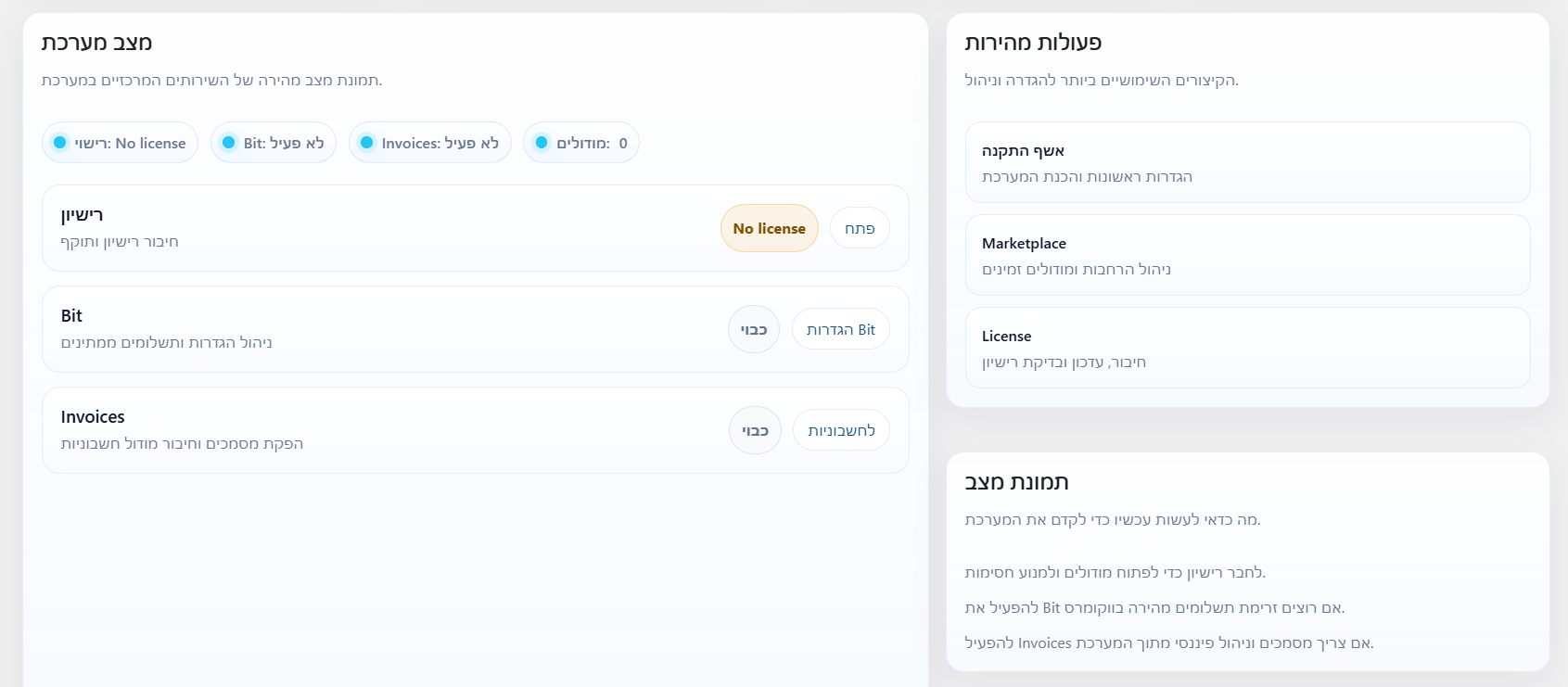
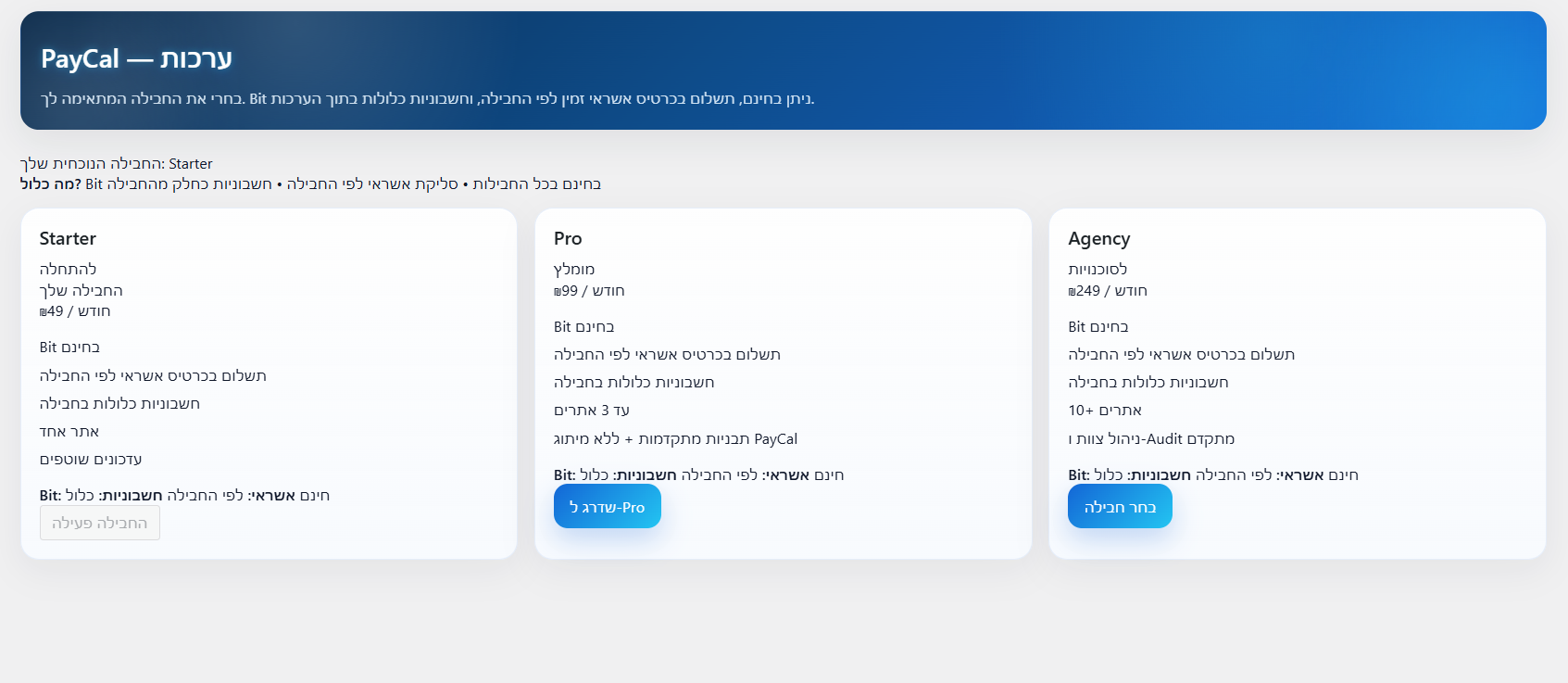
屏幕截图:
常见问题:
Does this plugin require WooCommerce?
Yes. WooCommerce must be installed and activated.
What payment methods are supported?
The plugin connects WooCommerce to PayCal Platform and approved payment-provider configurations. Available payment methods, including Apple Pay where enabled, depend on the merchant's approved provider setup.
Is the plugin easy to configure?
Yes. The plugin integrates directly with WooCommerce and requires minimal setup.
更新日志:
1.3.0
- Security hardening release: strengthened hosted checkout sessions, server-side verification, merchant isolation, webhook idempotency, sanitized logs, and safer customer-facing errors.
- Improved WooCommerce order completion by passing the verified PayCal payment ID as the WooCommerce transaction ID after successful hosted checkout verification.
- Added cleaner private order notes for successful verification, failed verification, and expired sessions.
- Improved WooCommerce order completion by passing the verified PayCal payment ID as the WooCommerce transaction ID after successful hosted checkout verification.
- Hardened hosted checkout return handling so the success confirmation is shown only after server-to-server verification confirms the order is paid.
- Sanitizes hosted return request values and keeps failed verification details in private order notes or logs only.
- No UI/admin design, merchant connection, license behavior, checkout.paycal.online session flow, WooCommerce email logic, or payment status rules changed.
- Fixed old hosted checkout customer return after successful Apple Pay payment.
- wc-api=paycal_hosted_return now serves a no-cache HTML transition page after successful verification.
- Prevents legacy template_redirect handler from interfering with the dedicated wc-api return handler.
- Removes pending Location headers and returns HTTP 200 before outputting the transition page.
- Adds response mode diagnostics for hosted return: html_transition.
- No payment verification, payment_complete, order status, checkout.paycal.online, capture logic, or forced completed status changed.
- Improved successful old hosted checkout return experience.
- After successful verification, wc-api=paycal_hosted_return serves a no-cache confirmation transition page from the store domain.
- The transition page redirects customers to the WooCommerce order-received URL using window.location.replace(), with meta refresh and fallback link.
- Preserves existing merchant connection and license data across plugin updates/replacements.
- uninstall.php now preserves PayCal connection/license/invoice data by default.
- Data is removed only when paycal_remove_data_on_uninstall is explicitly set to yes.
- Adds connection persistence diagnostics for settings, license data, merchant ID, terminal ID, public key, sync state, and plugin basename changes.
- Avoids marking license invalid on temporary API/HTTP/malformed-response failures.
- No payment verification, checkout.paycal.online session flow, capture logic, or forced completed status changed.
- Added explicit order save after successful PayCal hosted checkout verification and payment_complete().
- Confirmed hosted return redirects to the WooCommerce order-received URL after verification.
- Keeps WooCommerce email hooks intact and does not suppress order emails.
- No checkout.paycal.online session flow, capture logic, or forced completed status changed.
- Added explicit order save after successful PayCal hosted checkout verification and payment_complete().
- Confirmed hosted return redirects to the WooCommerce order-received URL after verification.
- Keeps WooCommerce email hooks intact and does not suppress order emails.
- No checkout.paycal.online session flow, capture logic, or forced completed status changed.
- Fixed old pay.aspaclaria.co.il hosted checkout return bridge.
- Added dedicated WooCommerce API return endpoint for PayCal hosted checkout returns.
- Old hosted checkout now returns through wc-api=paycal_hosted_return so server-to-server verification runs reliably.
- Redirects customers to the clean WooCommerce order-received URL after successful verification.
- Preserves backward compatibility with existing template_redirect return handling.
- No new checkout.paycal.online session flow, capture logic, or forced completed status changed.
- Added return verification support for generic PayCal checkout sessions.
- Connector now sends the latest pcs_ checkout session ID to server-to-server verification.
- Avoids duplicate failed verification notes on repeated return handling.
- No old hosted checkout behavior, capture logic, or forced completed status changed.
- Improved PayCal Apple Pay private WooCommerce approval notes using existing verification values.
- Added cleaner payment evidence summary for approved PayCal orders.
- Avoids duplicate approval notes for the same PayCal payment ID.
- No checkout flow, capture logic, or order status logic changed.
- Added planned PayCal Order Evidence Log roadmap UI to the Marketplace/Bundles admin page.
- Reframed shipping evidence as a synchronized order evidence layer between merchant, customer, and PayCal.
- Added planned timeline/status copy for order handling, customer updates, delivery proof, and digital/service fulfillment.
- Improved Hebrew PayCal connector wording using ל־PayCal / ו־PayCal / ב־PayCal.
- No payment flow, checkout logic, capture logic, provider sync, persistence, uploads, or order status logic changed.
- Demo-ready merchant wording.
- Generic merchant positioning.
- License Token wording consistency.
- Test connection / sync wording.
- Connector event reporting for merchant onboarding.
- Safe provider wording.
- No payment flow changes.
- Added an opt-in checkout.paycal.online session redirect with safe fallback to the existing hosted checkout flow.
- Clarified demo-ready admin wording for PayCal checkout, payment-management and approved provider connections.
- Existing Apple Pay, payment processing, return handling, verification, and WooCommerce order status behavior remain unchanged.
- UI polish release.
- Refined PayCal dashboard hero, cards, badges, stats, and quick actions.
- Improved Dragon Shield artwork placement.
- Polished Marketplace / Bundles page layout.
- Improved ornate golden lock artwork placement.
- Preserved checkout, payment processing, Apple Pay, licensing, sync, connector behavior, and WooCommerce order status logic.
- Design fixes release.
- Added PayCal dashboard hero artwork with an updated transparent Dragon Shield brand image.
- Added Marketplace / Bundles hero artwork with an updated transparent ornate golden lock illustration.
- Refined dashboard and bundles page visuals for a cleaner premium branded experience.
- Switched dashboard artwork to cache-busting clean asset filenames.
- Added License Token validation against the configured PayCal Platform endpoint.
- Security: Restricted invoice downloads to the owning customer or authorized shop managers. Added nonce validation, invoice post type validation, linked order validation, and capability checks for the PayCal invoice download endpoint.
- WordPress 7 safety hardening release: guarded loading, safer API failure handling, admin visibility, sanitized logging, and tested with PHP 8.3.31 / hardened for PHP 8.3.31 without payment-flow changes.
- Production release based on the live WordPress.com plugin export.
- Version bump for WordPress.org update distribution.
- Hardening release: safe loading for missing files and fallback permissions module.
- Added a permissions management screen for PayCal administrators
- Kept plugin structure aligned with version 1.0.3 for WordPress.org consistency
- Enforced saved permissions across Dashboard, Bit, Invoices, License and Setup screens
- Improved README version consistency
- Locked the permissions screen to a single owner admin with an extra access code
- Tested with WordPress 6.9.4
- Improvements and small fixes
- Initial improvements