
Knowco US Map
| 开发者 | knowco |
|---|---|
| 更新时间 | 2026年11月12日 07:18 |
| PHP版本: | 7.4 及以上 |
| WordPress版本: | 7.1 |
| 版权: | GPLv2 or later |
| 版权网址: | 版权信息 |
详情介绍:
/states/{state-slug}/,
links all of them automatically, and you can set each state's own color, label
and name. Small states get labeled boxes beside the map so they stay clickable.
Map geometry adapted from Wikimedia Commons' public-domain "Blank US Map (states
only).svg" (CC0).
Features
- Clickable map of all 50 states plus DC and Puerto Rico
- Shortcode
[knowco_us_map]and a Gutenberg block - One map, edited directly — no separate "create a map" step to learn
- A starter template to begin from — a linked map you edit instead of building from blank
- A URL pattern that links every state automatically
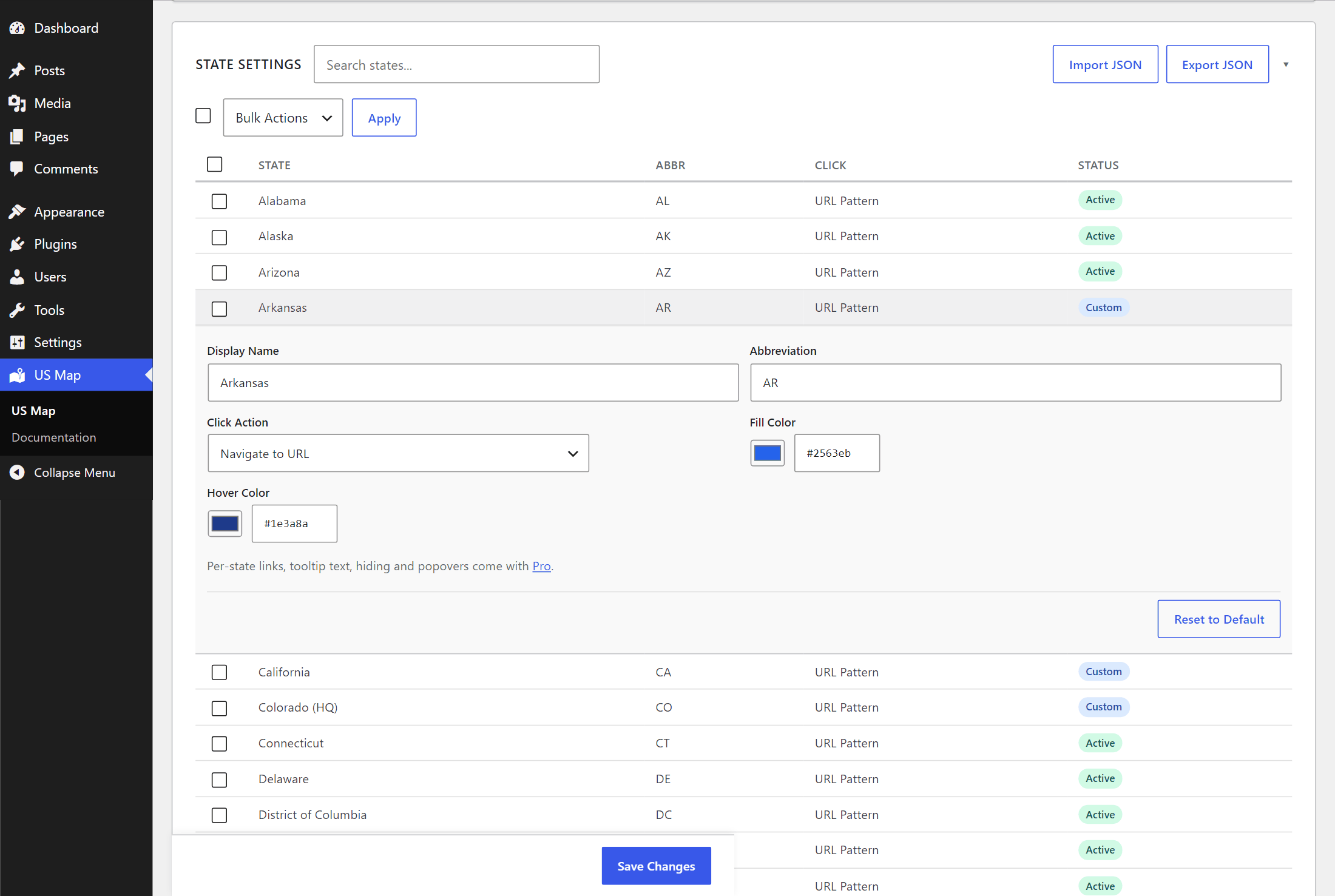
- Per-state colors, labels and names
- Hover tooltips showing the state name
- Search bar with autocomplete
- Five color themes and a container card
- A tap-friendly state dropdown on mobile
- Crawlable state links, JSON-LD, and a no-JavaScript fallback for SEO
- Print stylesheet
- The developer reference, built in
- No jQuery, no build step, no external requests
[knowco_us_map]
Or add the Knowco US Map block in the block editor.
Pro
A separate, paid Pro add-on, sold and distributed on its own, extends this
plugin with more maps, data visualization, guided tours, embedding on other
websites and more starter templates. This plugin works completely without it.
Details and pricing: https://usmap.knowco.co/pricing
安装:
- Upload the plugin through Plugins → Add New → Upload Plugin, or install it from the plugin directory.
- Activate it. Your map is created automatically.
- Go to US Map to set its colors, URL pattern and per-state details.
- Add
[knowco_us_map]to a page or post, or use the block editor.
屏幕截图:
常见问题:
Do I need to know how to code?
No. The map is configured in the WordPress admin, and you add it to a page with a shortcode or the block editor.
Can I have more than one map?
The plugin stores one map, which you edit directly under US Map and can start from the Linked States template. Place it on as many pages and posts as you like.
What are the starter templates?
A pre-built map you open in the editor and change, instead of starting blank. "Start from a Template" in the map editor offers Linked States, a map with every state linked through a URL pattern, with a live preview.
Where do states link to?
Set a URL pattern such as /states/{state-slug}/ and each state links to its
own page automatically. A state's click action can also be set to do nothing.
Does it work on phones?
Yes. Below a breakpoint you choose, the map switches to a tap-friendly state dropdown.
Does it slow my site down?
It shouldn't. There are no external requests, no jQuery, and the assets only load on pages that actually use a map.
Is it accessible?
The <svg> carries an ARIA label, and a hidden, crawlable list of real links
covers every state for screen readers, search engines and anyone without
JavaScript — with a plain dropdown alternative on mobile. Today the states
themselves are not yet operable directly from the keyboard; that is on our
list.
更新日志:
- This plugin now stores and edits one map; shortcodes are prefixed knowco_; state settings are sanitized on input.
- Initial release.