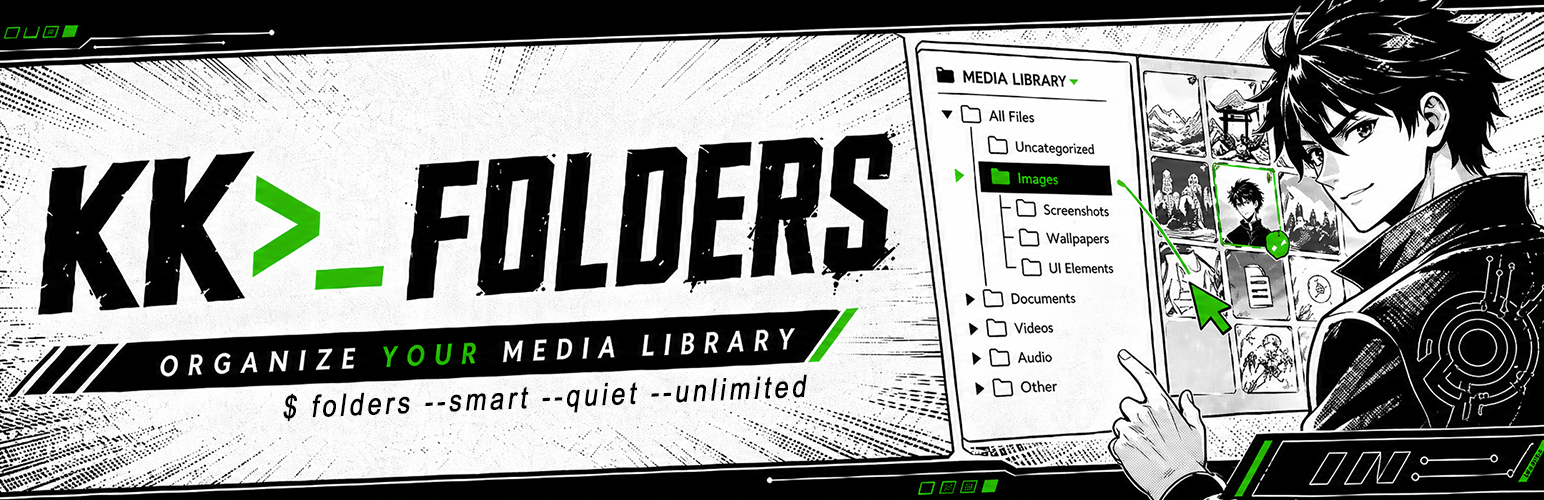
KooKoa Folders – Media Library Folders & File Organizer
| 开发者 | adamolussana |
|---|---|
| 更新时间 | 2026年6月10日 19:34 |
| PHP版本: | 7.4 及以上 |
| WordPress版本: | 7.0 |
| 版权: | GPLv2 or later |
| 版权网址: | 版权信息 |
详情介绍:
- Unlimited folders and subfolders in the Media Library
- Drag and drop attachments between folders
- Auto-assign new uploads to the folder you are currently in
- Item count per folder
- Folder filter on the Media Library list view
- Unlimited smart (rule-based) folders, auto-populated as your Media Library grows
- Combine multiple rules per folder with AND logic — file type, size, dimensions, date, author, status, search, tags, and more
- Live counts cached per folder, refreshed automatically when items change
- Pin, lock, color and icon support — same UX as regular folders
- Custom folder colors
- Custom folder icons with emoji picker
- Pin folders to the top of the tree
- Lock folders to prevent accidental rename, color, icon or delete
- Resizable, sticky folder sidebar
- Search and sort the folder tree
- Breadcrumb bar and subfolder cards
- Smart Startup Folder — open the Media Library on the last folder you used, or on a fixed folder of your choice
- Keyboard shortcuts for common actions
- Mobile responsive layout
- Bulk Organize mode — select multiple attachments and move them into a folder in one click
- Download a folder (and all its subfolders) as a single ZIP archive
- Download just the selected items as a ZIP, straight from the Bulk Organize toolbar
- Upload a folder structure from your computer and have the subfolders recreated automatically
- Export and import the folder structure as JSON, with Merge or Replace modes
- Hover tooltip on media items showing filename, size and dimensions
- Optional EXIF fields in the hover tooltip — camera, aperture, shutter, ISO, focal length
- Role-based access — pick which WordPress roles can use the folder sidebar
- Self-hosted font, no Google Fonts call
- No external scripts, no trackers, no analytics
- No frontend assets are loaded for regular visitors; builder/editor integrations load only when an authorized editor opens a supported visual builder
- The WordPress Media Library list and grid views
- The block editor (Gutenberg) media modal
- The Classic Editor media modal
- Divi 4 and 5 media modals
- Elementor media modal
- WooCommerce product gallery media modal
- FileBird (Ninja Team)
- Folders (Premio)
- Real Media Library (devowl.io)
- Bloggers and content writers — keep every blog image, post screenshot, hero photo, video clip and audio file inside dedicated media folders. Drag and drop assets between folders, filter the media library by folder, and find the right image for tomorrow's article in seconds instead of scrolling past 2,000 thumbnails.
- WordPress photographers and photo studios — split your media library by shoot type (portraits, weddings, real estate, landscapes, nature, family), by client, by year, or by location. Pin your active project to the top, lock the archive against accidental edits, and let smart folders auto-collect images by date, file size or alt text.
- WooCommerce shop owners and e-commerce managers — organize product images into folders that mirror your catalog (apparel, footwear, accessories, electronics). Drag and drop new product photos straight from upload into the right SKU folder, and use smart folders to auto-group every PNG, JPEG or WebP above a certain size for quality audits.
- Web designers, web developers and freelance agencies — separate site assets per project, per page section or per client (logos, mockups, illustrations, icon sets, screenshots). Folder colors and custom icons turn the media library into a navigable workspace even when you sit on thousands of files.
- Online publishers, magazines and editors — file every image per issue, per article, per author or per topic. Smart folders auto-collect everything uploaded this week, this month, or by a specific contributor — no manual sorting needed.
- Real estate, hospitality and listings sites — one folder per property or per location, subfolders per room, view or photoshoot. Bulk upload an entire shoot, drag the keepers into the listing folder, and skip the rest. Color-code your busiest property folders so the right one stands out at a glance.
- Course creators and membership sites — split lesson screenshots, video thumbnails and downloadable PDFs into folders per course, per module or per lesson. Find the right cover image without scrolling past fifty unrelated lessons.
- Marketing agencies, design studios and creative teams — one WordPress Media Library, many clients. A folder per brand keeps work tidy, role-based access keeps clients out of each other's assets, and the export/import tool ships a folder tree to a new project in a single JSON file.
安装:
- In your WordPress admin, go to Plugins → Add New.
- Search for KooKoa Folders.
- Click Install Now, then Activate.
- Open the Media Library — the folder sidebar will appear on the left.
- Click + Folder in the sidebar header to create your first folder, then drag items into it.
- Download the plugin zip.
- Go to Plugins → Add New → Upload Plugin and upload the zip.
- Activate the plugin.
屏幕截图:


常见问题:
Does KooKoa Folders move files on disk?
No. Folders are virtual. They are stored as a private WordPress taxonomy and attached to media items. Your files on the server keep their original paths, so existing image URLs in your content never break.
Will deleting a folder delete my files?
No. Deleting a folder only removes the folder itself. The media items inside it become uncategorized and stay in the Media Library.
What happens if I deactivate the plugin?
Your folders stay in the database. When you reactivate the plugin, everything is back where it was. If instead you use Delete from the Plugins screen, all plugin data (folders, colors, icons, pin and lock state, settings) is removed cleanly.
Does the plugin load anything from the internet?
No. The font used by the plugin interface is bundled inside the plugin and served from your own site — no Google Fonts CDN, no external scripts, no analytics.
Does it affect my site frontend or performance?
The plugin loads on the Media Library, on its own settings page, and inside the media modal — including when an authorized editor opens a supported visual builder such as Divi or Elementor. Regular visitors get nothing extra: no CSS, no JavaScript, no database queries.
How many smart folders can I create?
As many as you need. KooKoa Folders ships with unlimited smart folders. Each folder combines multiple rules with AND logic and auto-populates as new items match.
更新日志:
- Fix: in the Divi 5 builder, the folder media modal now shows the drag preview while dragging an image onto a folder, displays the action confirmation messages (move, copy/paste, etc.), and opens directly on the Media Library tab instead of Upload Files.
- Fix: attachments hidden by the PRO Cleanup trash no longer reappear in Smart Folder results or in the folder ZIP download — they now stay hidden everywhere, matching what the Media Library grid already showed.
- Performance: the folder sidebar loads faster on large media libraries. The "Uncategorized" counter and the per-folder item counts no longer load every attachment ID into memory on each sidebar refresh, and the per-folder counts now run as a single batched query instead of one query per folder.
- Performance: migrating from another folder plugin (FileBird, Folders by Premio, Real Media Library) is faster on large libraries — folder counts are recalculated once when the import finishes instead of after every individual file assignment.
- Hardening: the folder reorder action now validates every sibling folder ID against its taxonomy before saving the order, so a crafted request cannot write folder metadata onto unrelated terms.
- Hardening: uninstalling the plugin now also removes the temporary ZIP-download workspace (uploads/kookoawpf-tmp/), so deleting KooKoa Folders leaves nothing behind.
- New: WooCommerce "Category" and "Tag" rules for Smart Folders — auto-group products by their product category or product tag, alongside the existing Stock status rule. Visible only on the product custom post type when WooCommerce is active.
- Improvement: minor admin UI refinements.
- Fix: smart folders are now preserved across JSON export and import. The export used to ship structure + metadata but skip the rule payload entirely, so re-importing a backup or running a "Replace all" silently demoted every smart folder in the tree to a plain folder, wiping its automation rules. The export now serialises the
is_dynamicflag and the rules alongside the rest of the tree, and the import re-applies both on the new terms. - New: keyboard shortcut Alt + B toggles Bulk Organize mode from anywhere it's available (Media Library grid + list, Posts, Pages and any folder-enabled custom post type). Press it again — or press Esc with the bulk toolbar open — to exit. Both shortcuts now appear in the Keyboard Shortcuts dialog (Alt + K) under "Bulk Organize" and "Close Modal / Exit Bulk Mode".
- Improvement: minor admin UI refinements.
- Compatibility: tested with WordPress 7.0 (released May 2026). The retro-dark sidebar, modals and bulk-organize toolbar now neutralize the WP 7.0 Modern admin theme overrides that were inflating our buttons to 40px, breaking dashicon rendering, and pulling icons out of alignment.
- Fix: Smart Startup Folder "Last opened folder" mode now reliably restores the last visited folder on page load. A latent regression in the Settings save path was persisting an empty post-types list, which then blocked the AJAX that records navigation. Both the save serializer and the AJAX validator have been hardened.
- Improvement: minor admin UI refinements.
- New: WooCommerce "Stock status" rule for Smart Folders — auto-group products by In stock, Out of stock, or On backorder. Visible only on the product custom post type when WooCommerce is active.
- Hardening: uninstall now sweeps every plugin-owned option and user meta key, including the post-1.0 additions (install timestamp, migration importer flags, the permanently-hide-migrate-section flag, per-user dismiss flags for dashboard notices and the Rate Us card). Deleting KooKoa Folders truly leaves zero traces behind.
- Hardening: Smart Startup Folder "Specific folder" preference now verifies that the saved folder still exists in the matching taxonomy before storing it, so a deleted folder no longer leaves a stale reference in user meta.
- Hardening: download Content-Disposition HTTP header now passes the filename through sanitize_file_name() as defense-in-depth against control-character injection.
- Improvement: minor admin UI refinements.
- New: Migration importer for FileBird (by Ninja Team), Folders (by Premio) and Real Media Library (by devowl.io). Detects existing folders straight from your database and rebuilds the full tree, with file assignments, inside KooKoa Folders in one click. No JSON export needed, no rebuilding from scratch. Optional one-click deactivation of the source plugin after a successful import. Data-driven: imports keep working even when the source plugin section has been partially disabled in its own settings.
- New: Sidebar hint in the Media Library that surfaces detected folder plugins and links straight to the importer.
- New: Architecture ready for more importers. HappyFiles, Enhanced Media Library, Wicked Folders and others can be added in a few lines each.
- Improvement: minor admin UI refinements.
- New: Dutch translation bundled (nl_NL).
- Improvement: minor admin UI refinements.
- New: Polish translation bundled (pl_PL).
- New: Brazilian Portuguese translation bundled — also covers European Portuguese (pt_PT) and other Portuguese-speaking locales (pt_AO, pt_MZ and others) via automatic locale fallback.
- Fix: "Sidebar width" in Settings → General now applies immediately to the admin who saves it, and the field always reflects the width currently on screen (drag-resized value if any, else the site-wide default).
- Removed: "Sticky sidebar" toggle in Settings → General — the toggle had no effect since the folder sidebar was always pinned regardless of the setting. Sidebar behavior is unchanged for all users.
- New: Italian translation bundled.
- New: Spanish translation bundled — covers Spain plus all Latin American Spanish variants (es_MX, es_AR, es_CL, es_CO, es_VE, es_PE and others) via automatic locale fallback.
- New: French translation bundled — covers France, Belgium, Canada, Switzerland and other Francophone locales via automatic locale fallback.
- New: German translation bundled — covers Germany, Austria, Switzerland and other German-speaking locales via automatic locale fallback.
- New: Japanese translation bundled.
- Improvement: smart locale fallback — when a region-specific .mo is not present (e.g. es_MX) the plugin now loads the generic language file (es) instead of leaving strings untranslated.
- Improvement: the Force English toggle now appears for users on regional locale variants whenever a generic fallback translation is bundled.
- Fix: media modal "Load more" no longer resets the grid back to the first page.
- Fix: downloading a single selected file now reliably saves to disk instead of occasionally opening it inline in the browser.
- Fix: "Download ZIP" entry no longer appears in the folder context menu on Posts, Pages and Custom Post Types — Media Library only.
- Fix: smart folders with two file extension rules (e.g. avif + webp) now return the union of both, not just one extension.
- Improvement: smart folder rules split per post type — Media gets a clearer "Text contains (Title+Caption+Desc.)" label plus a new "Alt Text contains" rule; Posts/Pages/CPT get a "Title contains" rule that searches post titles only.
- Improvement: folder bulk toolbar now hides Pin/Lock buttons when the matching context-menu entries are disabled in Settings, so the actions stay reversible from a single place.
- Polish: replaced three book emojis in the Folders icon category with new icons that don't duplicate the Documents category.
- Unlimited folders and subfolders in the Media Library.
- Unlimited smart folders (rule-based, auto-populated, multiple rules with AND logic).
- Drag and drop attachments into folders.
- Auto-assign new uploads to the current folder.
- Custom folder colors and emoji icons.
- Pin and lock folders.
- Resizable, sticky sidebar with search, sort and keyboard shortcuts.
- Breadcrumb bar, subfolder cards, Smart Startup Folder.
- Mobile responsive layout.
- Bulk Organize mode.
- Download a folder (with all subfolders) or just selected items as a ZIP archive.
- Upload a folder structure from your computer.
- JSON export and import of the folder structure (Merge or Replace).
- Metadata and EXIF tooltip on hover over media items.
- Role-based access control.
- Self-hosted font, admin-only, no frontend footprint.
- Media modal integration with Gutenberg, Classic Editor, Divi 4/5, Elementor, and WooCommerce product galleries.