
Language Attribute for Container Blocks and Pages/Posts
| 开发者 |
nakedcatplugins
webdados |
|---|---|
| 更新时间 | 2026年6月4日 22:12 |
| PHP版本: | 7.2 及以上 |
| WordPress版本: | 7.0 |
| 版权: | GPLv3 |
| 版权网址: | 版权信息 |
详情介绍:
lang and dir attributes for that specific page directly from the Document Settings sidebar, without needing to wrap everything in a container block.
For even broader coverage, the plugin supports setting the language at the template level in the Site Editor (Appearance → Editor → Templates). A language set on a template is automatically applied to all pages and posts using that template, unless a specific language is set at the individual post or page level — in which case the post-level setting takes precedence.
This plugin is heavily inspired by the Jb Audras plugin (including this readme file). The development started at WordCamp Europe 2025 Contributor Day, by Marco Almeida from Naked Cat Plugins / Webdados, and the help from Ryan Welcher on the code side and Amber Hinds on the accessibility compliance side.
For more context: this plugin helps you to make your website compliant with the Web Content Accessibility Guidelines (WCAG) success criteria:
- 3.1.1 – Language of Page: The default human language of each web page can be programmatically determined. Use the template-level setting when all posts or pages sharing a template are in the same language, or the page-level setting when an entire page or post is written in a language other than the website or template default.
- 3.1.2 – Language of Parts: The human language of each passage or phrase in the content can be programmatically determined. Use the block-level setting when only specific sections within a page are in a different language.
lang and dir attributes only on a container block or page if the content is written in a language different from the one set globally on your website.
As per Web Content Accessibility Guidelines:
This enables user agents and assistive technologies to present content according to the presentation and pronunciation rules of that language. This applies to graphical browsers, screen readers, braille displays, and other voice browsers.
Both assistive technologies and conventional user agents can render text more accurately if the language of each passage of text is identified. Screen readers can use the language’s pronunciation rules. Visual browsers can display characters and scripts appropriately.
This is especially important when switching between languages that read from left to right and languages that read from right to left, or when text is rendered in a language that uses a different alphabet. Users with disabilities who know all the languages used in the Web page will be better able to understand the content when each passage is rendered appropriately.
That’s not just good for accessibility. It’s also great for SEO. Search engines like Google can better understand your content when languages are clearly defined. That means improved indexing and potentially better rankings.
Banner photo by Hannah Wright.
安装:
- Install the plugin and activate it.
- To set the language for all pages and posts using a given template: go to Appearance → Editor → Templates, open the desired template, and use the "Template Language" panel in the template settings sidebar.
- To set the language for an individual page or post (overriding any template-level setting): open the Document Settings sidebar (the panel icon at the top right of the editor) and use the "Page Language" panel.
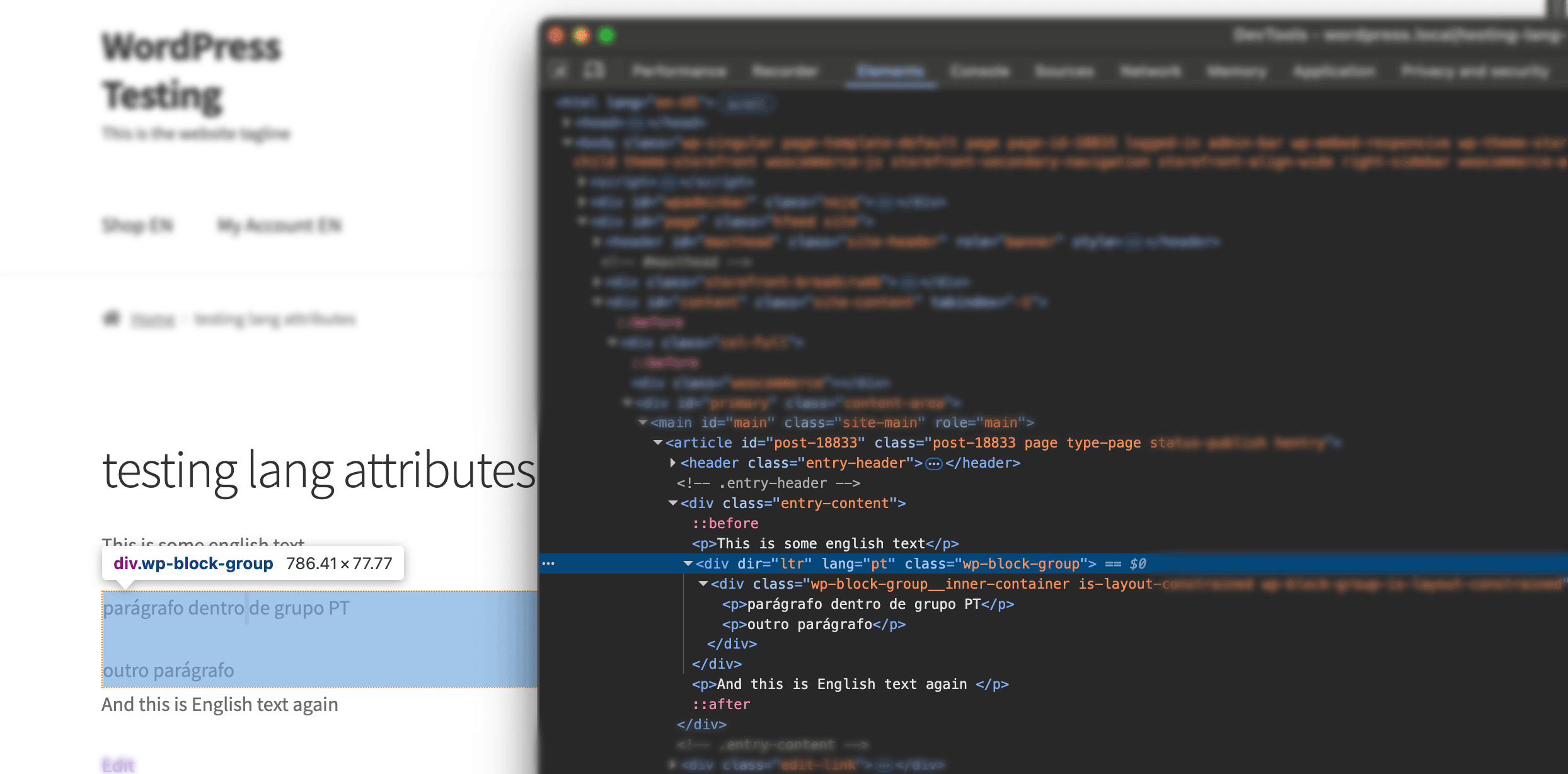
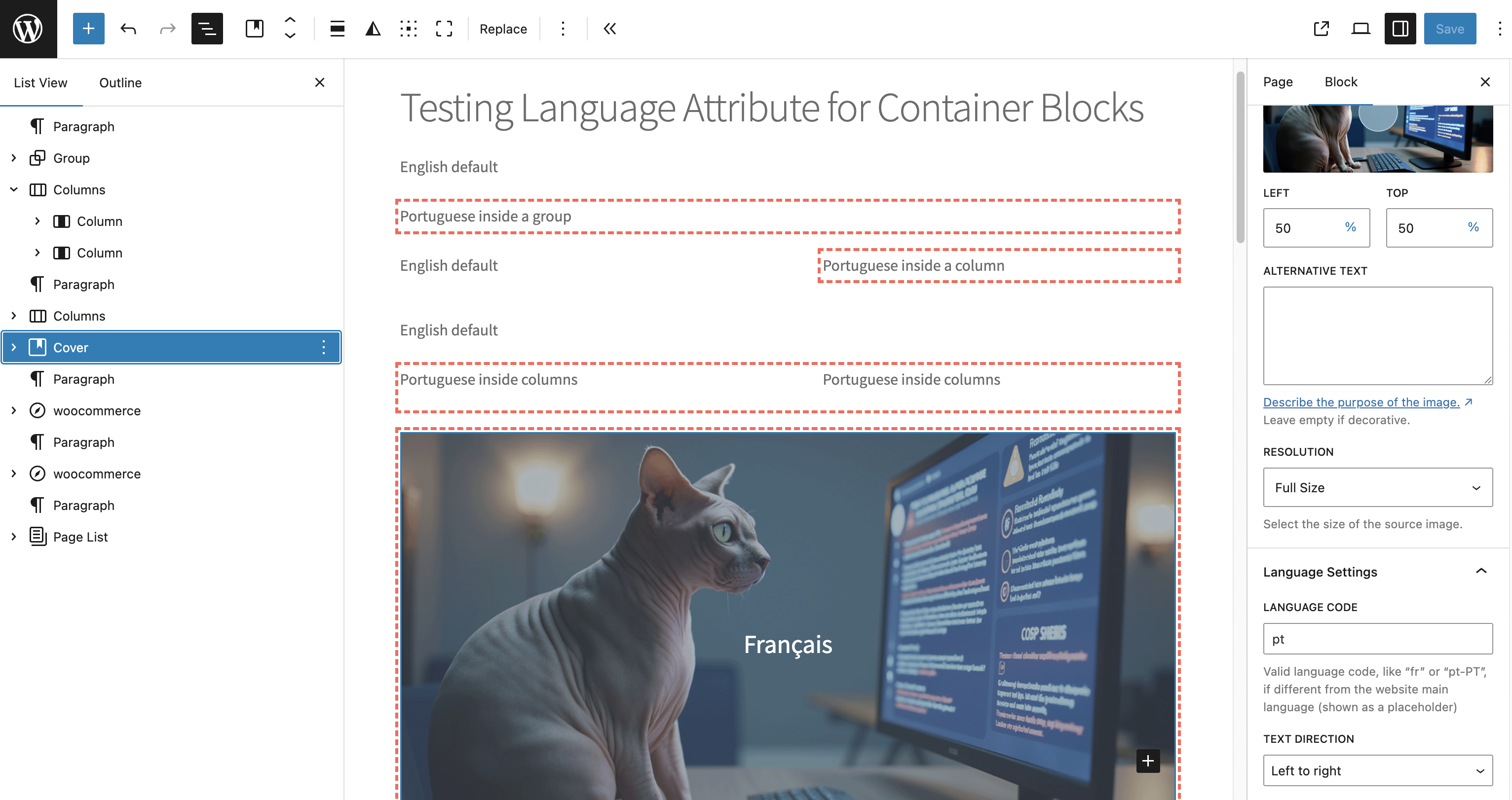
- To set the language for a specific section within a page: insert a Group, Columns, Cover (or other specific) block, and use the "Block Language" sidebar panel to set the language for all the content inside that container.
屏幕截图:
常见问题:
When should I use the template-level, page-level, or block-level language setting?
Use the Template Language setting (in the Site Editor, under Appearance → Editor → Templates) when you have a group of pages or posts that all share the same language and use the same template — for example, a dedicated template for all your French-language posts. The language set on the template is automatically applied to every page or post using it, so you don't need to configure each one individually. It can always be overridden at the individual post or page level.
Use the Page Language setting (in the Document Settings sidebar) when a specific page or post is written in a different language — either overriding the template-level setting or setting it independently when no template language is defined. This overrides the lang attribute on the HTML element itself, which corresponds to WCAG 3.1.1 (Language of Page).
Use the Block Language setting (in the block’s sidebar panel) when only a specific section within a page is in a different language, while the rest of the page remains in the site’s default language. This corresponds to WCAG 3.1.2 (Language of Parts).
Why not have the option to set the language attribute on all block types?
The idea is to keep it simple and help content and website editors set different language sections, with as many child-blocks as they want, instead of setting it block by block.
Is it possible to change the highlight color? The default red is not suitable for my website background color.
Yes. Use the nakedcatplugins_lang_attr_highlight_color PHP filter and return the color you want.
Here’s a Gist example.
If your are working on a WordCamp website, or you don’t want to mess around with PHP, you can also add custom CSS to change the color, overriding our --nakedcatplugins-lang-attr-highlight-color variable.
Here’s a Gist example.
How can I contribute to this plugin?
How can I report security bugs?
You can report security bugs through the Patchstack Vulnerability Disclosure Program. The Patchstack team helps validate, triage, and handle any security vulnerabilities. Report a security vulnerability.
更新日志:
- [NEW] Add a template language option in the Site Editor templates, used as the default page/post language when no page/post language is set
- [FIX] Load editor styles with
enqueue_block_assetsto avoid iframe style warnings - [DEV] Tested up to 7.1-alpha-62456
- [NEW] Plugin renamed from “Language Attribute for Container Blocks” to “Language Attribute for Container Blocks and Pages/Posts”
- [NEW] Set the page/post language at the document level: a new “Page Language” panel in the Document Settings sidebar allows overriding the HTML
langanddirattributes for a specific page or post, independently of the website’s default language - [TWEAK] Rename “Language Settings” sidebar block panel to “Block Language”
- [FIX] Gist URL for changing the highlight color using plain CSS
- [DEV] Tested up to 7.0-beta3-61865
- [DEV] Implement deployment actions on GitHub
- [DEV] Update phpcs rules file
- [NEW] Support for the Content block type
- [FIX] Apply the attribute to the correct Group block tag when it’s not a DIV
- [NEW] Support for new block types: Navigation, Submenu, and Page List
- [DEV] Code refactoring: everything now happens inside a class instead of the main plugin file
- [DEV] Allow changing the highlight color using the
nakedcatplugins_lang_attr_highlight_colorfilter - [TWEAK] Better information and screenshot about the highlighting feature for website Administrators and Editors, in the readme.txt file
- [TWEAK] Make evident that the language shown as a placeholder is the default website language when a custom language is not set for a block
- [NEW] Show visual outline around blocks that have a language attribute set - For easy identification, only for Administrators and Editors, and if enabled in Settings > Writing
- [NEW] Add support for the Cover block
- [DEV] Patchstack mVDP disclaimer on the readme file
- First release