
Lang Forge – Multilingual, Translation & hreflang SEO
| 开发者 | avakodeforge |
|---|---|
| 更新时间 | 2026年10月31日 09:00 |
| 捐献地址: | 去捐款 |
| PHP版本: | 7.4 及以上 |
| WordPress版本: | 7.1 |
| 版权: | GPLv2 or later |
| 版权网址: | 版权信息 |
详情介绍:
/fr/, a query parameter, a subdomain, or a separate domain per language.
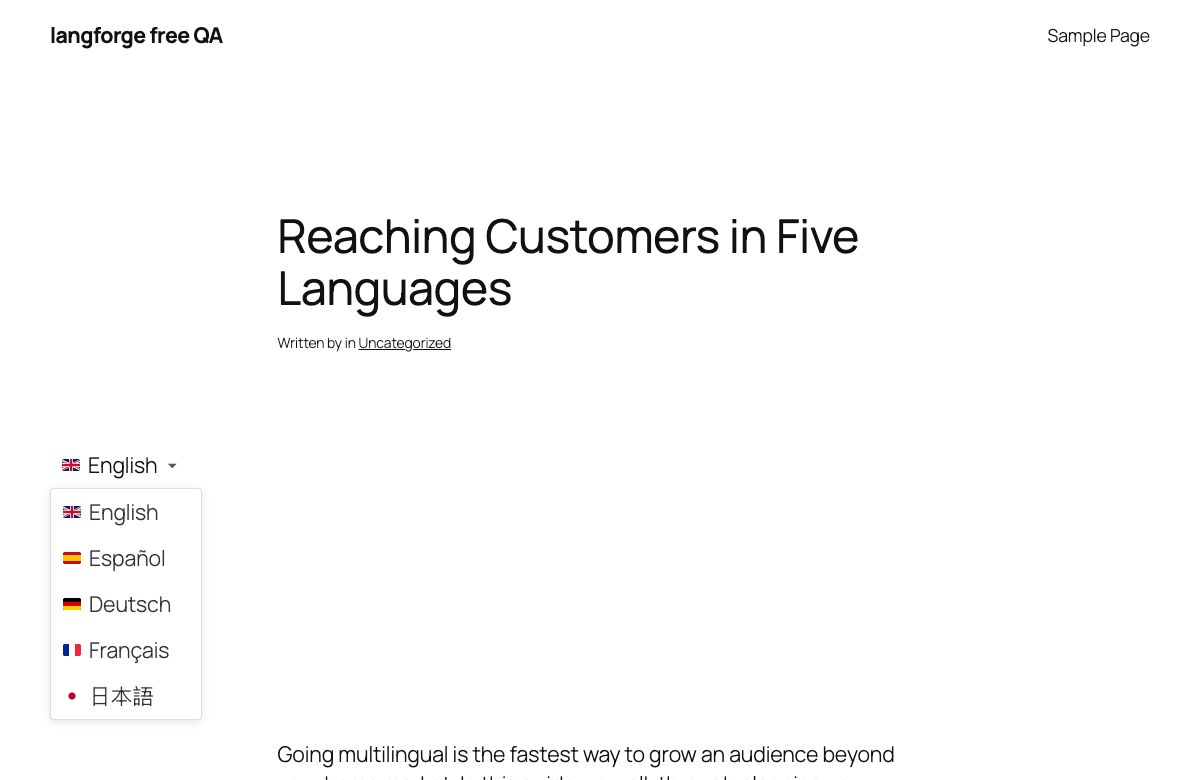
Search engines and visitors find the right version. Lang Forge prints hreflang tags, including the x-default entry, for every translated URL and generates an hreflang sitemap. Visitors switch language with a widget, a shortcode or an item in the admin bar, shown as flags, native language names or both. Right-to-left languages (Arabic, Hebrew, Persian, Urdu, Kurdish) are supported.
Texts of your active theme are picked up automatically: a string that passes through WordPress translation functions appears on the String Translation screen when it is shown on the front end, so you translate it there without editing .po files. To list the texts of other plugins, add their text domains under Settings → String Auto-Registration Domains. A glossary keeps brand and product names consistent. Terms can be marked Do Not Translate, and when you save a translation Lang Forge lists the glossary terms it does not follow.
On a WooCommerce store you can translate product content, product categories and tags, and store strings such as cart and checkout labels from the same Language panel you use for posts.
Moving from another multilingual plugin
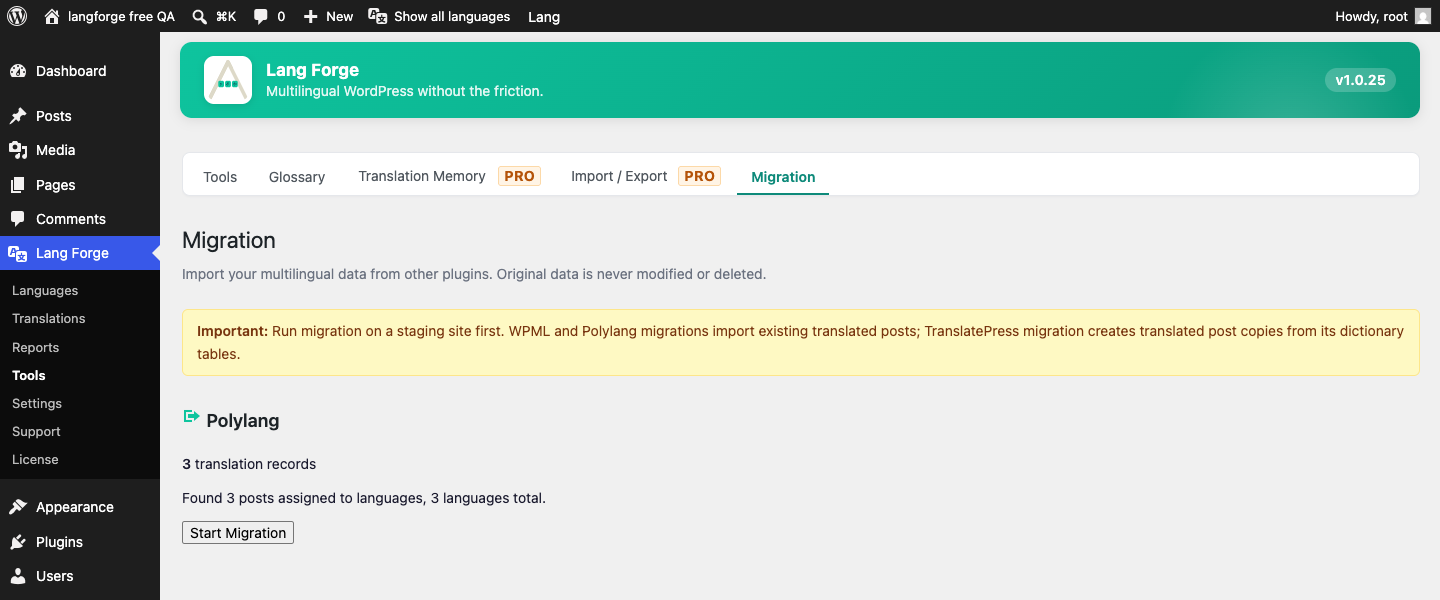
The built-in migration tool reads the data of WPML, Polylang or TranslatePress and recreates translated posts and their language links, string translations, taxonomy translations and your language URL structure. The old plugin stays installed and untouched until you confirm the result. For sites built around WPML there is also a WPML compatibility layer with icl_object_id(), icl_get_languages(), icl_get_current_language() and icl_get_default_language(), so integrations written against WPML run without edits. One difference to check: a translation that is still a draft counts as "no translation" for visitors until you publish it.
Free
- 无限语言
- Language URLs in four formats: directory, query parameter, subdomain, domain mapping
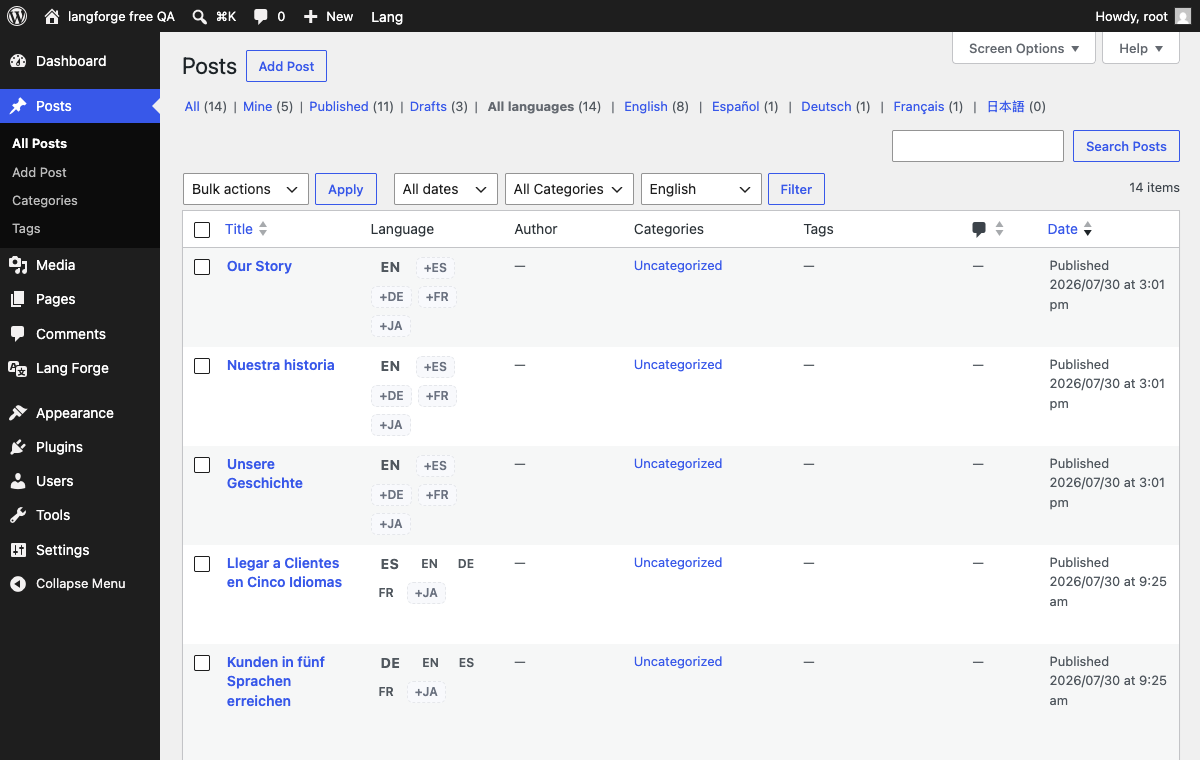
- Manual translation linking for posts, pages and custom post types
- String translation with automatic registration of strings
- Language switcher: widget, shortcode, admin bar
- hreflang tags with x-default and an hreflang sitemap
- Glossary with Do Not Translate terms
- WooCommerce product, category, tag and store string translation
- WPML compatibility layer
- REST API and WP-CLI commands
- One-click migration from WPML, Polylang and TranslatePress
- Right-to-left support
- AI translation with translation memory, paid with Forge credits
- Visual editor and frontend translation
- Elementor and ACF fields in the visual editor
- Content diff and translation QA
- 分析仪表盘
- XLIFF and CSV import and export
- Bulk AI translation, translator roles, media and comment translation, live preview The free plugin runs on your own site and contacts no external service.
安装:
- Upload
langforgeto/wp-content/plugins/, or install via Plugins → Add New. - 启用插件。
- Go to Lang Forge → Settings and enable your target languages.
- (Optional) AI translation comes with the separate Lang Forge Pro add-on; the add-on adds its own Connect screen.
屏幕截图:
常见问题:
如何让我的 WordPress 网站支持多语言?
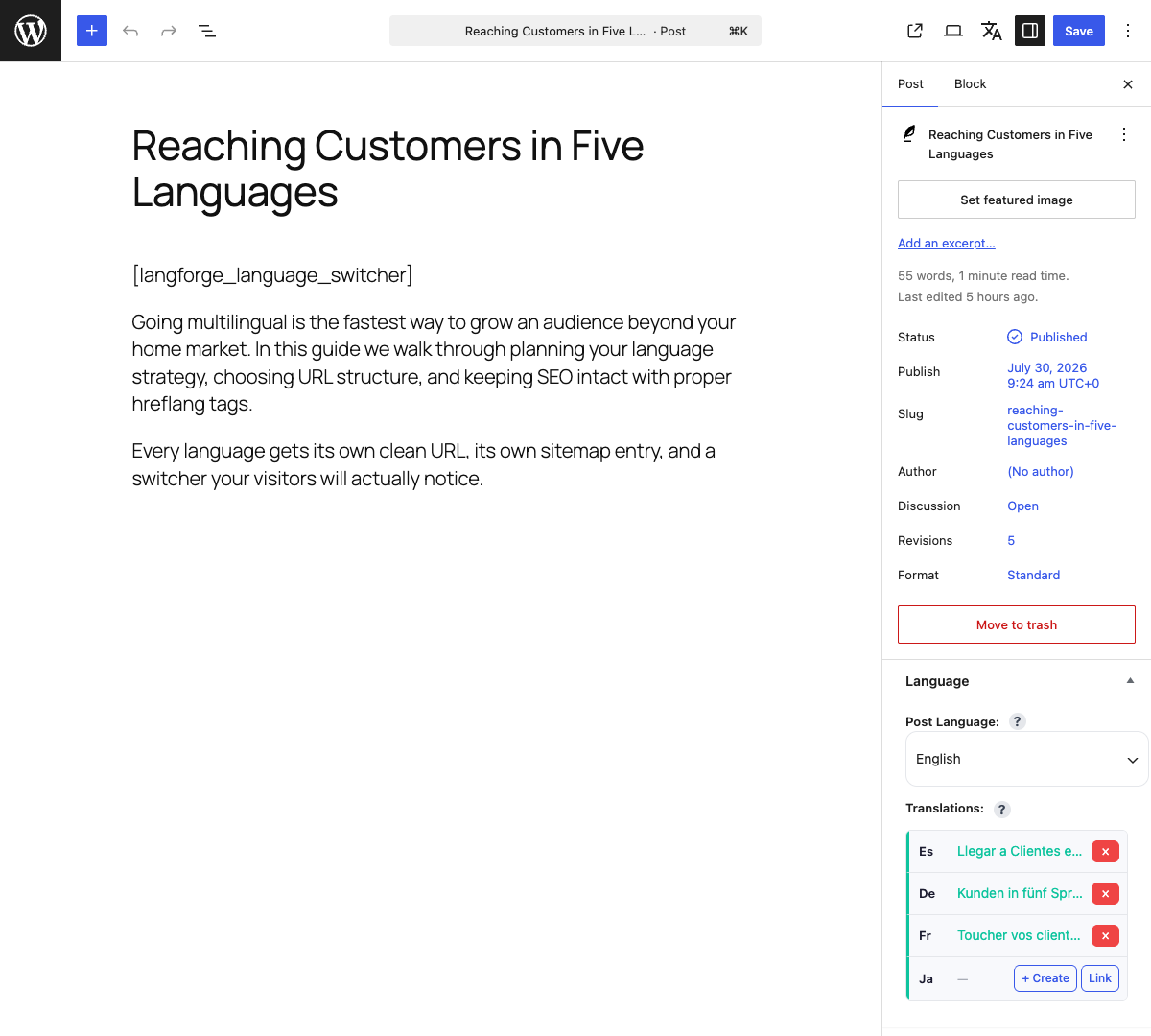
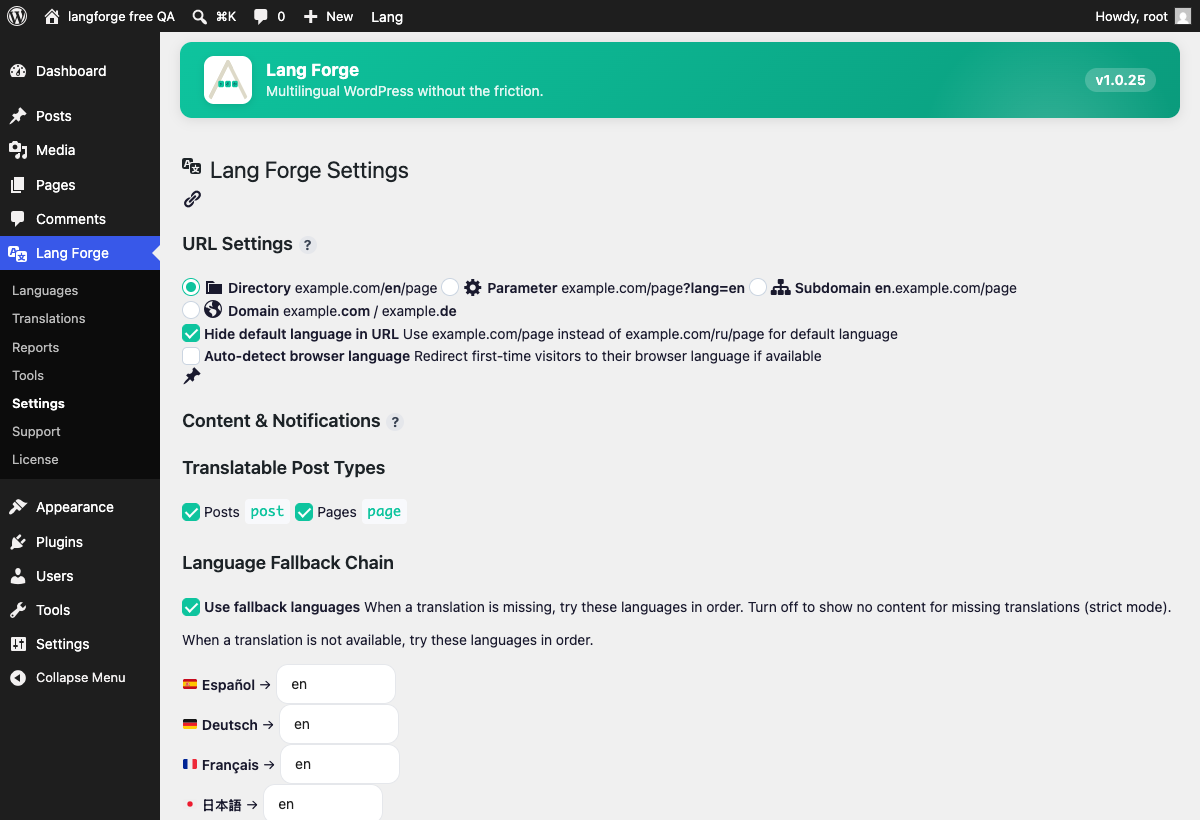
Install Lang Forge, go to Lang Forge → Languages and add the languages you need. Under Lang Forge → Settings → URL Settings pick how language URLs should look: subdirectories like /fr/, a query parameter, subdomains, or a separate domain per language. Every post, page and custom post type then gets a Language panel where you link or create its translations.
Can I use Lang Forge on a WooCommerce store?
Yes. It translates WooCommerce product content, product categories and tags, and store strings such as cart and checkout labels. Open any product in the editor and use the Language panel the same way you would for a post.
Can I migrate from WPML to Lang Forge?
Yes. The built-in migration tool imports your translated posts, the links between them, your string translations and your language URL structure, and WPML stays installed and untouched until you confirm the result. Lang Forge also provides a WPML compatibility layer (icl_object_id(), icl_get_languages() and related functions), so theme and plugin code written against WPML works without edits. One difference: a translation that is still a draft counts as "no translation" for visitors, so these functions return the original page (or nothing) until the translation is published. Check your theme after the switch.
Does Lang Forge work with my page builder?
The free plugin handles standard post content, custom post types and taxonomies, and copies the Elementor data of a page into the translation when you create one. Translating Elementor and ACF fields in a visual editor is part of the separate Lang Forge Pro add-on.
Is there a free version, and what is in Pro?
This plugin is the free version. It has no limit on the number of languages and includes URL routing, the language switcher, hreflang tags, string translation, the glossary, WooCommerce translation, migration, the REST API and WP-CLI commands. AI translation, translation memory, the visual editors, XLIFF and CSV import and export, and the other Pro features are in the separate Lang Forge Pro add-on.
它会拖慢我的网站速度吗?
Basic translation, the language switcher, string translation and hreflang all run locally with no external requests. This plugin sends nothing anywhere. The separate Pro add-on, if you add it, lists its own requests in its readme.
它支持阿拉伯语、希伯来语等从右到左书写的语言吗?
Yes. Arabic, Hebrew, Persian, Urdu and Kurdish are supported: text direction is switched and the admin and switcher layout adjust automatically.
我的内容会被发送给 OpenAI 吗?
Not by this plugin; AI translation is a feature of the separate Pro add-on, which lists its own requests in its readme.
什么是术语表?什么时候需要用到它?
A glossary is your list of terms and the translation each one must have in another language: brand names, product names, industry terminology. A term can also be marked Do Not Translate, to stay as written. Terms are kept per language pair on the Glossary screen; you add them one by one or import a CSV file, and matching ignores letter case unless you switch on Case Sensitive. The glossary does not change a translation and never stops you from saving one. When you save a translation of a post or page, or translations on the String Translation screen, Lang Forge compares them with the original and lists the glossary terms the translation does not follow, so you can correct them: in the Language box of the editor and in a notice after the save. The comparison looks for the term as it is written, so a term in another grammatical form (another case or plural ending) may be listed as missing. AI translation (the Lang Forge Pro add-on) sends the glossary of the language pair with its requests, and the AI is told to use your translations and to keep Do Not Translate terms as written. Adding or changing a term also drops the Translation Memory entries that contain it, so the next AI translation uses the new term. You need a glossary when names and terms must read the same on every translated page: a product name that must stay in English, or a term your industry translates one particular way.
更新日志:
- If you run the add-on, use Lang Forge Pro 1.1.4 or newer, as before.
- Background jobs: on a site where WP-Cron is switched off (DISABLE_WP_CRON), queuing a job no longer sends the request that wakes WP-Cron. The site's own cron runner starts the job, as you set it up.
- If you run the add-on, use Lang Forge Pro 1.1.4 or newer, as before.
- Uninstall keeps translations, translation memory, glossary, strings, analytics and settings unless "Delete Lang Forge data on uninstall" is selected.
- Fixed: keep the uninstall choice compatible with older Free versions when only one package has been updated.
- Removed unused Freemius integration code.
- Migration from WPML and Polylang now brings over the translations of categories, tags and other taxonomies: each translated pair becomes one linked group, as the posts do, and a second run does not double the rows. WPML's own bookkeeping taxonomy (translation priority) and taxonomies the site does not register are left out. Migration from Polylang no longer reads Polylang's "sync" list in a translation group as a post.
- The glossary now checks translations typed by hand. When you save a post or page, or translations on the String Translation screen, Lang Forge compares them with the original and lists the glossary terms the translation does not follow: in the Language box of the editor (the block editor shows it right after the save) and in a notice after the save. It only warns: nothing is blocked or changed. The check reads HTML entities such as & as the characters they stand for. The REST API gives the same list in the read-only field
langforge_glossary_warningsof a post, for people who can edit it. The comparison looks for the term as written, so a term in another grammatical form can be listed by mistake. - Glossary CSV: importing a file you exported gives the terms back as they were. A term, translation or description that starts with "=", "+", "-" or "@" no longer gets a stray apostrophe in front of it.
- Fixed: a post with the same number as a translated category or tag no longer picks up that category's translations in the hreflang tags, the language switcher and the hreflang sitemap. Deleting a post no longer erases the translations of a category or tag with the same number, the migration from WPML, Polylang and TranslatePress no longer deletes term translations, and the counts and the list of outdated translations on the Translation Status screen count posts only.
- Fixed: with a static front page, the front page of another language declared the English home page and x-default at /home/ in the hreflang tags; it now declares the address of the site. A category, tag or other taxonomy archive names in hreflang only the languages it is translated into, with the address of the translated archive; date, author and post type archives name only their own language. The hreflang address of an archive, an author page, a date page or a later page ends with the same slash as its canonical address, and on a site whose permalinks end without a slash the home of a language (/es/) keeps its slash in canonical and hreflang.
- Language addresses on sites that give each language a subdomain or a domain: one rule now builds the address of a language in permalinks, hreflang, canonical, the language switcher and localized links, and a redirect to the host of a language is let through. A post opened by its slug follows the same language rule as a page: with no fallback language, or with fallbacks off, it is not shown under another language's address. The fallback for a page that is not found takes the language from the same reading of the request as the check that allows it, the language cookie included.
- The short address of a translation (/?p=, the one of the "shortlink" tag) now opens that translation in its own language instead of redirecting to the post in the default language.
- The redirect to the browser language skips search engine crawlers (Googlebot, Bingbot and others; Sogou crawlers are recognized by their robot names, the Sogou mobile browser is a visitor). The list can be changed with the filter
langforge_crawler_user_agents. - The language switcher in the admin bar, on the pages of the site, now links to the translation of the page you are on. Before, it linked to the home page of the language.
- The Shop page of a language (for example /es/tienda/) now lists the products of that language.
- The Language box now runs the action
langforge_meta_box_after_translationsafter the list of translations. Before, nothing ran it, so the WooCommerce hint of a product and the Live Preview buttons of Lang Forge Pro, which wait for it, were never shown. - WPML compatibility:
wpml_object_id()andicl_object_id()find the translation of a category, tag or other term. Where WPML is not installed,ICL_LANGUAGE_CODE,ICL_LANGUAGE_NAMEandICL_LANGUAGE_NAME_ENare defined with the current language; before, WP Recipe Maker stopped the post edit screen with an undefined constant. - A notice warns when Polylang or TranslatePress is active next to Lang Forge, as it already did for WPML. It has the same screens and a link to the Migration screen.
- REST: the
langforge_translationsfield of a post lists the published translations for a visitor who is not signed in, so a headless front end can build its language switcher; drafts and private translations stay hidden. It lists only the translations of the type of the post asked about. - WP-CLI:
wp langforge linkrefuses a post that does not exist ("Post N not found.") and writes nothing; linking two posts that are already translations of each other changes nothing.wp langforge unlinksays "Post N not found." for a post that does not exist instead of reporting Success.wp langforge set-language,translateandexport --lang=xxrefuse a language the site does not have and list the languages it has. - Fixed: the cross that unlinks a translation of a category or tag works on the edit screen of a single term, not only in the list of terms. Updating a translated post through the REST API, XML-RPC, WP-CLI or an app (for example only its title) no longer moves it to "Uncategorized": the categories and tags the post already has are no longer hidden from the request that saves it. Category and tag lists on the site pages are still shown in the language of the page.
- Elementor: when a page is copied into another language, only the elements get new IDs; the IDs inside the settings of an element (a picture, a gallery) stay as they are. Lang Forge also remembers which element of the copy belongs to which element of the original, which the Visual Editor of Lang Forge Pro 1.4.0 uses to save Elementor text into the right element.
- Messages with a number take the plural form of that number in every language, also in languages with more than two forms, such as Russian, Polish and Arabic: the count of imported glossary terms, of the posts of a removed language and of the other counted messages.
- The Forge Suite dashboard names Form Forge as Fillin Forge, Clearway Forge links open the pages Clearway registers, an installed plugin is taken for a product only by its known main file or text domain, and the Results CSV download holds the rows only, with no page of text at its end.
- The Forge Suite dashboard no longer carries prices or a purchase link in this package.
- The texts added or changed in this release (the glossary warnings, the Polylang and TranslatePress notice, the plural forms) are translated into the 15 shipped languages.
- Needs Lang Forge Pro 1.1.4 or newer if you run the add-on, as before.
- The Forge Suite dashboard lists Cascade Forge and Inclusive Forge as available on wordpress.org. The plugin logo and icon use the new mark.
- The shared e-mail template carries a note for the wordpress.org code check; the e-mails it sends are unchanged.
- Needs Lang Forge Pro 1.1.4 or newer if you run the add-on, as before.
- Alt text and caption of a picture can be translated. The Media Translations box on the full Edit Media screen of a picture (pictures only, not PDF or video files) now saves what you type for each language; before, the fields were shown and nothing was kept. A page in that language shows them: pictures in posts and pages, the WooCommerce product gallery in a classic theme (main picture, thumbnails, lightbox, the picture of a chosen variation) and the Product Gallery block of a block theme (alt text of the main picture, thumbnails and lightbox). A language left empty shows the text of the main language. The alt text and the caption of the media library and of the original language stay as they are.
- Fixed: the text WooCommerce saves with a variation (for example "Color: Red" or "Color: Rojo") could take the attribute value in the wrong language when a plugin or the theme works on a copy of the value while it is read. It keeps the language of the product now.
- Fixed: on a site where a language has its own subdomain or its own domain, the summary of a translated variation showed the original name ("Red", or "Crimson" after you renamed the value) instead of "Rojo" when you saved the variation or renamed an attribute value in the admin of that language. It stays in the language of the variation.
- Needs Lang Forge Pro 1.1.4 or newer if you run the add-on, as before.
- Strings that differ only in letter case or accent ("Size" and "size", "Resume" and "Résumé") are now separate strings on the String Translation screen, each with its own translation on the translated page. Before, the second one was never listed and the page showed the translation of the first. The first admin page you open after the update changes the strings table; your strings and translations are kept. On a store with more than 500,000 strings run
wp langforge strings-key --yes(see the FAQ). - The "Find WooCommerce strings" button goes on from where it stopped after you close the tab or the connection drops, says "Continuing the last search from where it stopped." and does not count a string twice. A new "Start over" link searches from the beginning.
- WooCommerce refund emails go out in the language of the order, with the subject, heading and text you saved or translated, also when two refunds are sent in one request. Fixed: the second email of such a request could go out with the default WooCommerce text.
- Fixed: saving the WooCommerce email settings from a page in a translated language, or through the REST API, could store the translated texts as the texts of the original.
- The summary WooCommerce saves with a variation of a translated product (for example "Color: Red") is written in the language of that product, whichever language the page is in when the variation is saved. The variation of the original product keeps the original language.
- The hint above the values of an attribute without Enable archives? now says that each value you save is listed on the String Translation screen and that "Find WooCommerce strings" lists the values saved before. Before, it sent you to Add New String.
- New WP-CLI command
wp langforge strings-key: it shows the state of the strings table and, with --yes, rebuilds its key on a store with a very large strings table. wp langforge importnow lists, one line each, the rows of the file that the import did not take as written (a row the page has no place for, tags that were mended, a block that was rebuilt), the same notes the import screen shows. It needs Lang Forge Pro 1.3.5, which reports them; with an older Pro the command prints only the count.- Needs Lang Forge Pro 1.1.4 or newer if you run the add-on, as before.
- The String Translation screen now lists the texts of your WooCommerce emails (subject, heading, additional content and the footer), and a new "Find WooCommerce strings" button looks through the shop in small steps and adds the texts, attribute names and attribute values that were saved before. A translation typed there is used in the email sent in the language of the order, the partial refund email included; a text without a translation stays as you wrote it. Links in a translated email text are kept, scripts are removed.
- Translated posts now open under the language folder with every permalink structure, for example "Month and name", "Numeric", with a category, an author or a /blog/ base, and so do custom post types under a base such as /blog/. The next pages of a post or a page (/es/my-post/2/) and its comment pages open too, and the links of "Pages: 1 2 3" keep the language folder. Fixed: with these structures the address of a translated post led to the language home page.
- The names of the values of a variable product's attributes on a translated page are in the language of the page also on a store with a persistent object cache (Redis, Memcached). Fixed: they could come out in the language of the visitor who opened the product first.
- The screen of the values of an attribute without Enable archives? now explains how to translate its values.
- After you remove a language, the "Orphaned translations" notice (Leave published, Move to Draft, Delete permanently) shows also on a store with a persistent object cache, and its buttons work on every admin screen. Fixed: the notice could be lost, and on screens such as the Dashboard its buttons did nothing.
- The new post addresses start to work with the first page view after the update: you do not need to save Permalinks again.
- Needs Lang Forge Pro 1.1.4 or newer if you run the add-on, as before.
- Feeds under a language folder now work: the feed of the site (/es/feed/), of a category, tag, author or search, the comments feed of a post, and the comments feed of the language (/es/comments/feed/), which lists only the comments on posts in that language. The feed links in the head of a translated page point at them. Fixed: these addresses led to a page or to the feed of the default language.
- Archive pages under a language folder (category, tag, date, author, search results, the shop and a product category) now list their posts and products on a site with a static front page, and their page 2, author, search and date addresses open. Fixed: such a page could come out as the front page without posts, and some addresses sent the visitor to the language home page.
- A variable WooCommerce product on a translated page now shows the values of its attributes: a global attribute (for example Color) shows the name of its translated term, a custom attribute its translated values, and the name of the variation in the cart, the order and the emails is in the language of the product. A value that is not translated yet is shown in the language of the original. Fixed: the choices of a variable product could come out empty.
- The language of the page is kept by the login, registration, lost password and password reset forms (for example wp-login.php?lang=es): the screen after you send the form, the email and the link in it stay in that language when its language pack is installed.
- WordPress emails to the admin address in Settings, General (new user, password changed, comment waiting for moderation) are written in the language of the site also when no user has that address. Before, they followed the language of the page.
- The new feed and archive addresses start to work with the first page view after the update: you do not need to save Permalinks again.
- Needs Lang Forge Pro 1.1.4 or newer if you run the add-on, as before.
- Variations of a variable WooCommerce product are now created for each translation and follow the product in the default language: price, SKU, GTIN, image, attributes and shipping class. Translations made before get their variations the next time the original or the translation is saved.
- Stock changes (orders, refunds, edits) on a product or variation in any language now update the same product in the other languages, also a stock status set by hand (for example Out of stock) on a product that does not track its quantity.
- The price, SKU and stock of a product in the default language are copied to its translations by the save that changed them. Before, the translations received the values of the save before, and a price changed through the REST API, an import or another plugin could miss them.
- A translated product may share its SKU or GTIN with the original without blocking the original's save.
- Saving a translated product no longer overwrites the original's price or stock status.
- The AI Translate button also translates variation descriptions.
- Needs Lang Forge Pro 1.1.4 or newer if you run the add-on, as before.
- WooCommerce and WordPress texts on a translated page (cart, checkout, My account, login, field labels) are now shown in the language of that page when its language pack is installed. Before, they were in the language of the site.
- WooCommerce emails to the shop staff stay in the language of the site, also when they are sent from a translated page.
- WordPress emails to the site staff who have no language of their own in their profile (password changed, comment waiting for moderation, new user) are written in the language of the site; emails to customers in the language of the page.
- The texts of Lang Forge Pro on a translated page are now in the language of that page too.
- Needs Lang Forge Pro 1.1.4 or newer if you run the add-on, as before.
- WooCommerce emails to the customer about an order (order confirmation, status changes, customer notes, refunds, invoices) are now written in the language the order was placed in, also when they are sent from wp-admin, in bulk, by a scheduled task or through the REST API: subject, heading and text. A subject, heading or additional text saved in the email settings is sent as saved. Emails to the shop staff stay in the language of the site. Before, customer emails went out in the language of the screen or task that sent them. With WPML active, for a language that is not enabled in Lang Forge, or for a language whose WordPress language pack is not installed, emails go out as before.
- Orders placed through the Checkout block are saved in the language of the cart or checkout page the customer saw last. Before, on a site that uses language folders or ?lang= in the address, such an order could be saved in the default language.
- With the Checkout block on a translated page, the customer is now sent to the thank-you page in the language of the order. Before, the address had no language folder.
- WooCommerce pages under a language folder (for example /es/my-account/orders/ and the thank-you page /es/checkout/order-received/123/) now open. Before, the visitor saw "page not found", or was sent to the language home page when "Use fallback languages" is on. The same applied to pages of other plugins that add their own page endpoint.
- Translated Cart, Checkout and My account pages now tell page caches not to store them, the same way the original pages do.
- The Plain language switcher now shows the language name (for example "Deutsch") instead of the language code ("de") when the Display field of a language in Languages is empty or holds just the code. Before, saving the Languages form put the code into an empty Display field, and Plain printed it. A label you typed yourself (for example "eng" or "DE") is kept as it is.
- Needs Lang Forge Pro 1.1.4 or newer if you run the add-on, as before.
- Custom fields are now copied to a new translation exactly as they are stored. Before, a custom field with several values kept only the last one, and a field that holds a list of settings or text with backslashes (page builder data, custom CSS) could come out changed in the translation.
- The copies made for Divi, Elementor, Yoast SEO and WooCommerce no longer drop the backslashes of a value, for example in custom CSS.
- The TranslatePress migration copies custom fields the same way. Before, it removed backslashes from page builder data and could stop with an error on a field that holds an object.
- Translations that were made before this update are not changed.
- Needs Lang Forge Pro 1.1.4 or newer if you run the add-on, as before.
- The "Link" button next to a translation now refuses a post that is the original itself, that does not exist, that is of another type (a page for a post, for example) or that is in the Trash, and it says why. Before, it accepted the original itself, a post of another type and a post in the Trash, and a missing post got only the word "Forbidden".
- After a failed "Link" attempt the button keeps its own label. Before, it changed to "Link existing".
- Needs Lang Forge Pro 1.1.4 or newer if you run the add-on, as before.
- The dropdown language switcher can now be opened without a mouse. It opens when you reach it with the keyboard or tap it on a touch screen, and the language you are on shows a visible outline. Before, the list opened only on mouse hover, so keyboard and touch users could not pick a language.
- The Language Switcher box on the settings page no longer suggests a menu item as a placement. It names the placements that exist: widget, shortcode and template function.
- Needs Lang Forge Pro 1.1.4 or newer if you run the add-on, as before.
- Fixed a fatal error on sites that run WooCommerce. The 1.2.0 package from WordPress.org called a function that was not in the package, so a page with an Add to cart button, a product attribute label or WooCommerce breadcrumbs could stop with an error. If you run WooCommerce, update now.
- Needs Lang Forge Pro 1.1.4 or newer if you run the add-on, as before.
- With Lang Forge Pro 1.3.0 or newer, AI translation no longer fills a part that did not come back with the source text: the whole request fails with its own message and nothing is written. The parts that did come back are kept for an hour, so a second try pays only for the parts that failed, and a post with no content (or no title and excerpt) sends no empty request.
- With Lang Forge Pro 1.3.0 or newer, a kept draft with a failure record has a Retry AI translation button on its language row (post box and posts column), and a second click on an AI button while its request is out does nothing.
- The record of a failed translation is kept per language, so two jobs of one post can no longer drop each other's record. A record written by an older version is still read and moved.
- WP-CLI export: --output must be a plain file name with one dot and an export extension (csv, xliff or xlf) and --lang a plain language code; a refused call stops before any query is run or any folder is made.
- Deleting the last Forge plugin or add-on on a site now removes everything Forge stored on the site, on every site of a network: the statistics settings and the install ID, the shared job queue with its scheduled events, and the other settings and caches the Forge plugins share. While another Forge product stays, only this plugin's own share goes.
- Needs Lang Forge Pro 1.1.4 or newer if you run the add-on, as before.
- The functions that WPML-style theme code calls —
icl_object_id(), thewpml_object_idfilter andlangforge_get_translation()(andlangforge_get_post_translations()) — treat a translation that is not published (a draft, pending, scheduled or private one) as “no translation” when a visitor loads the page: they return the original page when your code asks for it, or nothing, so the address of an unpublished page never reaches the theme. This differs from WPML, which does not hold a draft translation back. In WP-CLI, for a signed-in user who can edit that translation (in the admin, over REST or AJAX) and for an editor previewing the draft they answer as before; a signed-in user who cannot edit it, such as a subscriber, gets the visitor’s answer there too. - The hreflang sitemap now gives each language the same code as the page head, written the way hreflang wants it:
deinstead ofde-de,en-USinstead ofen-us, andes-MXinstead ofes-mxfor a language with a region of its own; the page head now sayses-MXfor such a language too, where it saides_mx. - With Rank Math, Yoast SEO, All in One SEO, SEOPress or The SEO Framework active, a page has one canonical link instead of two, and the SEO plugin's own og:locale tag alone instead of two (none where it prints none, as with its Open Graph switched off). The canonical is the page's own language address unless one was typed into the SEO plugin for that page, and the og:locale:alternate tags are printed only where the SEO plugin prints its og:locale.
- A new translation no longer takes over the canonical URL typed in for its source page, and a translation that already holds the same canonical as its source is treated as having none (Rank Math, Yoast SEO, All in One SEO, SEOPress, The SEO Framework, and Rank Forge in a version that asks Lang Forge about it), so its canonical link names its own address. With The SEO Framework this needs version 5.0 or later, and with SEOPress its current versions: an older release does not offer the hook Lang Forge uses for the link, and there the translation keeps the canonical it holds.
- With Yoast SEO, such a translation also names its own address in og:url and in the schema data (the page's url and the ids built on it), where it used to name the source page there.
- A new translation no longer takes over the redirect SEOPress holds for its source page.
- With Lang Forge Pro 1.2.0 or newer, AI translation keeps the shortcodes of your content whole. Before a text goes to the AI, the tag of every shortcode on your site (
[contact-form-7 id="12"],[gallery ids="1,2"],[button]…[/button]) is swapped for a placeholder, and the answer gets the tags back exactly as they were. If the AI changes or drops one, the translation is not saved and you are told so, instead of a broken form or gallery going into the translated page. Text inside a shortcode's attributes, such as the label of[button text="Buy"], is not translated and stays in the source language; the words between an opening and a closing tag are translated. A shortcode that a plugin registers only on the front end is not known during an AI translation in the admin: add its name with thelangforge_ai_shortcode_tagsfilter to protect it too. The AI translation itself is part of Lang Forge Pro; without it, or with an older version, nothing changes. - “Create + AI Translate” (Lang Forge Pro): when the AI does not translate the page it has just created, the edit screen of that page now says so, and why (out of credits, or another failure; with Lang Forge Pro 1.2.0 or newer also a shortcode the AI could not keep), where the message used to vanish with the screen you left.
- Deleting the plugin leaves the job queue the Forge plugins share in place while another Forge plugin or add-on is still on the site. The check used to miss add-ons, and Rank Forge installed from wordpress.org, so the queue could be dropped while a neighbour still had jobs in it.
- Settings no longer shows the Translation Model card: this package has no AI translation, so the card had nothing to describe.
- This release needs Lang Forge Pro 1.1.4 or newer if you run the add-on. The licence screen, the upgrade prompt and the upgrade banner moved into the separate Lang Forge Pro add-on; this plugin only notes which features the add-on provides, with a link to its product page. An older add-on stays switched off until it is updated, and an admin notice names both versions and where to download the add-on. Translations already saved are untouched.
- String Translation shows no AI Translate button unless the add-on runs AI translation — no locked button. One line says where AI translation comes from.
- Settings and Tools no longer link to an upgrade: AI translation, Translation Memory and one-click site duplication say that they come with the add-on.
- The screens the add-on provides (Visual Editor, Analytics, Translation Memory, Import / Export) name it, with a link, instead of showing a locked page.
- Glossary opens with no licence check. It has always been part of this plugin, and the menu no longer puts it behind a gate that could only answer yes.
- The PRO badge in the menu and in the section tabs marks a screen the Lang Forge Pro add-on provides and this site does not have. It follows whether the add-on is installed, not the licence.
- The String Translation help shows the [langforge_string] shortcode. The old [lf_string] form keeps working in existing content.
- Fixed: on a site without WPML or Polylang, the first activation made Russian the default language and added English under /en/, whatever language the site was written in. A fresh install now starts with the site's own language (Settings → General → Site Language) as its only language, so an English site stays English; add more languages under Lang Forge → Languages.
- This release needs Lang Forge Pro 1.1.0 or newer. An older add-on is switched off whole rather than left running, because beside this core it would be present and wrong rather than absent. Until you update it AI translation, bulk AI translation, translation memory, translation QA and the frontend editor are unavailable. Translations already saved are untouched, an admin notice names both versions and what stopped, and installing the current add-on brings all of it back.
- Deleting the last Forge product on a site now clears the job queue the Forge plugins share — its table, its two scheduled events and its version marker. While any other Forge product is still installed, deleting this one leaves the queue exactly as it is, because the pending jobs in those rows are that product's too.
- Fixed: Lang Forge → Tools stopped with a fatal error on a site whose licence includes bulk duplication while the Pro add-on is not loaded. The card shows the Pro teaser instead.
- No change in this package: the release updated parts that ship only in the edition distributed through avakode.com.
- No change in this package: the release updated parts that ship only in the edition distributed through avakode.com.
- Smaller package and one less admin surface: the SDK’s own menu, opt-in screen and promotional notices are gone.
- No change in this package: the release updated parts that ship only in the edition distributed through avakode.com.
- No change in this package: the release updated parts that ship only in the edition distributed through avakode.com.
- Fixed: requesting a URL that doesn't exist answered with a redirect to the homepage instead of a 404. The "missing translation → language homepage" fallback now fires only when the request itself names a language — a language-prefixed URL, a ?lang= parameter, a language subdomain or mapped domain, or the language cookie from an earlier switch. A dead URL with no language signal returns a real 404: your theme's 404 page for visitors, and the correct status code for search engines instead of a soft-404.
- Declares support for WordPress 7.1. Checked against 7.1-RC3, where the post editor canvas moves into an iframe for good: the language panel, the admin-bar switcher and the editor scripts all still work, because they read the post through the editor's own data store rather than reaching into the canvas.
- The sibling plugin formerly called SEO Forge is now Rank Forge, so the shared Forge screens and the cross-links name it correctly.
- No change in this package: the release updated parts that ship only in the edition distributed through avakode.com.
- No change in this package: the release updated parts that ship only in the edition distributed through avakode.com.
- No change in this package: the release updated parts that ship only in the edition distributed through avakode.com.
- Fixed: hreflang alternates pointed at the page being viewed instead of the translation. On an English page the
es,deandx-defaultlinks all resolved back to the English URL (and the same on every other language), so search engines discarded the annotation. Both thewp_headtags and the hreflang sitemap are affected. - Fixed: the canonical URL on a translated page could resolve to a sibling translation instead of the page itself.
- Fixed: on a non-default-language page, permalinks lost their language prefix, because the language-aware
home_url()was being used as the base for detecting it. - Fixed:
/sitemap-hreflang.xmland/sitemap-hreflang-N.xmlwere redirected to a trailing-slash URL before the sitemap could render. - Plugin name now mentions hreflang SEO, which the plugin has always handled.
- readme: clearer plugin title, updated tags and an expanded FAQ covering multilingual setup, WooCommerce, hreflang, migration and RTL.
- No functional changes.
- Security hardening: all dynamic output is now escaped late with the context-appropriate function (esc_html/esc_attr/esc_url, esc_html__ for translated strings used as format strings, and wp_kses for trusted pre-built admin markup). No behavioural changes.
- The glossary CSV export now neutralises CSV/formula injection in exported cells.
- Free now supports an unlimited number of languages with no plan-based cap — removed all license-gated language-limit code (no "locked" language rows, no over-limit notice, no limit on saving).
- Tightened the glossary REST list endpoint to the same administrator capability as glossary management.
- Hardened WP-CLI export: files are now always written to a plugin-slug folder inside the uploads directory (wp-content/uploads/langforge/) instead of an arbitrary path, so nothing is ever written into the plugin folder.
- Uninstall cleanup now only removes data under the plugin's own unambiguous prefix, so unrelated options/metadata belonging to other plugins are never deleted.
- New: Support menu item that opens the Avakode support dashboard.
- New: Contextual, dismissible Pro feature tips on the plugin dashboard (Free users only).
- WordPress.org compliance and licensing hardening.
- Pro entitlement is now resolved by the Lang Forge Pro add-on; the free plugin bundles no licensing SDK.
- The plugin no longer modifies admin notices belonging to other plugins.
- readme metadata cleanup.
- Initial release.