
LaserLead Forms
| 开发者 | prometheanlink |
|---|---|
| 更新时间 | 2026年10月27日 20:58 |
| PHP版本: | 7.4 及以上 |
| WordPress版本: | 7.1 |
| 版权: | GPL-2.0-or-later |
| 版权网址: | 版权信息 |
详情介绍:
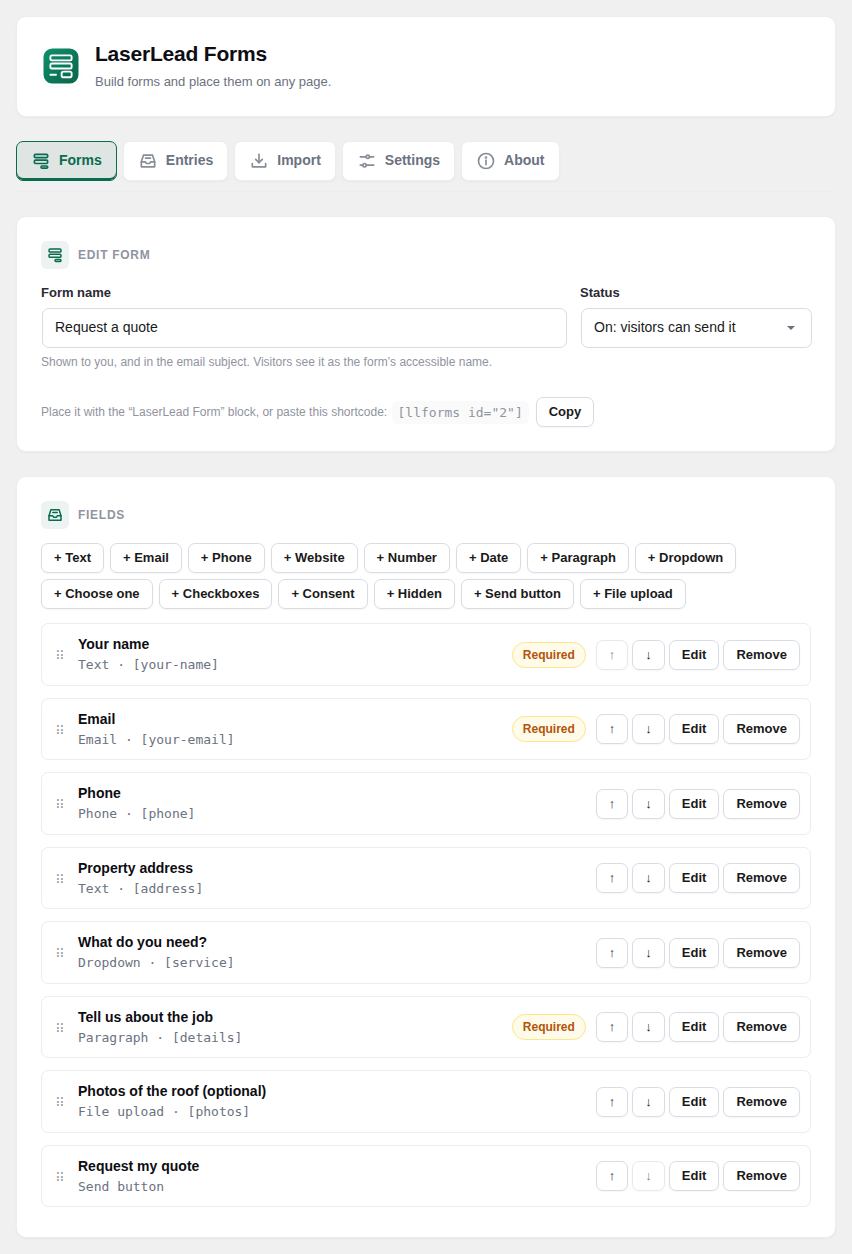
- Form builder: text, email, phone, website, number, date, paragraph, dropdown, choose-one, checkboxes, consent, hidden fields and the send button. Drag to reorder, or use the arrow buttons.
- File uploads, kept safe: a file field with the types you allow (images, documents, archives) and a size limit. Files are stored under random names with no extension, in a folder you choose in Settings, and only signed-in administrators can download them. If your server would hand that folder to anyone who guesses the address, Settings warns you.
- Bring your Contact Form 7 forms across: the Import tab reads your Contact Form 7 forms, shows field by field what imports, what is approximated and what isn't supported, and creates the matching forms. An optional switch lets your existing
[contact-form-7]shortcodes show the imported form once Contact Form 7 is turned off, so no page needs editing. Import only reads Contact Form 7's data, it never changes it. - Place it anywhere: the "LaserLead Form" block, or the
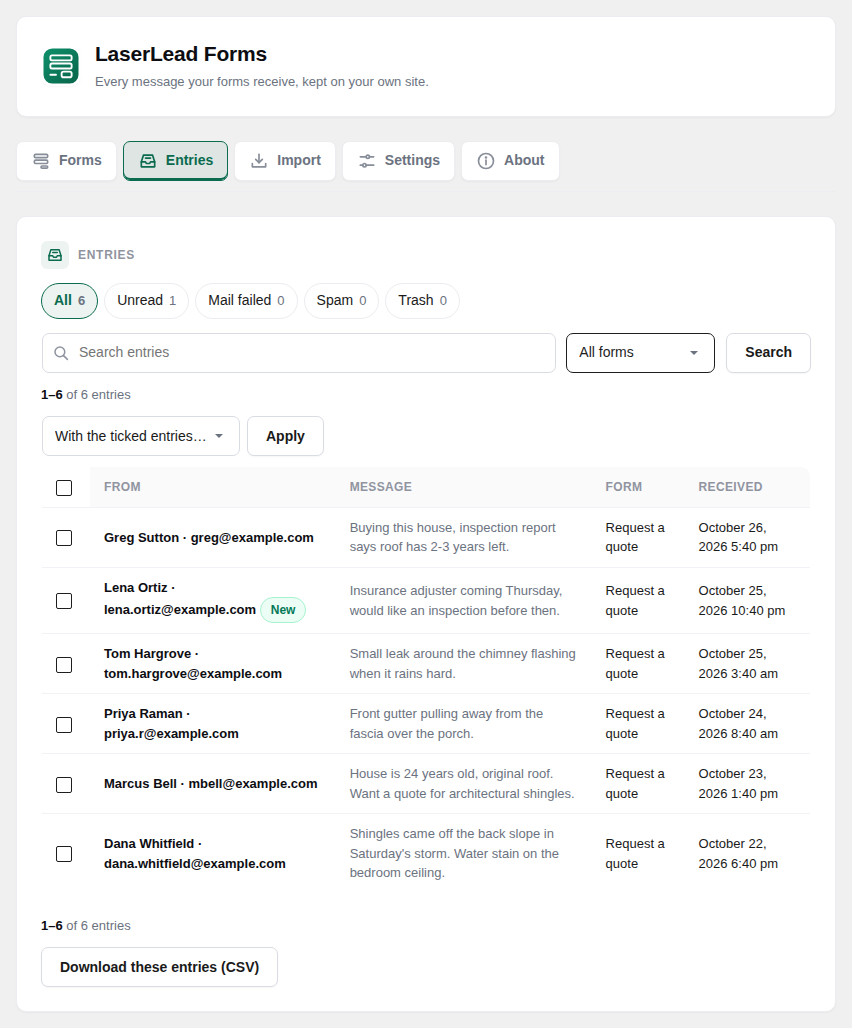
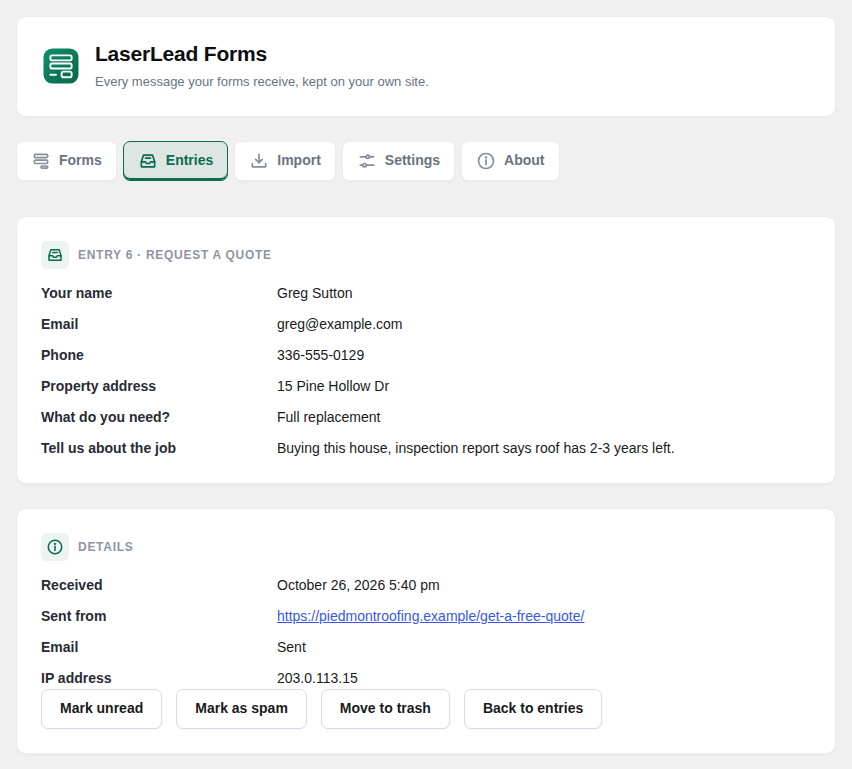
[llforms id="…"]shortcode. - Entries on your site: search, read, mark as spam, trash, delete, and download as CSV (safe to open in a spreadsheet).
- Email: a notification to you and an optional automatic reply to the visitor, with tags such as
[your-name],[_site_title]and[_entry_link]. Sent through WordPress, so any SMTP plugin carries it. - Spam protection that works on cached pages: a hidden field robots fill in, a signed token instead of a nonce (cached pages keep working for three days), a minimum time to fill the form, a per-visitor hourly limit, and blocklists for words, addresses and domains. Optional Cloudflare Turnstile or Google reCAPTCHA v3 with your own keys. Spam is kept under Entries → Spam, never thrown away.
- Privacy: works with WordPress's Export and Erase Personal Data tools, and can delete old entries after a number of days you choose.
- No tracking. No "Powered by" link on your forms. Deleting the plugin keeps your forms and entries unless you choose otherwise in Settings.
安装:
- Upload the
laserlead-formsfolder to/wp-content/plugins/, or install it from the Plugins screen. - Activate it. A "Contact Us" form is ready under LaserLead Forms → Forms.
- Add the "LaserLead Form" block to a page (or paste the shortcode shown next to the form).
屏幕截图:

常见问题:
Does it send my data anywhere?
No, unless you switch on a captcha (see External services). Entries stay in your site's own database.
My site uses a page cache. Will the form still work?
Yes. The form carries a signed token that stays valid for three days instead of a WordPress nonce, and the form's script fetches a fresh one when the visitor starts typing.
The email didn't arrive. Is the message lost?
No. Every entry is saved before the email is sent. Entries → Mail failed lists the ones whose email failed, with the error. An SMTP plugin usually fixes sending.
Where are uploaded files kept, and who can open them?
In the folder set under Settings → Uploads, under random names with no extension, so a web server never runs or displays them. Only signed-in administrators can download them, from the entry. The notification email links to the entry, never to the file.
Does it work if my site blocks the REST API for visitors?
Yes. If the form cannot reach its REST address, it sends itself the classic way instead, and the message is still saved.
What happens to my entries if I delete the plugin?
They stay, unless you turned on "Remove all forms and entries when the plugin is deleted" in Settings. With that on, uploaded files are deleted too.
更新日志:
- Screenshots for the plugin directory. No code changes.
- Form submissions are cleaned as soon as they arrive, before any check or add-on sees them; uploads are checked to be real uploads first.
- A form the builder could not save is kept for you to fix only after it has been cleaned.
- The About screen's Copy button and the list filters use script files instead of inline code.
- The "PHP too old" notice shows only on the Plugins screen, to people who can manage plugins.
- The LaserLead Pro note on the About screen now states the guarantee in full: 30-day, 100% money-back.
- About screen and plugin links go to laserleadpro.com: LaserLead Pro, its docs, and this plugin's page (/forms/).
- File uploads into a folder you choose (protected, administrator-only downloads, reachability warning).
- Contact Form 7 import with a per-field report, and optional takeover of existing [contact-form-7] shortcodes.
- The form engine: builder, block and shortcode, signed cache-safe token, submit with and without JavaScript, spam protection, notification and autoresponder email with tags, mail status on every entry, Entries screen with views, bulk actions and CSV export, privacy export and erase, retention.
- First preview: the plugin shell, five admin screens, database tables.