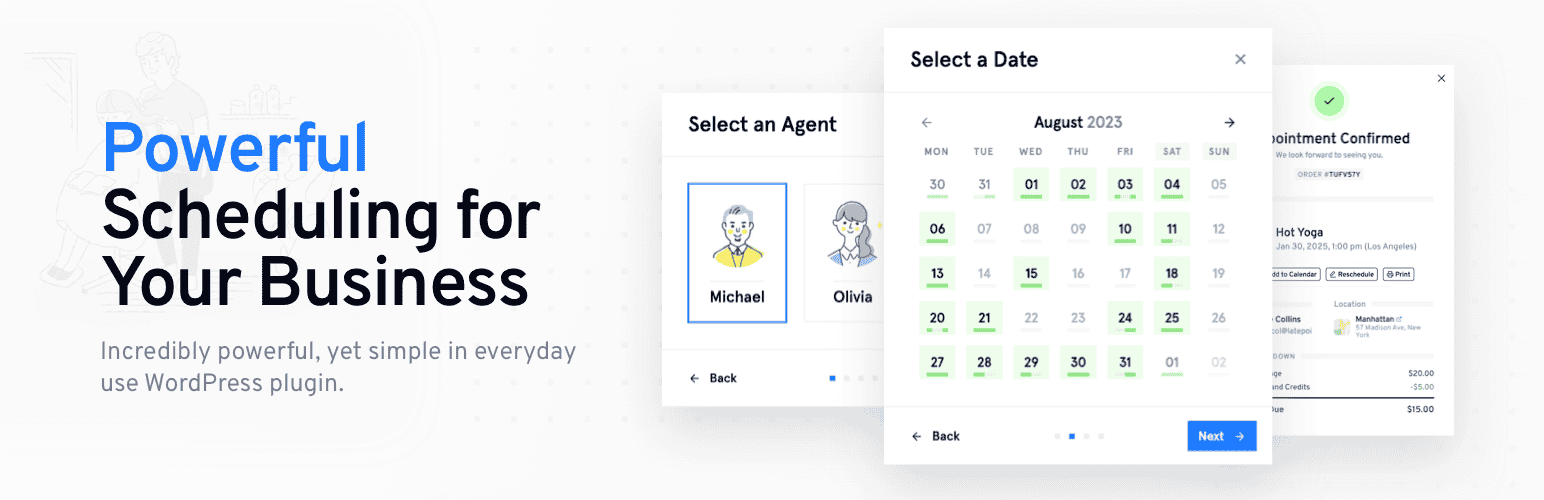
Appointment Booking Plugin – LatePoint | Calendar & Scheduling for WordPress
| 开发者 | latepoint |
|---|---|
| 更新时间 | 2026年10月16日 13:37 |
| PHP版本: | 7.4 及以上 |
| WordPress版本: | 7.1 |
| 版权: | GPLv3 |
| 版权网址: | 版权信息 |
标签
下载
5.7.3
5.7.4
5.6.5
5.7.0
5.1.1
5.7.5
5.6.6
5.6.8
5.2.8
5.6.7
5.2.9
5.1.8
5.1.9
5.1.91
5.1.92
5.1.93
5.2.2
5.2.3
5.4.2
5.1.94
5.6.3
5.1.3
5.2.5
5.3.0
5.3.1
5.1.2
5.1.4
5.1.5
5.2.10
5.2.11
5.3.2
5.4.0
5.2.7
5.5.0
5.5.1
5.1.6
5.1.7
5.2.0
5.2.1
5.2.4
5.2.6
5.6.0
5.6.1
5.6.2
5.5.2
5.6.4
5.1.0
5.4.1
5.6.10
5.6.11
5.6.9
5.7.1
5.7.2
详情介绍:
LatePoint – The Lightweight Appointment Booking Plugin for WordPress
★★★★★
[youtube https://www.youtube.com/watch?v=s5lcrXFWQcw]
LatePoint is an appointment scheduling and booking plugin for WordPress that lets your clients schedule, reschedule, and pay for appointments without a single back-and-forth email.
It's the WordPress booking plugin built for coaches, salons, consultants, clinics, and event hosts who rely on appointments and group bookings.
Now with Events. Alongside appointments, LatePoint lets you publish and sell tickets for workshops, classes, and group events, right from the same booking flow your clients already use. Add an events list, or drop a registration button, anywhere with a shortcode, set capacity, and let attendees register and pay in a few clicks. With LatePoint Pro, offer multiple ticket types per event (like General or VIP) at different prices, and every ticket comes with a QR code for fast check-in at the door. Every registration becomes an order, so you manage your event booking system the same way you manage appointment bookings.
Used on 100,000+ WordPress sites, LatePoint gives service businesses a fully branded booking experience that works 24/7. Your clients book from any device. You get paid upfront. No-shows drop. Admin time disappears.
Whether you're a coach, salon, consultant, or clinic, if your business runs on bookings, LatePoint makes it easy to manage your schedule, take payments, and let clients book online 24/7.
Set it up in 10 minutes. Look professional. Automate the boring stuff. Let LatePoint handle the heavy lifting so you can focus on your business.
Try the Live Demo
安装:
- Upload
latepoint.zipto the/wp-content/plugins/directory - Activate the plugin through the 'Plugins' menu in WordPress
- Make sure to disable caching on your customer cabinet page
屏幕截图:





更新日志:
5.7.5 - October 16, 2026
- New
- Added REST API support for the upcoming premium release
- Improvements
- Added a resources box with helpful documentation links across the LatePoint admin screens.
- Security
- Addressed security bugs. Props to WPScan and WordFence for reporting them.
- Improvements
- Booking form step headings, descriptions, confirmation and support text can now be translated with Loco Translate or any gettext tool when left at their defaults.
- Fixes
- Fixed the event booking form showing a payment portion step, where "Full Amount" and "Deposit Only" offered the same amount.
- Security
- Addressed security bugs. Props to WordFence for reporting it.
- Security
- Addressed security bugs. Props to WordFence for reporting it.
- Fixes
- Fixed an issue where WordPress admin pages were inaccessible to users without LatePoint access.
- Improvements
- The phone number field now has a searchable country selector, no longer drops digits when saving numbers for some countries and has an upgraded phone field library.
- Security
- Addressed security bugs. Props to WordFence for reporting it.
- New
- Introduces Events. Publish workshops, classes, and ticketed gatherings, with registrations flowing through the same cart and checkout as appointments. LatePoint Pro adds multiple ticket types and QR code check-in.
- Improvements
- The LatePoint item in the WordPress admin sidebar now opens a quick access menu for the main LatePoint screens.
- The Payments screen now shows each agent only the transactions of their own customers, matching how the Orders screen is scoped.
- Fixes
- Fixed an issue where reminders and automations were never scheduled for bookings that start at exactly 12:00 am.
- Fixed a fatal error on the admin Calendar in time zones where daylight saving time starts at midnight.
- New
- Added the {{customer_admin_notes}} template variable for use in notifications and calendar sync.
- Added the service and end time of a booking to webhook payloads, so both can be mapped in automation workflows.
- Service category can now be used as a workflow trigger condition, so a rule can apply to a whole category instead of listing every service in it.
- Improvements
- The Customer Dashboard and Customer Login pages now always load their scripts and styles, even when front-end assets are restricted to selected pages.
- Fixes
- Fixed two customers checking out at the same time being able to book the same slot. A checkout in progress now holds the slot briefly.
- Fixed a schedule ending at 12:00 am producing no available time slots, which made a full 24-hour day impossible to set.
- Fixed the Orders CSV export showing 0.00 in the Amount column for every order.
- Fixed the delete confirmation on non-English sites asking users to type the English word "delete" instead of the translated one. Affects services, locations, agents and appointments.
- Fixed "Add another item" failing when "Reset Presets When Adding New Item" was enabled and the booking button had a preselected service.
- Fixed the availability tools in the MCP/Abilities integration returning incorrect results.
- Fixed Razorpay reporting that the selected payment method is not available even though the payment had gone through.
- New
- Added White Label admin brand colour support for the upcoming premium release, allowing you to replace the LatePoint admin brand colour throughout the admin area.
- Fixes
- Fixed an issue where going back in the booking form could keep the originally selected agent or time slot in the finalized booking.
- Security
- Addressed security bugs. Props to WordFence for reporting it.
- New
- Introduces the PayPal v6 payment gateway integration.
- Improvements
- Added filter 'latepoint_calendar_now_datetime' for calendar flexibility to better support customer timezone-based calendars.
- Reordered the Permitted Actions in Roles settings to improve organization and usability.
- Strengthened the Razorpay payment verification.
- Fixes
- Fixed delayed workflow actions running immediately in some case instead of waiting for the configured delay.
- Fixed an issue where Google Calendar events were not removed when bookings were deleted from an order in the admin area.
- New
- Added MCP server support with the /wp-json/latepoint/v1/mcp endpoint, AI client integration (such as Claude), and a settings panel for easy setup. Requires WordPress 6.9+ and the MCP Adapter plugin.
- Added support for the {year} token in invoice number prefixes, automatically inserting the invoice creation year.
- Improvements
- Added the latepoint_should_load_front_scripts filter for conditional frontend asset loading.
- Fixes
- Invoice numbers are now generated and locked at the time of creation to ensure consistency.
- Security
- Addressed security bugs. Props to Artus for reporting it.
- Fixes
- Fixed a "You have to select an agent" error that occurred when choosing "Any agent."
- Security
- Addressed security bugs. Props to Khoa and WordFence for reporting it.
- Fixes
- Fixed an inconsistent slots availability in the dashboard calendar view despite being unavailable in availability and booking interfaces.
- New
- Added maximum bookings per day feature support for an upcoming premium release, allowing you to set limits on the number of bookings a customer can make per day.
- Added cancellation and reschedule reason feature feature support for an upcoming premium release, allowing you to require customers to provide a reason when cancelling or rescheduling an appointment.
- Improvements
- Refactored backend code to improve stability and maintainability.
- Fixes
- Fixed revenue statistics and analytics displaying pre-discount amounts when coupons were applied. Dashboard revenue widgets and reports now correctly reflect the discounted total paid by customers.
- Fixed the Admin Notes customer field, not being saved when edited by agents or users with custom LatePoint roles.
- Fixed service extras quantity inputs not updating the cart total when values were typed manually on desktop or mobile devices.
- Fixed the Confirmation step showing a Create Account prompt to customers who were already logged in. Logged-in customers now see an Open My Cabinet link instead.
- Fixed a loading spinner issue in the Price Breakdown and Balance & Payments panels when changing the selected service while creating an order in the admin area.
- Security
- Addressed security bugs. Props to WordFence for reporting it.
- Addressed security bugs. Props to Patchstack for reporting it.
- New
- Added URL pre-fill support for an upcoming premium release, allowing users to pre-fill customer fields using URL query parameters before the contact step is rendered.
- Added display price support for bundles in an upcoming premium release, allowing merchants to display prices to customers on the bundle selection step while keeping the Charge Amount as the actual billed amount.
- Fixes
- Fixed deprecation warnings for all LatePoint Gutenberg blocks (Booking Button, Booking Form, Calendar, Customer Dashboard, Customer Login, and List of Resources).
- Security
- Strengthened nonce validation. Props to Meher Sudhakar Abbireddi for reporting it.
- Strengthened the visibility filter that only ran on the display layer. Props to WordFence for reporting it.
- New
- Added a clear "No Availability" message when a selected service or agent has no bookable dates, making it easier to understand why no dates are available.
- Added new options to control which services are displayed during the booking process. You can now choose to show all services, only individual services, or only bundles in booking forms and widgets.
- Added White Label support for upcoming premium release, allowing you to replace LatePoint branding throughout the admin area with your own brand identity.
- Improvements
- Added an extra confirmation step when deleting services to help prevent accidental deletions. This is especially important because deleting a service also removes its associated appointments.
- Fixes
- Fixed inconsistent invoice payment information. Invoice pages now show the correct remaining balance as Amount Due, and fully paid invoices are clearly marked as Paid.
- Fixed an issue where cancelled Mollie or PayPal payments could cause duplicate items to appear in the booking cart when resuming a booking.
- Fixed an issue where time slots already reserved in the cart could still appear available when booking across different calendar months, preventing accidental duplicate bookings.
- Fixed an issue where bulk actions could disappear from the Appointments list after filtering, sorting, or navigating between pages. Bulk actions now remain available consistently.
- Security
- Security: Addressed security bugs. Props to WordFence for reporting it.
- New
- Added a new workflow condition "Order Item Counts" for the Booking Created and Order Created triggers. This allows a workflow to fire (or be skipped) based on number of bookings created in the same order.
- Added bulk delete option to the Appointments list along with a confirmation prompt to prevent accidental deletions.
- Added translations for Portuguese (Brazil), Polish, Dutch, Chinese (Simplified), Turkish, Indonesian, Japanese, Arabic, Swedish, Vietnamese, Hebrew, Thai, Greek, and Czech
- Improvements
- Updated the existing translations with corrections and added new translations for the new strings.
- Fix:
- Missing text domains on some strings that prevented them from being translatable.
- Strengthened the nonce validation. Props to Wordfence.
- New: Introduces the RazorPay payment gateway integration.
- Improvement: Added a new “Create invoices for free bookings” toggle under Settings -> Invoices, allowing admins to optionally generate invoices for free bookings.
- Improvement: Updated all LatePoint Gutenberg blocks (Booking Button, Booking Form, Calendar, Customer Dashboard, Customer Login, and List of Resources) to Block API version 3.
- Improvement: Removed source map from CSS and JS to reduce output size.
- Fix: Fixed Gutenberg block preview rendering inside the WordPress iframe editor, preventing blank booking form and calendar previews in responsive/device preview modes.
- Added support for custom
.icscalendar attachment filenames in workflow email notifications, including smart variables such as{{service_name}}and{{booking_id}}for more personalized calendar invites. - Added new MCP settings in General -> MCP to enable and manage Abilities support.
- Security: Addressed security bugs. Props to WordFence for reporting it.
- Security: Addressed security bugs. Props to WordFence for reporting it.
- New: Added “Enable Invoices” toggle in general settings. This introduces foundational support for premium versions and allows admins to disable invoice functionality when using external invoicing tools or when invoices are not needed.
- New: Added drag-and-drop column reordering to the Appointments table. Users can customize column order via the Table Settings panel, with preferences saved across sessions.
- Improvement: Improved browser autofill support by adding proper autocomplete attributes to all customer-facing forms, resolving PCI compliance warnings.
- Fix: Fixed a crash on the dashboard and month calendar when an agent has no work schedule, preventing DivisionByZero errors.
- Fix: Resolved a WordPress 6.7+ notice related to delayed textdomain loading.
- Fix: Fixed a 500 error during password reset requests when customer lookup returned invalid data.
- Security: Addressed security bugs. Props to WordFence for reporting it.
- Security: Addressed security bugs. Props to WordFence for reporting it.
- New: Added Assets (Shared Resources) feature support for the upcoming Pro release.
- Fix: Resolved an issue where scheduled jobs more than a month away displayed incorrect remaining time.
- Security: Addressed security bugs. Props to WordFence for reporting it.
- New: Calendar URL now remembers your view, date, and filter selections, refresh the page and everything stays in place
- Improvement: Dates on Orders and Payments pages now use the same readable format as the rest of the plugin
- Fix: Services set to "Visible to admins and agents only" no longer appear on the booking form for customers
- Fix: Coupon discounts now display correctly when the thousand separator is set to a space
- Fix: Fixed missing close button on the calendar day view popup
- Fix: Calendar day view popup is now wider so filter dropdowns aren't cut off
- Fix: Fixed a fatal error on the customer dashboard when a purchased bundle has been deleted
- Security: Addressed security bugs. Props to WordFence for reporting it.
- Improvement: Added foundational support for upcoming pro features related to location based agent schedules.
- Improvements: Improved compatibility checks between Free and Pro plugins.
- Fix: Fixed SMS OTP not being sent when verifying existing customers by phone due to incorrect delivery method
- Fix: Fixed OTP verification box showing incorrect label — now displays “Verify your phone number” when SMS OTP is enabled.
- Fix: Fixed calendar month names displaying duplicated characters (e.g., "Marss", "Aprilil") when both short and full month names are translated to the same value via Loco Translate.
- Security: Strengthen plugin security and harden against potential vulnerabilities.
- New: Added "Remove all data on plugin deletion" toggle under Settings > General > Danger Zone > Plugin Deletion to permanently delete all LatePoint data when the plugin is removed.
- Security: Strengthen plugin security and harden against potential vulnerabilities.
- Fix: Resolved the forgot-password form persisting when switching back to the New Customer tab in the Booking Form. Full changelog can be found on our website: Full Changelog