
Launchmender – Go-Live Checklist & Client Handoff
| 开发者 | emtiazzahid |
|---|---|
| 更新时间 | 2026年10月26日 19:06 |
| PHP版本: | 7.4 及以上 |
| WordPress版本: | 7.1 |
| 版权: | GPLv2 or later |
| 版权网址: | 版权信息 |
详情介绍:
- Visibility & SEO – search engines discouraged, HTTPS and mixed content, plain permalinks, default tagline, missing site icon, missing default social image, unreachable sitemap, robots.txt blocking, home page noindex.
- Content hygiene – Hello World post, Sample Page, placeholder text (lorem ipsum, "your text here"…), menu links to "#" or staging hosts, images without alt text, menus pointing at empty categories, authors exposing their username, comments open on pages, "Uncategorized", stale drafts.
- Configuration – WP_DEBUG, displayed errors, an "admin" user, developer admin email, UTC timezone, US date format on non-US sites, file editor enabled, XML-RPC, open registration with an elevated role, front page showing posts, staging strings in URLs or title.
- Maintenance & security basics – pending updates, inactive plugins and themes, plugins abandoned by their author for two years, no backup plugin, no caching, public debug.log, public readme.html.
- Email & forms – form plugin without an SMTP plugin, pending admin email change, test email delivery, missing privacy policy.
- Performance – images over 1 MB, native lazy loading disabled.
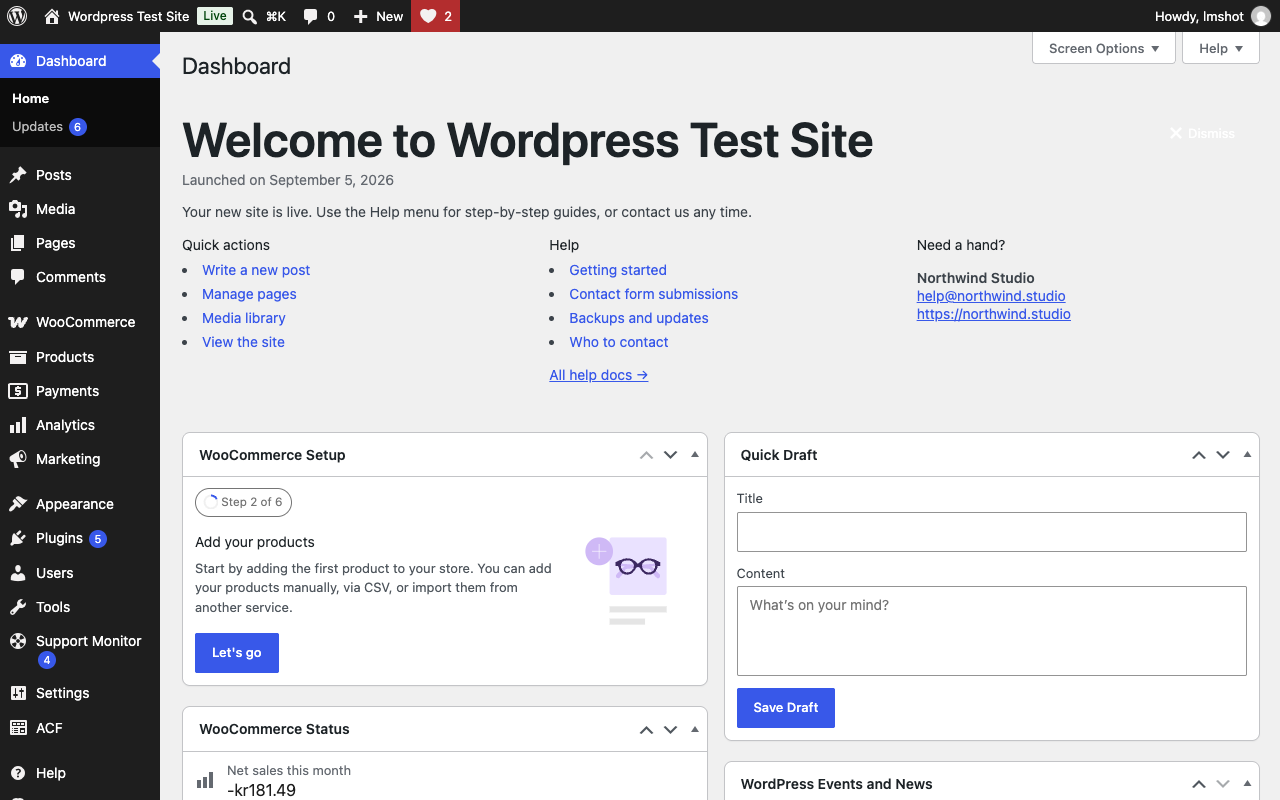
- A welcome panel on the Dashboard with your name, logo, launch date, quick actions and support contact.
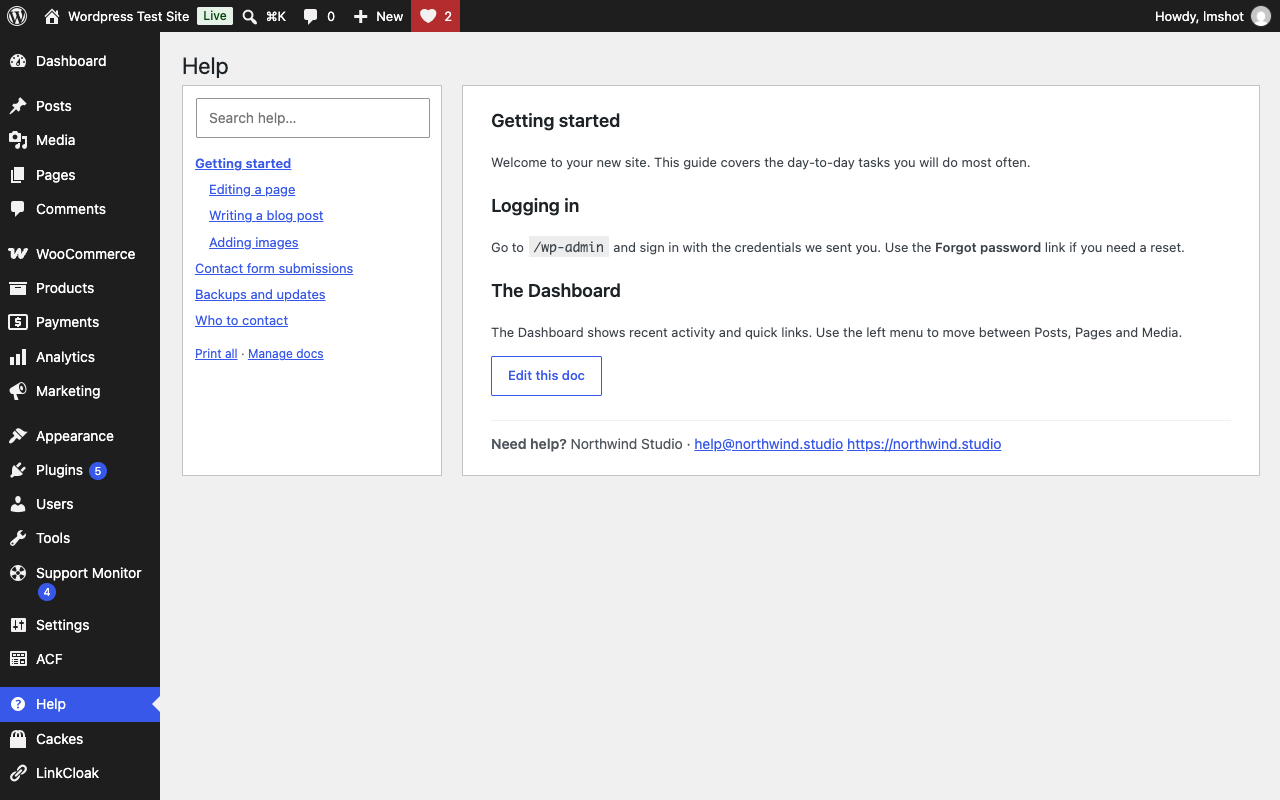
- A Help menu with your documentation, written in the block editor, hierarchical, searchable, printable. Imports your existing WP Help documents.
- Contextual tips in the editor sidebar and on list screens ("The homepage hero is edited in the Hero pattern").
- An optional simplified admin menu for the client role. Administrators are never affected.
wp launchmender check run --format=json exits non-zero on failures, so agencies can gate deployments. Also wp launchmender check list, wp launchmender check fix <id>, wp launchmender report --out=report.html, wp launchmender manual export, wp launchmender docs import-wphelp.
Developer hooks
launchmender_checks (add your own check classes), launchmender_check_result, launchmender_fix_applied, launchmender_profiles, launchmender_manual_template, launchmender_placeholder_phrases, launchmender_report_sections, launchmender_client_role_menus, launchmender_capability.
More plugins by Emtiaz Zahid
- Faultwright: PHP errors, JavaScript errors, failed cron jobs, emails and updates on one timeline
- Stalemender: content audit that gives every post a Freshness Score (0–100) and tells you why
- Waymender: finds broken links without hammering your server, logs 404s and fixes both in one click
- Anchormender: internal link suggestions while you write, an orphan post report and bulk internal linking
- Repeatwright: RFM customer segments, repeat rate, LTV and cohort retention from your own WooCommerce orders
- Hoverbuy: sticky add to cart bar with image, price and quantity once the real button scrolls away, variable products included
- Dynafield: ACF, Pods, Meta Box and post meta as dynamic tags in free Elementor: text, link, image, number, colour and date
- Shipeach: shipping cost per product and per variation, by country, state or postcode, as its own method or added to other rates
安装:
- Upload the plugin folder to
/wp-content/plugins/or install it from Plugins → Add New. - Activate it.
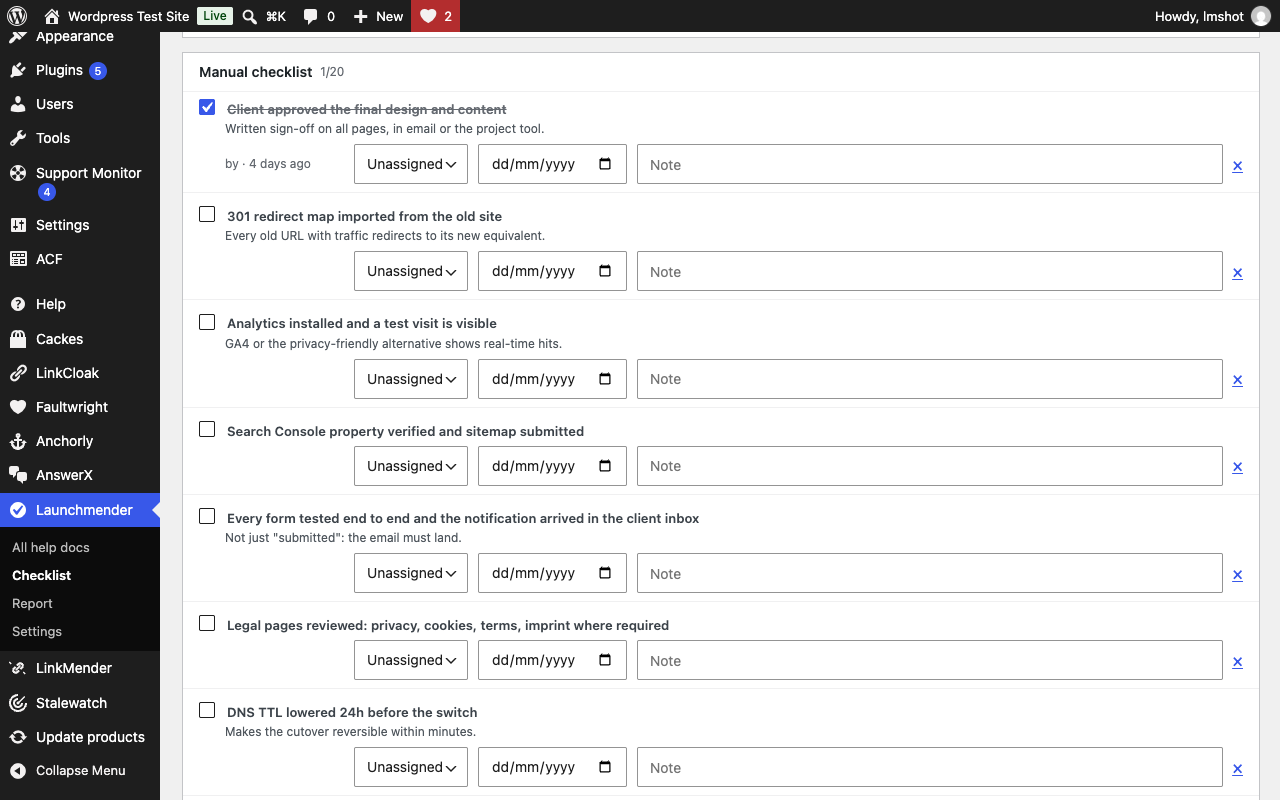
- Open Launchmender in the admin menu and click Run checks.
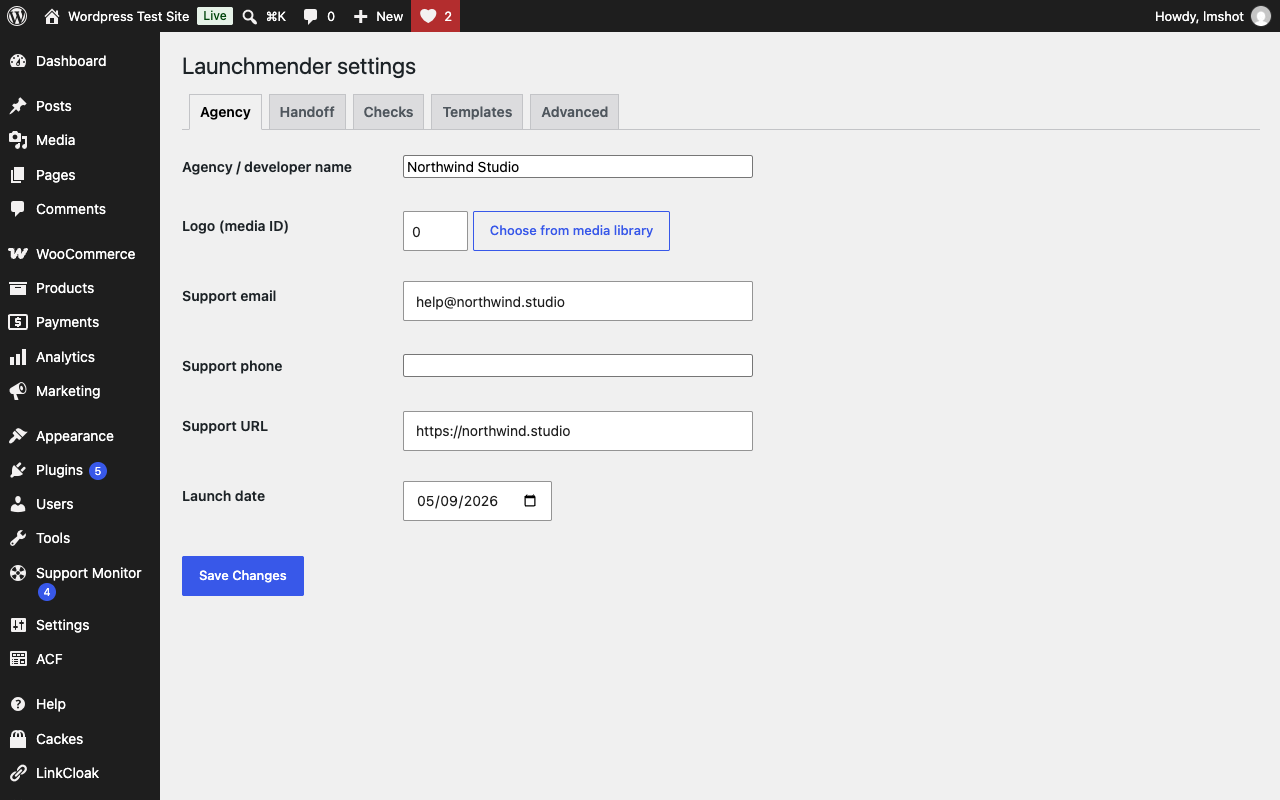
- Fill in your agency details under Launchmender → Settings and enable Handoff mode when you are ready to hand the site over.
屏幕截图:
常见问题:
Does the plugin send anything to its author?
No. Launchmender has no server of its own and sends no usage statistics or telemetry. Its checks request only your own site's URLs, as listed under "External services".
Does it change anything without asking?
No. Checks only read. Every fix has a button and a confirmation, and the report records who applied it and when.
Is it safe to keep active after launch?
Yes, that is the point of Handoff mode. The checklist screens are only visible to administrators; clients see the Help menu and the welcome panel.
Does hiding menus for the client role make the site more secure?
No. It hides menu entries for convenience; user capabilities are unchanged. Administrators are never affected.
What does the "disable file editor" fix change?
It writes wp-content/mu-plugins/launchmender-constants.php containing DISALLOW_FILE_EDIT. Untick the flag under Settings → Checks to remove the file. wp-config.php is never edited.
Can I add my own checks?
Yes. Implement Launchmender\Checks\CheckInterface (or extend AbstractCheck) and add an instance through the launchmender_checks filter.
Can I import documents from WP Help?
Yes. When WP Help documents are found, Settings → Handoff shows an import button. Hierarchy and order are preserved and the import is safe to run twice.
Does it send data anywhere?
The "abandoned plugins" check asks api.wordpress.org for the last update date of your active plugins (slugs only, cached for 7 days). Nothing else leaves your site.
更新日志:
- WP-CLI
--outexports are written inside uploads/launchmender/ instead of an arbitrary path. - Readme states that the plugin sends no telemetry.
- Plugin URI now points at the plugin's page on the author's site.
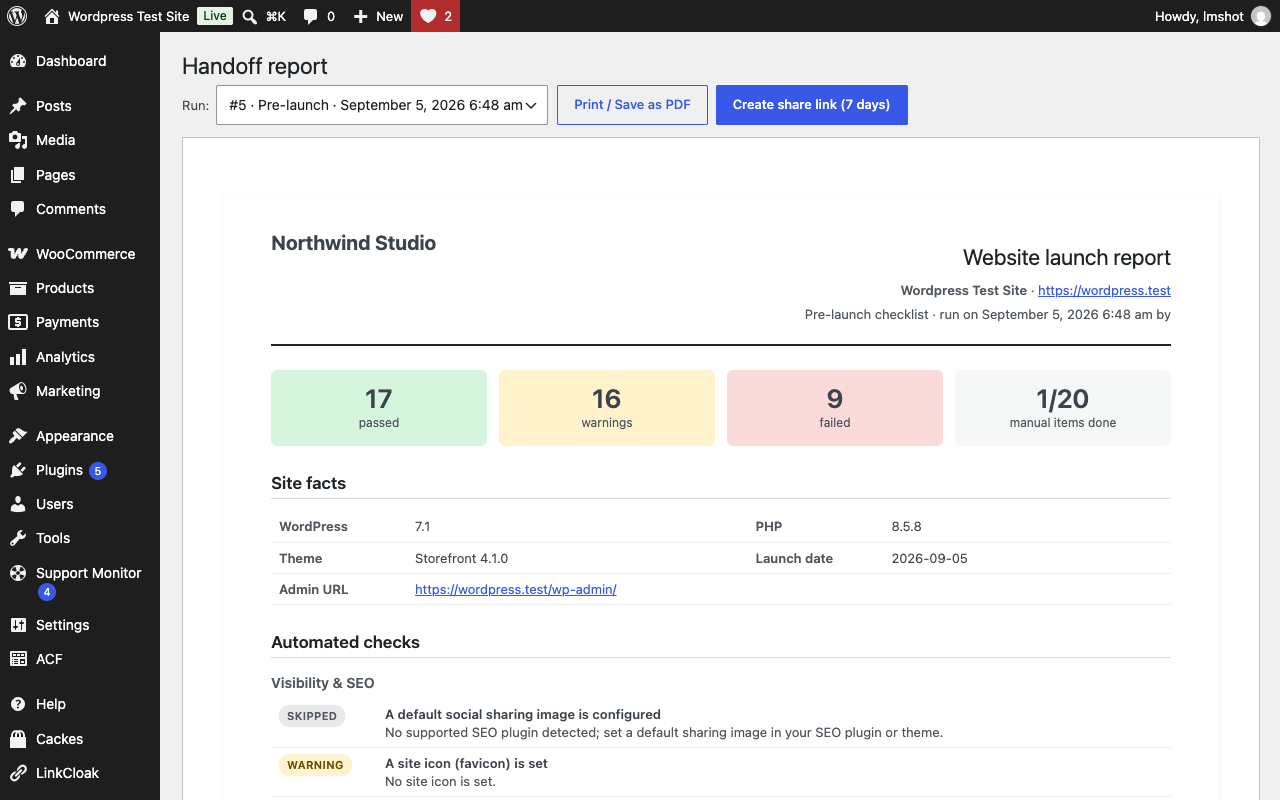
- Initial release: 44 checks, one-click fixes, manual checklist with templates, three profiles, handoff mode (welcome panel, Help docs, contextual tips, client role menu), printable report with share links, WP-CLI commands.