
Layout Foundry Quantities
| 开发者 | layoutfoundry |
|---|---|
| 更新时间 | 2026年10月26日 00:08 |
| PHP版本: | 7.4 及以上 |
| WordPress版本: | 7.1 |
| 版权: | GPLv2 or later |
| 版权网址: | 版权信息 |
详情介绍:
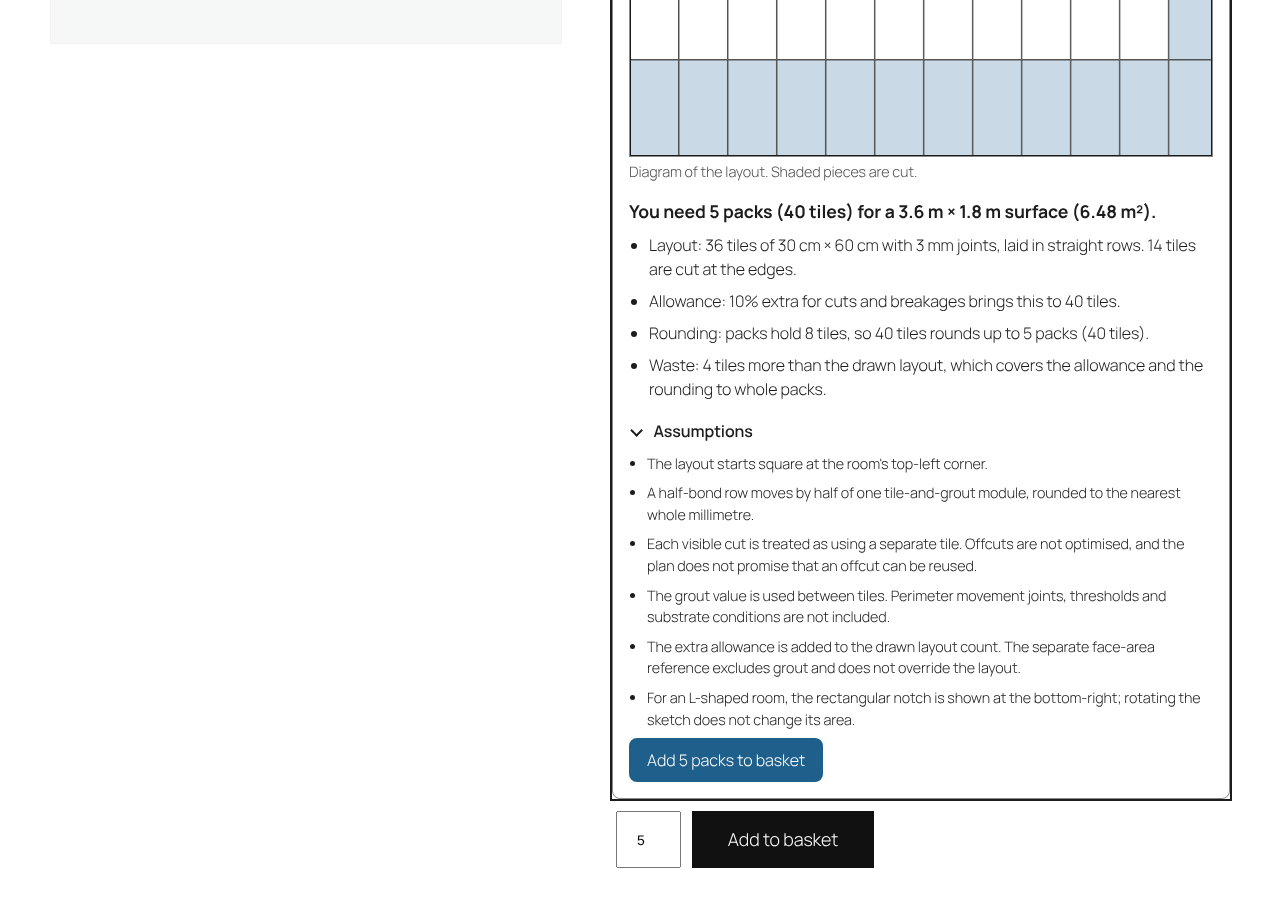
- Tiles and paving: piece size, pieces per pack, joint width and laying pattern (straight or half bond). The planner lays out every piece and counts the cut pieces.
- Flooring: coverage per pack, or plank size with planks per pack.
- Wallpaper: roll width, roll length, pattern repeat and match (straight or half drop). Shoppers enter the wall height and up to four wall widths.
- Paint: coverage per litre for one coat, coats and tin size. Shoppers enter their walls and the number of doors and windows to take off.
- Decking: board width (as laid) and length, the gap between boards, boards per pack if sold in packs, and an optional joist spacing. The result counts whole boards with a cutting allowance, and joists when a spacing is set.
- Fencing: panel width and post width. The result counts panels, posts and, if the shopper asks, gravel boards.
- Gravel and aggregates: density in tonnes per m³ and bag weight, such as a 20 kg bag or an 850 kg bulk bag. Shoppers enter the area and the depth.
- Turf: roll width and length, or the area one roll covers.
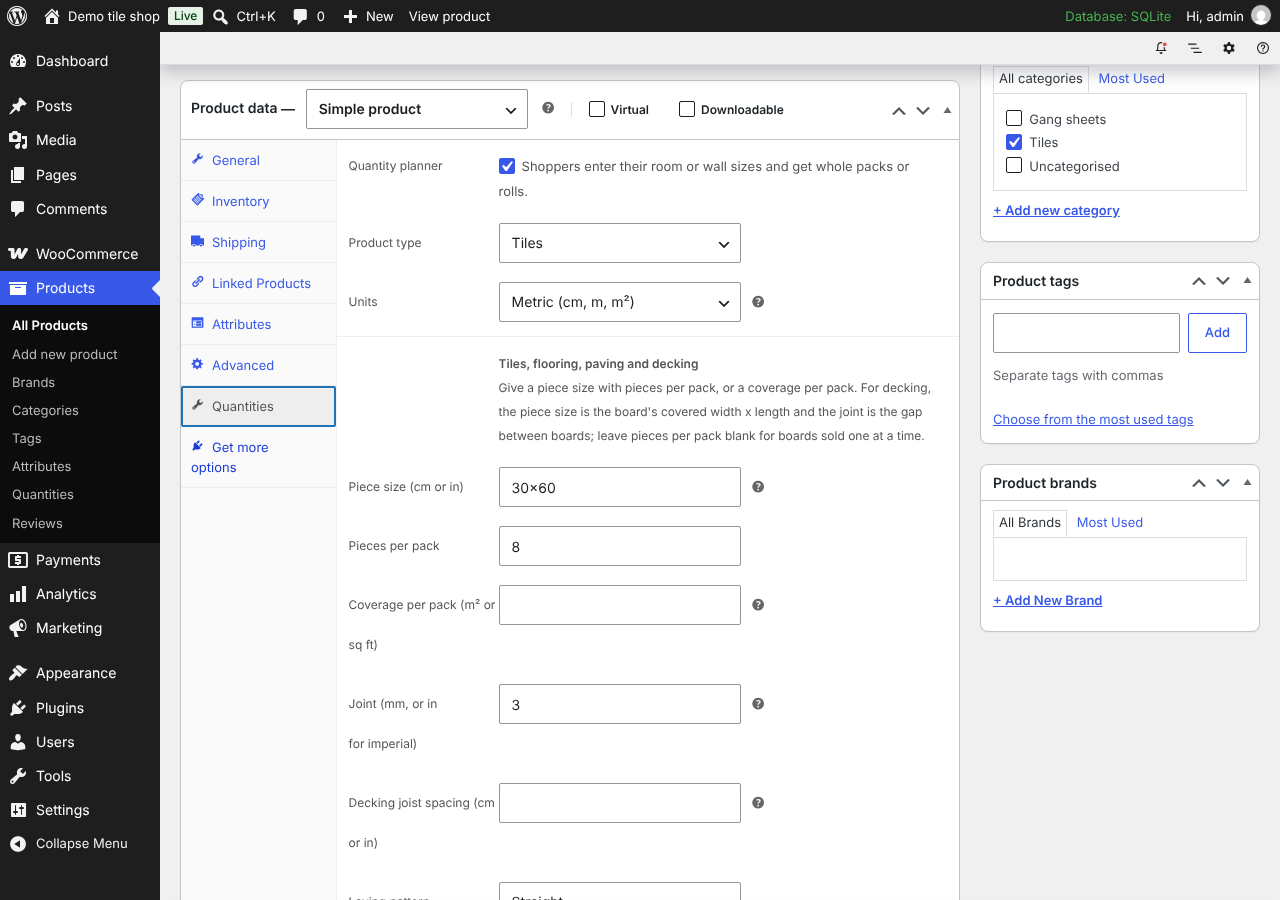
- One product at a time: edit a simple product and open Product data > Quantities.
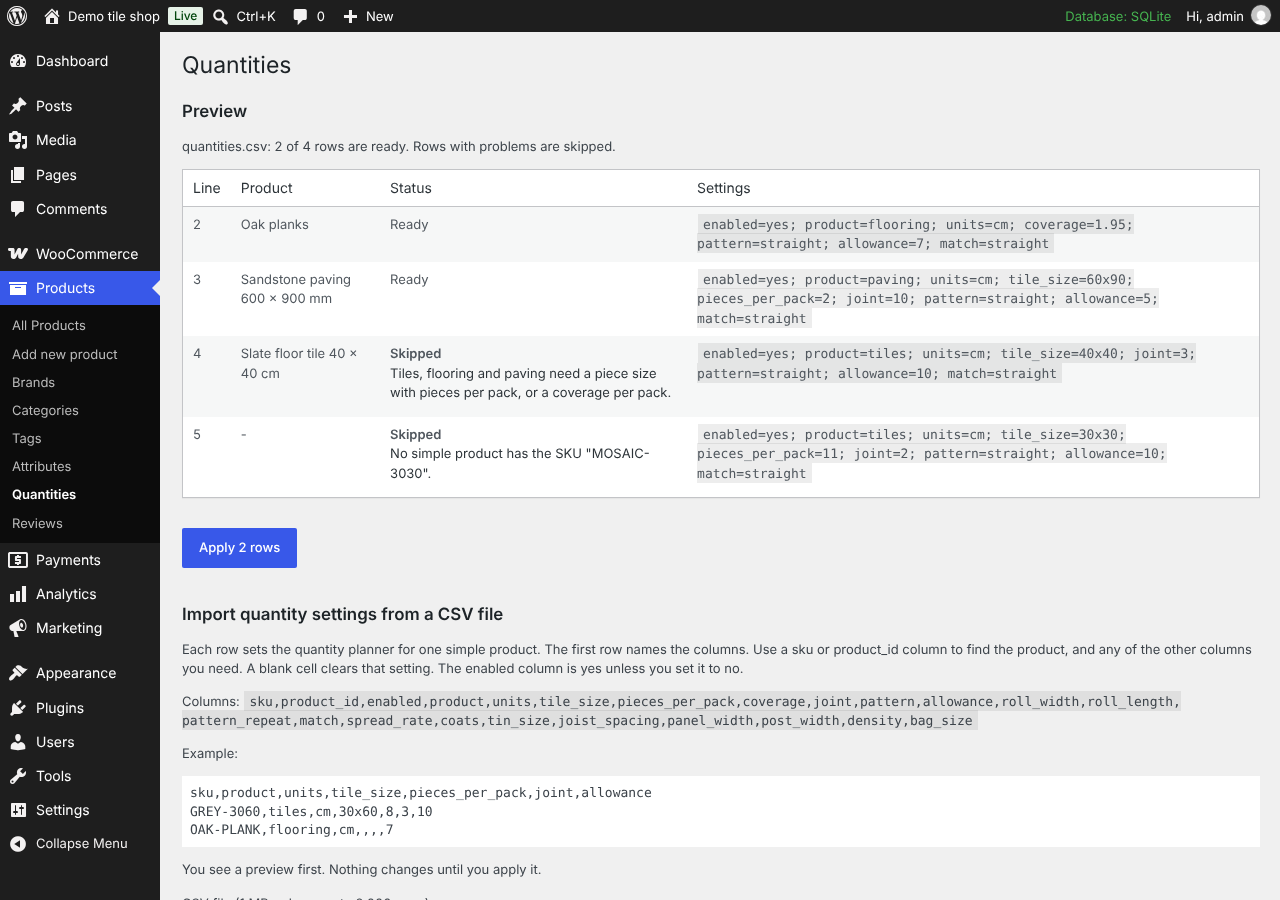
- Many products at once: Products > Quantities > Import. Upload a CSV file with a
skuorproduct_idcolumn and the settings you need. You see a preview with a status for every row, and nothing changes until you apply it.
- The planner runs in the shopper's browser. Sizes they enter stay on their device.
- The plugin makes no requests to Layout Foundry or any other outside service. It sets no cookies and adds no tracking.
assets/embed/ are built from the TypeScript in the source/ folder of this plugin with esbuild. The build steps are in source/BUILD.md.
安装:
- Install and activate WooCommerce 8.5 or later.
- Install Layout Foundry Quantities from Plugins > Add New, or upload the plugin folder to
wp-content/plugins/, then activate it. - Edit a simple product whose price is per pack or per roll. Open Product data > Quantities, tick Quantity planner and fill in the sizes.
- Open the product page and try the planner.
屏幕截图:
常见问题:
What does the CSV file look like?
The first row names the columns. For example:
sku,product,units,tile_size,pieces_per_pack,joint,allowance
GREY-3060,tiles,cm,30x60,8,3,10
The columns are sku or product_id, then any of enabled, product, units, tile_size, pieces_per_pack, coverage, joint, pattern, allowance, roll_width, roll_length, pattern_repeat, match, spread_rate, coats, tin_size, joist_spacing, panel_width, post_width, density and bag_size. A blank cell clears that setting. The full list with allowed values is on the import page.
Why does the planner not show on a product?
The planner shows on simple products whose settings are complete. Tiles, flooring and paving need a piece size with pieces per pack, or a coverage per pack. Wallpaper needs a roll width and a roll length. Paint needs a coverage and a tin size, decking a board size, fencing a panel width, gravel a density and a bag weight, and turf a roll size or a coverage per roll. When a setting is missing, the product screen says what to add and keeps the planner off.
Can paint come in several tin sizes?
Each simple product is one tin size, so the planner counts whole tins of that size. Set up each size as its own product.
Does the planner check the shopper's measurements?
No. It works out quantities from the sizes the shopper enters and the allowance shown. Shoppers should measure carefully and check the result before they buy.
Does it work with a CDN or a script optimisation plugin?
The planner starts a background worker from the file beside its script, and browsers only allow that from your own domain. If a CDN or optimisation plugin moves scripts to another domain, exclude wp-content/plugins/layout-foundry-quantities/assets/embed/ from it.
更新日志:
- Fix: the CSV import screen's column list now wraps instead of scrolling sideways.
- First release: planner for tiles, flooring, paving, wallpaper, paint, decking, fencing, gravel and aggregates, and turf, product settings, CSV import with preview, and the Quantity planner block.